MFaklis
Member
- Local time
- 7:08 PM
- Posts
- 5
- Location
- N 37° 47.932’ W 122° 24.038’
- OS
- Windows 11 Pro v.24H2 Build 26100.3476
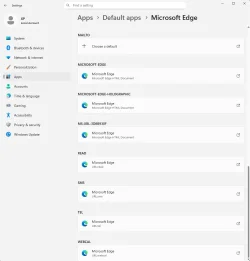
Yes, Firefox is my default browser, but until today I've been able to click on the Edge icon to start the Edge browser.
Now when I click on Edge, Windows is opening Firefox. I don't know how this happened, or how to fix it.
My system is a fully updated Windows 11 Pro on 25H2.
I have tried to reinstall Edge with the current MicrosoftEdgeSetup.exe, and it did a repair of Edge. This didn't fix the problem.
I want Firefox to be my default browser, but I want to be able to start Edge by clicking on its icon.
Now when I click on Edge, Windows is opening Firefox. I don't know how this happened, or how to fix it.
My system is a fully updated Windows 11 Pro on 25H2.
I have tried to reinstall Edge with the current MicrosoftEdgeSetup.exe, and it did a repair of Edge. This didn't fix the problem.
I want Firefox to be my default browser, but I want to be able to start Edge by clicking on its icon.
- Windows Build/Version
- Version 25H2 (OS Build 26200.7171)
My Computer
At a glance
Windows 11 Pro v.24H2 Build 26100.3476Intel Core Ultra Series 132 GB
- OS
- Windows 11 Pro v.24H2 Build 26100.3476
- Computer type
- Laptop
- Manufacturer/Model
- Framework 13
- CPU
- Intel Core Ultra Series 1
- Motherboard
- Framework
- Memory
- 32 GB