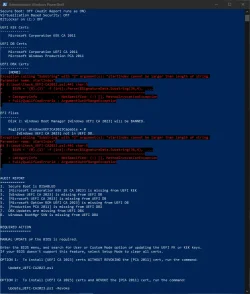
Wow. I think your UEFI entries are suspect, maybe you need to perform a factory reset (or possibly reflash the BIOS).
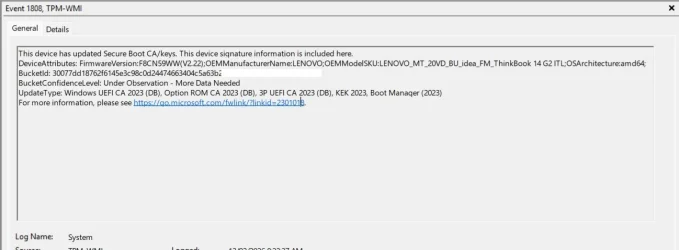
1. This event log message is normally populated by your PC's exact model info (because that what MS needs for telemetry). Notice where it's "To be filled by OEM" (Windows can't read this from the motherboard).
Code:
Updated Secure Boot certificates are available on this device but have not yet been applied to the firmware. Review the published guidance to complete the update and maintain full protection. This device signature information is included here.
DeviceAttributes: BaseBoardManufacturer:Gigabyte Technology Co., Ltd.;FirmwareManufacturer:American Megatrends Inc.;FirmwareVersion:A1;OEMModelNumber:To be filled by O.E.M.;OEMModelBaseBoard:F2A88XM-D3HP;OEMModelSystemFamily:To be filled by O.E.M.;OEMManufacturerName:Gigabyte Technology Co., Ltd.;OEMModelSKU:To be filled by O.E.M.;OSArchitecture:amd64;
2. You have a hand-crafted PK. This isn't a factory cert (just for fun, I did confirm "tESTrOOT" doesn't exist in the official KEK list on MS's GitHub.
Code:
SignatureType : EFI_CERT_X509_GUID
SignatureList : @{SignatureOwner=26dc4851-195f-4ae1-9a19-fbf883bbb35e; SignatureData=[Subject]
                 CN=TestSub

               [Issuer]
                 CN=tESTrOOT

               [Serial Number]
                 43F0106C38A1659B456EDE340980CD61

               [Not Before]
                 7/11/2013 1:10:11 AM

               [Not After]
                 12/31/2039 3:59:59 PM
At this point, I'm not sure what happened to this PC. But we should try this:
1. Secure Boot and BitLocker is already OFF. That's fine, we don't have to worry about getting blocked on boot in case we perform a factory reset.
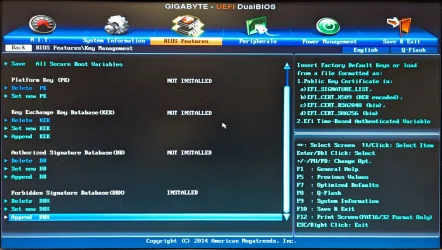
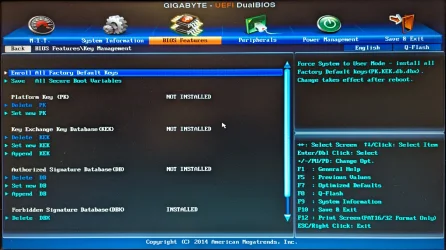
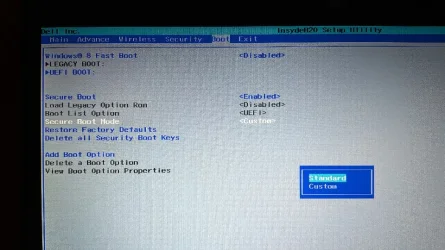
2. You need to figure what setting is factory reset of the keys (I don't have an owner's guide for this BIOS). It's mostly to get it back to a known good state. Maybe there's a global reset all keys, or you have to reset each key (PK, KEK, DB, DBX) one at a time (?)
3. The good news is you have manual KEK enrollment! After you restore it back to the defaults, the upgrade script can copy the KEK CA 2023 cert in file format to the EFI partition, and you can use the screen menu (as you have there) to Append the KEK CA 2023.
4. When the KEK manual enrollment is done, you can run the update script from Windows it will finish the rest of the process.
But we have to reset to the original factory values, so Windows can boot normally. Figure that out, and then only run the check script from post #1. Please don't run all the other cjee21 scripts or other "test scripts" which you found online. The check and update scripts will do.
Code:
Check_DBXUpdate.bin.ps1 -Verbose