Installation error 0xc4800010


bluue

New member
Local time
3:19 PM
Posts
4
OS
Windows 11
1650881453631.png
I encountered an error while updating, but I couldn't search anything related to it on google and windows.
I would like to ask you all, have you encountered this error?
This update seems to be a quality update rather than a feature update
 

My Computer My Computer

At a glance

Windows 11I7-127003060Ti
OS
Windows 11
Computer type
PC/Desktop
CPU
I7-12700
Graphics Card(s)
3060Ti
Screen Resolution
2K
Hard Drives
Nvme,Samsung 980 pro
Browser
Chrome/Firefox/edge

View attachment 27633
I encountered an error while updating, but I couldn't search anything related to it on google and windows.
I would like to ask you all, have you encountered this error?
This update seems to be a quality update rather than a feature update
I also encountered this problem and search for this problem to get nothing only to find this post. Additionally, this update has once been installed.
屏幕截图 2022-04-25 182257.png
 

My Computers My Computers

  • At a glance

    Windows 11
    OS
    Windows 11
    Computer type
    Laptop
    Manufacturer/Model
    Lenovo
    Mouse
    Logitech M590
    Browser
    Edge & Chrome & Firefox
    Antivirus
    Kaspersky Internet Security
  • At a glance

    Windows 11
    Operating System
    Windows 11
    Computer type
    Tablet
    Manufacturer/Model
    Microsoft
Are other updates successful? What about Microsoft App Store updates - are these OK?
Have you tried resetting the update components?
Open cmd prompt/powershell with admin & enter:
Net Stop bits
Net Stop wuauserv
Net Stop appidsvc
Net Stop cryptsvc
Ren %Systemroot%\SoftwareDistribution\DataStore DataStore.bak
Ren %Systemroot%\SoftwareDistribution\Download Download.bak
Ren %Systemroot%\System32\catroot2 catroot2.bak
Del "%ALLUSERSPROFILE%\Application Data\Microsoft\Network\Downloader\qmgr*.dat"
Net Start bits
Net Start wuauserv
Net Start appidsvc
Net Start cryptsvc
Restart the PC & try updating again.

And/or:
Search for services.msc & find Windows Update & ensure it is set to Automatic.
 

My Computers My Computers

  • At a glance

    Windows 11 Pro 64bit6th Gen Intel Core i7-6700HQ Quad Core proces...16GB HyperX IMPACT 1600MHz SODIMM DDR3 (2 x 8GB)NVIDIA® GeForce® GTX 960M - 2.0GB DDR5 Video ...
    OS
    Windows 11 Pro 64bit
    Computer type
    Laptop
    Manufacturer/Model
    PC Specialist Optimus VII V17-960 Gaming Laptop.
    CPU
    6th Gen Intel Core i7-6700HQ Quad Core processor.
    Memory
    16GB HyperX IMPACT 1600MHz SODIMM DDR3 (2 x 8GB)
    Graphics Card(s)
    NVIDIA® GeForce® GTX 960M - 2.0GB DDR5 Video RAM - DirectX® 12
    Sound Card
    Intel 2 Channel High Def. Audio + SoundBlaster™ Cinema 2 & Realtek
    Monitor(s) Displays
    Optimus Series: 17.3" Matte Full HD IPS LED Widescreen (1920x1080)
    Screen Resolution
    Full HD IPS display (1920 x 1080).
    Hard Drives
    4TB SSD (internal).
    1x 1TB & 1x 5TB external HDDs.
    Cooling
    STANDARD THERMAL PASTE FOR SUFFICIENT COOLING
    Keyboard
    Logitech K800 wireless keyboard
    Mouse
    Logitech M705 wireless mouse
    Internet Speed
    Upto 100Mbps
    Browser
    Edge.
    Antivirus
    Windows Defender & MalwareBytes pro.
  • At a glance

    IOS 14.6
    Operating System
    IOS 14.6
    Computer type
    Tablet
    Manufacturer/Model
    Apple
Are other updates successful? What about Microsoft App Store updates - are these OK?
Have you tried resetting the update components?
Open cmd prompt/powershell with admin & enter:
Net Stop bits
Net Stop wuauserv
Net Stop appidsvc
Net Stop cryptsvc
Ren %Systemroot%\SoftwareDistribution\DataStore DataStore.bak
Ren %Systemroot%\SoftwareDistribution\Download Download.bak
Ren %Systemroot%\System32\catroot2 catroot2.bak
Del "%ALLUSERSPROFILE%\Application Data\Microsoft\Network\Downloader\qmgr*.dat"
Net Start bits
Net Start wuauserv
Net Start appidsvc
Net Start cryptsvc
Restart the PC & try updating again.

And/or:
Search for services.msc & find Windows Update & ensure it is set to Automatic.
Thanks a lot, I'm going to test the code

I tested it and the Store's software update is available~

Yes, I turned on Windows Update's automatic opening

And,It quickly reaches 10% and then ends with a pop-up error
 

My Computer My Computer

At a glance

Windows 11I7-127003060Ti
OS
Windows 11
Computer type
PC/Desktop
CPU
I7-12700
Graphics Card(s)
3060Ti
Screen Resolution
2K
Hard Drives
Nvme,Samsung 980 pro
Browser
Chrome/Firefox/edge

I also encountered this problem and search for this problem to get nothing only to find this post. Additionally, this update has once been installed.
View attachment 27634
HI,bro.Hope we can find the problem soon~
My update automatically ends after 10% of progress, do you do the same?
 

My Computer My Computer

At a glance

Windows 11I7-127003060Ti
OS
Windows 11
Computer type
PC/Desktop
CPU
I7-12700
Graphics Card(s)
3060Ti
Screen Resolution
2K
Hard Drives
Nvme,Samsung 980 pro
Browser
Chrome/Firefox/edge
It’s quite possible the update is either erroneously shown & not intended for your PC or has already been installed but is for some reason still showing.
 

My Computers My Computers

  • At a glance

    Windows 11 Pro 64bit6th Gen Intel Core i7-6700HQ Quad Core proces...16GB HyperX IMPACT 1600MHz SODIMM DDR3 (2 x 8GB)NVIDIA® GeForce® GTX 960M - 2.0GB DDR5 Video ...
    OS
    Windows 11 Pro 64bit
    Computer type
    Laptop
    Manufacturer/Model
    PC Specialist Optimus VII V17-960 Gaming Laptop.
    CPU
    6th Gen Intel Core i7-6700HQ Quad Core processor.
    Memory
    16GB HyperX IMPACT 1600MHz SODIMM DDR3 (2 x 8GB)
    Graphics Card(s)
    NVIDIA® GeForce® GTX 960M - 2.0GB DDR5 Video RAM - DirectX® 12
    Sound Card
    Intel 2 Channel High Def. Audio + SoundBlaster™ Cinema 2 & Realtek
    Monitor(s) Displays
    Optimus Series: 17.3" Matte Full HD IPS LED Widescreen (1920x1080)
    Screen Resolution
    Full HD IPS display (1920 x 1080).
    Hard Drives
    4TB SSD (internal).
    1x 1TB & 1x 5TB external HDDs.
    Cooling
    STANDARD THERMAL PASTE FOR SUFFICIENT COOLING
    Keyboard
    Logitech K800 wireless keyboard
    Mouse
    Logitech M705 wireless mouse
    Internet Speed
    Upto 100Mbps
    Browser
    Edge.
    Antivirus
    Windows Defender & MalwareBytes pro.
  • At a glance

    IOS 14.6
    Operating System
    IOS 14.6
    Computer type
    Tablet
    Manufacturer/Model
    Apple
It’s quite possible the update is either erroneously shown & not intended for your PC or has already been installed but is for some reason still showing.
I think it means I can leave it alone for now. Waiting for the next update to be pushed is it?
😉
 

My Computer My Computer

At a glance

Windows 11I7-127003060Ti
OS
Windows 11
Computer type
PC/Desktop
CPU
I7-12700
Graphics Card(s)
3060Ti
Screen Resolution
2K
Hard Drives
Nvme,Samsung 980 pro
Browser
Chrome/Firefox/edge
I would block the update & await the next update.
 

My Computers My Computers

  • At a glance

    Windows 11 Pro 64bit6th Gen Intel Core i7-6700HQ Quad Core proces...16GB HyperX IMPACT 1600MHz SODIMM DDR3 (2 x 8GB)NVIDIA® GeForce® GTX 960M - 2.0GB DDR5 Video ...
    OS
    Windows 11 Pro 64bit
    Computer type
    Laptop
    Manufacturer/Model
    PC Specialist Optimus VII V17-960 Gaming Laptop.
    CPU
    6th Gen Intel Core i7-6700HQ Quad Core processor.
    Memory
    16GB HyperX IMPACT 1600MHz SODIMM DDR3 (2 x 8GB)
    Graphics Card(s)
    NVIDIA® GeForce® GTX 960M - 2.0GB DDR5 Video RAM - DirectX® 12
    Sound Card
    Intel 2 Channel High Def. Audio + SoundBlaster™ Cinema 2 & Realtek
    Monitor(s) Displays
    Optimus Series: 17.3" Matte Full HD IPS LED Widescreen (1920x1080)
    Screen Resolution
    Full HD IPS display (1920 x 1080).
    Hard Drives
    4TB SSD (internal).
    1x 1TB & 1x 5TB external HDDs.
    Cooling
    STANDARD THERMAL PASTE FOR SUFFICIENT COOLING
    Keyboard
    Logitech K800 wireless keyboard
    Mouse
    Logitech M705 wireless mouse
    Internet Speed
    Upto 100Mbps
    Browser
    Edge.
    Antivirus
    Windows Defender & MalwareBytes pro.
  • At a glance

    IOS 14.6
    Operating System
    IOS 14.6
    Computer type
    Tablet
    Manufacturer/Model
    Apple
In addition, you could try completely resetting Windows Update below to clear this.


My Computers My Computers

  • At a glance

    Windows 11 Pro for WorkstationsIntel i7-8700K 5 GHz64 GB (4x16GB) G.SKILL TridentZ RGB DDR4 3600...ASUS ROG-STRIX-GTX1080TI-O11G-GAMING (11GB GD...
    OS
    Windows 11 Pro for Workstations
    Computer type
    PC/Desktop
    Manufacturer/Model
    Custom self build
    CPU
    Intel i7-8700K 5 GHz
    Motherboard
    ASUS ROG Maximus XI Formula Z390
    Memory
    64 GB (4x16GB) G.SKILL TridentZ RGB DDR4 3600 MHz (F4-3600C18D-32GTZR)
    Graphics Card(s)
    ASUS ROG-STRIX-GTX1080TI-O11G-GAMING (11GB GDDR5X)
    Sound Card
    Integrated Digital Audio (S/PDIF)
    Monitor(s) Displays
    2 x Samsung Odyssey G75 27"
    Screen Resolution
    2560x1440
    Hard Drives
    1TB Samsung 990 PRO M.2,
    4TB Samsung 990 PRO M.2,
    TerraMaster F8 SSD Plus NAS
    PSU
    Seasonic Prime Titanium 850W
    Case
    Thermaltake Core P3 wall mounted
    Cooling
    Corsair Hydro H115i
    Keyboard
    Amazon Basics Wired Full Keyboard MD005
    Mouse
    Logitech MX Master 4
    Internet Speed
    2 Gbps Download and 100 Mbps Upload
    Browser
    Chrome and Edge
    Antivirus
    Microsoft Defender
    Other Info
    Logitech Z625 speaker system,
    Logitech BRIO 4K Pro webcam,
    HP Color LaserJet Pro MFP M477fdn,
    CyberPower CP1500PFCLCD
    Galaxy S23 Plus phone
  • At a glance

    Windows 11 ProSnapdragon X Elite (12 core) 3.42 GHz16 GB LPDDR5x-7467 MHz
    Operating System
    Windows 11 Pro
    Computer type
    Laptop
    Manufacturer/Model
    Surface Laptop 7 Copilot+ PC
    CPU
    Snapdragon X Elite (12 core) 3.42 GHz
    Memory
    16 GB LPDDR5x-7467 MHz
    Monitor(s) Displays
    15" HDR
    Screen Resolution
    2496 x 1664
    Hard Drives
    1 TB SSD
    Internet Speed
    Wi-Fi 7 and Bluetooth 5.4
    Browser
    Chrome and Edge
    Antivirus
    Microsoft Defender
le the update is either er
HI,bro.Hope we can find the problem soon~
My update automatically ends after 10% of progress, do you do the same?
I've done the same thing but didn't work out for me.
After reading the other posts, I've decided to leave it. After all, there may be another update coming this week.
I'll see if the problem is solved.
 

My Computers My Computers

  • At a glance

    Windows 11
    OS
    Windows 11
    Computer type
    Laptop
    Manufacturer/Model
    Lenovo
    Mouse
    Logitech M590
    Browser
    Edge & Chrome & Firefox
    Antivirus
    Kaspersky Internet Security
  • At a glance

    Windows 11
    Operating System
    Windows 11
    Computer type
    Tablet
    Manufacturer/Model
    Microsoft
I've done the same thing but didn't work out for me.
After reading the other posts, I've decided to leave it. After all, there may be another update coming this week.
I'll see if the problem is solved.
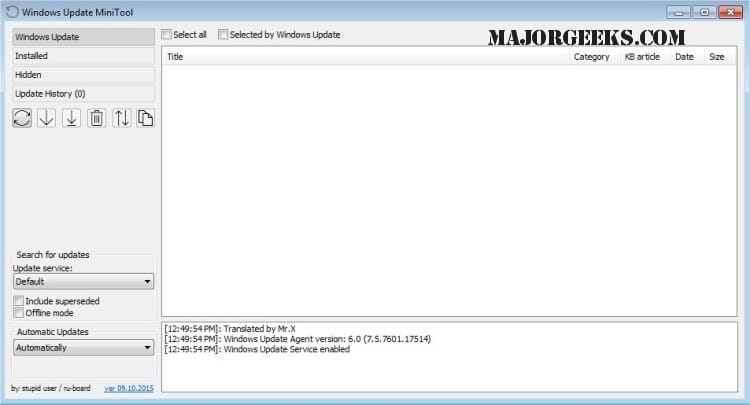
Blocking the update should work using the tool I mentioned.
 

My Computers My Computers

  • At a glance

    Windows 11 Pro 64bit6th Gen Intel Core i7-6700HQ Quad Core proces...16GB HyperX IMPACT 1600MHz SODIMM DDR3 (2 x 8GB)NVIDIA® GeForce® GTX 960M - 2.0GB DDR5 Video ...
    OS
    Windows 11 Pro 64bit
    Computer type
    Laptop
    Manufacturer/Model
    PC Specialist Optimus VII V17-960 Gaming Laptop.
    CPU
    6th Gen Intel Core i7-6700HQ Quad Core processor.
    Memory
    16GB HyperX IMPACT 1600MHz SODIMM DDR3 (2 x 8GB)
    Graphics Card(s)
    NVIDIA® GeForce® GTX 960M - 2.0GB DDR5 Video RAM - DirectX® 12
    Sound Card
    Intel 2 Channel High Def. Audio + SoundBlaster™ Cinema 2 & Realtek
    Monitor(s) Displays
    Optimus Series: 17.3" Matte Full HD IPS LED Widescreen (1920x1080)
    Screen Resolution
    Full HD IPS display (1920 x 1080).
    Hard Drives
    4TB SSD (internal).
    1x 1TB & 1x 5TB external HDDs.
    Cooling
    STANDARD THERMAL PASTE FOR SUFFICIENT COOLING
    Keyboard
    Logitech K800 wireless keyboard
    Mouse
    Logitech M705 wireless mouse
    Internet Speed
    Upto 100Mbps
    Browser
    Edge.
    Antivirus
    Windows Defender & MalwareBytes pro.
  • At a glance

    IOS 14.6
    Operating System
    IOS 14.6
    Computer type
    Tablet
    Manufacturer/Model
    Apple
I have had the error for 5 days. I have done a full manual reset of windows update with no luck. The item downloads and fails at 20% install. I seen have in other forums that others have installed this update with no problem. I have put my efforts into the Microsoft forum.
 

My Computer My Computer

At a glance

Windows 11i7
OS
Windows 11
Computer type
Laptop
Manufacturer/Model
Acer
CPU
i7
I have had the error for 5 days. I have done a full manual reset of windows update with no luck. The item downloads and fails at 20% install. I seen have in other forums that others have installed this update with no problem. I have put my efforts into the Microsoft forum.

Hello, :-)

If you haven't already, you could try doing a repair install of Windows 11.


My Computers My Computers

  • At a glance

    Windows 11 Pro for WorkstationsIntel i7-8700K 5 GHz64 GB (4x16GB) G.SKILL TridentZ RGB DDR4 3600...ASUS ROG-STRIX-GTX1080TI-O11G-GAMING (11GB GD...
    OS
    Windows 11 Pro for Workstations
    Computer type
    PC/Desktop
    Manufacturer/Model
    Custom self build
    CPU
    Intel i7-8700K 5 GHz
    Motherboard
    ASUS ROG Maximus XI Formula Z390
    Memory
    64 GB (4x16GB) G.SKILL TridentZ RGB DDR4 3600 MHz (F4-3600C18D-32GTZR)
    Graphics Card(s)
    ASUS ROG-STRIX-GTX1080TI-O11G-GAMING (11GB GDDR5X)
    Sound Card
    Integrated Digital Audio (S/PDIF)
    Monitor(s) Displays
    2 x Samsung Odyssey G75 27"
    Screen Resolution
    2560x1440
    Hard Drives
    1TB Samsung 990 PRO M.2,
    4TB Samsung 990 PRO M.2,
    TerraMaster F8 SSD Plus NAS
    PSU
    Seasonic Prime Titanium 850W
    Case
    Thermaltake Core P3 wall mounted
    Cooling
    Corsair Hydro H115i
    Keyboard
    Amazon Basics Wired Full Keyboard MD005
    Mouse
    Logitech MX Master 4
    Internet Speed
    2 Gbps Download and 100 Mbps Upload
    Browser
    Chrome and Edge
    Antivirus
    Microsoft Defender
    Other Info
    Logitech Z625 speaker system,
    Logitech BRIO 4K Pro webcam,
    HP Color LaserJet Pro MFP M477fdn,
    CyberPower CP1500PFCLCD
    Galaxy S23 Plus phone
  • At a glance

    Windows 11 ProSnapdragon X Elite (12 core) 3.42 GHz16 GB LPDDR5x-7467 MHz
    Operating System
    Windows 11 Pro
    Computer type
    Laptop
    Manufacturer/Model
    Surface Laptop 7 Copilot+ PC
    CPU
    Snapdragon X Elite (12 core) 3.42 GHz
    Memory
    16 GB LPDDR5x-7467 MHz
    Monitor(s) Displays
    15" HDR
    Screen Resolution
    2496 x 1664
    Hard Drives
    1 TB SSD
    Internet Speed
    Wi-Fi 7 and Bluetooth 5.4
    Browser
    Chrome and Edge
    Antivirus
    Microsoft Defender
not sure if its changed, - but Stack package updates were only released to a Sub Set of users
and as far as i know there is not a specific identifier.
if you check your DISM log and you see an error message with a CONX identifyer, i suspect this is the reason

Error CONX ApphelpDebug: ERROR,ApphelpChpeModSettingsFromQueryResult,872,SdbQueryResults was null or not the correct size.
 

My Computer My Computer

At a glance

w7/10/11ipi5 11th gen
OS
w7/10/11ip
Computer type
Laptop
Manufacturer/Model
hp probook 450 g8
CPU
i5 11th gen
My DISM log has no CONX errors. I did not try a repair install as I am on the Insider Dev channel. I will need to make some kind of repair media.

The repair installation may be the only option.
 

My Computer My Computer

At a glance

Windows 11i7
OS
Windows 11
Computer type
Laptop
Manufacturer/Model
Acer
CPU
i7
Back
Top Bottom