Latest NVIDIA GeForce Graphics Drivers for Windows 11


Support has ended for Maxwell, Pascal, and Volta-series GeForce GPUs.

Support Plan for Maxwell, Pascal, and Volta-series GeForce GPUs

List of Maxwell, Pascal and Volta Series GeForce GPUs

GeForce 582.28 graphics driver as a security update released 1/29/2026 for Maxwell, Pascal, and Volta-series GeForce GPUs.


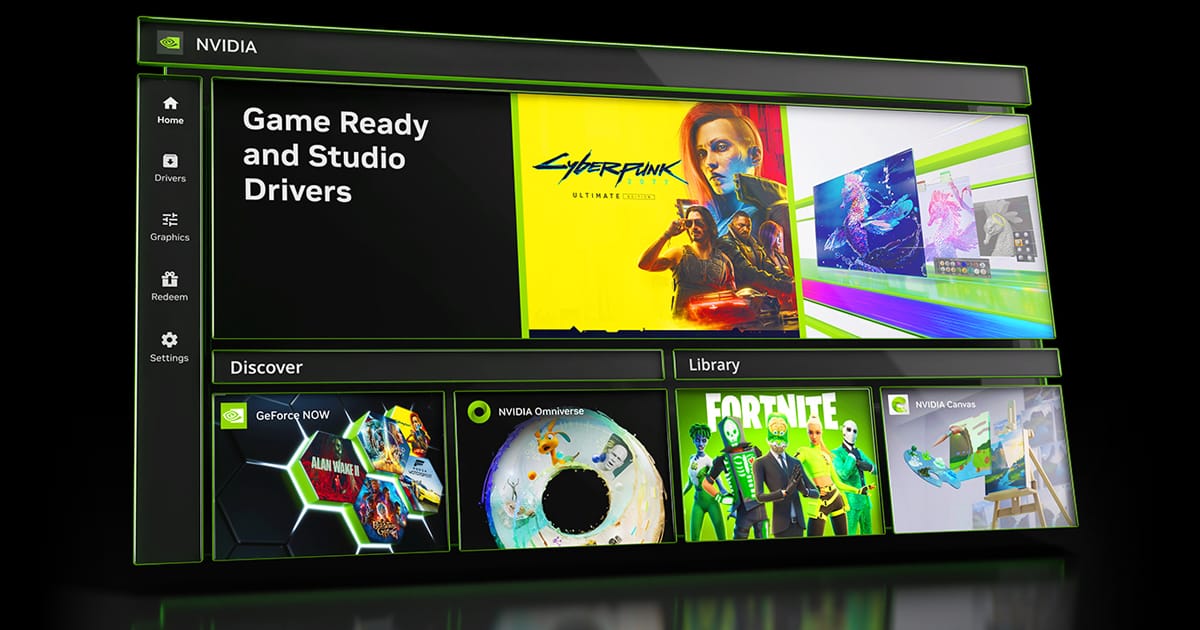
 NVIDIA App


Release Date: April 16, 2026

What's new in NVIDIA App 11.0.7

New Updates:

  • DLSS 4.5 Dynamic Multi Frame Generation Available Now
    • Update to DLSS 4.5 Dynamic Frame Generation on GeForce RTX 50 Series GPUs. Select “Dynamic” mode to intelligently adjust the number of generated frames during gameplay to a target frame rate to balance frame rate, image quality and responsiveness.
    • New DLSS 4.5 Multi Frame Generation 5X and 6X modes on GeForce RTX 50 Series GPUs increase 4K frame rates in path-traced titles. Paired with NVIDIA Reflex, they generate additional frames with minimal impact to responsiveness.
    • DLSS 4.5 Frame Generation model update on GeForce RTX 50 Series and GeForce RTX 40 Series GPUs enhances in-game user interfaces by incorporating additional engine data available for some games, improving visual quality and clarity of static user interface elements.
    • For optimal image quality and peak performance when using ShadowPlay, the latest GeForce Game Ready Driver is required.
    • Access these DLSS features under Graphics > Program Settings > Driver Settings > DLSS Override - Frame Generation mode
  • Automatic Shader Compilation (Beta)
    • Rebuilds DirectX 12 shaders while your system is idle, reducing the frequency of game runtime compilation after driver updates
  • Control Panel Updates
    • Added Custom Resolution in System > Displays > Display Properties
DLSS Override Support Added For :
  • Arknights: Endfield
  • Black One Blood Brothers
  • Carmageddon: Rogue Shift
  • CODE VEIN II
  • Corsairs Legacy
  • Crimson Desert
  • DEATH STRANDING 2: ON THE BEACH
  • Demonologist
  • For Honor
  • Grounded 2
  • Half Sword
  • High On Life 2
  • John Carpenter's Toxic Commando
  • LET IT DIE: INFERNO
  • LORT
  • Marathon
  • Monster Hunter Stories 3: Twisted Reflection
  • Nightmare Frontier
  • Nioh 3
  • NORSE: Oath of Blood
  • Of Ash and Steel
  • Quarantine Zone: The Last Check
  • REANIMAL
  • Resident Evil Requiem
  • Star Trek: Voyager - Across the Unknown
  • StarRupture
  • Styx: Blades of Greed
  • The Gold River Project
  • The Legend of Heroes: Trails Beyond The Horizon
  • Vampires: Bloodlord Rising
  • Yakuza Kiwami 3 & Dark Ties
Optimal Settings Support Added For:
  • Arknights: Endfield
  • Ashes of Creation
  • Highguard
  • StarRupture
  • The Last Caretaker
Squashed Bugs:
  • Overlay
    • Fixed an issue where Statistics shows N/A after a client update
    • Fixed an issue where CPU stats could flickered in idle state
    • Fixed an issue where microphone selections would revert to default after switching devices
    • Fixed an issue that prevented the use of Numpad keys for overlay shortcuts
  • Graphics
    • Fixed an issue where NVIDIA Smooth Motion setting was missing in Global Settings
    • Fixed an issue where NVIDIA app resolution changes were not occurring in-game
  • Display
    • Fixed an issue where changing display modes caused flickering
  • Installation
    • Fixed an intermittent issue where NVIDIA app installation did not install if PC was offline
    • Removed redundant restart prompt after upgrading from GeForce Experience
    • Various stability fixes to improve overall app reliability
  • Project G-Assist
    • Adjusted the voice prompt shortcut to prevent overlapping voice prompts while a response is still processing. Various UI improvements for G-Assist


 NVIDIA GeForce GAME READY Driver (WHQL)


Version: 610.62
Release Date for Desktops and Notebooks: June 16, 2026

Desktop DCH: GEFORCE GAME READY DRIVER 64-bit Windows 10, Windows 11 Download

Notebook DCH: GEFORCE GAME READY DRIVER 64-bit Windows 10, Windows 11 Download

GeForce GRD 610.62 Feedback Thread

NVIDIA GeForce Driver Release Highlights

Game Ready Driver Release Notes (PDF)

Control Panel User's Guide (PDF)

Note: After 20 years of dedicated service, the classic NVIDIA Control Panel is officially retiring for Game Ready and Studio Drivers. For NVIDIA RTX PRO users, the NVIDIA Control Panel will continue to be supported until we have migrated professional features to the NVIDIA app.

Existing installs of the NVIDIA Control Panel will remain on users’ systems, unless they perform a clean installation, and users who still need the NVIDIA Control Panel can continue to download it from the Microsoft Store, but we won’t be adding features, fixes, or other changes.

The NVIDIA app contains all of the modern functionality of the NVIDIA Control Panel available for GeForce RTX GPUs, and much more, while running faster and more efficiently.

Game Ready for Empulse
This new Game Ready Driver provides the best gaming experience for the latest new games supporting DLSS and RTX technologies including Empulse.

Fixed Gaming Bugs
> World of Warcraft: Gaming stability improvements [5563205]
> Apex Legends: Occasional visual corruption after extended gameplay [6239327]
> Users may observe DLSS settings being grayed out in certain games after updating to display driver 615.47 [6262805]
> Improved gaming stability in multi-monitor configurations when using V-SYNC with DLSS Frame Generation [6158481]
> Resolved an issue that could cause jittering or ghosting in some DirectX 11 games when Smooth Motion is enabled [5937897]
> Resolved an issue that could cause some games to crash when launched with Smooth Motion enabled [5466398]

Fixed General Bugs
> [Ada] Resolves a frame pacing issue on certain monitors when G-SYNC is enabled [6226972]
> Resolved an issue that prevented the EDID from being read on certain monitors causing them to be identified as "NVIDIA NV-Failsafe” [6005508]
> Resolved an issue where certain monitors would not wake from sleep mode [5806798/5635230]
> General stability improvements when the system fails to create a new allocation [5449920]

Open Issues
> Prefer Maximum Performance” Power Management Mode may not be applied correctly [6007998]


 NVIDIA Studio DRIVER (WHQL)

Version: 610.62
Release Date for Desktops and Notebooks: June 16, 2026

Desktop DCH: GEFORCE GAME READY DRIVER 64-bit Windows 10, Windows 11 Download

Notebook DCH: GEFORCE GAME READY DRIVER 64-bit Windows 10, Windows 11 Download

NVIDIA Studio Driver Release Highlights

Studio Driver Release Notes (PDF)

Control Panel User's Guide (PDF)

Note: After 20 years of dedicated service, the classic NVIDIA Control Panel is officially retiring for Game Ready and Studio Drivers. For NVIDIA RTX PRO users, the NVIDIA Control Panel will continue to be supported until we have migrated professional features to the NVIDIA app.

Existing installs of the NVIDIA Control Panel will remain on users’ systems, unless they perform a clean installation, and users who still need the NVIDIA Control Panel can continue to download it from the Microsoft Store, but we won’t be adding features, fixes, or other changes.

The NVIDIA app contains all of the modern functionality of the NVIDIA Control Panel available for GeForce RTX GPUs, and much more, while running faster and more efficiently.

NVIDIA Studio Drivers provide artists, creators, and 3D developers the best performance and reliability when working with creative applications. To achieve the highest level of reliability, Studio Drivers undergo extensive testing against multi-app creator workflows and multiple revisions of the top creative applications from Adobe to Autodesk and beyond.

Applications

The June NVIDIA Studio Driver provides optimal support for the latest new creative applications and updates including NVIDIA Broadcast 2.2, Reallusion Character Creator 5.1, and the latest multi-GPU optimizations for llama.cpp and ComfyUI.

Fixed Application Bugs
> World of Warcraft: Gaming stability improvements [5563205]
> Apex Legends: Occasional visual corruption after extended gameplay [6239327]
> Users may observe DLSS settings being grayed out in certain games after updating to display driver 615.47 [6262805]
> Improved gaming stability in multi-monitor configurations when using V-SYNC with DLSS Frame Generation [6158481]
> Resolved an issue that could cause jittering or ghosting in some DirectX 11 games when Smooth Motion is enabled [5937897]
> Resolved an issue that could cause some games to crash when launched with Smooth Motion enabled [5466398]

Fixed General Bugs
> [Ada] Resolves a frame pacing issue on certain monitors when G-SYNC is enabled [6226972]
> Resolved an issue that prevented the EDID from being read on certain monitors causing them to be identified as "NVIDIA NV-Failsafe” [6005508]
> Resolved an issue where certain monitors would not wake from sleep mode [5806798/5635230]
> General stability improvements when the system fails to create a new allocation [5449920]

Open Issues
> ?

 
Last edited:
Upgraded to a RTX 5070. Hopefully it will work better than my old 4060. Using the 576.52 driver now. Forza 5 have starting to crash at startup, don't know if there has been any game update, xbox wants to sign in but doesn't work. Have created a ticket at the game support. I think I will try any other car game soon. CS2 is still working good.
 

My Computer My Computer

At a glance

Windows 11Intel Core i7-13700Corsair VENGEANCE DDR5 32GBMSI GeForce RTX 5070 12G VENTUS 2X OC
OS
Windows 11
Computer type
PC/Desktop
Manufacturer/Model
Asus
CPU
Intel Core i7-13700
Motherboard
ASUS TUF GAMING B760-PLUS WIFI
Memory
Corsair VENGEANCE DDR5 32GB
Graphics Card(s)
MSI GeForce RTX 5070 12G VENTUS 2X OC
Monitor(s) Displays
Samsung LS32AG504
Hard Drives
Kingston Fury Renegade M.2 2TB SSD
PSU
Corsair RM850X 2021 / 850W / 80+ Gold
Browser
Chrome
Antivirus
Defender
I just updated the drivers. And about 2 minutes after. While watching a YouTube video. My screens went black. Came back on and my audio switched to my monitor. Almost like the Nvidia drivers crashed and recovered. I have a RTX 3080. Anyone else have this issue?
 

My Computer My Computer

At a glance

Windows 11 ProRyzen 7 5700x3DCORSAIR Vengeance RGB Pro 32GB (4 x 8GB) DDR4...MSI Ventus 3x RTX 3080 OC
OS
Windows 11 Pro
Computer type
PC/Desktop
Manufacturer/Model
DIY
CPU
Ryzen 7 5700x3D
Motherboard
ASUS TUF GAMING X570-PLUS WiFi
Memory
CORSAIR Vengeance RGB Pro 32GB (4 x 8GB) DDR4-3600
Graphics Card(s)
MSI Ventus 3x RTX 3080 OC
Sound Card
Onboard DTS custom chipset
Monitor(s) Displays
Primary: Alienware AW3425DW, Secondary: MSI MAG27QRF-QD,
Screen Resolution
Main monitor: 3440x1440@240hz, 2nd 2560x1440@165hz
Hard Drives
ADATA XPG SX8200 1TB,. 2TB Samsung 970 Evo plus, 4TB WD Black.
PSU
Corsair RM750x
Case
Phanteks Enthroo Pro Tempered glass
Cooling
Corsair 212 Evo RGB Black air cooler
Keyboard
Steeleseries Apex 7 TKL
Mouse
Logitech 502 PROTEUS SPECTRUM
Internet Speed
1.5 gigabyte fiber
Browser
Chrome
Antivirus
Bitdefender
I just updated the drivers. And about 2 minutes after. While watching a YouTube video. My screens went black. Came back on and my audio switched to my monitor. Almost like the Nvidia drivers crashed and recovered. I have a RTX 3080. Anyone else have this issue?
You would be better of to install these drivers Nvidia GeForce v566.36 as any drivers released since the 5000 series came out are buggy as hell. Especially with black screens issue which everyone has been complaining about this for months on the Nvidia Forums
 

My Computer My Computer

At a glance

Windows 11 ProIntel Core i9 12900KFCorsair 64GB DDR5 Vengeance C40 5200MhzASUS GeForce RTX 3090 ROG Strix OC 24GB
OS
Windows 11 Pro
Computer type
PC/Desktop
Manufacturer/Model
Custom Build
CPU
Intel Core i9 12900KF
Motherboard
ASUS ROG Maximus Z690 Hero
Memory
Corsair 64GB DDR5 Vengeance C40 5200Mhz
Graphics Card(s)
ASUS GeForce RTX 3090 ROG Strix OC 24GB
Sound Card
OnBoard
Monitor(s) Displays
Acer Predator XB323UGP 32" QHD G-SYNC-C 144Hz 1MS IPS LED
Screen Resolution
2560 x 1440
Hard Drives
1x Samsung 980 Pro Series Gen4 250GB M.2 NVMe
1x Samsung 980 Pro Series Gen4 500GB M.2 NVMe
2x Samsung 980 Pro Series Gen4 2TB M.2 NVMe
PSU
Corsair AX1200i 1200W 80PLUS Titanium Modular
Case
Corsair 4000D Black Case w/ Tempered Glass Side Panel
Cooling
Noctua NH-U12A Chromax Black CPU Cooler, 4x Noctua 120mm Fans
Keyboard
Logitech MK545
Mouse
Logitech MX Master 3
Internet Speed
Fixed Wireless 150mbps/75mbps
Browser
Firefox
Antivirus
Kaspersky
Other Info
Thrustmaster TS-PC RACER
Fanatec CSL Elite Pedals with the Load Cell Kit
Yamaha Amp with Bose Speakers
Especially with black screens issue which everyone has been complaining about this for months on the Nvidia Forums
I have not had a single black screen on 576.52 drivers on RTX 4070.
But I do not install on the Nvidia bloat or the app as I have a custom setup.cfg file and I unpack the installer then only install from these folders.

Screenshot 2025-05-27 200715.webp
 

My Computer My Computer

At a glance

Windows 11 Pro
OS
Windows 11 Pro
I have not had a single black screen on 576.52 drivers on RTX 4070.
But I do not install on the Nvidia bloat or the app as I have a custom setup.cfg file and I unpack the installer then only install from these folders.

View attachment 135234
I use NVCleanstall to avoid the NVidia bloatware.
 

My Computer My Computer

At a glance

Windows 11 ProCore i7-13700K64 GB Kingston Fury Beast DDR5Gigabyte GeForce RTX 2060 Super Gaming OC 8G
OS
Windows 11 Pro
Computer type
PC/Desktop
Manufacturer/Model
Self build
CPU
Core i7-13700K
Motherboard
Asus TUF Gaming Plus WiFi Z790
Memory
64 GB Kingston Fury Beast DDR5
Graphics Card(s)
Gigabyte GeForce RTX 2060 Super Gaming OC 8G
Sound Card
Realtek S1200A
Monitor(s) Displays
Viewsonic VP2770 & Dell (secondary)
Screen Resolution
2560 x 1440
Hard Drives
Kingston KC3000 2TB NVME SSD & SATA HDDs & SSD
PSU
EVGA SuperNova G2 850W
Case
Nanoxia Deep Silence 1
Cooling
Noctua NH-D14
Keyboard
Microsoft Digital Media Pro
Mouse
Logitech Wireless
Internet Speed
80 Mb / s
Browser
Chrome
Antivirus
Defender, Malwarebytes Free & AdwCleaner

My Computers My Computers

  • At a glance

    Windows11 Pro 25H2i732GBnVidia
    OS
    Windows11 Pro 25H2
    Computer type
    PC/Desktop
    Manufacturer/Model
    Asus
    CPU
    i7
    Motherboard
    z97k
    Memory
    32GB
    Graphics Card(s)
    nVidia
    Sound Card
    Realtek
    Hard Drives
    3
    Cooling
    air
    Browser
    Edge
    Antivirus
    ESET
  • At a glance

    Windows11 ProIntel i516GBIntel
    Operating System
    Windows11 Pro
    Computer type
    PC/Desktop
    Manufacturer/Model
    ASUS
    CPU
    Intel i5
    Motherboard
    ASUS Basic
    Memory
    16GB
    Graphics card(s)
    Intel
    Sound Card
    Realtek
    Monitor(s) Displays
    Samsung
    Hard Drives
    one intern , 0ne extern, OS on SSD
    Cooling
    air
    Keyboard
    wireless Logitech
    Mouse
    wireless Logitech
    Internet Speed
    1GB
    Browser
    Edge
    Antivirus
    ESET

My Computer My Computer

At a glance

WinDOS 25H2Intel & AMDSO-DIMM SK Hynix 15.8 GB Dual-Channel DDR4-26...nVidia RTX 2060 6GB Mobile GPU (TU106M)
OS
WinDOS 25H2
Computer type
Laptop
CPU
Intel & AMD
Memory
SO-DIMM SK Hynix 15.8 GB Dual-Channel DDR4-2666 (2 x 8 GB) 1329MHz (19-19-19-43)
Graphics Card(s)
nVidia RTX 2060 6GB Mobile GPU (TU106M)
Sound Card
Onbord Realtek ALC1220
Screen Resolution
1920 x 1080
Hard Drives
1x Samsung PM981 NVMe PCIe M.2 512GB / 1x Seagate Expansion ST1000LM035 1TB

My Computer My Computer

At a glance

Microsoft Windows 11 HomeIntel Core i5-13490F2 x 16 Patriot Memory (PDP Systems) PSD516G56...GIGABYTE GeForce RTX 4070 WINDFORCE OC 12G (G...
OS
Microsoft Windows 11 Home
Computer type
PC/Desktop
Manufacturer/Model
MSI MS-7D98
CPU
Intel Core i5-13490F
Motherboard
MSI B760 GAMING PLUS WIFI
Memory
2 x 16 Patriot Memory (PDP Systems) PSD516G560081 6400MT (32-37-37-74); 1.35V)
Graphics Card(s)
GIGABYTE GeForce RTX 4070 WINDFORCE OC 12G (GV-N4070WF3OC-12GD)
Sound Card
Bluetooth Аудио
Monitor(s) Displays
INNOCN 15K1F
Screen Resolution
1920 x 1080
Hard Drives
WD_BLACK SN770 250GB
KINGSTON SNV2S1000G (ELFK0S.6)
PSU
Thermaltake Toughpower GF3 1000W
Case
CG560 - DeepCool
Cooling
ID-COOLING SE-224-XTS / 2 x 140Mm Fan - rear and top; 3 x 120Mm - front
Keyboard
Corsair K70 RGB TKL
Mouse
Corsair KATAR PRO XT
Internet Speed
100 Mbps
Browser
Firefox
Antivirus
Microsoft Defender Antivirus
Other Info
https://www.userbenchmark.com/UserRun/66553205
If you are running anything other than a 50 series card, the best drivers are version 561.09
 

My Computers My Computers

  • At a glance

    Windows 11 25H2Intel i9 14900KF64GB Corsair Vengeance RGBMSI 4090 Suprim X
    OS
    Windows 11 25H2
    Computer type
    PC/Desktop
    Manufacturer/Model
    Custom Built
    CPU
    Intel i9 14900KF
    Motherboard
    ASUS Z790 ProArt Creator WiFi
    Memory
    64GB Corsair Vengeance RGB
    Graphics Card(s)
    MSI 4090 Suprim X
    Sound Card
    Onboard
    Monitor(s) Displays
    1 x Asus 24". 1 x Asus 32"
    Screen Resolution
    1920 x 1080 & 2560 x 1440
    Hard Drives
    Multiple
    PSU
    Corsair 1200HX
    Case
    Corsair 7000D RGB
    Cooling
    Corsair H150I Capellix XT
    Keyboard
    Corsair K70 RGB PRO
    Mouse
    Corsair M55 RGB Pro
    Internet Speed
    1000Mbps
    Browser
    Edge
    Antivirus
    Windows Default
  • At a glance

    Windows 11 25H2Intel i7 6800K32GB DDR4 (Corsair)ASUS GTX 1080ti
    Operating System
    Windows 11 25H2
    Computer type
    PC/Desktop
    Manufacturer/Model
    Custom Built
    CPU
    Intel i7 6800K
    Motherboard
    ASUS Z99 Deluxe
    Memory
    32GB DDR4 (Corsair)
    Graphics card(s)
    ASUS GTX 1080ti
    Sound Card
    Onboard
    Monitor(s) Displays
    1x Viewsonic 24" 1x LG 19"
    Screen Resolution
    1920 x 1080 & 1600 x 900
    Hard Drives
    3 x SATA SSD
    PSU
    650W Gigabyte Bronze
    Case
    Coolermaster HAF-X
    Cooling
    Noctua NH-15 Chroma black
    Keyboard
    Generic RGB
    Mouse
    Microsoft Basic
    Internet Speed
    1000Mbps
    Browser
    Edge
    Antivirus
    Windows Default
Seems to be working better with Forza when changing "Power management mode" to 'Prefer maximum performance' instead of 'Normal' in Nvidia control panel. Still 576.52 driver.
 

My Computer My Computer

At a glance

Windows 11Intel Core i7-13700Corsair VENGEANCE DDR5 32GBMSI GeForce RTX 5070 12G VENTUS 2X OC
OS
Windows 11
Computer type
PC/Desktop
Manufacturer/Model
Asus
CPU
Intel Core i7-13700
Motherboard
ASUS TUF GAMING B760-PLUS WIFI
Memory
Corsair VENGEANCE DDR5 32GB
Graphics Card(s)
MSI GeForce RTX 5070 12G VENTUS 2X OC
Monitor(s) Displays
Samsung LS32AG504
Hard Drives
Kingston Fury Renegade M.2 2TB SSD
PSU
Corsair RM850X 2021 / 850W / 80+ Gold
Browser
Chrome
Antivirus
Defender
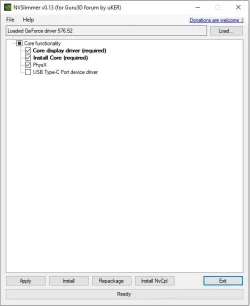
I always trim my Nvidia Drivers using NVSlimmer v0.13 and just keep the basic and never install Geforce NOW and have smooth sailing.
Oh and yes I also change "Power management mode" to 'Prefer maximum performance' like user1010 mentioned.


Attachments

  • NV Slim.webp
    NV Slim.webp
    15.1 KB · Views: 2

My Computer My Computer

At a glance

Windows 11 ProIntel Core i9 12900KFCorsair 64GB DDR5 Vengeance C40 5200MhzASUS GeForce RTX 3090 ROG Strix OC 24GB
OS
Windows 11 Pro
Computer type
PC/Desktop
Manufacturer/Model
Custom Build
CPU
Intel Core i9 12900KF
Motherboard
ASUS ROG Maximus Z690 Hero
Memory
Corsair 64GB DDR5 Vengeance C40 5200Mhz
Graphics Card(s)
ASUS GeForce RTX 3090 ROG Strix OC 24GB
Sound Card
OnBoard
Monitor(s) Displays
Acer Predator XB323UGP 32" QHD G-SYNC-C 144Hz 1MS IPS LED
Screen Resolution
2560 x 1440
Hard Drives
1x Samsung 980 Pro Series Gen4 250GB M.2 NVMe
1x Samsung 980 Pro Series Gen4 500GB M.2 NVMe
2x Samsung 980 Pro Series Gen4 2TB M.2 NVMe
PSU
Corsair AX1200i 1200W 80PLUS Titanium Modular
Case
Corsair 4000D Black Case w/ Tempered Glass Side Panel
Cooling
Noctua NH-U12A Chromax Black CPU Cooler, 4x Noctua 120mm Fans
Keyboard
Logitech MK545
Mouse
Logitech MX Master 3
Internet Speed
Fixed Wireless 150mbps/75mbps
Browser
Firefox
Antivirus
Kaspersky
Other Info
Thrustmaster TS-PC RACER
Fanatec CSL Elite Pedals with the Load Cell Kit
Yamaha Amp with Bose Speakers
Forza Horizon 5 works badly on my computer too, honestly, when I first turn it on, I get 90% top GPU usage. When I turn it off and turn it on again, this time I see rates like 30-40-50%. Also, I wonder what is the difference between NVCleanInstall and this software you mentioned, which is better.
 

My Computer My Computer

At a glance

Windows 11 25H2 26200.8524 Home Single Language13th Gen Intel(R) Core(TM) i7-13700HX32GBx2 Kingston 4800MHz Total: 64GBNVIDIA GeForce RTX 4080 Laptop GPU 175 Watt
OS
Windows 11 25H2 26200.8524 Home Single Language
Computer type
Laptop
Manufacturer/Model
HP OMEN 17,3 2023 Model
CPU
13th Gen Intel(R) Core(TM) i7-13700HX
Motherboard
HM770
Memory
32GBx2 Kingston 4800MHz Total: 64GB
Graphics Card(s)
NVIDIA GeForce RTX 4080 Laptop GPU 175 Watt
Monitor(s) Displays
ViewSonic VX2780-2K 170 Hz
Screen Resolution
2560 *1440-2K - 240 Hz
Hard Drives
2 TB Crucial NVMe M.2 SSD-2 TB Western Digital NVMe M.2 SSD- 2 TB Seagete Portable Harddisk 5400 RPM
Keyboard
HP 4CF00AA Pavilion 800
Mouse
A4tech FG20 Fstyler 2.4Ghz Nano 2000DPI
Internet Speed
50 Mbps
Browser
LibreWolf
Antivirus
Microsoft Defender

Nvidia shares Windows hotfix driver 576.66 for FC 25 crashes, browser video bugs, and more


Nvidia notes that the new hotfix driver is based on its latest GameReady driver 576.52. As a refresher, that driver added support for Nvidia's new RTX 5060.

The full changelog for the new hotfix driver 576.66 is given below:

Dune: Awakening may crash during gameplay [5273568]
EA Sports FC 25 may crash during gameplay [5251937]
[RTX 50 series] Dragons Dogma 2 displays shadow flicker [5252205]
[RTX 50 series] Video playback in a web browser may show brief red/green flash corruption [5241341]
Clair Obscur: Expedition 33 may crash [5283401]


My Computer My Computer

At a glance

Windows 11 ProIntel Core i9 12900KFCorsair 64GB DDR5 Vengeance C40 5200MhzASUS GeForce RTX 3090 ROG Strix OC 24GB
OS
Windows 11 Pro
Computer type
PC/Desktop
Manufacturer/Model
Custom Build
CPU
Intel Core i9 12900KF
Motherboard
ASUS ROG Maximus Z690 Hero
Memory
Corsair 64GB DDR5 Vengeance C40 5200Mhz
Graphics Card(s)
ASUS GeForce RTX 3090 ROG Strix OC 24GB
Sound Card
OnBoard
Monitor(s) Displays
Acer Predator XB323UGP 32" QHD G-SYNC-C 144Hz 1MS IPS LED
Screen Resolution
2560 x 1440
Hard Drives
1x Samsung 980 Pro Series Gen4 250GB M.2 NVMe
1x Samsung 980 Pro Series Gen4 500GB M.2 NVMe
2x Samsung 980 Pro Series Gen4 2TB M.2 NVMe
PSU
Corsair AX1200i 1200W 80PLUS Titanium Modular
Case
Corsair 4000D Black Case w/ Tempered Glass Side Panel
Cooling
Noctua NH-U12A Chromax Black CPU Cooler, 4x Noctua 120mm Fans
Keyboard
Logitech MK545
Mouse
Logitech MX Master 3
Internet Speed
Fixed Wireless 150mbps/75mbps
Browser
Firefox
Antivirus
Kaspersky
Other Info
Thrustmaster TS-PC RACER
Fanatec CSL Elite Pedals with the Load Cell Kit
Yamaha Amp with Bose Speakers

Nvidia shares Windows hotfix driver 576.66 for FC 25 crashes, browser video bugs, and more


Nvidia notes that the new hotfix driver is based on its latest GameReady driver 576.52. As a refresher, that driver added support for Nvidia's new RTX 5060.

The full changelog for the new hotfix driver 576.66 is given below:

Dune: Awakening may crash during gameplay [5273568]
EA Sports FC 25 may crash during gameplay [5251937]

[RTX 50 series] Dragons Dogma 2 displays shadow flicker [5252205]

[RTX 50 series] Video playback in a web browser may show brief red/green flash corruption [5241341]
Clair Obscur: Expedition 33 may crash [5283401]

:shawn:

New NVIDIA Hotfix driver 576.66 version released. See first post for more details. :alien:
 

My Computers My Computers

  • At a glance

    Windows 11 Pro for WorkstationsIntel i7-8700K 5 GHz64 GB (4x16GB) G.SKILL TridentZ RGB DDR4 3600...ASUS ROG-STRIX-GTX1080TI-O11G-GAMING (11GB GD...
    OS
    Windows 11 Pro for Workstations
    Computer type
    PC/Desktop
    Manufacturer/Model
    Custom self build
    CPU
    Intel i7-8700K 5 GHz
    Motherboard
    ASUS ROG Maximus XI Formula Z390
    Memory
    64 GB (4x16GB) G.SKILL TridentZ RGB DDR4 3600 MHz (F4-3600C18D-32GTZR)
    Graphics Card(s)
    ASUS ROG-STRIX-GTX1080TI-O11G-GAMING (11GB GDDR5X)
    Sound Card
    Integrated Digital Audio (S/PDIF)
    Monitor(s) Displays
    2 x Samsung Odyssey G75 27"
    Screen Resolution
    2560x1440
    Hard Drives
    1TB Samsung 990 PRO M.2,
    4TB Samsung 990 PRO M.2,
    TerraMaster F8 SSD Plus NAS
    PSU
    Seasonic Prime Titanium 850W
    Case
    Thermaltake Core P3 wall mounted
    Cooling
    Corsair Hydro H115i
    Keyboard
    Amazon Basics Wired Full Keyboard MD005
    Mouse
    Logitech MX Master 4
    Internet Speed
    2 Gbps Download and 100 Mbps Upload
    Browser
    Chrome and Edge
    Antivirus
    Microsoft Defender
    Other Info
    Logitech Z625 speaker system,
    Logitech BRIO 4K Pro webcam,
    HP Color LaserJet Pro MFP M477fdn,
    CyberPower CP1500PFCLCD
    Galaxy S23 Plus phone
  • At a glance

    Windows 11 ProSnapdragon X Elite (12 core) 3.42 GHz16 GB LPDDR5x-7467 MHz
    Operating System
    Windows 11 Pro
    Computer type
    Laptop
    Manufacturer/Model
    Surface Laptop 7 Copilot+ PC
    CPU
    Snapdragon X Elite (12 core) 3.42 GHz
    Memory
    16 GB LPDDR5x-7467 MHz
    Monitor(s) Displays
    15" HDR
    Screen Resolution
    2496 x 1664
    Hard Drives
    1 TB SSD
    Internet Speed
    Wi-Fi 7 and Bluetooth 5.4
    Browser
    Chrome and Edge
    Antivirus
    Microsoft Defender
Last edited:

My Computer My Computer

At a glance

Windows 11 ProIntel Core i9 12900KFCorsair 64GB DDR5 Vengeance C40 5200MhzASUS GeForce RTX 3090 ROG Strix OC 24GB
OS
Windows 11 Pro
Computer type
PC/Desktop
Manufacturer/Model
Custom Build
CPU
Intel Core i9 12900KF
Motherboard
ASUS ROG Maximus Z690 Hero
Memory
Corsair 64GB DDR5 Vengeance C40 5200Mhz
Graphics Card(s)
ASUS GeForce RTX 3090 ROG Strix OC 24GB
Sound Card
OnBoard
Monitor(s) Displays
Acer Predator XB323UGP 32" QHD G-SYNC-C 144Hz 1MS IPS LED
Screen Resolution
2560 x 1440
Hard Drives
1x Samsung 980 Pro Series Gen4 250GB M.2 NVMe
1x Samsung 980 Pro Series Gen4 500GB M.2 NVMe
2x Samsung 980 Pro Series Gen4 2TB M.2 NVMe
PSU
Corsair AX1200i 1200W 80PLUS Titanium Modular
Case
Corsair 4000D Black Case w/ Tempered Glass Side Panel
Cooling
Noctua NH-U12A Chromax Black CPU Cooler, 4x Noctua 120mm Fans
Keyboard
Logitech MK545
Mouse
Logitech MX Master 3
Internet Speed
Fixed Wireless 150mbps/75mbps
Browser
Firefox
Antivirus
Kaspersky
Other Info
Thrustmaster TS-PC RACER
Fanatec CSL Elite Pedals with the Load Cell Kit
Yamaha Amp with Bose Speakers
Nvidia GRD 576.80

Windows 11 May 28, 2025—KB5058499 (OS Build 26100.4202) - "[Graphics kernel] Fixed: An issue where some game titles become unresponsive after upgrading to 24H2."May 28, 2025—KB5058499 (OS Build 26100.4202) Preview - Microsoft Support


Desktop DCH:

https://us.download.nvidia.com/Wind...-win10-win11-64bit-international-dch-whql.exe

https://us.download.nvidia.com/Windows/576.80/576.80-win11-win10-release-notes.pdf
:shawn:

New NVIDIA Game Ready and Studio WHQL driver 576.80 version released. See first post for more details.
 

My Computers My Computers

  • At a glance

    Windows 11 Pro for WorkstationsIntel i7-8700K 5 GHz64 GB (4x16GB) G.SKILL TridentZ RGB DDR4 3600...ASUS ROG-STRIX-GTX1080TI-O11G-GAMING (11GB GD...
    OS
    Windows 11 Pro for Workstations
    Computer type
    PC/Desktop
    Manufacturer/Model
    Custom self build
    CPU
    Intel i7-8700K 5 GHz
    Motherboard
    ASUS ROG Maximus XI Formula Z390
    Memory
    64 GB (4x16GB) G.SKILL TridentZ RGB DDR4 3600 MHz (F4-3600C18D-32GTZR)
    Graphics Card(s)
    ASUS ROG-STRIX-GTX1080TI-O11G-GAMING (11GB GDDR5X)
    Sound Card
    Integrated Digital Audio (S/PDIF)
    Monitor(s) Displays
    2 x Samsung Odyssey G75 27"
    Screen Resolution
    2560x1440
    Hard Drives
    1TB Samsung 990 PRO M.2,
    4TB Samsung 990 PRO M.2,
    TerraMaster F8 SSD Plus NAS
    PSU
    Seasonic Prime Titanium 850W
    Case
    Thermaltake Core P3 wall mounted
    Cooling
    Corsair Hydro H115i
    Keyboard
    Amazon Basics Wired Full Keyboard MD005
    Mouse
    Logitech MX Master 4
    Internet Speed
    2 Gbps Download and 100 Mbps Upload
    Browser
    Chrome and Edge
    Antivirus
    Microsoft Defender
    Other Info
    Logitech Z625 speaker system,
    Logitech BRIO 4K Pro webcam,
    HP Color LaserJet Pro MFP M477fdn,
    CyberPower CP1500PFCLCD
    Galaxy S23 Plus phone
  • At a glance

    Windows 11 ProSnapdragon X Elite (12 core) 3.42 GHz16 GB LPDDR5x-7467 MHz
    Operating System
    Windows 11 Pro
    Computer type
    Laptop
    Manufacturer/Model
    Surface Laptop 7 Copilot+ PC
    CPU
    Snapdragon X Elite (12 core) 3.42 GHz
    Memory
    16 GB LPDDR5x-7467 MHz
    Monitor(s) Displays
    15" HDR
    Screen Resolution
    2496 x 1664
    Hard Drives
    1 TB SSD
    Internet Speed
    Wi-Fi 7 and Bluetooth 5.4
    Browser
    Chrome and Edge
    Antivirus
    Microsoft Defender
Installed on all my machines.

1750186664852.webp

Still a problem with Dell XPS 8940 with RTX 3060 when installing on Canary Build 27871.1000.
The screen turns black and never returns to the desktop. Cannot complete installation properly.
The only way around is installing the driver update while connected to the machine with RDC.

Same driver installs fine on my Dell XPS 8930 and RTX 2060 but fails with Dell XPS 8940 with RTX 3060, only with canary Builds.
Note that the same driver installs fine with any other Windows 11 Build and the same hardware. Problem is only occurring with Canary Builds.

On the failing Dell XPS 8940 I tried installing the same driver after a clean install of Build 27871.1000 and in that case, it worked correctly.
So, I restored the 27871 backup and tried the CleanupTool showing below and reinstalled the driver, but it failed the same way, got the black screen and never returned to the normal desktop.
Had to reinstall again while connected with RDC to bypass the problem. 😵‍💫🤷‍♂️

1750227168087.webp

Edit:
07/01/2025
Same problem with 576.88 and Canary Build 27881.1000.
 
Last edited:

My Computer My Computer

At a glance

Windows 11 Pro 25H2Intel I9-9900K64GBNVIDIA RTX 2060
OS
Windows 11 Pro 25H2
Computer type
PC/Desktop
Manufacturer/Model
Dell XPS 8930
CPU
Intel I9-9900K
Memory
64GB
Graphics Card(s)
NVIDIA RTX 2060
Sound Card
NVIDIA High Definition Audio
Monitor(s) Displays
4k Samsung
Screen Resolution
3840 x 2160
Hard Drives
512GB NVMe, ADATA SU 800, 2TB HDD
Installed for me OK. The NVIDIA app didn't find it, but downloaded from the link fine. Didn't prompt for a restart and the machine was acting a bit wonky, but things _are_ fine now after a restart.
 

My Computers My Computers

  • At a glance

    Win 11 Pro (25H2 RP)Intel(R) Core(TM) i5-9300H CPU @ 2.40GHz 2.40...32GBNvidia GeForce GTX 1650, Intel UHD 630
    OS
    Win 11 Pro (25H2 RP)
    Computer type
    Laptop
    Manufacturer/Model
    Acer AN515-54
    CPU
    Intel(R) Core(TM) i5-9300H CPU @ 2.40GHz 2.40 GHz
    Memory
    32GB
    Graphics Card(s)
    Nvidia GeForce GTX 1650, Intel UHD 630
    Monitor(s) Displays
    Acer CB272D
    Screen Resolution
    1920x1080
    Hard Drives
    256GB and 1T SSD
    Internet Speed
    500MB
    Browser
    Edge (Stable)
    Antivirus
    Microsoft Defender
  • At a glance

    Win 11 Pro (RP)Intel(R) Core(TM) Ultra 9 275HX (2.70 GHz)32GB DDR5-5600NVIDIA® GeForce RTX™ 5060 8GB
    Operating System
    Win 11 Pro (RP)
    Computer type
    Laptop
    Manufacturer/Model
    Lenovo Legion 5 16IAX10 - Type 83NX
    CPU
    Intel(R) Core(TM) Ultra 9 275HX (2.70 GHz)
    Memory
    32GB DDR5-5600
    Graphics card(s)
    NVIDIA® GeForce RTX™ 5060 8GB
    Monitor(s) Displays
    Acer CB272D
    Screen Resolution
    1920x1080 75Hz
    Hard Drives
    WD Green SN3000 (2TB)
    Samsung Portable T5 (2TB)
    Keyboard
    Logi MX Keys
    Mouse
    Logi MX Anywhere 3
    Internet Speed
    500MB
    Browser
    Edge
    Antivirus
    MS Defender
Thank you Brink, installed the Studio drivers, JFI I only install the studio drivers, all is working good.
 

My Computers My Computers

  • At a glance

    W11, always updated with latest buildsAMD Ryzen 9 9900XG.Skill Trident Z5 Neo RGB 32GB Kit DDR5-6000...ASUS Dual GeForce RTX™ 3060 V2 OC Edition 12G...
    OS
    W11, always updated with latest builds
    Computer type
    PC/Desktop
    Manufacturer/Model
    Self-made
    CPU
    AMD Ryzen 9 9900X
    Motherboard
    ASUS TUF Gaming B850-Plus WiFi
    Memory
    G.Skill Trident Z5 Neo RGB 32GB Kit DDR5-6000 CL30 (F5-6000J3038F16GX2-TZ5NR)
    Graphics Card(s)
    ASUS Dual GeForce RTX™ 3060 V2 OC Edition 12GB GDDR6
    Monitor(s) Displays
    Eizo CS240, Calibrated with Datacolr SpyderX
    Screen Resolution
    1920X1200
    Hard Drives
    Crucial T705 SSD 1TB PCIe Gen5 NVMe M.2- SO+Archive
    Lexar EQ790 1TB SSD M.2 2280 PCIe Gen4x4 NVMe 1.4- LR& PS Workspace
    PHIXERO SSD P5000-512GB M.2 2280 PCIe Gen4- Backups
    Seagate ST8000DM04- Photo Archive, SATA HD
    Western Digital WD2002FAEX- Generic archive, SATA HD
    PSU
    Be Quiet 850W Pure Power 12M per Pc ATX
    Case
    Phanteks XT Pro
    Cooling
    Be quiet Pure loop 2 360mm
    Keyboard
    Logitech
    Mouse
    Logitech
    Internet Speed
    D/L-700/800 Mbps; U/L 250/300 Mbps WiFi 7 from motherboard
    Browser
    Edge
    Antivirus
    Avast
    Other Info
    Mostly used for photo retouching software & some video slideshows.
  • At a glance

    W11, always updated with latest buildsAMD Ryzen 9 9900XG.Skill Trident Z5 Neo RGB 32GB Kit DDR5-6000...ASUS Dual GeForce RTX™ 3060 V2 OC Edition 12G...
    Operating System
    W11, always updated with latest builds
    Computer type
    PC/Desktop
    Manufacturer/Model
    Self built
    CPU
    AMD Ryzen 9 9900X
    Motherboard
    ASUS TUF Gaming B850-Plus WiFi
    Memory
    G.Skill Trident Z5 Neo RGB 32GB Kit DDR5-6000 CL30 (F5-6000J3038F16GX2-TZ5NR)
    Graphics card(s)
    ASUS Dual GeForce RTX™ 3060 V2 OC Edition 12GB GDDR6- From System 1
    Monitor(s) Displays
    Eizo CS240, Calibrated with Datacolr SpyderX
    Screen Resolution
    1920X1200
    Hard Drives
    Crucial T705 SSD 1TB PCIe Gen5 NVMe M.2- SO+Archive
    Lexar EQ790 1TB SSD M.2 2280 PCIe Gen4x4 NVMe 1.4- LR& PS Workspace
    PHIXERO SSD P5000-512GB M.2 2280 PCIe Gen4- Backups
    Seagate ST8000DM04- Photo Archive, SATA HD - From System 1
    Western Digital WD2002FAEX- Generic archive, SATA HD - From System 1
    PSU
    Be Quiet 850W Pure Power 12M per Pc ATX
    Case
    Phanteks XT Pro
    Cooling
    Be quiet Pure loop 2 360mm
    Keyboard
    Logitech
    Mouse
    Logitech
    Internet Speed
    D/L-700/800 Mbps; U/L 250/300 Mbps WiFi 7 from motherboard
    Browser
    Edge
    Antivirus
    Avast
    Other Info
    Mostly used for photo retouching software, some video slideshows.

My Computer My Computer

At a glance

Windows 11 ProIntel Core i9 12900KFCorsair 64GB DDR5 Vengeance C40 5200MhzASUS GeForce RTX 3090 ROG Strix OC 24GB
OS
Windows 11 Pro
Computer type
PC/Desktop
Manufacturer/Model
Custom Build
CPU
Intel Core i9 12900KF
Motherboard
ASUS ROG Maximus Z690 Hero
Memory
Corsair 64GB DDR5 Vengeance C40 5200Mhz
Graphics Card(s)
ASUS GeForce RTX 3090 ROG Strix OC 24GB
Sound Card
OnBoard
Monitor(s) Displays
Acer Predator XB323UGP 32" QHD G-SYNC-C 144Hz 1MS IPS LED
Screen Resolution
2560 x 1440
Hard Drives
1x Samsung 980 Pro Series Gen4 250GB M.2 NVMe
1x Samsung 980 Pro Series Gen4 500GB M.2 NVMe
2x Samsung 980 Pro Series Gen4 2TB M.2 NVMe
PSU
Corsair AX1200i 1200W 80PLUS Titanium Modular
Case
Corsair 4000D Black Case w/ Tempered Glass Side Panel
Cooling
Noctua NH-U12A Chromax Black CPU Cooler, 4x Noctua 120mm Fans
Keyboard
Logitech MK545
Mouse
Logitech MX Master 3
Internet Speed
Fixed Wireless 150mbps/75mbps
Browser
Firefox
Antivirus
Kaspersky
Other Info
Thrustmaster TS-PC RACER
Fanatec CSL Elite Pedals with the Load Cell Kit
Yamaha Amp with Bose Speakers

Latest Support Threads

Back
Top Bottom