
I agree, Ventoy, after initial setup is as easy as copy/paste when you need a new install image. But as far as I'm aware, it does not support a way to do automatic Win11 requirement bypasses.
Ventoy's "Bypass CPU/TPM/SecureBoot check when install Windows 11" feature works as intended with its default setting enabled. I successfully performed a clean installation of Windows 11 26H2 in VMware Workstation Pro even though TPM was not enabled for the virtual machine.
Image below: Without using a Ventoy USB, I booted from installation media created with the Media Creation Tool. In VMware, I had configured the VM with Windows 10 x64 as the guest operating system, which allowed me to leave TPM disabled.
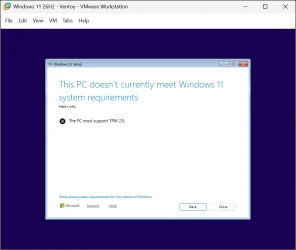
Image below: Ventoy's current documentation says that the default value is "1", meaning that the Windows 11 system requirement bypass is enabled by default. When enabled, Ventoy creates registry values during Windows 11 Setup, including:
HKEY_LOCAL_MACHINE\SYSTEM\Setup\LabConfig\BypassTPMCheck
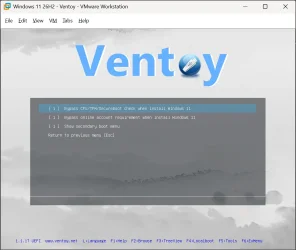
Image below: In VMware, I booted from the Ventoy USB and then selected Windows 11 26H2.iso, which I had created using the Media Creation Tool.
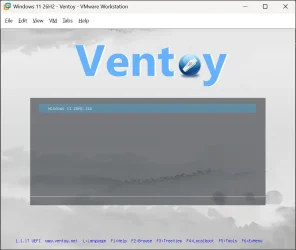
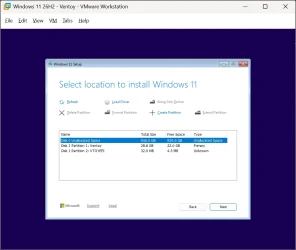
Image below: Windows Setup has now bypassed the Windows 11 system requirement check, and the "Select location to install Windows 11" screen has appeared.
Ventoy's "Bypass online account requirement when install Windows 11" option is also enabled by default, but it no longer works with current Windows installation media. It worked previously, but in my testing it does not work with the latest Windows 11 25H2 installation media or with 26H2.
However, the start ms-cxh:localonly command still works as before, including in 26H2, regardless of whether the computer is connected to the internet.
Last edited:
My Computers
-
At a glance
Windows 11 ProAMD Ryzen 9 9950X3DKingston FURY Beast 64GB (2x32GB) DDR5 6000MT/sASUS TUF Gaming Radeon RX 9070 OC Edition 16G...- OS
- Windows 11 Pro
- Computer type
- PC/Desktop
- CPU
- AMD Ryzen 9 9950X3D
- Motherboard
- ASRock B650E Taichi Lite
- Memory
- Kingston FURY Beast 64GB (2x32GB) DDR5 6000MT/s
- Graphics Card(s)
- ASUS TUF Gaming Radeon RX 9070 OC Edition 16GB GDDR6
- Hard Drives
- Solidigm P44 Pro 2TB M.2 NVMe SSD
-
At a glance
Windows 11 HomeIntel Core Ultra 9 275HX64GB (2x 32GB) DDR5-6400NVIDIA GeForce RTX 5080 16GB GDDR7 Laptop GPU- Operating System
- Windows 11 Home
- Computer type
- Laptop
- Manufacturer/Model
- Lenovo Legion Pro 7i Gen 10 16"
- CPU
- Intel Core Ultra 9 275HX
- Memory
- 64GB (2x 32GB) DDR5-6400
- Graphics card(s)
- NVIDIA GeForce RTX 5080 16GB GDDR7 Laptop GPU
- Hard Drives
- 2x 1TB M.2 NVMe SSD (SK Hynix)






