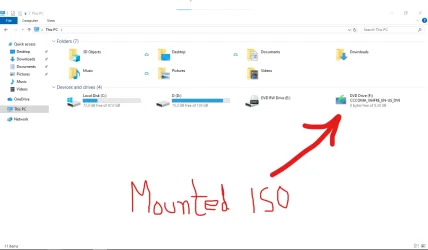
In addition, to upgrade an unsupported computer using the ISO you must disconnect from the internet to prevent a hidden compatibility check that makes the upgrade to fail.
I have always successfully upgraded unsupported computers using the command
D:\setup /product server, even with an active internet connection.
However, it is worth disabling the downloading of updates under “Change how Setup downloads updates”, as this can significantly speed up the upgrade process.
with ventoy it is just copy paste isos, but with ventoy, it is difficult to prepare bootable USBs, which can bypass windows 11 hardware restrictions.
If you want to perform a clean installation of Windows 11, Ventoy has built-in control options. Ventoy's "
Bypass CPU/TPM/SecureBoot check when install Windows 11" option is enabled by default and works as intended. I tested this on a virtual machine a week ago.
Off-topic:
Ventoy's "
Bypass online account requirement when install Windows 11" option is also enabled by default, but with the latest Windows 11 installation media, it no longer appears to bypass the online account requirement on its own.
However, it is now possible to create a local account using the latest Windows 11
25H2 installation media (create the installation media with the Media Creation Tool to get the latest version).
"You can click/tap on the small
Learn more link below to go to step 21 to set up a local account instead."
This tutorial will show you step by step on how to clean install Windows 11 at boot on your PC with or without an Internet connection and setup with a local account or Microsoft account. Windows 11 is a client operating system and includes features that users and organizations should know...

www.elevenforum.com
However, the "
Learn more" link does not appear if there is no internet connection. In that case, on the "Let's connect you to a network" screen, open Command Prompt by pressing Shift + F10 and run the following command:
start ms-cxh:localonly



 installation and (2) upgrade. But it works ONCE. At least for me.