- Local time
- 5:51 AM
- Posts
- 181
- OS
- windwos 11 pro
2025 Surface Laptop 7. Windows 11 Pro, 25H2
OS build 26200.9711. Windows Feature Experience Pack 1000.26100.372.0
Notes: I have Bitlocker with Pre-Boot Pin Enabled. Sleep Study could not be attached because forum doesnt allow HTML file, I've included it in a Google Folder and the Energy Report and Event Viewer List and V2 Log Collector Results here--> ElevenForums - Google Drive
Issue:
Both Sleep (Modern Standby) and Hibernate, lead to the laptop shutting down, Error 41, upon attempting to wake it back up. Happens within a minute or so of putting it to Modern Standby or hibernate. Battery is at 50% to 80% at all times. Not a battery drain issue. There is no BSOD.
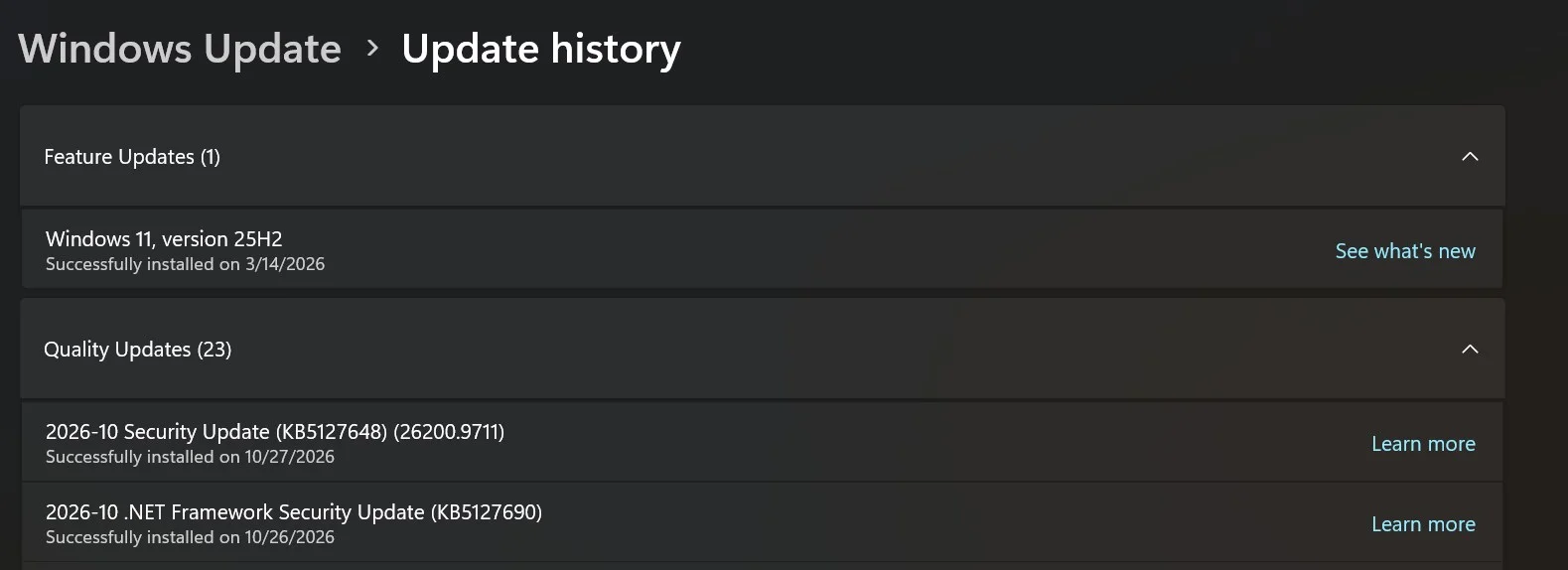
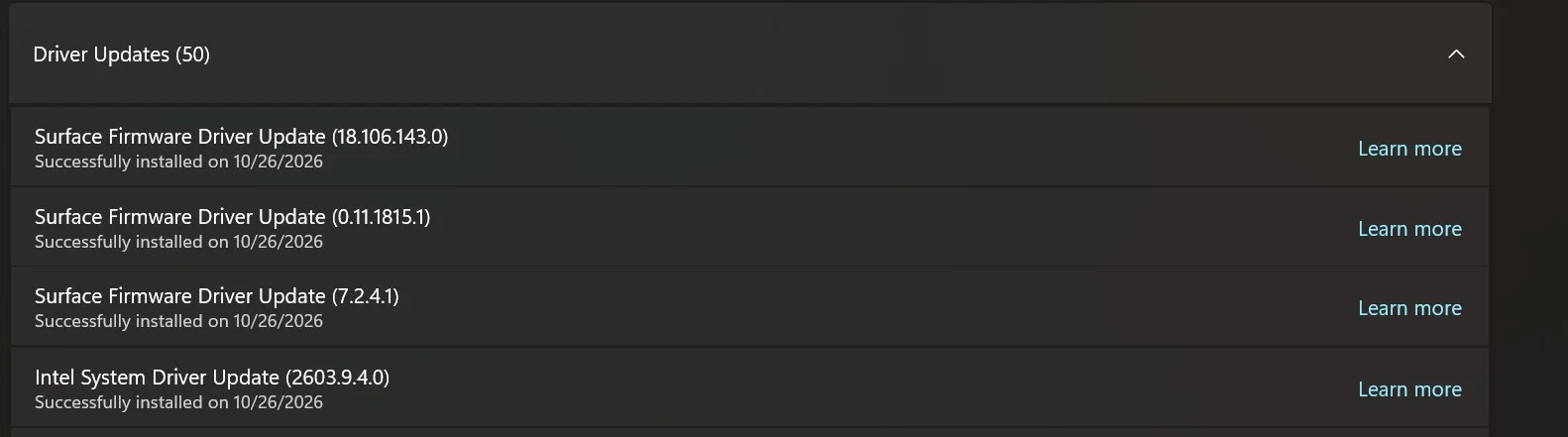
May be a coincidence, but I believe this *may have started after these recent windows and Surface Firmware updates below. I have not changed anything else recently:
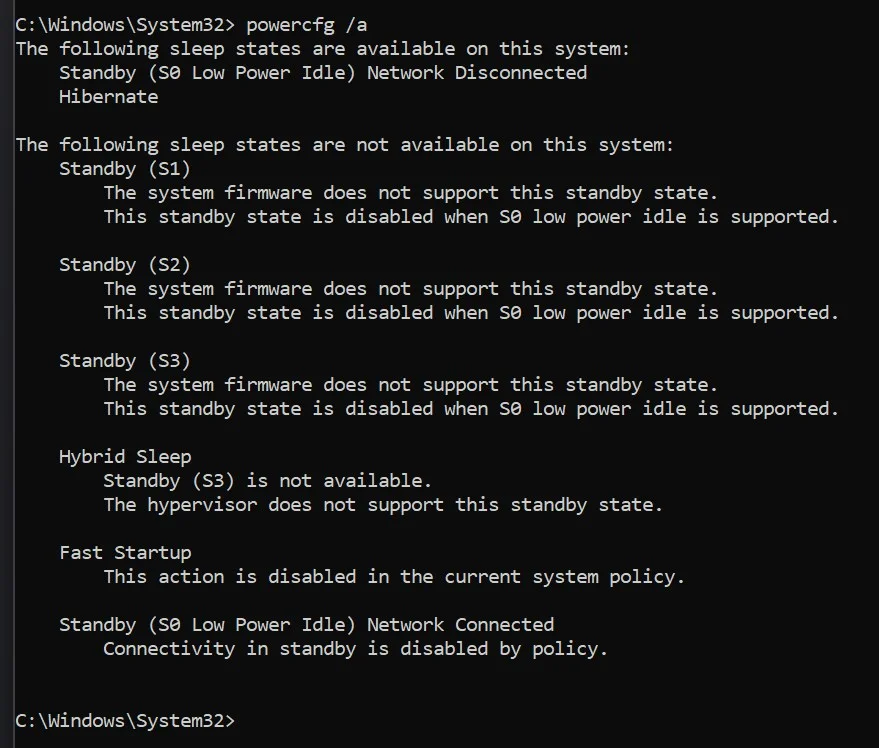
My available sleep states:
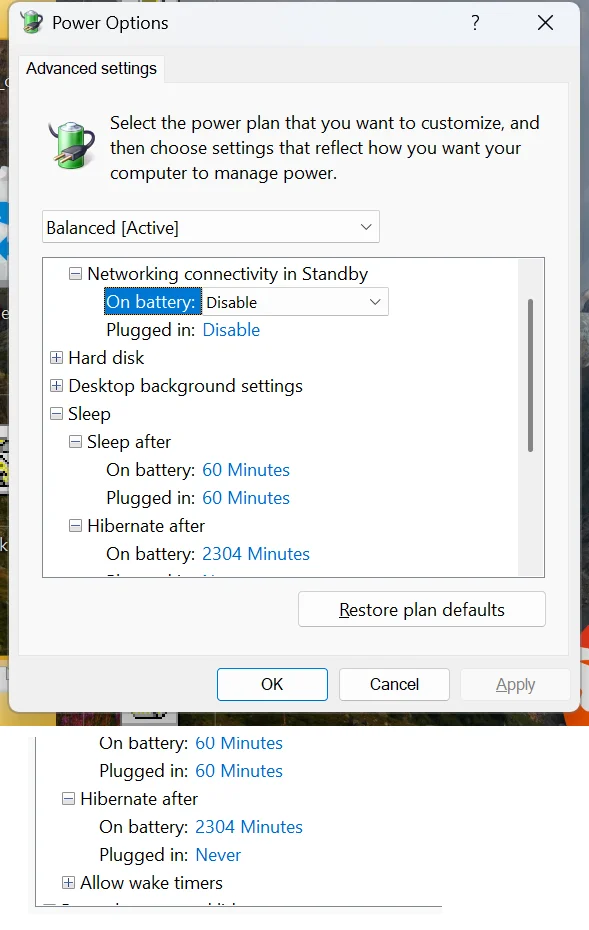
My power options, these have never changed, so shouldnt be related. Hibernate is 2304 minutes because I didnt want it transitioning from sleep to Hibernate. These settings have existed like this for over a year. Network connectivity disabled. Not a battery drain issue.
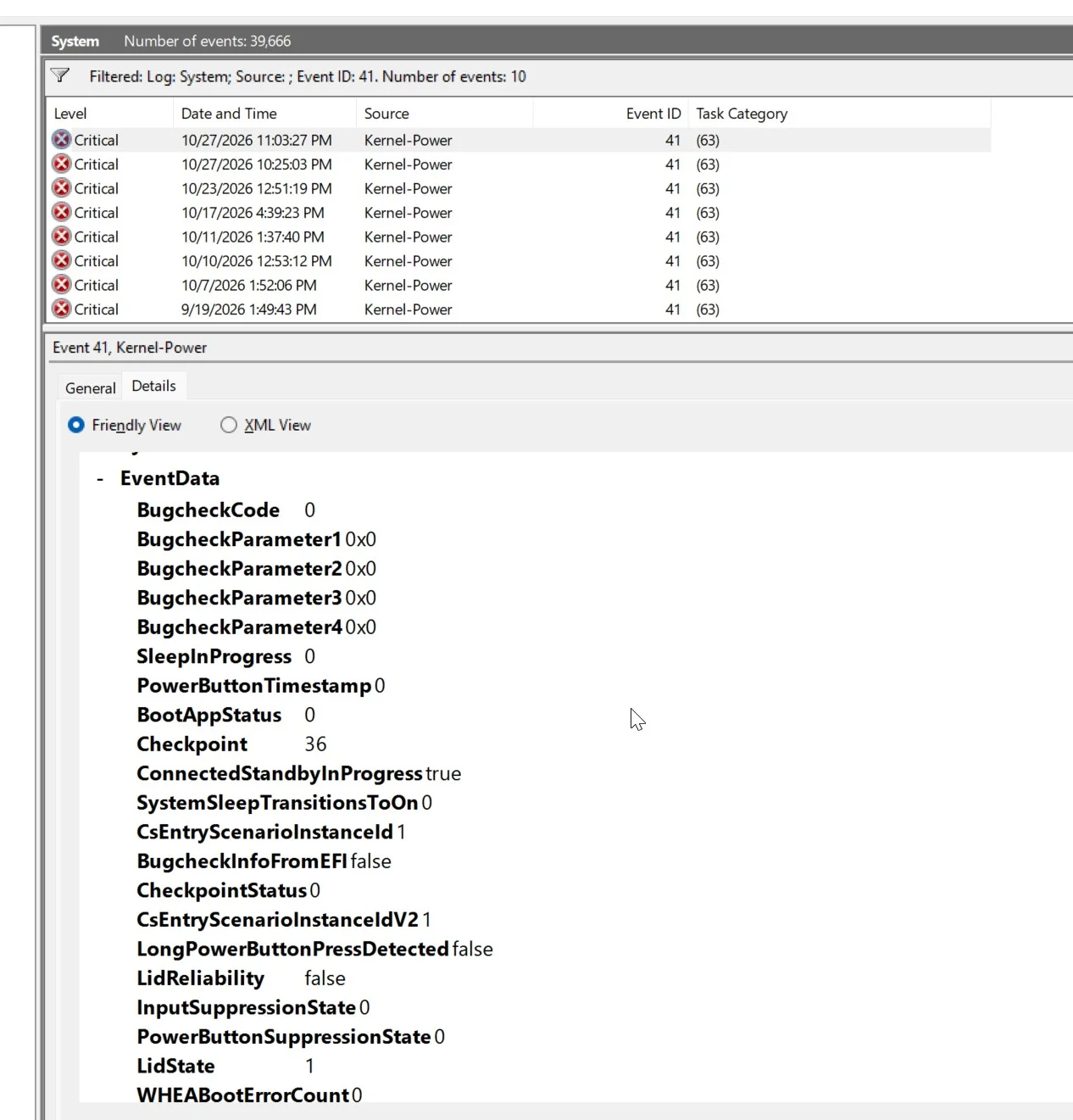
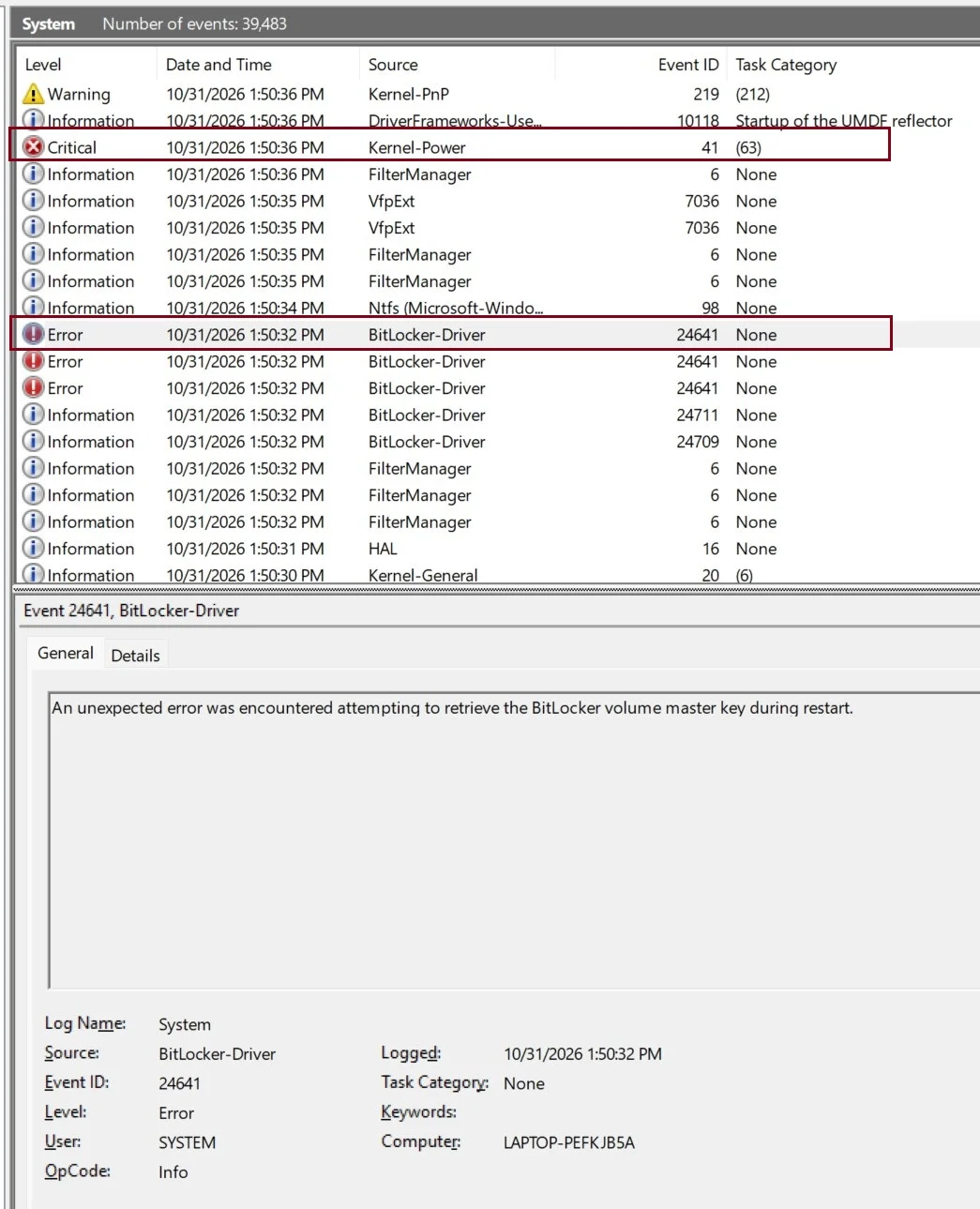
Each time I wake it back up (From now a shutdown), I find a 41 error in event viewer:
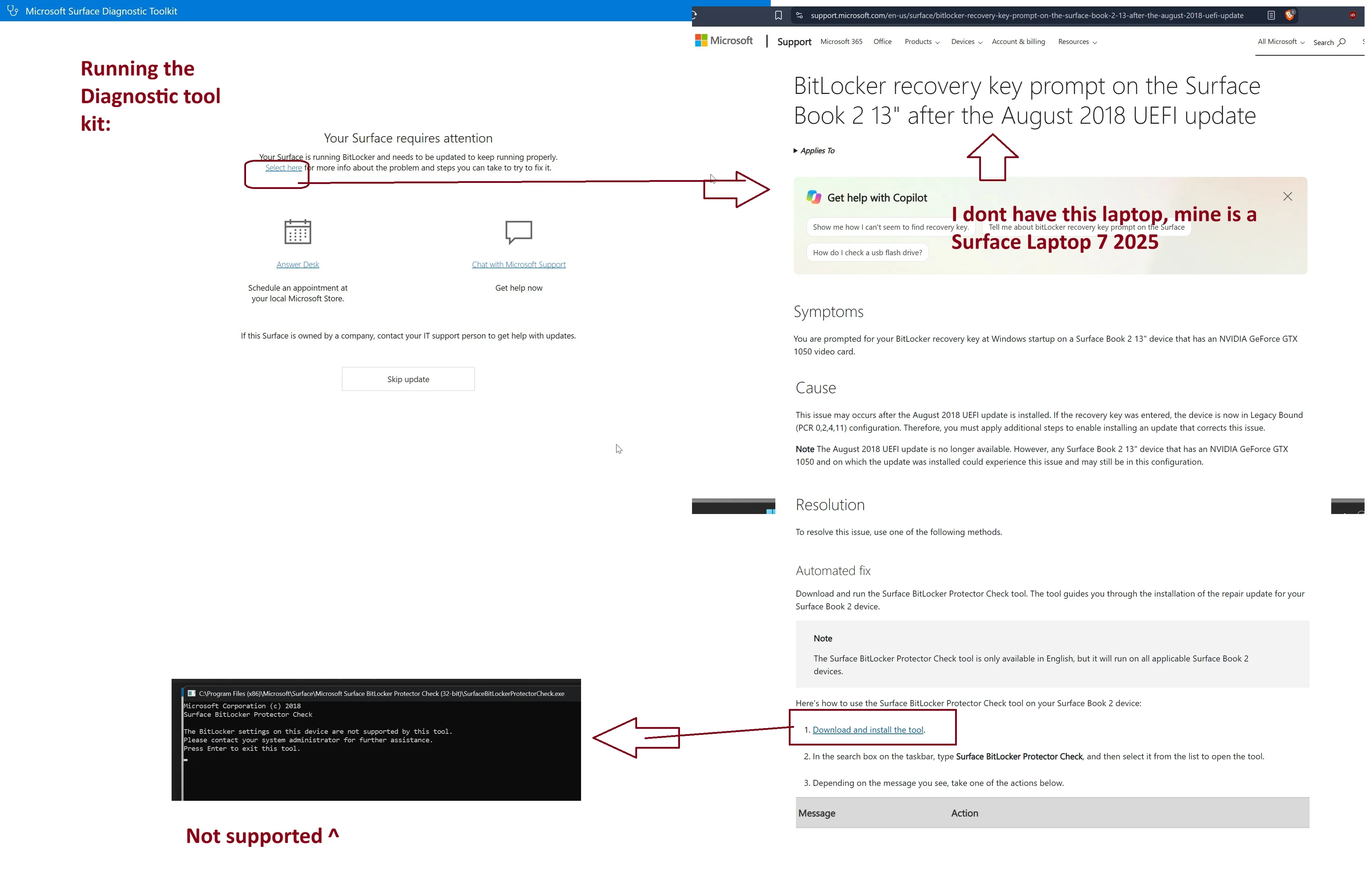
I ran Surface Diagnostic Toolkit, seems to lead to a Bitlocker possibility issue? But its resolutions (bitlocker protector check tool) does nothing:
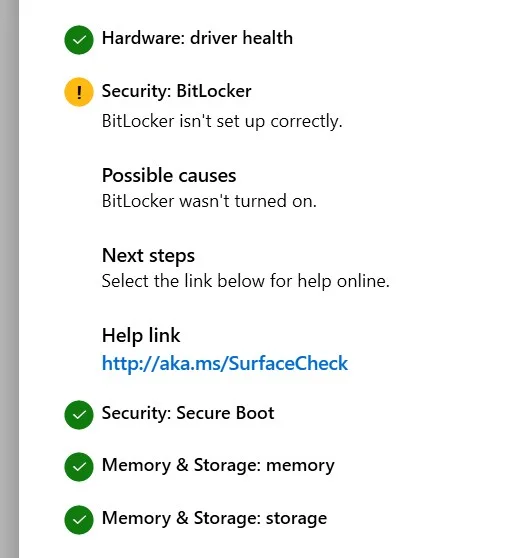
Final Result of Diagnostic:
I Went back to event viewer, I see Bitlocker Issue lining up with the time of the shutdown crashes, but that could be an AFTER effect from the unexpected shutdown, not the cause? But I dont know:. I have NO issue logging in and do not have to enter a 48 character recovery key. Just enter the Pre-boot pin as normal from any shutdown/boot up.
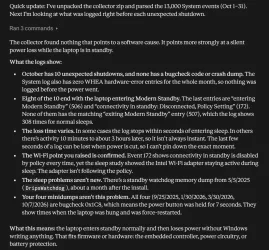
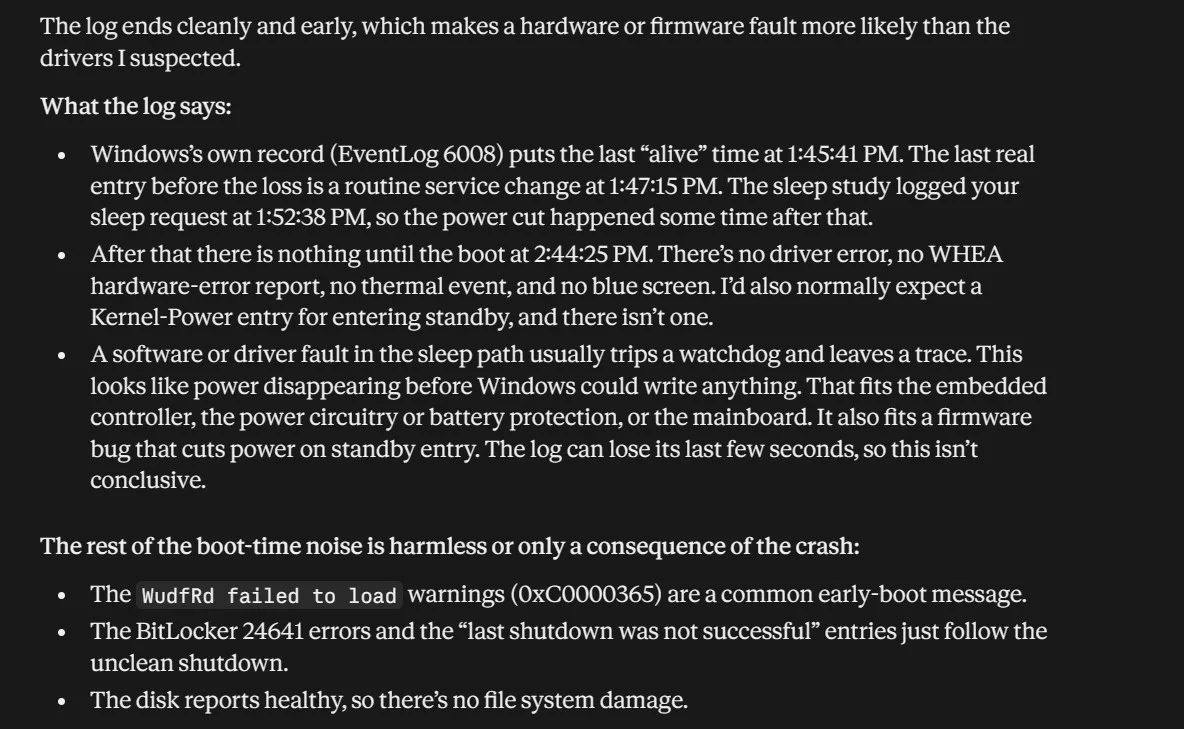
Claude's Analysis of the Event Viewer Export (But I dont trust it much):
Open to ideas?
And if it was Bitlocker causing this, should I Turn Off or just suspend bitlicker? With Turn-Off, I'd hate to have to re-setup the backup key and pin again if its not the cause, but simply an after effect of the crash.
OS build 26200.9711. Windows Feature Experience Pack 1000.26100.372.0
Notes: I have Bitlocker with Pre-Boot Pin Enabled. Sleep Study could not be attached because forum doesnt allow HTML file, I've included it in a Google Folder and the Energy Report and Event Viewer List and V2 Log Collector Results here--> ElevenForums - Google Drive
Issue:
Both Sleep (Modern Standby) and Hibernate, lead to the laptop shutting down, Error 41, upon attempting to wake it back up. Happens within a minute or so of putting it to Modern Standby or hibernate. Battery is at 50% to 80% at all times. Not a battery drain issue. There is no BSOD.
May be a coincidence, but I believe this *may have started after these recent windows and Surface Firmware updates below. I have not changed anything else recently:
My available sleep states:
My power options, these have never changed, so shouldnt be related. Hibernate is 2304 minutes because I didnt want it transitioning from sleep to Hibernate. These settings have existed like this for over a year. Network connectivity disabled. Not a battery drain issue.
Each time I wake it back up (From now a shutdown), I find a 41 error in event viewer:
I ran Surface Diagnostic Toolkit, seems to lead to a Bitlocker possibility issue? But its resolutions (bitlocker protector check tool) does nothing:
Final Result of Diagnostic:
I Went back to event viewer, I see Bitlocker Issue lining up with the time of the shutdown crashes, but that could be an AFTER effect from the unexpected shutdown, not the cause? But I dont know:. I have NO issue logging in and do not have to enter a 48 character recovery key. Just enter the Pre-boot pin as normal from any shutdown/boot up.
Claude's Analysis of the Event Viewer Export (But I dont trust it much):
Open to ideas?
And if it was Bitlocker causing this, should I Turn Off or just suspend bitlicker? With Turn-Off, I'd hate to have to re-setup the backup key and pin again if its not the cause, but simply an after effect of the crash.
- Windows Build/Version
- Windows 11 Pro, 25H2 OS build 26200.9711.
Last edited:
My Computer
At a glance
windwos 11 pro
- OS
- windwos 11 pro