Greetings,
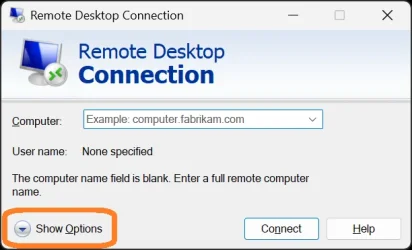
I have RDC on about 6 Windows Pro computers all hard wired on my home network.
All running various 25H2 builds.
I have recently clean installed my main pc (JWMAIN) and enabled all necessary RDC toggles.
I have also purchased a new laptop (MSI Prestige 16 Flip AI+) and installed all necessary RDC controls.
Before the clean install of JWMAIN, all RDC connectins worked almost flawlessly.
Now I cannot connect to any of the devices.
All devices show uo in the network, I have tried by pc name and ip to get connected to any of the pc's.
I also have tailscale on all devices and tried using that as well with no avail.
Enter Gemini AI, worthless at best.
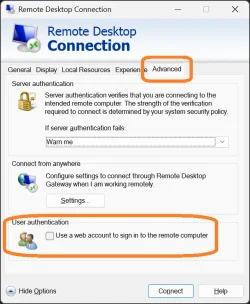
Windows keeps telling me my credentials are wrong to sign into RDC (had these issues before the clean install as well).
I have been going at this for about 8 hours and I am really perpe[lexed. I have even done a clean install for the 3rd time on JWMAIn and the new laptop.
User guides for RDC have been unreliable to get this running.
Can any of the experts here tell me if htere is any easier way to be able to remote into a home network pc without all the dredential stuff?
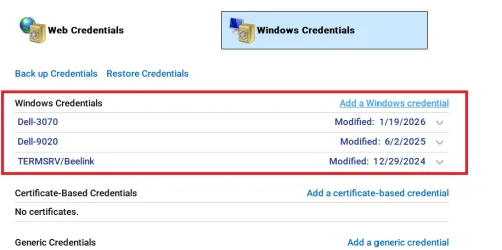
Everything was wipe in credential manager and reset.
All pc's have the same Microsoft account to log in, a pin is used for the log in. I have used the password forthe Microsoft account and it says it is wrong.
I am extremely frustrated and looking for some assistance.
Thank you in advance.
Jeff
I have RDC on about 6 Windows Pro computers all hard wired on my home network.
All running various 25H2 builds.
I have recently clean installed my main pc (JWMAIN) and enabled all necessary RDC toggles.
I have also purchased a new laptop (MSI Prestige 16 Flip AI+) and installed all necessary RDC controls.
Before the clean install of JWMAIN, all RDC connectins worked almost flawlessly.
Now I cannot connect to any of the devices.
All devices show uo in the network, I have tried by pc name and ip to get connected to any of the pc's.
I also have tailscale on all devices and tried using that as well with no avail.
Enter Gemini AI, worthless at best.
Windows keeps telling me my credentials are wrong to sign into RDC (had these issues before the clean install as well).
I have been going at this for about 8 hours and I am really perpe[lexed. I have even done a clean install for the 3rd time on JWMAIn and the new laptop.
User guides for RDC have been unreliable to get this running.
Can any of the experts here tell me if htere is any easier way to be able to remote into a home network pc without all the dredential stuff?
Everything was wipe in credential manager and reset.
All pc's have the same Microsoft account to log in, a pin is used for the log in. I have used the password forthe Microsoft account and it says it is wrong.
I am extremely frustrated and looking for some assistance.
Thank you in advance.
Jeff
My Computer
At a glance
Windows 11proIntel Core i7-14700K Raptor Lake-S Refresh 3....Crucial Pro 96GB (2 x 48GB) DDR5-5600 PC5-44800PNY NVIDIA GeForce RTX 5080 EPIC-X RGB Overcl...
- OS
- Windows 11pro
- Computer type
- PC/Desktop
- Manufacturer/Model
- Homebuilt
- CPU
- Intel Core i7-14700K Raptor Lake-S Refresh 3.4GHz
- Motherboard
- MSI Z790 MAG Tomahawk Max WiFi Intel LGA 1700 ATX Motherboard
- Memory
- Crucial Pro 96GB (2 x 48GB) DDR5-5600 PC5-44800
- Graphics Card(s)
- PNY NVIDIA GeForce RTX 5080 EPIC-X RGB Overclocked Triple Fan 16GB GDDR7
- Sound Card
- Onkyo AVR TX-NR656 5.1
- Monitor(s) Displays
- 3X -LG 32GN650-B Ultragear Gaming Monitor 32” QHD (2560 x 1440) Display, 165Hz Refresh Rate
- Screen Resolution
- 2560 x 1440)
- Hard Drives
- Wat to many.
- PSU
- Corsair RM1000e Fully Modular Low-Noise Power Supply - ATX 3.1 & PCIe 5.1
- Case
- Lian Li LANCOOL 207 DIGITAL Tempered Glass ATX Mid-Tower
- Cooling
- Thermaltake TH240
- Keyboard
- Corsair K95 RGB Platinum
- Browser
- Brave
- Antivirus
- Defender
- Other Info
- This is 1 of 5 HTPC also have built a PC for Blue Iris security software.