Recommended bios settings for installing new M.2 NVME SSD


angiemike6

Member
Local time
12:38 AM
Posts
10
OS
Windows 11
I currently have an Asus Tuf Z390 Gaming Plus motherboard with an Intel Core i7 8700 processor and 32 gb ram. I have a small Adata NVME SSD in the M2_1 slot which was installed by local computer shop on which the OS is loaded. In addition I have an internal Sata SSD and an internal HDD. I have a UEFI bios and am running Windows 11 version 22H2. In the PCH Storage configuration I currently have the option of AHCI or RST, and it is currently set to RST. I am not aware that I have RAID set up, but Speccy mentions that my current Adata NVME RAID Type is Software RAID.

My intention is to purchase a 2tb gen 3 NVME SSD and install it in the M2_1 slot moving the existing Adata SSD to the M2-2 slot. I will do a fresh install of Windows 11 and have already created Windows 11 Installation media on a bootable USB.

I do not fully understand the difference between AHCI and RST. Could someone advise me which setting is best for my proposed configuration, and what other changes if any I should make to my BIOS before installing windows 11. Any further advice for making any other changes would be appreciated.

Thank you.
 
Windows Build/Version
Windows 11/22H2

My Computer My Computer

At a glance

Windows 11Intel Core i7 870032 GBAsus NVIDIA GeForce GTX 1650 SUPER
OS
Windows 11
Computer type
PC/Desktop
Manufacturer/Model
Custom Build
CPU
Intel Core i7 8700
Motherboard
ASUSTeK TUF Z390-PLUS GAMING
Memory
32 GB
Graphics Card(s)
Asus NVIDIA GeForce GTX 1650 SUPER
Sound Card
Realtek High Definition Audio
Monitor(s) Displays
BenQ PD2700U
Screen Resolution
3840 x 2160
Hard Drives
Internal:
NVMe ADATA SX8200NP (SSD) - 240gb -Boot drive
Crucial M4-CT256M4SSD2 (SSD) - 256 gb
Western Digital WDC WD20EZRX-00D8PB0 - 2tb
External:
Western Digital WD Elements 25A3 USB Device - 4tb
Western Digizatl WD My Book 1130 USB Device - 2tb
PSU
Not known - I believe 650w
Case
ATX case
Cooling
Be Quiet vertical cooler with two fans. Also 2 fans venting out of back of case. Graphic card also has 2 fans.
Keyboard
Lenovo Black USB Keyboard UK Model Standard Full Size QWERTY
Mouse
Microsoft USB Wheel Mouse Optical
Internet Speed
350 Mbps, but actually connects at 384 Mbps
Browser
Microsoft Edge, Google Chrome and Brave
Antivirus
Norton 360 and Malwarebytes
Other Info
Also run Kerish Doctor
I have just looked at my BIOS settings and AHCI is enabled, also the M.2 is enabled rather than auto. There are settings for the generation of M.2 slot, my setting is 3, the maximum my motherboard runs at. I think that another of my motherboards has an nvme setting, also. All motherboards have different setup proceedures, there is no standard.


My Computers My Computers

  • At a glance

    W11 pro betaAthlon 3000G16Gb Crucial DDR4 2400onboard cpu
    OS
    W11 pro beta
    Computer type
    PC/Desktop
    Manufacturer/Model
    home built
    CPU
    Athlon 3000G
    Motherboard
    Asrock A320M-HDV r4.0
    Memory
    16Gb Crucial DDR4 2400
    Graphics Card(s)
    onboard cpu
    Sound Card
    onboard
    Monitor(s) Displays
    LG 22EA53
    Screen Resolution
    1920 x 1080
    Hard Drives
    WD black SN750 M2 500Gb
    PSU
    500W Seasonic core 80+gold non modular
    Case
    Fractal Design Define R2
    Cooling
    front 2 x 120mm rear 100mm stock psu
    Internet Speed
    135/20
    Browser
    Firefox and edge
    Antivirus
    Windows Security and free Malwarebytes
  • At a glance

    W11 pro 64 beta (from W10 pro system builder ...Ryzen 7 5700G4 x 8Gb Corsair Vengeance LPX 3000 DDR4onboard cpu
    Operating System
    W11 pro 64 beta (from W10 pro system builder pack)
    Computer type
    PC/Desktop
    Manufacturer/Model
    homebuilt
    CPU
    Ryzen 7 5700G
    Motherboard
    MSI B450 tomahawk max II
    Memory
    4 x 8Gb Corsair Vengeance LPX 3000 DDR4
    Graphics card(s)
    onboard cpu
    Sound Card
    motherboard
    Monitor(s) Displays
    AOC 27
    Screen Resolution
    2560 x 1440
    Hard Drives
    WD 1Tb Black M2 SN850X on Asus hyper M2 X16 max V2 card
    PSU
    Be Quiet 400 semi modular 80+gold
    Case
    Coolermaster Silencio 650
    Cooling
    140mm front, 120 rear Akasa Vegas Chroma AM
    Internet Speed
    135/20
    Browser
    edge/Firefox
    Antivirus
    WD plus Malwarebytes free
I currently have an Asus Tuf Z390 Gaming Plus motherboard with an Intel Core i7 8700 processor and 32 gb ram. I have a small Adata NVME SSD in the M2_1 slot which was installed by local computer shop on which the OS is loaded. In addition I have an internal Sata SSD and an internal HDD. I have a UEFI bios and am running Windows 11 version 22H2. In the PCH Storage configuration I currently have the option of AHCI or RST, and it is currently set to RST. I am not aware that I have RAID set up, but Speccy mentions that my current Adata NVME RAID Type is Software RAID.

My intention is to purchase a 2tb gen 3 NVME SSD and install it in the M2_1 slot moving the existing Adata SSD to the M2-2 slot. I will do a fresh install of Windows 11 and have already created Windows 11 Installation media on a bootable USB.

I do not fully understand the difference between AHCI and RST. Could someone advise me which setting is best for my proposed configuration, and what other changes if any I should make to my BIOS before installing windows 11. Any further advice for making any other changes would be appreciated.

Thank you.


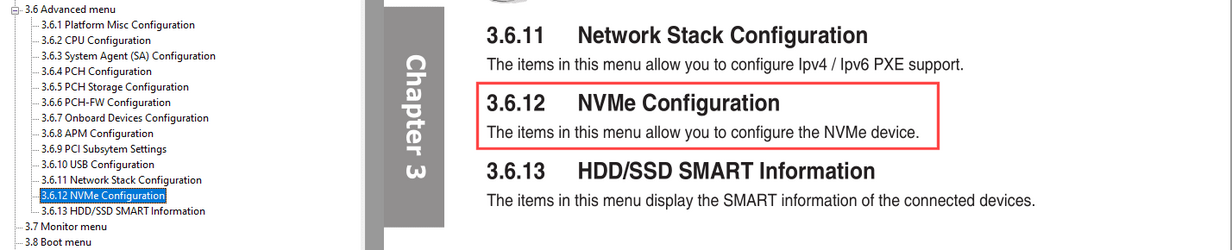
Unfortunately, your motherboard manual doesn't "show" the NVMe settings.
You would need to take a screen shot and post it on here.


Image1.png
 

My Computers My Computers

  • At a glance

    Win 11 Home ♦♦♦26200.8655 ♦♦♦♦♦♦♦25H2AMD Ryzen 7 3700XG.Skill (F4-3200C14D-16GTZKW)EVGA RTX 2070 (08G-P4-2171-KR)
    OS
    Win 11 Home ♦♦♦26200.8655 ♦♦♦♦♦♦♦25H2
    Computer type
    PC/Desktop
    Manufacturer/Model
    Built by Ghot® [May 2020]
    CPU
    AMD Ryzen 7 3700X
    Motherboard
    Asus Pro WS X570-ACE (BIOS 5302)
    Memory
    G.Skill (F4-3200C14D-16GTZKW)
    Graphics Card(s)
    EVGA RTX 2070 (08G-P4-2171-KR)
    Sound Card
    Realtek ALC1220P / ALC S1220A
    Monitor(s) Displays
    Dell U3011 30"
    Screen Resolution
    2560 x 1600
    Hard Drives
    2x Samsung 860 EVO 500GB,
    WD 4TB Black FZBX - SATA III,
    WD 8TB Black FZBX - SATA III,
    DRW-24B1ST CD/DVD Burner
    PSU
    PC Power & Cooling 750W Quad EPS12V
    Case
    Cooler Master ATCS 840 Tower
    Cooling
    CM Hyper 212 EVO (push/pull)
    Keyboard
    Ducky DK9008 Shine II Blue LED
    Mouse
    Logitech Optical M-100
    Internet Speed
    300/300
    Browser
    Firefox (latest)
    Antivirus
    Bitdefender Total Security
    Other Info
    Speakers: Klipsch Pro Media 2.1
  • At a glance

    Windows XP Pro 32bit w/SP3AMD Athlon 64 X2 5000+ (OC'd @ 3.2Ghz)TWIN2X2048-6400C4DHX (2 x 1GB, DDR2 800)EVGA 256-P2-N758-TR GeForce 8600GT SSC
    Operating System
    Windows XP Pro 32bit w/SP3
    Computer type
    PC/Desktop
    Manufacturer/Model
    Built by Ghot® (not in use)
    CPU
    AMD Athlon 64 X2 5000+ (OC'd @ 3.2Ghz)
    Motherboard
    ASUS M2N32-SLI Deluxe Wireless Edition
    Memory
    TWIN2X2048-6400C4DHX (2 x 1GB, DDR2 800)
    Graphics card(s)
    EVGA 256-P2-N758-TR GeForce 8600GT SSC
    Sound Card
    Onboard
    Monitor(s) Displays
    ViewSonic G90FB Black 19" Professional (CRT)
    Screen Resolution
    up to 2048 x 1536
    Hard Drives
    WD 36GB 10,000rpm Raptor SATA
    Seagate 80GB 7200rpm SATA
    Lite-On LTR-52246S CD/RW
    Lite-On LH-18A1P CD/DVD Burner
    PSU
    PC Power & Cooling Silencer 750 Quad EPS12V
    Case
    Generic Beige case, 80mm fans
    Cooling
    ZALMAN 9500A 92mm CPU Cooler
    Keyboard
    Logitech Classic Keybooard 200
    Mouse
    Logitech Optical M-BT96a
    Internet Speed
    300/300
    Browser
    Firefox 3.x ??
    Antivirus
    Symantec (Norton)
    Other Info
    Still assembled, still runs. Haven't turned it on for 15 years?
I do not fully understand the difference between AHCI and RST. Could someone advise me which setting is best for my proposed configuration, and what other changes if any I should make to my BIOS before installing windows 11. Any further advice for making any other changes would be appreciated.

Thank you.
AHCI vs. RST is really nothing to concern yourself with and will only confuse if you're not aware. At the end of the day, for UEFI, Windows 11 you will want the system in ACHI Mode.

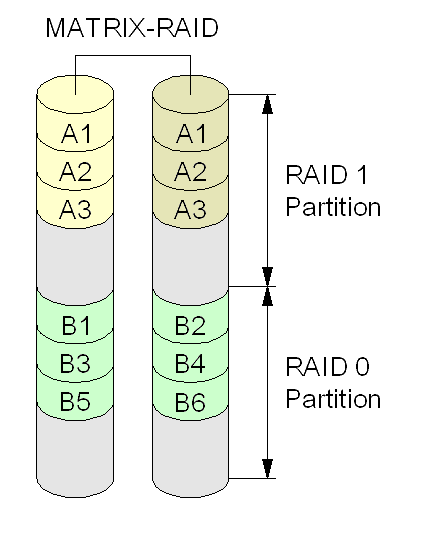
RST is Intel's Rapid Storage Technology used to accelerates drives via supported Optane drives or RAID. If you're not using either there is no need to worry about enabling RST in the BIOS. In keeping things simple unless running Optane memory wanting to use RAID stick to AHCI.


New system build - AHCI or RST Premium? I'm confused!

BTW, Chapter 1, pg. 1-16 of the online owner's manual states STATA ports will be lost depending on which M.2 Port is used....

2022-11-15_11-30-10.jpg
source: https://dlcdnets.asus.com/pub/ASUS/...ING/E15523_TUF_Z390-PLUS_GAMING_UM_v3_web.pdf
Choose wisely. And only you know what ports you're using so you will need to decide which one you don't need.
 
Last edited:

My Computers My Computers

  • At a glance

    Windows 11 Pro 24H2 (Build 26100.4770)Intel Core 9 Ultra 285K64G (4x16) DDR5 Corsair RGB Dominator Platinu...Radeon (XFX Mercury) RX 9070XT OC (with Magne...
    OS
    Windows 11 Pro 24H2 (Build 26100.4770)
    Computer type
    PC/Desktop
    Manufacturer/Model
    Custom built
    CPU
    Intel Core 9 Ultra 285K
    Motherboard
    Gigabyte Aorus Z890 Xtreme AI Top
    Memory
    64G (4x16) DDR5 Corsair RGB Dominator Platinum (6400Mhz)
    Graphics Card(s)
    Radeon (XFX Mercury) RX 9070XT OC (with Magnetic Fans)
    Sound Card
    Onboard (DTS:X® Ultra Audio: ESS ES9280A DAC)
    Monitor(s) Displays
    27-inch Eizo Color Edge - CG2700X
    Screen Resolution
    3840 x 2160
    Hard Drives
    4 Samsung NVM 990 Pro drives: 1TB (OS), 2TB, 2 X 4TB.
    PSU
    Seasonic TX-1300 (1300 Watts)
    Case
    Cooler Master H500M
    Cooling
    Corsair Link Titan 280 RX RGB
    Keyboard
    Logitech Craft
    Mouse
    Logitech MX Master 3S
    Internet Speed
    1TB Download. 512mb Upload
    Browser
    Microsoft Edge Chromium
    Antivirus
    Windows Security
    Other Info
    System used for gaming, photography, music, school.
  • At a glance

    Windows 11 Pro 24H2 (Build 26100.4061)Intel Core i9-9900K32gig (4 x 8) Corsair Dominator Platinum DDR4...Radeon XFX Merc 7900XT (20gig)
    Operating System
    Windows 11 Pro 24H2 (Build 26100.4061)
    Computer type
    PC/Desktop
    Manufacturer/Model
    Custom built
    CPU
    Intel Core i9-9900K
    Motherboard
    Gigabyte Z390 Aorus Xtreme
    Memory
    32gig (4 x 8) Corsair Dominator Platinum DDR4 3600Mhz (B-Die)
    Graphics card(s)
    Radeon XFX Merc 7900XT (20gig)
    Sound Card
    Onboard
    Monitor(s) Displays
    24-Inch NEC PA242W
    Screen Resolution
    2880 x 1800
    Hard Drives
    2 X NVME, 1 X SATA SSD
    PSU
    EVGA Super Nova 1000 P2 (1000 Watt)
    Case
    Phantek Enthoo Luxe
    Cooling
    Corsair H115i Elite AIO Cooler
    Keyboard
    Logitech Keys
    Mouse
    Logitech MX Master 3
    Internet Speed
    1TB Download. 512mb Upload
    Browser
    Microsoft Edge Chromium
    Antivirus
    Windows Security
    Other Info
    Backup System
Back
Top Bottom