Reliable backup solutions


My Computer My Computer

At a glance

windows 11 Pro11th Gen Intel(R) Core(TM) i7-11800H @ 2.30GH...16 GBNVIDIA GeForce RTX 3050 Ti
OS
windows 11 Pro
Computer type
Laptop
Manufacturer/Model
Dell XPS 15 9510
CPU
11th Gen Intel(R) Core(TM) i7-11800H @ 2.30GHz (16 CPUs
Memory
16 GB
Graphics Card(s)
NVIDIA GeForce RTX 3050 Ti
Hard Drives
512GB Solid State Drive
Browser
Firefox

My Computers My Computers

  • At a glance

    Linux: Debian, Kali-linux, Alma, Win:7,10IoT,...i3, i5 and i7 From 2gen to 9th gen... Server ...
    OS
    Linux: Debian, Kali-linux, Alma, Win:7,10IoT,2012R
    Manufacturer/Model
    HP Elitebook 840, AsusX53, Aspire E1-572. AsusUX32A, HP Pro3130mt+3010mt, HP Proliant ML150, 3xCustom-PC, i3, i5, i7
    CPU
    i3, i5 and i7 From 2gen to 9th gen... Server dual Xenon
    Hard Drives
    Sata, M.2, SAS
  • At a glance

    Retro: 2003server.XPpro, Win2000, Win98SE, Wi...Oldest intel 8088 up to P4 dual core
    Operating System
    Retro: 2003server.XPpro, Win2000, Win98SE, Win95, Win3.11, MS-DOS, IBM-DOS
    Manufacturer/Model
    Commodore, AST, Fujitsu, Compaq, etc etc. etc Around 15 desktops and 20 laptops in the collection
    CPU
    Oldest intel 8088 up to P4 dual core
    Hard Drives
    MFM, IDE, SCSI
Well i have had a play around with Hasleo Backup Suite and i am getting used to it now and i like it.

One point i wold like to ask when i used to use Macrium Reflex it did not like restoring if i was doing the restore whilst in Windows i had to boot with a usb to get it to work.
I have had a look at a few YouTube video and it showed someone starting the restore while in windows does anyone know if this works ok please
 

My Computer My Computer

At a glance

Windows 11 Homei7-1065G7 CPU @ 1.30GHz 1.50 GHz16.0 GB
OS
Windows 11 Home
Computer type
Laptop
Manufacturer/Model
HP Envy
CPU
i7-1065G7 CPU @ 1.30GHz 1.50 GHz
Memory
16.0 GB
I have had a look at a few YouTube video and it showed someone starting the restore while in windows does anyone know if this works ok please
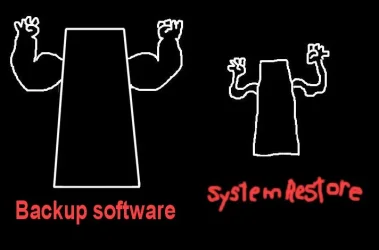
You can't fully restore a drive image on a running Windows system, as it can't overwrite itself.

You can do a System Restore from a previous restore point while Windows is running, but that's not the same thing as a drive image.
 

My Computer My Computer

At a glance

Windows 11 Pro 26H2
OS
Windows 11 Pro 26H2
Computer type
Laptop
Manufacturer/Model
Toshiba
Antivirus
Defender
Yes I meant to say it was a system Restore I was watching.
When he selected the system restore from widows the computer shut down and rebooted and installed the system restore. And it seems to work
 

My Computer My Computer

At a glance

Windows 11 Homei7-1065G7 CPU @ 1.30GHz 1.50 GHz16.0 GB
OS
Windows 11 Home
Computer type
Laptop
Manufacturer/Model
HP Envy
CPU
i7-1065G7 CPU @ 1.30GHz 1.50 GHz
Memory
16.0 GB
Ps or is it better to make a boot usb
 

My Computer My Computer

At a glance

Windows 11 Homei7-1065G7 CPU @ 1.30GHz 1.50 GHz16.0 GB
OS
Windows 11 Home
Computer type
Laptop
Manufacturer/Model
HP Envy
CPU
i7-1065G7 CPU @ 1.30GHz 1.50 GHz
Memory
16.0 GB
@Summer02


Backup Software.webp
 

My Computers My Computers

  • At a glance

    Win 11 Home ♦♦♦26300.9550 ♦♦♦♦♦♦♦26H2AMD Ryzen 7 3700XG.Skill (F4-3200C14D-16GTZKW)EVGA RTX 2070 (08G-P4-2171-KR)
    OS
    Win 11 Home ♦♦♦26300.9550 ♦♦♦♦♦♦♦26H2
    Computer type
    PC/Desktop
    Manufacturer/Model
    Built by Ghot® [May 2020]
    CPU
    AMD Ryzen 7 3700X
    Motherboard
    Asus Pro WS X570-ACE (BIOS 5302)
    Memory
    G.Skill (F4-3200C14D-16GTZKW)
    Graphics Card(s)
    EVGA RTX 2070 (08G-P4-2171-KR)
    Sound Card
    Realtek ALC1220P / ALC S1220A
    Monitor(s) Displays
    Dell U3011 30"
    Screen Resolution
    2560 x 1600
    Hard Drives
    2x Samsung 860 EVO 500GB,
    WD 4TB Black FZBX - SATA III,
    WD 8TB Black FZBX - SATA III,
    DRW-24B1ST CD/DVD Burner
    PSU
    PC Power & Cooling 750W Quad EPS12V
    Case
    Cooler Master ATCS 840 Tower
    Cooling
    CM Hyper 212 EVO (push/pull)
    Keyboard
    Ducky DK9008 Shine II Blue LED
    Mouse
    Logitech Optical M-100
    Internet Speed
    300/300
    Browser
    Firefox (latest)
    Antivirus
    Bitdefender Total Security
    Other Info
    Speakers: Klipsch Pro Media 2.1
  • At a glance

    Windows XP Pro 32bit w/SP3AMD Athlon 64 X2 5000+ (OC'd @ 3.2Ghz)TWIN2X2048-6400C4DHX (2 x 1GB, DDR2 800)EVGA 256-P2-N758-TR GeForce 8600GT SSC
    Operating System
    Windows XP Pro 32bit w/SP3
    Computer type
    PC/Desktop
    Manufacturer/Model
    Built by Ghot® (not in use)
    CPU
    AMD Athlon 64 X2 5000+ (OC'd @ 3.2Ghz)
    Motherboard
    ASUS M2N32-SLI Deluxe Wireless Edition
    Memory
    TWIN2X2048-6400C4DHX (2 x 1GB, DDR2 800)
    Graphics card(s)
    EVGA 256-P2-N758-TR GeForce 8600GT SSC
    Sound Card
    Onboard
    Monitor(s) Displays
    ViewSonic G90FB Black 19" Professional (CRT)
    Screen Resolution
    up to 2048 x 1536
    Hard Drives
    WD 36GB 10,000rpm Raptor SATA
    Seagate 80GB 7200rpm SATA
    Lite-On LTR-52246S CD/RW
    Lite-On LH-18A1P CD/DVD Burner
    PSU
    PC Power & Cooling Silencer 750 Quad EPS12V
    Case
    Generic Beige case, 80mm fans
    Cooling
    ZALMAN 9500A 92mm CPU Cooler
    Keyboard
    Logitech Classic Keybooard 200
    Mouse
    Logitech Optical M-BT96a
    Internet Speed
    300/300
    Browser
    Firefox 3.x ??
    Antivirus
    Symantec (Norton)
    Other Info
    Still assembled, still runs. Haven't turned it on for 15 years?
Ps or is it better to make a boot usb
You need the BOOT USB regardless in case you're recovering from a broken System disk. Otherwise you can initiate the restore from LIVE windows, it will reBOOT into a WinPE off-line environment, do the restore then reBOOT back into the restored windows image you have selected.

It's really very simple...
 

My Computer My Computer

At a glance

Windows 10, Linux MINT (V-guests 7, 11, ZorinOS)Intel Core i7-1070032gB (DDR4)Intel UHD Graphics 630
OS
Windows 10, Linux MINT (V-guests 7, 11, ZorinOS)
Computer type
PC/Desktop
Manufacturer/Model
HP Z2 G5 Workstation
CPU
Intel Core i7-10700
Motherboard
HP Model# 8751
Memory
32gB (DDR4)
Graphics Card(s)
Intel UHD Graphics 630
Sound Card
Realtek basic audio
Monitor(s) Displays
32" (Viewsonic) UHD
Screen Resolution
3840 x 2160
Hard Drives
2-NvME (mainboard), 1-NvME (PCIe), 1-SATA3 SSD
Yes I meant to say it was a system Restore I was watching.
When he selected the system restore from widows the computer shut down and rebooted and installed the system restore. And it seems to work
That's how I normally do it from Hasleo or Macrium. You can also just add Hasleo (or Macrium) to your boot menu and select restore from there as well. Has always worked great for me.
 

My Computers My Computers

  • At a glance

    Windows 11 26H2Intel Core Ultra 9 275HX (24-Core)64GB DDR5 6400MT/sNVIDIA GeForce RTX 5080 and Intel UHD Graphics
    OS
    Windows 11 26H2
    Computer type
    Laptop
    Manufacturer/Model
    Alienware 18 Area-51
    CPU
    Intel Core Ultra 9 275HX (24-Core)
    Motherboard
    Alienware
    Memory
    64GB DDR5 6400MT/s
    Graphics Card(s)
    NVIDIA GeForce RTX 5080 and Intel UHD Graphics
    Sound Card
    Onboard, Realtek high-performance Audio chips (ALC3329 & ALC1708))
    Monitor(s) Displays
    300HZ 18-inch QHD 500 nit Comfort View+
    Screen Resolution
    2560 x 1600
    Hard Drives
    2TB NVMe M.2 PCIe Gen 5 SSD
    Case
    Magnesium Alloy
    Cooling
    Advanced Cryo-Tech Quad-Fan Cooling system & large vapor chamber
    Keyboard
    Cherry MX ultra low profile mechanical keyboard with per key AlienFX RGB lighting
    Mouse
    Logitech MX Master 4
    Browser
    Vivaldi (main), Firefox, Chrome, Edge
    Antivirus
    MS Defender and Malwarebytes Free
  • At a glance

    Windows 11 26H2Qualcomm Snapdragon X Elite (12 Core) ARM bas...16GB LPDDR5Qualcomm Adreno X1-85
    Operating System
    Windows 11 26H2
    Computer type
    Laptop
    Manufacturer/Model
    Microsoft Surface Laptop 7
    CPU
    Qualcomm Snapdragon X Elite (12 Core) ARM based CPU
    Motherboard
    Microsoft Corp.
    Memory
    16GB LPDDR5
    Graphics card(s)
    Qualcomm Adreno X1-85
    Sound Card
    Omnisonic speakers with Dolby Atmos spatial sound
    Monitor(s) Displays
    120 Hz 13.8-inch 600 nit PixelSense Flow touchscreen
    Screen Resolution
    2304x1536
    Hard Drives
    1TB NVMe Gen 4 SSD
    Case
    Anodized Aluminum
    Cooling
    Traditional active cooling fan system
    Keyboard
    Mechanical QWERTY, backlit when in use
    Mouse
    Logitech MX Master 4 and Surface Arc Mouse
    Browser
    Vivaldi (main), Firefox, Chrome, Edge
    Antivirus
    MS Defender and Malwarebytes Free
I always make a boot USB for my backup system, that's the sure way IMO. Even if you have to replace the boot drive, it's no problem to restore the backup. I don't restore unless there's a really good reason, so having to boot the USB is really not an issue, it's not like I do it everyday!
 

My Computers My Computers

  • At a glance

    Win 11 Pro 26H2, Build 26300.9550Intel Core i5 14500, 14th Generation64GB DDR4GeForce RTX 4060
    OS
    Win 11 Pro 26H2, Build 26300.9550
    Computer type
    PC/Desktop
    Manufacturer/Model
    Home Brew
    CPU
    Intel Core i5 14500, 14th Generation
    Motherboard
    Gigabyte B760M G P WIFI
    Memory
    64GB DDR4
    Graphics Card(s)
    GeForce RTX 4060
    Sound Card
    Chipset Realtek
    Monitor(s) Displays
    LG 45" Ultragear & Acer 24" 1080p
    Screen Resolution
    5120x1440 & 1920x1080
    Hard Drives
    Crucial P310 2TB 2280 PCIe Gen4 3D NAND NVMe M.2 SSD (O/S)
    Silicon Power 2TB US75 NVMe PCIe Gen4 M.2 2280 SSD (backup)
    Crucial BX500 2TB 3D NAND (2nd backup)
    Seagate 4TB Ironwolf, rotating HDD secondary backup
    External off-line backup Drives: 2 NVMe 4TB drives in external enclosures
    PSU
    Thermaltake Toughpower GF3 750W
    Case
    LIAN LI LANCOOL 216 E-ATX PC Case
    Cooling
    Lots of fans!
    Keyboard
    Microsoft Comfort Curve 2000
    Mouse
    Logitech G305
    Internet Speed
    Verizon FiOS 1GB
    Browser
    Firefox
    Antivirus
    MalwareBytes & Windows Defender Security
  • At a glance

    Win 11 Pro 25H2, Build 26300.9550Intel Core i5 1440032GB DDR5Intel 700 Embedded GPU
    Operating System
    Win 11 Pro 25H2, Build 26300.9550
    Computer type
    PC/Desktop
    Manufacturer/Model
    Home Brew
    CPU
    Intel Core i5 14400
    Motherboard
    Gigabyte B760M DS3H AX
    Memory
    32GB DDR5
    Graphics card(s)
    Intel 700 Embedded GPU
    Sound Card
    Realtek Embedded
    Monitor(s) Displays
    27" HP 1080p
    Screen Resolution
    1920x1080
    Hard Drives
    Crucial P310 2TB NVMe Gen4 SSD
    Samsung EVO 990 2TB NVMe Gen4 SSD
    Samsung 2TB SATA SSD
    Seagate 4TB Ironwolf, rotating HDD secondary backup
    PSU
    Thermaltake Smart BM3 650W
    Case
    Okinos Micro ATX Case
    Cooling
    Fans
    Keyboard
    Microsoft Comfort Curve 2000
    Mouse
    Logitech G305
    Internet Speed
    Verizon FiOS 1GB
    Browser
    Firefox
    Antivirus
    Malware Bytes & Windows Defender Security
  • Nimo N171 17" Laptop, (Intel i3-1215U, 16GB RAM, 2TB NVMe, Win11 Pro)
    Acemagic Vista Mini PC V1 (Intel N150, 16GB RAM, 1TB NVMe, Win11 Pro)
    HP ENVY h8-1540t, (24GB RAM, 2TB SSD, 2TB HDD, Win11 Pro)
Hi guys i have just had a reply to the support ticket i sent to Macium Relflex and they said as the version i was using was not supported anymore and they would not help or advice me.
I have used Reflex for quite a few years but not any more
 

My Computer My Computer

At a glance

Windows 11 Homei7-1065G7 CPU @ 1.30GHz 1.50 GHz16.0 GB
OS
Windows 11 Home
Computer type
Laptop
Manufacturer/Model
HP Envy
CPU
i7-1065G7 CPU @ 1.30GHz 1.50 GHz
Memory
16.0 GB
@Summer02 Good choice in ending its usage, and welcome to Hasleo camp.
 

My Computer My Computer

At a glance

Windows 11 ProIntel Core Ultra16GBIntel(R) Arc Graphics
OS
Windows 11 Pro
Computer type
Laptop
Manufacturer/Model
ASUS Zenbook 14 OLED
CPU
Intel Core Ultra
Memory
16GB
Graphics Card(s)
Intel(R) Arc Graphics
Sound Card
Realtek High Definition Audio(SST)
Screen Resolution
2880 x 1800
Hard Drives
500 GB NVMe SSD
Internet Speed
1,500Mbps
Browser
Firefox, Edge
Antivirus
Windows Defender
Hi one more question please. I don’t understand I’m making a bootable usb to boot Hasleo and all I have read it says I need a usb of at least 8gig but I have run the make an emergency disk but there is only a few files on it and hardly any space. What have I done wrong please
 

My Computer My Computer

At a glance

Windows 11 Homei7-1065G7 CPU @ 1.30GHz 1.50 GHz16.0 GB
OS
Windows 11 Home
Computer type
Laptop
Manufacturer/Model
HP Envy
CPU
i7-1065G7 CPU @ 1.30GHz 1.50 GHz
Memory
16.0 GB
You have not done anything wrong. Use whatever you have to make the bootable USB, and verify that it works.

Here is a dir of ED.

Mode LastWriteTime Length Name
---- ------------- ------ ----
d----- 2026-08-16 9:17 AM boot
d----- 2026-08-16 9:17 AM efi
d----- 2026-08-16 9:18 AM sources
-a---- 2026-08-16 9:19 AM 490606 bootmgr
-a---- 2026-08-16 9:19 AM 3069432 bootmgr.efi
 

My Computer My Computer

At a glance

Windows 11 ProIntel Core Ultra16GBIntel(R) Arc Graphics
OS
Windows 11 Pro
Computer type
Laptop
Manufacturer/Model
ASUS Zenbook 14 OLED
CPU
Intel Core Ultra
Memory
16GB
Graphics Card(s)
Intel(R) Arc Graphics
Sound Card
Realtek High Definition Audio(SST)
Screen Resolution
2880 x 1800
Hard Drives
500 GB NVMe SSD
Internet Speed
1,500Mbps
Browser
Firefox, Edge
Antivirus
Windows Defender
Hi one more question please. I don’t understand I’m making a bootable usb to boot Hasleo and all I have read it says I need a usb of at least 8gig but I have run the make an emergency disk but there is only a few files on it and hardly any space. What have I done wrong please

As a test I am now testing if I have the same issue. I am sitting on Windows 11 Pro, build 26300.9557 (26H2) and I am using Hasleo latest version: 9.5.2.4.

Let see.... After I selected make an emergency disk; it builds first the image (I did not download a Win-PE image) Choose the 8Gb Philips stick. (It's only 7,74Gb in real time because it has reserve some EFI space) Done! without any issues!! If I look at this USB stick and the space it needed: 896MB...

So that is more the sufficient to boot from it. This emergency USB stick that only contains the Hasleo software itself to boot from with using F8 (if you have a ASUS motherboard, an other key if another brand) at startup. It is only meant to boot your PC. Your Hasleo backup file of your Windows disk is sitting on an other disk in order to restore an backup (that you made earlier) from your Windows disk.

OK now let's see if I can boot from it with F8.... Yes. It boots up into the Hasleo software ready to backup or restore any disk to backup to or restore from a earlier save that resides on any other disk.

Maybe you are confused what a emergency disk meant??? There was an other option if you have it. Write it to an .ISO and burn it on a 900Mb CD. And boot from it by using this CD and an optical drive. Done that in the past with an small and cheap external optical drive. No need to waste a 8Gb USB stick for this purpose. I only had one issue with it once; That version of Hasleo did not recognised the EFI partition because the bootmanager on that EFI partition of the C-drive was not the same version as the one on that CD. Broke off. Windows update! MS has changed their bootmanager several times. Downloaded the latest Hasleo version and wrote that emergency disk to an other CD disk. Problem gone. Found out later by downloading the latest Win-PE image from Hasleo would solve the issue also.

If you want to execute an in-place-Installment? (not affecting your personal data, only overwrite Windows) Then use a MCT .ISO to refresh your Windows system in case of strange error's during updates. These .ISO's (26H2) are around 6,48GB and just fits on a 8Gb stick. However the official Windows 11 .ISO version in your language is around 8,28Gb and just does not fit on a 8Gb stick. You need a 16Gb USB stick for those ones. (because these also has the Edu, Home, Pro, Workstations versions (N) inside them) They are getting bigger al the time. 22H2 was just a bit more that 5Gb.

Not sure what you have done wrong. It works. Just mind that the content of that 8Gb will be destroyed in this case. Applies also for Rufus. Check that USB stick with chkdsk /f or just reformat (NTFS) it again. It should fit.... It can't handle an ext4 partition... That is foreign or alien for MS. Or your USB stick is just defective.
 

My Computers My Computers

  • At a glance

    Win 11 Pro 26H2 Build 26300.9550, Zorin OS ProIntel® Core™ i7-12700KF 12th Gen. (S1700)32GB DDR5 5600-36 Vengeance (2x16)PCIe4.0 Asus NVIDIA RTX3060Ti
    OS
    Win 11 Pro 26H2 Build 26300.9550, Zorin OS Pro
    Computer type
    PC/Desktop
    Manufacturer/Model
    Self built
    CPU
    Intel® Core™ i7-12700KF 12th Gen. (S1700)
    Motherboard
    ASUS Prime Z690-A, BIOS v4505 (Z690 Intel Chipset)
    Memory
    32GB DDR5 5600-36 Vengeance (2x16)
    Graphics Card(s)
    PCIe4.0 Asus NVIDIA RTX3060Ti
    Sound Card
    Onboard; Realtek
    Monitor(s) Displays
    34" LG 34UC79G-B Curved 21:9 144Hz
    Screen Resolution
    2560x1080 (No HDR)
    Hard Drives
    250Gb Samsung 870PRO NVMe (Win 11 Pro)
    1Tb Samsung 980PRO NVMe
    1Tb Samsung 970EVO NVMe
    2Tb Samsung 990PRO NVMe with heatsink.
    4Tb WDC WD40EZRZ Blue SATA (Int.)
    4Tb WDC WD40EZRZ Blue SATA (Int.)
    3Tb WDC WD30EFRZ Red SATA (Int.)
    256Gb Samsung 840PRO SSD (RHEL 9,5)
    256Gb Samsung 850PRO SSD (Zorin OS Pro 18)
    PSU
    Coolermaster 850W V2 Gold with internal 12cm exaust fan
    Case
    Be-Quiet Pure Base 600.
    Cooling
    3x Be-Quiet! 12/14cm "Silent Wings 4" casefans, 1x Arctic Freezer i35 CPU towerblock with fan.
    Keyboard
    Steelseries APEX 7 keyboard.
    Mouse
    Logitech G-502 Hero
    Internet Speed
    1Gb
    Browser
    Brave
    Antivirus
    F-Secure
    Other Info
    No Noise system.
    256Gb Kingston Travler USB 3.0 drive.
    64Gb Sandisk USB 3.2 drive. (Ventoy)
    8Gb Philips USB 3.0 drive. (Win. Inst.)
    8Gb Philips USB 3.0 drive. (Rescue disk)
    2Tb WD USB 3.0 Passport drive.
    USB Ext. 500Gb WD SATA drive.
    External USB 3.0 C.A. CD/DVD* burner.
  • At a glance

    Windows 11 Pro 26H2Intel® Core™ i7-6700K 6th Gen. (S1151)32Gb DDR4 2400 Corsair Vengeance (4x8)ASUS GeForce GTX1080
    Operating System
    Windows 11 Pro 26H2
    Computer type
    PC/Desktop
    Manufacturer/Model
    Selfbuild
    CPU
    Intel® Core™ i7-6700K 6th Gen. (S1151)
    Motherboard
    ASUS Maximus VIII Ranger (Intel Chipset Z170)
    Memory
    32Gb DDR4 2400 Corsair Vengeance (4x8)
    Graphics card(s)
    ASUS GeForce GTX1080
    Sound Card
    Onboard; Realtek
    Monitor(s) Displays
    LG IPS277L 27" WideLED, IPS
    Screen Resolution
    1920x1080
    Hard Drives
    Samsung 850 Pro SSD
    PSU
    Zalman ZM600-HP with internal exhaust fan. Heatpipes & Modular cables.
    Case
    Cooler Master Aero
    Cooling
    Scythe Mugen 4 dual fan towerblock.
    Keyboard
    Red Dragon
    Mouse
    Red Dragon
    Internet Speed
    1Gb
    Browser
    Brave
    Antivirus
    F-Secure
Hi I have booted from the usb I made and it boots just fine.
I just don’t understand why Hasleo says the make a bootable USB usb it needs to be 8mg but once made it only takes up a few meg?
 

My Computer My Computer

At a glance

Windows 11 Homei7-1065G7 CPU @ 1.30GHz 1.50 GHz16.0 GB
OS
Windows 11 Home
Computer type
Laptop
Manufacturer/Model
HP Envy
CPU
i7-1065G7 CPU @ 1.30GHz 1.50 GHz
Memory
16.0 GB
If I read the Hasleo on-line tutorial titled Backup Suite User Guide and select Create BOOTable WinPE Media, I see no mention of an 8gB UFD requirement.

Where did this requirement come from?
 

My Computer My Computer

At a glance

Windows 10, Linux MINT (V-guests 7, 11, ZorinOS)Intel Core i7-1070032gB (DDR4)Intel UHD Graphics 630
OS
Windows 10, Linux MINT (V-guests 7, 11, ZorinOS)
Computer type
PC/Desktop
Manufacturer/Model
HP Z2 G5 Workstation
CPU
Intel Core i7-10700
Motherboard
HP Model# 8751
Memory
32gB (DDR4)
Graphics Card(s)
Intel UHD Graphics 630
Sound Card
Realtek basic audio
Monitor(s) Displays
32" (Viewsonic) UHD
Screen Resolution
3840 x 2160
Hard Drives
2-NvME (mainboard), 1-NvME (PCIe), 1-SATA3 SSD

Latest Support Threads

Back
Top Bottom