Solved Secondary SSD missing after waking from sleep


MetaMorpheus

Member
Local time
4:41 AM
Posts
10
OS
Windows 11 Home - 10.0.22621 Build 22621
I have a self build PC.

Samsung 2TB 980 Pro M2 as a primary drive and a secondary 500g Samsung 850 Evo SATA3 SSD.

Freshly installed Win11*; but now noticed, that Samsung 850 drive is missing after the PC wakes from sleeping. Brief scan on internet, some people solved through replacing drive, others through Intel RST. Shouldn't need either. Any ideas? Any reference to upgrade the BIOS likely to result in hysterical laughter*.

( ** Part of ongoing 20 hour L1/Billing/L2/L3 activation saga following multiple BIOS upgrades etc.)
 
Windows Build/Version
Windows 11 home / 22621.1778

My Computer My Computer

At a glance

Windows 11 Home - 10.0.22621 Build 22621i7-13700KCorsair Vengeance 32GB (2 x 16GB) 5600MHz DDR5Gigabyte Eagle OC RTX 4080
OS
Windows 11 Home - 10.0.22621 Build 22621
Computer type
PC/Desktop
Manufacturer/Model
Self build
CPU
i7-13700K
Motherboard
MAG Z790 TOMAHAWK WIFI (MS-7D91)
Memory
Corsair Vengeance 32GB (2 x 16GB) 5600MHz DDR5
Graphics Card(s)
Gigabyte Eagle OC RTX 4080
Monitor(s) Displays
Samsung Neo G7
Screen Resolution
3840 x 2160
Hard Drives
Samsung 980 Pro 2TB M.2 2280 NVMe PCIe 4.0 SSD
Samsung 850 Evo 500GB SATA3 SSD
PSU
Corsair RMx Series RM1000x
Case
NXZT H7 Flow
Cooling
NZXT Z73 AIO
Keyboard
Corsair Platinum K95
Check BIOS to see if the SSD detected.

Check device manager and Disk Management to see SSD detected.
 

My Computer My Computer

At a glance

Windows 11AMD Ryzen 7 5700GMicron Technology DDR4-3200 16GBNVIDIA GeForce RTX 3060
OS
Windows 11
Computer type
PC/Desktop
Manufacturer/Model
HP Pavilion
CPU
AMD Ryzen 7 5700G
Motherboard
Erica6
Memory
Micron Technology DDR4-3200 16GB
Graphics Card(s)
NVIDIA GeForce RTX 3060
Sound Card
Realtek ALC671
Monitor(s) Displays
Samsung SyncMaster U28E590
Screen Resolution
3840 x 2160
Hard Drives
SAMSUNG MZVLQ1T0HALB-000H1
SSD is always present after cold boot. SSD is present in BIOS.
Device manager shows SSD after cold boot.
Device manager does not show SSD after waking from sleep
 

My Computer My Computer

At a glance

Windows 11 Home - 10.0.22621 Build 22621i7-13700KCorsair Vengeance 32GB (2 x 16GB) 5600MHz DDR5Gigabyte Eagle OC RTX 4080
OS
Windows 11 Home - 10.0.22621 Build 22621
Computer type
PC/Desktop
Manufacturer/Model
Self build
CPU
i7-13700K
Motherboard
MAG Z790 TOMAHAWK WIFI (MS-7D91)
Memory
Corsair Vengeance 32GB (2 x 16GB) 5600MHz DDR5
Graphics Card(s)
Gigabyte Eagle OC RTX 4080
Monitor(s) Displays
Samsung Neo G7
Screen Resolution
3840 x 2160
Hard Drives
Samsung 980 Pro 2TB M.2 2280 NVMe PCIe 4.0 SSD
Samsung 850 Evo 500GB SATA3 SSD
PSU
Corsair RMx Series RM1000x
Case
NXZT H7 Flow
Cooling
NZXT Z73 AIO
Keyboard
Corsair Platinum K95
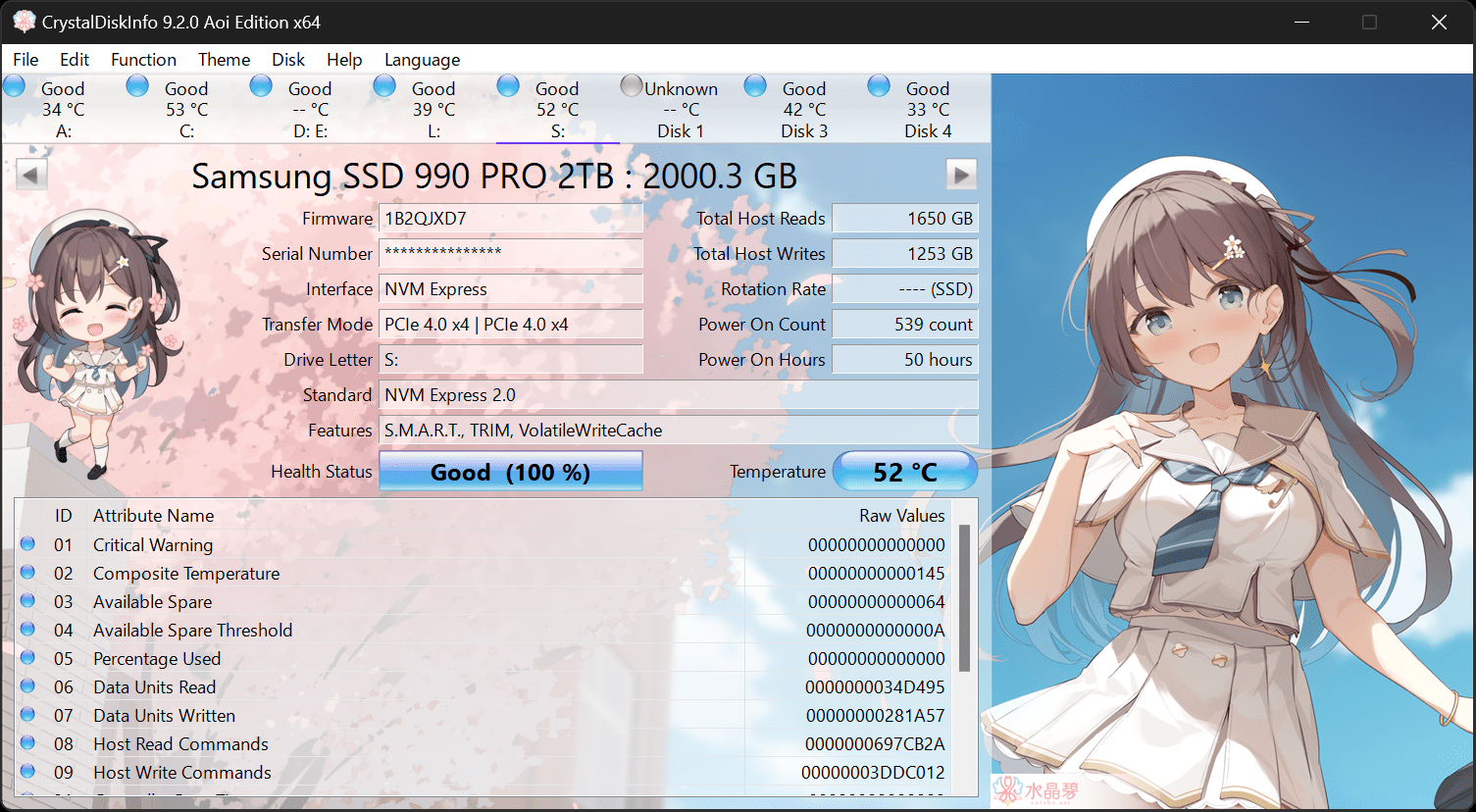
If you can check S.M.AR.T. health status with CrystalDiskInfo.


Assign a new drive letter.
 

My Computer My Computer

At a glance

Windows 11AMD Ryzen 7 5700GMicron Technology DDR4-3200 16GBNVIDIA GeForce RTX 3060
OS
Windows 11
Computer type
PC/Desktop
Manufacturer/Model
HP Pavilion
CPU
AMD Ryzen 7 5700G
Motherboard
Erica6
Memory
Micron Technology DDR4-3200 16GB
Graphics Card(s)
NVIDIA GeForce RTX 3060
Sound Card
Realtek ALC671
Monitor(s) Displays
Samsung SyncMaster U28E590
Screen Resolution
3840 x 2160
Hard Drives
SAMSUNG MZVLQ1T0HALB-000H1
I've loaded Samsung Magician and checked both disk status. Both report completely OK.
 

My Computer My Computer

At a glance

Windows 11 Home - 10.0.22621 Build 22621i7-13700KCorsair Vengeance 32GB (2 x 16GB) 5600MHz DDR5Gigabyte Eagle OC RTX 4080
OS
Windows 11 Home - 10.0.22621 Build 22621
Computer type
PC/Desktop
Manufacturer/Model
Self build
CPU
i7-13700K
Motherboard
MAG Z790 TOMAHAWK WIFI (MS-7D91)
Memory
Corsair Vengeance 32GB (2 x 16GB) 5600MHz DDR5
Graphics Card(s)
Gigabyte Eagle OC RTX 4080
Monitor(s) Displays
Samsung Neo G7
Screen Resolution
3840 x 2160
Hard Drives
Samsung 980 Pro 2TB M.2 2280 NVMe PCIe 4.0 SSD
Samsung 850 Evo 500GB SATA3 SSD
PSU
Corsair RMx Series RM1000x
Case
NXZT H7 Flow
Cooling
NZXT Z73 AIO
Keyboard
Corsair Platinum K95
Did you assign a different drive letter also you can uninstall that SSD device driver from Device Manager and check its cable connections.
 

My Computer My Computer

At a glance

Windows 11AMD Ryzen 7 5700GMicron Technology DDR4-3200 16GBNVIDIA GeForce RTX 3060
OS
Windows 11
Computer type
PC/Desktop
Manufacturer/Model
HP Pavilion
CPU
AMD Ryzen 7 5700G
Motherboard
Erica6
Memory
Micron Technology DDR4-3200 16GB
Graphics Card(s)
NVIDIA GeForce RTX 3060
Sound Card
Realtek ALC671
Monitor(s) Displays
Samsung SyncMaster U28E590
Screen Resolution
3840 x 2160
Hard Drives
SAMSUNG MZVLQ1T0HALB-000H1
OK, I'll try cables, but why would that make a difference if the SSD is 100% present when I cold boot.
Then if I select Sleep, or wait for PC to sleep, then the disk will disappear until I reboot, then 100% of the time it will be back again.
Why would changing the drive letter make any difference?
 

My Computer My Computer

At a glance

Windows 11 Home - 10.0.22621 Build 22621i7-13700KCorsair Vengeance 32GB (2 x 16GB) 5600MHz DDR5Gigabyte Eagle OC RTX 4080
OS
Windows 11 Home - 10.0.22621 Build 22621
Computer type
PC/Desktop
Manufacturer/Model
Self build
CPU
i7-13700K
Motherboard
MAG Z790 TOMAHAWK WIFI (MS-7D91)
Memory
Corsair Vengeance 32GB (2 x 16GB) 5600MHz DDR5
Graphics Card(s)
Gigabyte Eagle OC RTX 4080
Monitor(s) Displays
Samsung Neo G7
Screen Resolution
3840 x 2160
Hard Drives
Samsung 980 Pro 2TB M.2 2280 NVMe PCIe 4.0 SSD
Samsung 850 Evo 500GB SATA3 SSD
PSU
Corsair RMx Series RM1000x
Case
NXZT H7 Flow
Cooling
NZXT Z73 AIO
Keyboard
Corsair Platinum K95
It could be corruption on registry instead of asking why, how about you try my suggestion if it's not causing you any trouble.
 

My Computer My Computer

At a glance

Windows 11AMD Ryzen 7 5700GMicron Technology DDR4-3200 16GBNVIDIA GeForce RTX 3060
OS
Windows 11
Computer type
PC/Desktop
Manufacturer/Model
HP Pavilion
CPU
AMD Ryzen 7 5700G
Motherboard
Erica6
Memory
Micron Technology DDR4-3200 16GB
Graphics Card(s)
NVIDIA GeForce RTX 3060
Sound Card
Realtek ALC671
Monitor(s) Displays
Samsung SyncMaster U28E590
Screen Resolution
3840 x 2160
Hard Drives
SAMSUNG MZVLQ1T0HALB-000H1
Will try this evening. I appreciate the help. I do a lot of diagnostics with my job - and "Why?" - is the first and last question. Sorry to be a pain.
 

My Computer My Computer

At a glance

Windows 11 Home - 10.0.22621 Build 22621i7-13700KCorsair Vengeance 32GB (2 x 16GB) 5600MHz DDR5Gigabyte Eagle OC RTX 4080
OS
Windows 11 Home - 10.0.22621 Build 22621
Computer type
PC/Desktop
Manufacturer/Model
Self build
CPU
i7-13700K
Motherboard
MAG Z790 TOMAHAWK WIFI (MS-7D91)
Memory
Corsair Vengeance 32GB (2 x 16GB) 5600MHz DDR5
Graphics Card(s)
Gigabyte Eagle OC RTX 4080
Monitor(s) Displays
Samsung Neo G7
Screen Resolution
3840 x 2160
Hard Drives
Samsung 980 Pro 2TB M.2 2280 NVMe PCIe 4.0 SSD
Samsung 850 Evo 500GB SATA3 SSD
PSU
Corsair RMx Series RM1000x
Case
NXZT H7 Flow
Cooling
NZXT Z73 AIO
Keyboard
Corsair Platinum K95
I understand i try to answer your questions.
 

My Computer My Computer

At a glance

Windows 11AMD Ryzen 7 5700GMicron Technology DDR4-3200 16GBNVIDIA GeForce RTX 3060
OS
Windows 11
Computer type
PC/Desktop
Manufacturer/Model
HP Pavilion
CPU
AMD Ryzen 7 5700G
Motherboard
Erica6
Memory
Micron Technology DDR4-3200 16GB
Graphics Card(s)
NVIDIA GeForce RTX 3060
Sound Card
Realtek ALC671
Monitor(s) Displays
Samsung SyncMaster U28E590
Screen Resolution
3840 x 2160
Hard Drives
SAMSUNG MZVLQ1T0HALB-000H1
You should also execute Sfc /scannow command to repair any damage in Windows 11 system files.
 

My Computer My Computer

At a glance

Windows 11AMD Ryzen 7 5700GMicron Technology DDR4-3200 16GBNVIDIA GeForce RTX 3060
OS
Windows 11
Computer type
PC/Desktop
Manufacturer/Model
HP Pavilion
CPU
AMD Ryzen 7 5700G
Motherboard
Erica6
Memory
Micron Technology DDR4-3200 16GB
Graphics Card(s)
NVIDIA GeForce RTX 3060
Sound Card
Realtek ALC671
Monitor(s) Displays
Samsung SyncMaster U28E590
Screen Resolution
3840 x 2160
Hard Drives
SAMSUNG MZVLQ1T0HALB-000H1
OK think I've fixed this if not explained it.

Fix: Disable MSI Fast Boot in BIOS.

@FreeBooter : I verified windows files and components using SFC and DISM yesterday.

Meanwhile, I tried one more thing, I disabled the MSI Fast Boot in the BIOS.

MSI fast boot enabled : * FAIL* Disk always present at start; missing after sleep.
MSI fast boot disabled: * PASS * Disk always present at start and after sleep. Following cold boot, power off or restart.
 

My Computer My Computer

At a glance

Windows 11 Home - 10.0.22621 Build 22621i7-13700KCorsair Vengeance 32GB (2 x 16GB) 5600MHz DDR5Gigabyte Eagle OC RTX 4080
OS
Windows 11 Home - 10.0.22621 Build 22621
Computer type
PC/Desktop
Manufacturer/Model
Self build
CPU
i7-13700K
Motherboard
MAG Z790 TOMAHAWK WIFI (MS-7D91)
Memory
Corsair Vengeance 32GB (2 x 16GB) 5600MHz DDR5
Graphics Card(s)
Gigabyte Eagle OC RTX 4080
Monitor(s) Displays
Samsung Neo G7
Screen Resolution
3840 x 2160
Hard Drives
Samsung 980 Pro 2TB M.2 2280 NVMe PCIe 4.0 SSD
Samsung 850 Evo 500GB SATA3 SSD
PSU
Corsair RMx Series RM1000x
Case
NXZT H7 Flow
Cooling
NZXT Z73 AIO
Keyboard
Corsair Platinum K95
If issue comes back, I can relate to this and I had fast startup disabled from the get-go. I already had this typed up so am going to post it anyway even though you say you fixed your problem. It might help someone else.
It's going to boil down to power and how you have your drive connected. Is the secondary drive mounted in your case or did you per chance put it into a drive enclosure (what I did)and use it as an external drive?

If the drive is mounted try Crucial's suggestions here. SSD Disappears or Crashes when Resuming from Sleep or During Normal Use

If it is external here are things you can try.

1..You can try swapping usb ports. Make sure to use one on the back of computer.

2.. Your system is new and may not have USB2. If it does try it in a usb2 port just to see if it works correctly there

3.. Go into control panel>power options>make sure power plan is balanced. Beside the plan select change plan settings>click usb settings>disable usb selective suspend.

4. Device Manager>Universal Serial Bus Controllers>For each USB controller Right Click>Properties>Power Management tab> Uncheck allow the computer to turn off this device to turn off to save power for each controller there. Then do the same thing for each Root Hub

5.. Use an externally powered usb enclosure and don't buy one of the extra cheap ones.Their control circuitry is crappy (this worked for me) Yes, I know 2.5 external drives are designed to be used using bus power but not all systems, ssds, or enclosures are equal.... especially in this day and time when so much emphasis is put on energy saving.

6. Mount the drive internally if all else fails.
 

My Computers My Computers

  • At a glance

    Windows 11 Pro 25H2 26200.8655i9-10900 10 core 20 threads32 gbnone-Intel UHD Graphics 630
    OS
    Windows 11 Pro 25H2 26200.8655
    Computer type
    PC/Desktop
    Manufacturer/Model
    Dell Optiplex 7080
    CPU
    i9-10900 10 core 20 threads
    Motherboard
    DELL 0J37VM
    Memory
    32 gb
    Graphics Card(s)
    none-Intel UHD Graphics 630
    Sound Card
    Integrated Realtek
    Monitor(s) Displays
    Benq 27
    Screen Resolution
    2560x1440
    Hard Drives
    2x1tb Solidigm m.2 nvme /External drives 512gb Samsung m.2 sata+2tb Kingston m2.nvme
    PSU
    500w
    Case
    MT
    Cooling
    Dell Premium
    Keyboard
    Logitech wired
    Mouse
    Logitech wireless
    Internet Speed
    so slow I'm too embarrassed to tell
    Browser
    #1 Edge #2 Firefox
    Antivirus
    Defender+MWB Premium
  • At a glance

    Windows 11 Pro 24H2 26200.8457AMD Ryzen 7 6800U32 gbintegrated
    Operating System
    Windows 11 Pro 24H2 26200.8457
    Computer type
    PC/Desktop
    Manufacturer/Model
    Beelink Mini PC SER5
    CPU
    AMD Ryzen 7 6800U
    Memory
    32 gb
    Graphics card(s)
    integrated
    Sound Card
    integrated
    Monitor(s) Displays
    Benq 27
    Screen Resolution
    2560x1440
    Hard Drives
    1TB Crucial nvme
    Keyboard
    Logitech wired
    Mouse
    Logitech wireless
    Internet Speed
    still too embarrassed to tell
    Browser
    Firefox
    Antivirus
    Defender
    Other Info
    System 3 is non compliant Dell 9020 i7-4770/24gb ram Win11 PRO 26200.8457
Thanks @glasskuter - in my case the drive is internal SATA.

Just one clarification in case others are reading. I had already disabled Windows Fast Start, I prefer to boot afresh each time. MSI MOBO BIOS has "Fast boot" which is different, it remembers the boot setting and doesn't bother to check other devices (e.g. USB or SSD); manual says "Fast booting - UEFI can directly boot the operating system and save the BIOS selftest process. And also eliminates the time to switch to CSM mode during POST."

In BIOS help is a little more descriptive.

With fast disks and fast PC, neither fast boot or fast start make much of a positive difference - at least to me.
 

My Computer My Computer

At a glance

Windows 11 Home - 10.0.22621 Build 22621i7-13700KCorsair Vengeance 32GB (2 x 16GB) 5600MHz DDR5Gigabyte Eagle OC RTX 4080
OS
Windows 11 Home - 10.0.22621 Build 22621
Computer type
PC/Desktop
Manufacturer/Model
Self build
CPU
i7-13700K
Motherboard
MAG Z790 TOMAHAWK WIFI (MS-7D91)
Memory
Corsair Vengeance 32GB (2 x 16GB) 5600MHz DDR5
Graphics Card(s)
Gigabyte Eagle OC RTX 4080
Monitor(s) Displays
Samsung Neo G7
Screen Resolution
3840 x 2160
Hard Drives
Samsung 980 Pro 2TB M.2 2280 NVMe PCIe 4.0 SSD
Samsung 850 Evo 500GB SATA3 SSD
PSU
Corsair RMx Series RM1000x
Case
NXZT H7 Flow
Cooling
NZXT Z73 AIO
Keyboard
Corsair Platinum K95
I have a self build PC.

Samsung 2TB 980 Pro M2 as a primary drive and a secondary 500g Samsung 850 Evo SATA3 SSD.

Freshly installed Win11*; but now noticed, that Samsung 850 drive is missing after the PC wakes from sleeping. Brief scan on internet, some people solved through replacing drive, others through Intel RST. Shouldn't need either. Any ideas? Any reference to upgrade the BIOS likely to result in hysterical laughter*.

( ** Part of ongoing 20 hour L1/Billing/L2/L3 activation saga following multiple BIOS upgrades etc.)
I have a similar issue but my G drive is missing from file explorer and also disc management after waking. I have 4 drives 2 SSD and 2 6tb WD HDDs.. the G drive is my last one on the list. I have discovered that if I go in disc management and rescan drives.. the drive comes back. Of course restarting the computer also works. I'll likely just turn off PC sleep and just enable monitor sleep until MS figures this out.
 

My Computer My Computer

At a glance

Windows 11Xeon Silver 4108128gbAMD Radeon RX 5700 XT
OS
Windows 11
Computer type
PC/Desktop
Manufacturer/Model
HP Z6 G4
CPU
Xeon Silver 4108
Motherboard
HP 81C6
Memory
128gb
Graphics Card(s)
AMD Radeon RX 5700 XT
Sound Card
AMD / Realtek
Monitor(s) Displays
LG
Screen Resolution
2560 x1440 144 hertz
Hard Drives
Samsung EVO 970 1tb, Samsung EVO 970 2tb + 2 6tb WD HDDs
PSU
1000w
Case
Tower
Cooling
HP Z6 G4 (original)
Keyboard
HP Wired
Mouse
HP Wired
Internet Speed
500mps Fios
Browser
Edge
Antivirus
Norton + Defender

Latest Support Threads

Back
Top Bottom