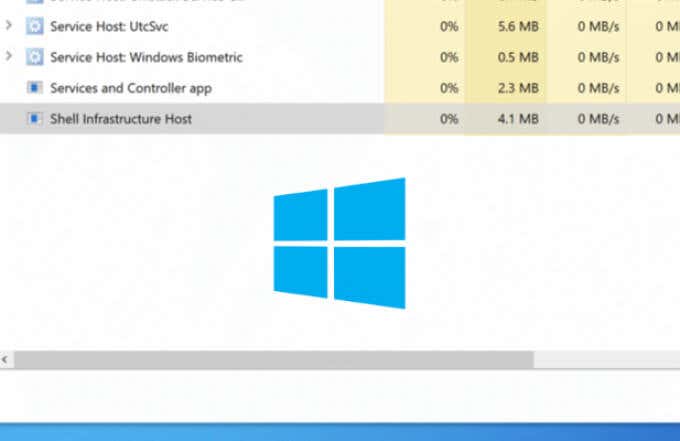
Shell Infrastructure Host high CPU usage (Windows 11)


showmak

Active member
Local time
12:05 PM
Posts
5
OS
Windows 11 24H2 (26100.2033)
Hey, this is my first post and I hope I get a support.

A clean Windows 11 installation on Lenovo ThinkPad-P72, installed all the updates provided by Windows Update, when splitting the file explorer in two windows and starts copying pictures from a window to the other one, the Shell Infrastructure Host (sihost.exe) kicks in and stays on 16% CPU with high fan speed and If I continue working on the same task the PC gets stuck and I have to restart it to resume. I don't have this issue on my ThinkPad-P71.

Shell Infrastructure Host high CPU usage.jpg
 
Windows Build/Version
Windows 11 Pro (21H2/22000.282)

My Computer My Computer

At a glance

Windows 11 24H2 (26100.2033)13th Gen Intel(R) Core(TM) i9-13900HX 2.20 GHz32.0 GBNvidia GeForce RTX 4080
OS
Windows 11 24H2 (26100.2033)
Computer type
Laptop
Manufacturer/Model
Lenovo Legion Pro 7
CPU
13th Gen Intel(R) Core(TM) i9-13900HX 2.20 GHz
Memory
32.0 GB
Graphics Card(s)
Nvidia GeForce RTX 4080
Screen Resolution
2560 x 1600
Hard Drives
SKHynix SSD 1TB
NX SSD 1TB
Mouse
Logitech MX Master 3S
Internet Speed
5G
Browser
Edge
Antivirus
Windows Defender
Create another user account to find out if the high CPU usage by sihost.exe.

Ensure your PC is up to date.

It’s safe to run sihost.exe if it’s in the C: Windows\System32 folder.
If you locate sihost.exe in a different location (such as a subdirectory of Program Files), delete it right away.

Malware on your computer can cause a slew of issues, so take the methods below to scan your machine for viruses.

Open Command Prompt and execute bellow commands one at a time:

Code:
Dism /Online /Cleanup-Image /Restorehealth

Sfc  /Scannow
 

My Computer My Computer

At a glance

Windows 11AMD Ryzen 7 5700GMicron Technology DDR4-3200 16GBNVIDIA GeForce RTX 3060
OS
Windows 11
Computer type
PC/Desktop
Manufacturer/Model
HP Pavilion
CPU
AMD Ryzen 7 5700G
Motherboard
Erica6
Memory
Micron Technology DDR4-3200 16GB
Graphics Card(s)
NVIDIA GeForce RTX 3060
Sound Card
Realtek ALC671
Monitor(s) Displays
Samsung SyncMaster U28E590
Screen Resolution
3840 x 2160
Hard Drives
SAMSUNG MZVLQ1T0HALB-000H1
I'm also experiencing this from time to time. I regularly run SFC and DISM checks. What could the issue be?

Shell Infrastructure Host.jpg
 

My Computer My Computer

At a glance

Windows 11 - Release Preview channelIntel 13900KCorsair Dominator Platinum RGB 32GB DDR5 6000MHzGigabyte 4090 Gaming OC
OS
Windows 11 - Release Preview channel
Computer type
PC/Desktop
Manufacturer/Model
Kol's custom ROG
CPU
Intel 13900K
Motherboard
Asus ROG Maximus Hero Z790
Memory
Corsair Dominator Platinum RGB 32GB DDR5 6000MHz
Graphics Card(s)
Gigabyte 4090 Gaming OC
Sound Card
SoundBlaster X-AE5
Monitor(s) Displays
Dell Alienware AW3821DW
Screen Resolution
3840x1600 144hz
Hard Drives
Samsung 980 Pro 500GB
860 EVO's
Samsung 990 Pro 2TB
External RAID enclosure - 2x Seagate 3TB HDD
PSU
Seasonic Prime Ultra 1300W Platinum
Case
Phanteks Eclipse P600S
Cooling
Custom water cooling. EK Velocity (CPU), EK Quantum Vector2 (GPU), EK Quantum D5 Pump, 360mm radiator in case + 560mm external radiator
Keyboard
Corsair K100
Mouse
Logitech G502X
Antivirus
Windows Defender, VBS
I think there is bug with the Photos app in Win 11. I notice the high CPU on sihost.exe starts when using the photos app as well.


My Computer My Computer

At a glance

Windows 11 - Release Preview channelIntel 13900KCorsair Dominator Platinum RGB 32GB DDR5 6000MHzGigabyte 4090 Gaming OC
OS
Windows 11 - Release Preview channel
Computer type
PC/Desktop
Manufacturer/Model
Kol's custom ROG
CPU
Intel 13900K
Motherboard
Asus ROG Maximus Hero Z790
Memory
Corsair Dominator Platinum RGB 32GB DDR5 6000MHz
Graphics Card(s)
Gigabyte 4090 Gaming OC
Sound Card
SoundBlaster X-AE5
Monitor(s) Displays
Dell Alienware AW3821DW
Screen Resolution
3840x1600 144hz
Hard Drives
Samsung 980 Pro 500GB
860 EVO's
Samsung 990 Pro 2TB
External RAID enclosure - 2x Seagate 3TB HDD
PSU
Seasonic Prime Ultra 1300W Platinum
Case
Phanteks Eclipse P600S
Cooling
Custom water cooling. EK Velocity (CPU), EK Quantum Vector2 (GPU), EK Quantum D5 Pump, 360mm radiator in case + 560mm external radiator
Keyboard
Corsair K100
Mouse
Logitech G502X
Antivirus
Windows Defender, VBS
 

My Computer My Computer

At a glance

Windows 11AMD Ryzen 7 5700GMicron Technology DDR4-3200 16GBNVIDIA GeForce RTX 3060
OS
Windows 11
Computer type
PC/Desktop
Manufacturer/Model
HP Pavilion
CPU
AMD Ryzen 7 5700G
Motherboard
Erica6
Memory
Micron Technology DDR4-3200 16GB
Graphics Card(s)
NVIDIA GeForce RTX 3060
Sound Card
Realtek ALC671
Monitor(s) Displays
Samsung SyncMaster U28E590
Screen Resolution
3840 x 2160
Hard Drives
SAMSUNG MZVLQ1T0HALB-000H1

My Computer My Computer

At a glance

Windows 11 - Release Preview channelIntel 13900KCorsair Dominator Platinum RGB 32GB DDR5 6000MHzGigabyte 4090 Gaming OC
OS
Windows 11 - Release Preview channel
Computer type
PC/Desktop
Manufacturer/Model
Kol's custom ROG
CPU
Intel 13900K
Motherboard
Asus ROG Maximus Hero Z790
Memory
Corsair Dominator Platinum RGB 32GB DDR5 6000MHz
Graphics Card(s)
Gigabyte 4090 Gaming OC
Sound Card
SoundBlaster X-AE5
Monitor(s) Displays
Dell Alienware AW3821DW
Screen Resolution
3840x1600 144hz
Hard Drives
Samsung 980 Pro 500GB
860 EVO's
Samsung 990 Pro 2TB
External RAID enclosure - 2x Seagate 3TB HDD
PSU
Seasonic Prime Ultra 1300W Platinum
Case
Phanteks Eclipse P600S
Cooling
Custom water cooling. EK Velocity (CPU), EK Quantum Vector2 (GPU), EK Quantum D5 Pump, 360mm radiator in case + 560mm external radiator
Keyboard
Corsair K100
Mouse
Logitech G502X
Antivirus
Windows Defender, VBS
Same here! But the "funny" thing is that my son, that's got an identical rig, the same programs plus a ton of gaming and cad programs doesn't have this problem!
 

My Computer My Computer

At a glance

Windows 11
OS
Windows 11
Same here! But the "funny" thing is that my son, that's got an identical rig, the same programs plus a ton of gaming and cad programs doesn't have this problem!
Is the Photos app the culprit on your machine? I'm surprised if this hadn't been fixed by now.
 

My Computer My Computer

At a glance

Windows 11 - Release Preview channelIntel 13900KCorsair Dominator Platinum RGB 32GB DDR5 6000MHzGigabyte 4090 Gaming OC
OS
Windows 11 - Release Preview channel
Computer type
PC/Desktop
Manufacturer/Model
Kol's custom ROG
CPU
Intel 13900K
Motherboard
Asus ROG Maximus Hero Z790
Memory
Corsair Dominator Platinum RGB 32GB DDR5 6000MHz
Graphics Card(s)
Gigabyte 4090 Gaming OC
Sound Card
SoundBlaster X-AE5
Monitor(s) Displays
Dell Alienware AW3821DW
Screen Resolution
3840x1600 144hz
Hard Drives
Samsung 980 Pro 500GB
860 EVO's
Samsung 990 Pro 2TB
External RAID enclosure - 2x Seagate 3TB HDD
PSU
Seasonic Prime Ultra 1300W Platinum
Case
Phanteks Eclipse P600S
Cooling
Custom water cooling. EK Velocity (CPU), EK Quantum Vector2 (GPU), EK Quantum D5 Pump, 360mm radiator in case + 560mm external radiator
Keyboard
Corsair K100
Mouse
Logitech G502X
Antivirus
Windows Defender, VBS
Is the Photos app the culprit on your machine? I'm surprised if this hadn't been fixed by now.
Yes it is! At least it's part of the problem. I un-installed Photos and the problem is gone. But how come my son don't get the same problem? The difference between us is that he doesn't use One drive. I'll investigate that eventuality later. Maybe one of his gaming installs "solves" the problem?
 

My Computer My Computer

At a glance

Windows 11
OS
Windows 11
Yes it is! At least it's part of the problem. I un-installed Photos and the problem is gone. But how come my son don't get the same problem? The difference between us is that he doesn't use One drive. I'll investigate that eventuality later. Maybe one of his gaming installs "solves" the problem?
...and we got the same version of Windows 11
 

My Computer My Computer

At a glance

Windows 11
OS
Windows 11
This is odd and by god I hope I'm wrong?
I've been opening tons of image files now without triggering the SIhost. But as soon as I opened a file that can be labeled "adult", the SIhost kicks in and spikes at approx 10% and stays there. I've done this test over and over, and the result is persistent. Can someone please confirm or dismiss? Does certain images have hidden tags that starts some processes or what?
 

My Computer My Computer

At a glance

Windows 11
OS
Windows 11

Latest Support Threads

Back
Top Bottom