StartAllBack


StartAllBack: Windows 11 from better timeline​

Get the latest version here Download

Embrace, enhance, unsweep classic UI from under the rug​

Restore and improve taskbar​

  • Show labels on task icons
  • Adjust icon size and margins
  • Move taskbar to top, left or right edges
  • Drag and drop stuff onto taskbar
  • Center task icons but keep Start button on the left
  • Split into segments, use dynamic translucency
  • Separate corner icons with Windows 7/10 UI
  • Auto-hide when covered by maximized window

Restore and improve File Explorer and Control Panel​

  • Ribbon and Command Bar revamped with translucent effects
  • Details pane on bottom
  • Old search box (the one which works)
  • Dark mode support for more dialogs

Restore and improve context menus​

  • All new look with rounded acrylic menus
  • Fast and responsive taskbar menus
  • New fonts, better touch support

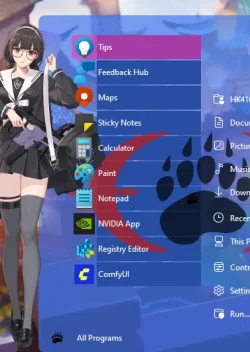
Restore and improve start menu​

  • Launch apps and go to system places in one click
  • Navigate dropdown menus like a boss
  • Enjoy fast and reliable search

Finally, lightweight styling and UI consistency​

  • Enjoy Windows 7, Windows 8 and third-party taskbar and start menu styles
  • Fix UI inconsistencies in Win32 apps
  • Don't be blue: recolor UI in all windows apps
  • Negative resource usage: fewer RAM used, fewer processes started, faster startup



StartAllBack For Windows 11 has been released.
It's an RC release. I haven't tested it yet as I have Start11 installed.

Edit: I have now tested it. It's working quite well.
Apart from a great start menu, you can also have the Enhanced Classic Taskbar back.
This means (for example) that you can have an uncombined and unlocked Taskbar.
You will now also be able to enhance the Taskbar clock using T-Clock Redux or similar.

T-Clock Redux Tray Clock_.png

You can also change Windows Explorer to Ribbon UI or Simple UI.

You can get it Download


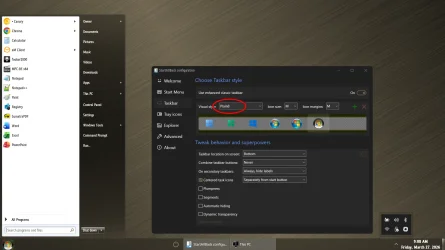
01 - Welcome.png
02 - Start Menu.png
04 - Taskbar.png
05 - Explorer.png
06 - Advanced.png
Get
 

My Computers My Computers

  • At a glance

    Windows 11 Pro 25h2Intel 10980XEG.Skill TridentZ RoyaleEVGA RTX 2080Ti Hydro Copper
    OS
    Windows 11 Pro 25h2
    Computer type
    PC/Desktop
    CPU
    Intel 10980XE
    Motherboard
    Asus Rampage VI Extreme Encore
    Memory
    G.Skill TridentZ Royale
    Graphics Card(s)
    EVGA RTX 2080Ti Hydro Copper
    Sound Card
    Asus
    Monitor(s) Displays
    Dell 27"
    Hard Drives
    Intel Optane P5801X
    Samsung 990 Pro
    PSU
    Seasonic Prime TX 1000W
    Case
    Lian Li A77F
    Cooling
    Watercooling
    Keyboard
    Logitech MX keys
    Mouse
    Logitech MX Master 3S
    Browser
    Edge Canary
    Antivirus
    Kaspersky
  • At a glance

    Windows 11 Pro 24h2
    Operating System
    Windows 11 Pro 24h2
    Computer type
    Laptop
    Manufacturer/Model
    Asus Pro

My Computers My Computers

  • At a glance

    Windows 11 Pro
    OS
    Windows 11 Pro
    Computer type
    PC/Desktop
    Manufacturer/Model
    ASUS ROG Strix
  • At a glance

    Windows 11 Pro
    Operating System
    Windows 11 Pro
    Computer type
    Laptop
    Manufacturer/Model
    ASUS VivoBook
  • ASUS VivoBook 'Lite' ~ Windows 11 Home
Maybe SAB add Powershell and I added the registry key to replace Powershell with Command Prompt

You can always replace it with something more customizable, I always found Power Menu too bloated.
 

My Computers My Computers

  • At a glance

    Windows 11 Pro 25H2 (WinMac v1.4.0)Intel Core i5-12400F16 GB (DDR4, 3200 MHz)NVIDIA GeForce RTX 2070 Super
    OS
    Windows 11 Pro 25H2 (WinMac v1.4.0)
    Computer type
    PC/Desktop
    CPU
    Intel Core i5-12400F
    Motherboard
    B760 GAMING X DDR4
    Memory
    16 GB (DDR4, 3200 MHz)
    Graphics Card(s)
    NVIDIA GeForce RTX 2070 Super
    Screen Resolution
    2560x1440 @ 240Hz
    Other Info
    I loved modding and customizing operating systems since very young age, gaining experience from all important systems, including Windows, Ubuntu, MacOS and Android, which led to creation of Windows 11 mod called WinMac. Seamlessly blending the elegance of macOS with the versatility of Windows, my customized interface elevates user experience through meticulously crafted modifications and UI enhancements.

    With WinMac, every interaction with Windows 11 environment is imbued with a touch of sophistication, where the boundaries between the Windows and Mac universes blur, offering a sublime computing experience that transcends conventional limitations of Windows 11.
  • At a glance

    macOS SonomaApple M3 Pro18 GB
    Operating System
    macOS Sonoma
    Computer type
    Laptop
    Manufacturer/Model
    Apple MacBook Pro
    CPU
    Apple M3 Pro
    Memory
    18 GB
Okay, maybe it's because I have UAC disabled (but it didn't do that before). I'll test it with the "default" setting.

Vous pouvez toujours le remplacer par quelque chose de plus personnalisable, J’ai toujours trouvé Power Menu trop lourd.
Yes also
 

My Computers My Computers

  • At a glance

    Windows 11 Pro 25h2Intel 10980XEG.Skill TridentZ RoyaleEVGA RTX 2080Ti Hydro Copper
    OS
    Windows 11 Pro 25h2
    Computer type
    PC/Desktop
    CPU
    Intel 10980XE
    Motherboard
    Asus Rampage VI Extreme Encore
    Memory
    G.Skill TridentZ Royale
    Graphics Card(s)
    EVGA RTX 2080Ti Hydro Copper
    Sound Card
    Asus
    Monitor(s) Displays
    Dell 27"
    Hard Drives
    Intel Optane P5801X
    Samsung 990 Pro
    PSU
    Seasonic Prime TX 1000W
    Case
    Lian Li A77F
    Cooling
    Watercooling
    Keyboard
    Logitech MX keys
    Mouse
    Logitech MX Master 3S
    Browser
    Edge Canary
    Antivirus
    Kaspersky
  • At a glance

    Windows 11 Pro 24h2
    Operating System
    Windows 11 Pro 24h2
    Computer type
    Laptop
    Manufacturer/Model
    Asus Pro
That's it, disabling UAC opens both prompts in admin mode
For those who disable it, it would be helpful if the no admin "shortcut" were removed
 

My Computers My Computers

  • At a glance

    Windows 11 Pro 25h2Intel 10980XEG.Skill TridentZ RoyaleEVGA RTX 2080Ti Hydro Copper
    OS
    Windows 11 Pro 25h2
    Computer type
    PC/Desktop
    CPU
    Intel 10980XE
    Motherboard
    Asus Rampage VI Extreme Encore
    Memory
    G.Skill TridentZ Royale
    Graphics Card(s)
    EVGA RTX 2080Ti Hydro Copper
    Sound Card
    Asus
    Monitor(s) Displays
    Dell 27"
    Hard Drives
    Intel Optane P5801X
    Samsung 990 Pro
    PSU
    Seasonic Prime TX 1000W
    Case
    Lian Li A77F
    Cooling
    Watercooling
    Keyboard
    Logitech MX keys
    Mouse
    Logitech MX Master 3S
    Browser
    Edge Canary
    Antivirus
    Kaspersky
  • At a glance

    Windows 11 Pro 24h2
    Operating System
    Windows 11 Pro 24h2
    Computer type
    Laptop
    Manufacturer/Model
    Asus Pro
That's it, disabling UAC opens both prompts in admin mode
For those who disable it, it would be helpful if the no admin "shortcut" were removed
This is not a normal behavior, you should be able to run non-admin session from there without any problems. Have you disabled UAC through Control Panel or registry? Check this registry key HKEY_LOCAL_MACHINE\SOFTWARE\Microsoft\Windows\CurrentVersion\Policies\System and see if you've EnableLUA defined there. If it's set to 0 then everything will be ran as Admin.
 
Last edited:

My Computers My Computers

  • At a glance

    Windows 11 Pro 25H2 (WinMac v1.4.0)Intel Core i5-12400F16 GB (DDR4, 3200 MHz)NVIDIA GeForce RTX 2070 Super
    OS
    Windows 11 Pro 25H2 (WinMac v1.4.0)
    Computer type
    PC/Desktop
    CPU
    Intel Core i5-12400F
    Motherboard
    B760 GAMING X DDR4
    Memory
    16 GB (DDR4, 3200 MHz)
    Graphics Card(s)
    NVIDIA GeForce RTX 2070 Super
    Screen Resolution
    2560x1440 @ 240Hz
    Other Info
    I loved modding and customizing operating systems since very young age, gaining experience from all important systems, including Windows, Ubuntu, MacOS and Android, which led to creation of Windows 11 mod called WinMac. Seamlessly blending the elegance of macOS with the versatility of Windows, my customized interface elevates user experience through meticulously crafted modifications and UI enhancements.

    With WinMac, every interaction with Windows 11 environment is imbued with a touch of sophistication, where the boundaries between the Windows and Mac universes blur, offering a sublime computing experience that transcends conventional limitations of Windows 11.
  • At a glance

    macOS SonomaApple M3 Pro18 GB
    Operating System
    macOS Sonoma
    Computer type
    Laptop
    Manufacturer/Model
    Apple MacBook Pro
    CPU
    Apple M3 Pro
    Memory
    18 GB
Disabled UAC through registry
 

My Computers My Computers

  • At a glance

    Windows 11 Pro 25h2Intel 10980XEG.Skill TridentZ RoyaleEVGA RTX 2080Ti Hydro Copper
    OS
    Windows 11 Pro 25h2
    Computer type
    PC/Desktop
    CPU
    Intel 10980XE
    Motherboard
    Asus Rampage VI Extreme Encore
    Memory
    G.Skill TridentZ Royale
    Graphics Card(s)
    EVGA RTX 2080Ti Hydro Copper
    Sound Card
    Asus
    Monitor(s) Displays
    Dell 27"
    Hard Drives
    Intel Optane P5801X
    Samsung 990 Pro
    PSU
    Seasonic Prime TX 1000W
    Case
    Lian Li A77F
    Cooling
    Watercooling
    Keyboard
    Logitech MX keys
    Mouse
    Logitech MX Master 3S
    Browser
    Edge Canary
    Antivirus
    Kaspersky
  • At a glance

    Windows 11 Pro 24h2
    Operating System
    Windows 11 Pro 24h2
    Computer type
    Laptop
    Manufacturer/Model
    Asus Pro

My Computers My Computers

  • At a glance

    Windows 11 Pro 25H2 (WinMac v1.4.0)Intel Core i5-12400F16 GB (DDR4, 3200 MHz)NVIDIA GeForce RTX 2070 Super
    OS
    Windows 11 Pro 25H2 (WinMac v1.4.0)
    Computer type
    PC/Desktop
    CPU
    Intel Core i5-12400F
    Motherboard
    B760 GAMING X DDR4
    Memory
    16 GB (DDR4, 3200 MHz)
    Graphics Card(s)
    NVIDIA GeForce RTX 2070 Super
    Screen Resolution
    2560x1440 @ 240Hz
    Other Info
    I loved modding and customizing operating systems since very young age, gaining experience from all important systems, including Windows, Ubuntu, MacOS and Android, which led to creation of Windows 11 mod called WinMac. Seamlessly blending the elegance of macOS with the versatility of Windows, my customized interface elevates user experience through meticulously crafted modifications and UI enhancements.

    With WinMac, every interaction with Windows 11 environment is imbued with a touch of sophistication, where the boundaries between the Windows and Mac universes blur, offering a sublime computing experience that transcends conventional limitations of Windows 11.
  • At a glance

    macOS SonomaApple M3 Pro18 GB
    Operating System
    macOS Sonoma
    Computer type
    Laptop
    Manufacturer/Model
    Apple MacBook Pro
    CPU
    Apple M3 Pro
    Memory
    18 GB
Okay then that's expected. You can try to remove one of those entries using WinX Editor, although I doubt it can, or use my app to create your own custom menu.
Thanks for the help.
Indeed, WinX Editor doesn't see the two "entries."
I didn't see an option for WinX in your program😚
 

My Computers My Computers

  • At a glance

    Windows 11 Pro 25h2Intel 10980XEG.Skill TridentZ RoyaleEVGA RTX 2080Ti Hydro Copper
    OS
    Windows 11 Pro 25h2
    Computer type
    PC/Desktop
    CPU
    Intel 10980XE
    Motherboard
    Asus Rampage VI Extreme Encore
    Memory
    G.Skill TridentZ Royale
    Graphics Card(s)
    EVGA RTX 2080Ti Hydro Copper
    Sound Card
    Asus
    Monitor(s) Displays
    Dell 27"
    Hard Drives
    Intel Optane P5801X
    Samsung 990 Pro
    PSU
    Seasonic Prime TX 1000W
    Case
    Lian Li A77F
    Cooling
    Watercooling
    Keyboard
    Logitech MX keys
    Mouse
    Logitech MX Master 3S
    Browser
    Edge Canary
    Antivirus
    Kaspersky
  • At a glance

    Windows 11 Pro 24h2
    Operating System
    Windows 11 Pro 24h2
    Computer type
    Laptop
    Manufacturer/Model
    Asus Pro
Thanks for the help.
Indeed, WinX Editor doesn't see the two "entries."
I didn't see an option for WinX in your program😚

You can configure it to trigger that custom menu by clicking on a start button, with either left, right or middle mouse click.
 

My Computers My Computers

  • At a glance

    Windows 11 Pro 25H2 (WinMac v1.4.0)Intel Core i5-12400F16 GB (DDR4, 3200 MHz)NVIDIA GeForce RTX 2070 Super
    OS
    Windows 11 Pro 25H2 (WinMac v1.4.0)
    Computer type
    PC/Desktop
    CPU
    Intel Core i5-12400F
    Motherboard
    B760 GAMING X DDR4
    Memory
    16 GB (DDR4, 3200 MHz)
    Graphics Card(s)
    NVIDIA GeForce RTX 2070 Super
    Screen Resolution
    2560x1440 @ 240Hz
    Other Info
    I loved modding and customizing operating systems since very young age, gaining experience from all important systems, including Windows, Ubuntu, MacOS and Android, which led to creation of Windows 11 mod called WinMac. Seamlessly blending the elegance of macOS with the versatility of Windows, my customized interface elevates user experience through meticulously crafted modifications and UI enhancements.

    With WinMac, every interaction with Windows 11 environment is imbued with a touch of sophistication, where the boundaries between the Windows and Mac universes blur, offering a sublime computing experience that transcends conventional limitations of Windows 11.
  • At a glance

    macOS SonomaApple M3 Pro18 GB
    Operating System
    macOS Sonoma
    Computer type
    Laptop
    Manufacturer/Model
    Apple MacBook Pro
    CPU
    Apple M3 Pro
    Memory
    18 GB
You can configure it to trigger that custom menu by clicking on a start button, with either left, right or middle mouse click.
Okay thanks
 

My Computers My Computers

  • At a glance

    Windows 11 Pro 25h2Intel 10980XEG.Skill TridentZ RoyaleEVGA RTX 2080Ti Hydro Copper
    OS
    Windows 11 Pro 25h2
    Computer type
    PC/Desktop
    CPU
    Intel 10980XE
    Motherboard
    Asus Rampage VI Extreme Encore
    Memory
    G.Skill TridentZ Royale
    Graphics Card(s)
    EVGA RTX 2080Ti Hydro Copper
    Sound Card
    Asus
    Monitor(s) Displays
    Dell 27"
    Hard Drives
    Intel Optane P5801X
    Samsung 990 Pro
    PSU
    Seasonic Prime TX 1000W
    Case
    Lian Li A77F
    Cooling
    Watercooling
    Keyboard
    Logitech MX keys
    Mouse
    Logitech MX Master 3S
    Browser
    Edge Canary
    Antivirus
    Kaspersky
  • At a glance

    Windows 11 Pro 24h2
    Operating System
    Windows 11 Pro 24h2
    Computer type
    Laptop
    Manufacturer/Model
    Asus Pro
Im using windows 7 theme, is there any way to lower the "glowy" effect on the open windows icons?
So it looks more like if your using standard theme, while keeping aero for the rest.
 

Attachments

  • 345345.webp
    345345.webp
    8.5 KB · Views: 2

My Computer My Computer

At a glance

Windows 11
OS
Windows 11
Computer type
PC/Desktop
Manufacturer/Model
AMD
Im using windows 7 theme, is there any way to lower the "glowy" effect on the open windows icons?
So it looks more like if your using standard theme, while keeping aero for the rest.
Use Taskbar Visual Style Plain8...

12832.webp
 

My Computers My Computers

  • At a glance

    Windows 11 Pro
    OS
    Windows 11 Pro
    Computer type
    PC/Desktop
    Manufacturer/Model
    ASUS ROG Strix
  • At a glance

    Windows 11 Pro
    Operating System
    Windows 11 Pro
    Computer type
    Laptop
    Manufacturer/Model
    ASUS VivoBook
  • ASUS VivoBook 'Lite' ~ Windows 11 Home
Screenshot 2026-03-28 141129.webpHi, I'm having an issue with SiB when using custom themes. Notice the darker shade of purple? It only happens when the start menu is transparent; when it's a solid color, there is no rectangular dark area.
 

My Computer My Computer

At a glance

windows 11 pro 23H2i7 11800h24
OS
windows 11 pro 23H2
Computer type
Laptop
Manufacturer/Model
asus
CPU
i7 11800h
Motherboard
asus tuf
Memory
24
View attachment 167031Hi, I'm having an issue with SiB when using custom themes. Notice the darker shade of purple? It only happens when the start menu is transparent; when it's a solid color, there is no rectangular dark area.
those dark rect are actually black bar behind transparent Program List panel
now my question is how to remove that black bar?
 

My Computer My Computer

At a glance

windows 11 pro 23H2i7 11800h24
OS
windows 11 pro 23H2
Computer type
Laptop
Manufacturer/Model
asus
CPU
i7 11800h
Motherboard
asus tuf
Memory
24
those dark rect are actually black bar behind transparent Program List panel
now my question is how to remove that black bar?
Ah sorry for the question, finally i found what i need
I need to add bool property in program list panel, that solved my problem
 

My Computer My Computer

At a glance

windows 11 pro 23H2i7 11800h24
OS
windows 11 pro 23H2
Computer type
Laptop
Manufacturer/Model
asus
CPU
i7 11800h
Motherboard
asus tuf
Memory
24
SAB.webp
 

My Computers My Computers

  • At a glance

    Windows 11 Pro x 2 + Insider DevIntel Core i9 12900K @ 5.2 GHz2 x Corsair Dominator Platinum RGB (4x16GB To...EVGA GeForce RTX 3080 XC3 ULTRA GAMING 10GB G...
    OS
    Windows 11 Pro x 2 + Insider Dev
    Computer type
    PC/Desktop
    Manufacturer/Model
    My first abomination, I call it the Money Pit One
    CPU
    Intel Core i9 12900K @ 5.2 GHz
    Motherboard
    ASUS ROG MAXIMUS Z690 HERO
    Memory
    2 x Corsair Dominator Platinum RGB (4x16GB Total) DDR5-6200 CL36 Dual Channel Kit
    Graphics Card(s)
    EVGA GeForce RTX 3080 XC3 ULTRA GAMING 10GB GDDR6X
    Sound Card
    ROG SupremeFX ALC4082 with ESS® ES9018Q2C DAC for pinpoint positioning and dynamics
    Monitor(s) Displays
    2 x Samsung 43" HDR Neo QLED Mini-LED Tizen Smart TV (QN43QN90DAFXZC) 2024
    Screen Resolution
    1920 x 1080 @ 150 DPI & 120Hz
    Hard Drives
    2 x Samsung 980 Series - 250GB PCIe Gen3. X4 NVMe 1.4 - M.2 Internal SSD (Windows 11 Pro Dual boot)
    PSU
    Corsair HX1000i 80+ Platinum Modular Power Supply 1000W
    Case
    Phanteks Enthoo Luxe Tempered Glass Full Tower Case - Black
    Cooling
    CORSAIR iCUE H150i RGB Elite 360mm Liquid CPU Cooler
    Keyboard
    Perixx PERIBOARD-732B Wireless Mini Backlit USB Keyboard with Low Profile Keys - US Layout
    Mouse
    Logitech MX Anywhere 2S Wireless Mouse
    Internet Speed
    1000 Mbps
    Browser
    Latest Version Of Firefox & Microsoft Edge Chromium Stable
    Antivirus
    ESET Internet Security
    Other Info
    LG Electronics 14x Sata Blu-ray Disk Rewriter - WH14NS4O
    2 x OREI 4K 4x2 HDMI Matrix Switch With ARC Audio Extraction, HDR & Downscaling (UHD-402D) so I can send the output of my Cable Box, Roku, or any of my 4 computers to either of my TV's separately or simultaneously.
  • At a glance

    Windows 11 Pro x 2Intel Core i9 12900K @ 5.2 GHz2 x Vengeance RGB 32GB DDR5 6400MHz CL32 Dual...ASUS TUF Gaming GeForce RTX 3070 Ti OC Editio...
    Operating System
    Windows 11 Pro x 2
    Computer type
    PC/Desktop
    Manufacturer/Model
    My second abomination, I call it the Money Pit Two
    CPU
    Intel Core i9 12900K @ 5.2 GHz
    Motherboard
    ASUS ROG STRIX Z690-F GAMING WIFI
    Memory
    2 x Vengeance RGB 32GB DDR5 6400MHz CL32 Dual Channel Kit (4x16GB Total) Black
    Graphics card(s)
    ASUS TUF Gaming GeForce RTX 3070 Ti OC Edition 8 GB GDDR6X
    Sound Card
    ROG SupremeFX ALC4082 with ESS® ES9018Q2C DAC for pinpoint positioning and dynamics
    Monitor(s) Displays
    2 x Samsung 43" HDR Neo QLED Mini-LED Tizen Smart TV (QN43QN90DAFXZC) 2024
    Screen Resolution
    1920 x 1080 @ 150 DPI & 120Hz
    Hard Drives
    2 x Samsung 980 Series - 250GB PCIe Gen3. X4 NVMe 1.4 - M.2 Internal SSD (Windows 11 Pro Dual boot)
    PSU
    Corsair AX860 - 860W Modular Power Supply
    Case
    Phanteks Enthoo Pro Tempered Glass Full Tower Case - Black
    Cooling
    CORSAIR iCUE H150i RGB Elite 360mm Liquid CPU Cooler
    Keyboard
    Perixx PERIBOARD-326 Wireless Mini Backlit USB Keyboard with Low Profile Keys - US Layout
    Mouse
    Logitech MX Anywhere 2S Wireless Mouse
    Internet Speed
    1000 Mbps
    Browser
    Latest Version Of Firefox & EDGE Chromium Stable
    Antivirus
    ESET Internet Security
    Other Info
    LG Electronics 14x Sata Blu-ray Disk Rewriter - WH14NS4O
    2 x OREI 4K 4x2 HDMI Matrix Switch With ARC Audio Extraction, HDR & Downscaling (UHD-402D) so I can send the output of my Cable Box, Roku, or any of my 4 computers to either of my TV's separately or simultaneously.
  • 2021 ASUS TUF Gaming A17 - FA706QM Gaming Laptop with a AMD Ryzen™ 7 5800H Mobile Processor, NVIDIA GeForce RTX 3060 Laptop GPU and AMD Graphics (512 MB), 17.3-inch, FHD (1920 x 1080) 16:9, Value IPS-level, Anti-glare display, 2 x 8GB DDR4 3200 SDRAM, Samsung 980 Series - 250GB PCIe Gen3. X4 NVMe 1.4 - M.2 Internal SSD running Windows 11 Pro , Backlit Chiclet Keyboard 1-Zone RGB, Touchpad, 720P HD camera, Wi-Fi 6(802.11ax) (Dual band) 2*2 + Bluetooth® 5.3 Wireless Card

    External Keyboard: Perixx PERIBOARD-326 Wireless Mini Backlit USB Keyboard with Low Profile Keys - US Layout

    External Mouse: Logitech MX Anywhere 2S Wireless Mouse

    External Monitor: Samsung 43" HDR Neo QLED Mini-LED Tizen Smart TV (QN43QN90DAFXZC) 2024

StartAllBack v3.9.22.5362 (Stable)

Changed End Task icon for Windows 7 style

- Fixed Xbox not having proper taskbar icon

- Fixed not all PC settings found

- Some more exotic fixes

 
Last edited:

My Computer My Computer

At a glance

Windows 11 ProIntel Core i9 12900KFCorsair 64GB DDR5 Vengeance C40 5200MhzASUS GeForce RTX 3090 ROG Strix OC 24GB
OS
Windows 11 Pro
Computer type
PC/Desktop
Manufacturer/Model
Custom Build
CPU
Intel Core i9 12900KF
Motherboard
ASUS ROG Maximus Z690 Hero
Memory
Corsair 64GB DDR5 Vengeance C40 5200Mhz
Graphics Card(s)
ASUS GeForce RTX 3090 ROG Strix OC 24GB
Sound Card
OnBoard
Monitor(s) Displays
Acer Predator XB323UGP 32" QHD G-SYNC-C 144Hz 1MS IPS LED
Screen Resolution
2560 x 1440
Hard Drives
1x Samsung 980 Pro Series Gen4 250GB M.2 NVMe
1x Samsung 980 Pro Series Gen4 500GB M.2 NVMe
2x Samsung 980 Pro Series Gen4 2TB M.2 NVMe
PSU
Corsair AX1200i 1200W 80PLUS Titanium Modular
Case
Corsair 4000D Black Case w/ Tempered Glass Side Panel
Cooling
Noctua NH-U12A Chromax Black CPU Cooler, 4x Noctua 120mm Fans
Keyboard
Logitech MK545
Mouse
Logitech MX Master 3
Internet Speed
Fixed Wireless 150mbps/75mbps
Browser
Firefox
Antivirus
Kaspersky
Other Info
Thrustmaster TS-PC RACER
Fanatec CSL Elite Pedals with the Load Cell Kit
Yamaha Amp with Bose Speakers

StartAllBack v3.9.22.5362 (Stable)

Changed End Task icon for Windows 7 style

- Fixed Xbox not having proper taskbar icon

- Fixed not all PC settings found

- Some more exotic fixes


how can I access this detailed changelog. in their homepage it just says "minor fixes".
 

My Computer My Computer

At a glance

Windows 10 Enterprise LTSC 2021
OS
Windows 10 Enterprise LTSC 2021
how can I access this detailed changelog. in their homepage it just says "minor fixes".
I don't think I've ever seen a detailed changelog for SAB. Maybe the beta testers have access to it. I've never had any real problems with the product so I never notice what gets fixed.
 

My Computer My Computer

At a glance

Windows 11 Professional 25H2Intel Core i9 11900K64GBNVIDIA GeForce GTX 1650
OS
Windows 11 Professional 25H2
Computer type
PC/Desktop
Manufacturer/Model
Digital Storm VELOX
CPU
Intel Core i9 11900K
Motherboard
ASUS PRIME Z590-P
Memory
64GB
Graphics Card(s)
NVIDIA GeForce GTX 1650
Sound Card
Realtek onboard
Monitor(s) Displays
Acer R221Q 21.5"
Screen Resolution
1920 x 1080
Hard Drives
2 x Samsung SSD 990 EVO Plus (1 TB)
2 x Seagate ST4000NE001 (4 TB)
PSU
None
Case
VELOX
Cooling
Cooler Master
Keyboard
Logitech
Mouse
Kensington trackball
Browser
Firefox, Chrome
Antivirus
Windows Defender, Malwarebytes
Back
Top Bottom