StartAllBack


StartAllBack: Windows 11 from better timeline​

Get the latest version here Download

Embrace, enhance, unsweep classic UI from under the rug​

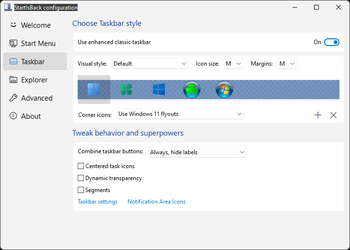
Restore and improve taskbar​

  • Show labels on task icons
  • Adjust icon size and margins
  • Move taskbar to top, left or right edges
  • Drag and drop stuff onto taskbar
  • Center task icons but keep Start button on the left
  • Split into segments, use dynamic translucency
  • Separate corner icons with Windows 7/10 UI
  • Auto-hide when covered by maximized window

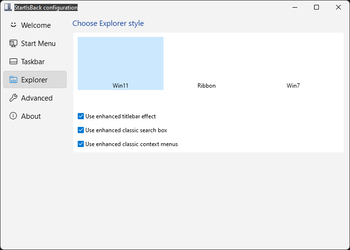
Restore and improve File Explorer and Control Panel​

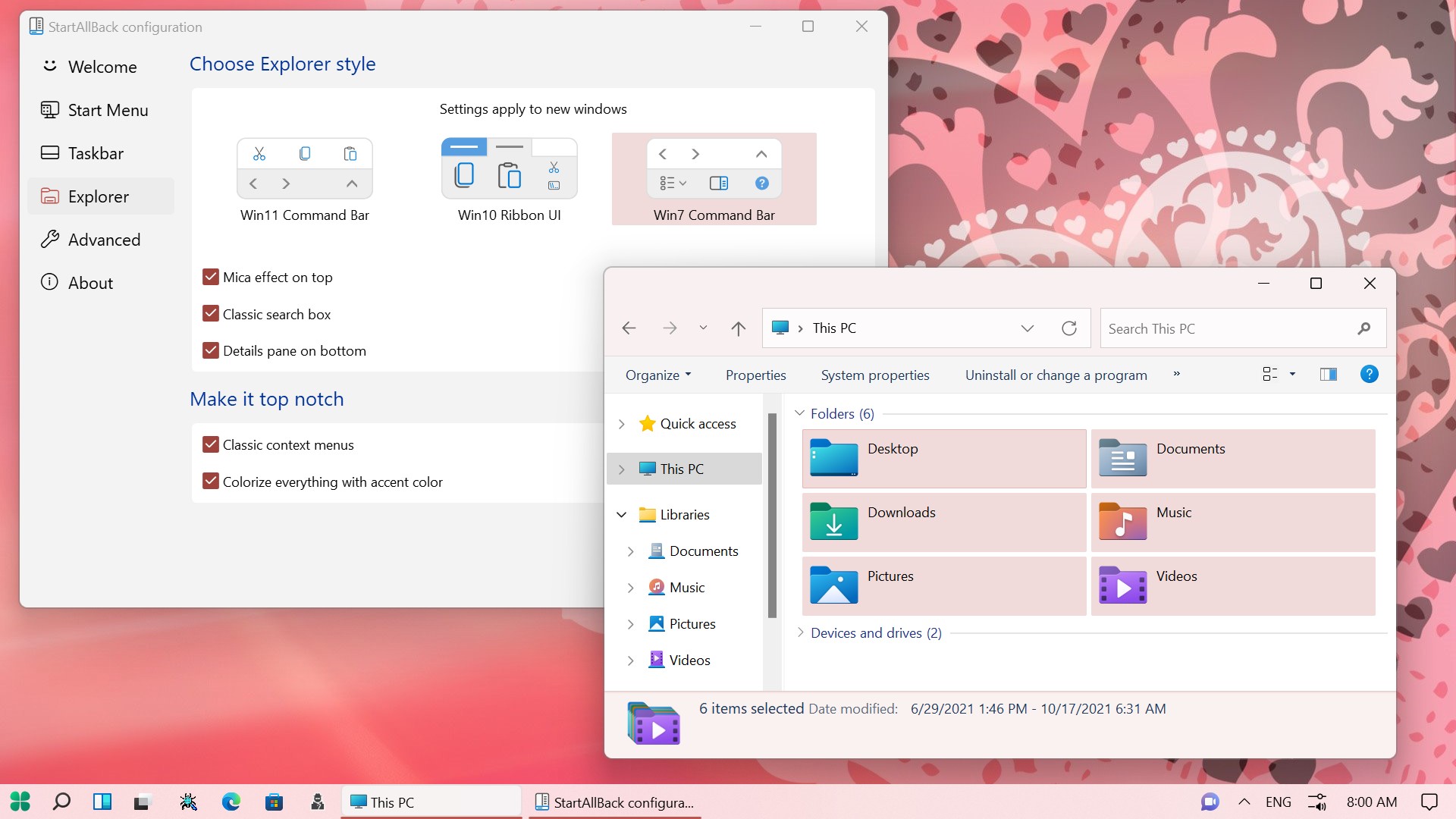
  • Ribbon and Command Bar revamped with translucent effects
  • Details pane on bottom
  • Old search box (the one which works)
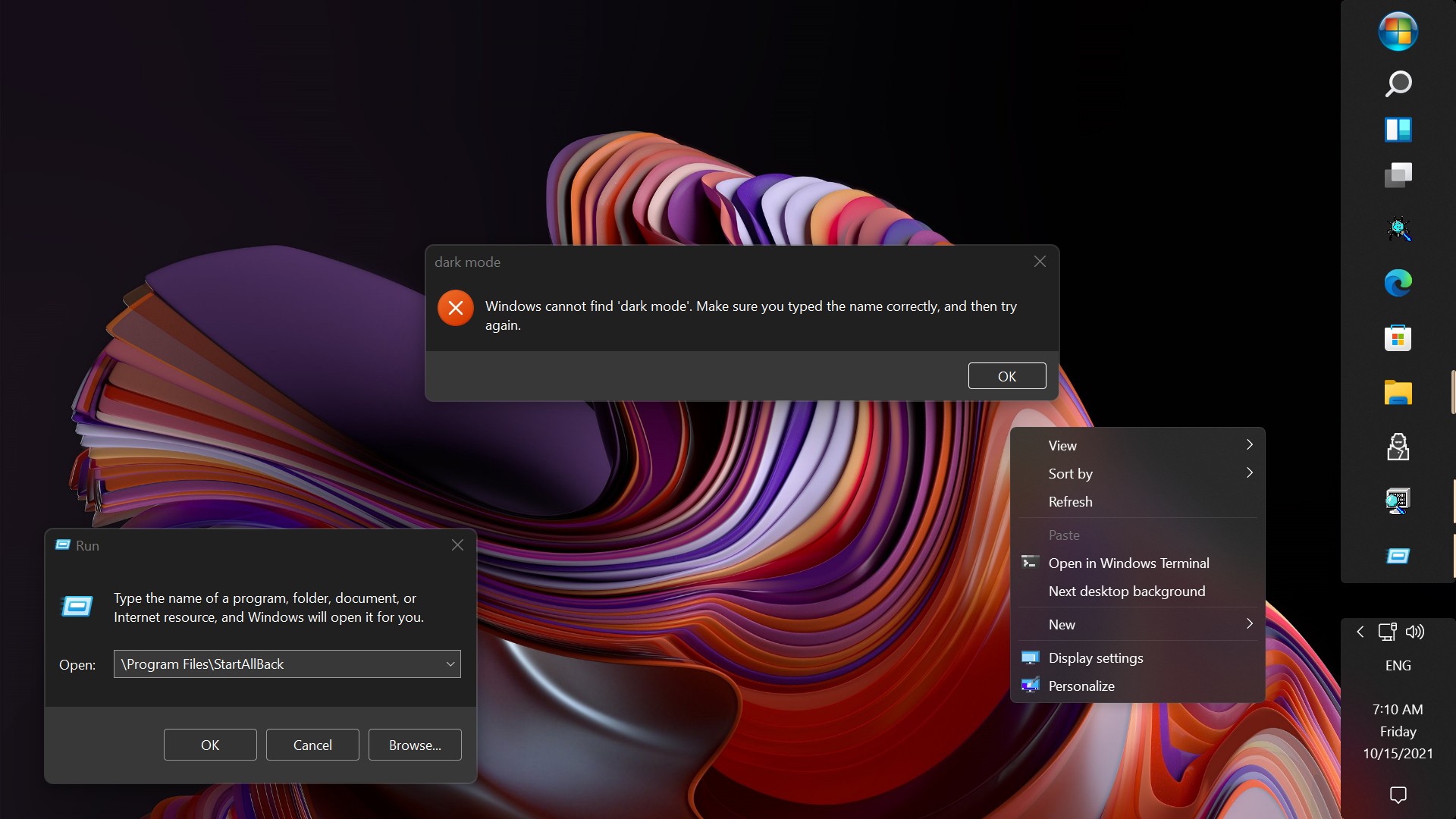
  • Dark mode support for more dialogs

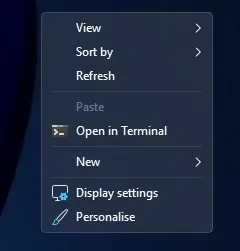
Restore and improve context menus​

  • All new look with rounded acrylic menus
  • Fast and responsive taskbar menus
  • New fonts, better touch support

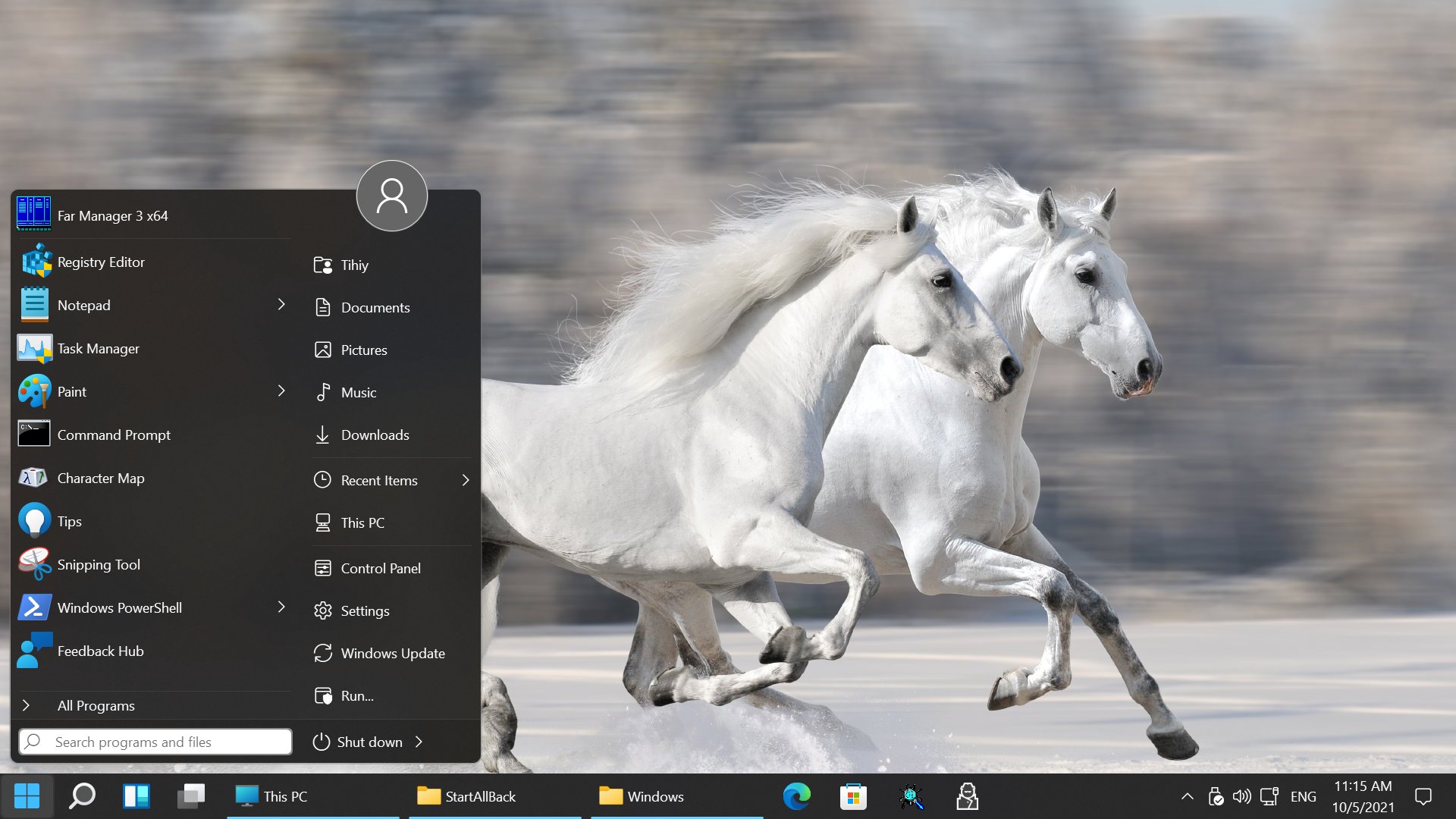
Restore and improve start menu​

  • Launch apps and go to system places in one click
  • Navigate dropdown menus like a boss
  • Enjoy fast and reliable search

Finally, lightweight styling and UI consistency​

  • Enjoy Windows 7, Windows 8 and third-party taskbar and start menu styles
  • Fix UI inconsistencies in Win32 apps
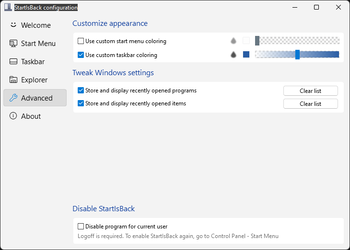
  • Don't be blue: recolor UI in all windows apps
  • Negative resource usage: fewer RAM used, fewer processes started, faster startup


StartAllBack For Windows 11 has been released.
It's an RC release. I haven't tested it yet as I have Start11 installed.

Edit: I have now tested it. It's working quite well.
Apart from a great start menu, you can also have the Enhanced Classic Taskbar back.
This means (for example) that you can have an uncombined and unlocked Taskbar.
You will now also be able to enhance the Taskbar clock using T-Clock Redux or similar.

T-Clock Redux Tray Clock_.png

You can also change Windows Explorer to Ribbon UI or Simple UI.

You can get it Download


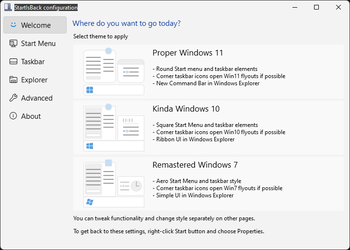
01 - Welcome.png
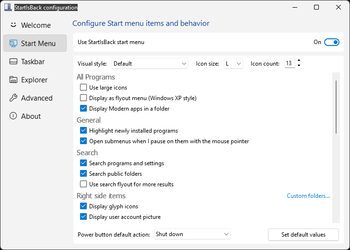
02 - Start Menu.png
04 - Taskbar.png
05 - Explorer.png
06 - Advanced.png
Get
 

My Computers

System One System Two

  • OS
    Windows 11 Pro 25h2
    Computer type
    PC/Desktop
    CPU
    Intel 10980XE
    Motherboard
    Asus Rampage VI Extreme Encore
    Memory
    G.Skill TridentZ Royale
    Graphics Card(s)
    EVGA RTX 2080Ti Hydro Copper
    Sound Card
    Asus
    Monitor(s) Displays
    Dell 27"
    Hard Drives
    Intel Optane P5801X
    Samsung 990 Pro
    PSU
    Seasonic Prime TX 1000W
    Case
    Lian Li A77F
    Cooling
    Watercooling
    Keyboard
    Logitech MX keys
    Mouse
    Logitech MX Master 3S
    Browser
    Edge Canary
    Antivirus
    Kaspersky
  • Operating System
    Windows 11 Pro 24h2
    Computer type
    Laptop
    Manufacturer/Model
    Asus Pro
Just installed this, works great. Love that it fixes the hyper-chunky default Windows 11 taskbar!
 

My Computer

System One

  • OS
    Windows 11 Home (Version 25H2)
    Computer type
    Laptop
    Manufacturer/Model
    Samsung Notebook 9 15" (NP900X5T-K01US)
    CPU
    Intel(R) Core(TM) i7-8550U
    Memory
    8 GB
    Graphics Card(s)
    Intel UHD Graphics 620
    Monitor(s) Displays
    1
    Screen Resolution
    1920x1080
    Hard Drives
    SSD
    Browser
    Chrome
    Antivirus
    Windows Defender
I've noticed a bug with hiding all other windows action (Win+Home), which I thought was a Windows bug for a long time, but when I was changing taskbar from native to SAB taskbar for some app testing, I noticed that behavior only when using SAB taskbar, and it behaves in a way it only activates once, and it stops triggering afterwards. I had to shake the window (alternative trigger for the same action) to allow hotkey trigger to be available again, but still only triggers once.
 

My Computers

System One System Two

  • OS
    Windows 11 Pro 25H2 (WinMac v1.4.0)
    Computer type
    PC/Desktop
    CPU
    Intel Core i5-12400F
    Motherboard
    B760 GAMING X DDR4
    Memory
    16 GB (DDR4, 3200 MHz)
    Graphics Card(s)
    NVIDIA GeForce RTX 2070 Super
    Screen Resolution
    2560x1440 @ 240Hz
    Other Info
    I loved modding and customizing operating systems since very young age, gaining experience from all important systems, including Windows, Ubuntu, MacOS and Android, which led to creation of Windows 11 mod called WinMac. Seamlessly blending the elegance of macOS with the versatility of Windows, my customized interface elevates user experience through meticulously crafted modifications and UI enhancements.

    With WinMac, every interaction with Windows 11 environment is imbued with a touch of sophistication, where the boundaries between the Windows and Mac universes blur, offering a sublime computing experience that transcends conventional limitations of Windows 11.
  • Operating System
    macOS Sonoma
    Computer type
    Laptop
    Manufacturer/Model
    Apple MacBook Pro
    CPU
    Apple M3 Pro
    Memory
    18 GB
I've noticed a bug with hiding all other windows action (Win+Home), which I thought was a Windows bug for a long time, but when I was changing taskbar from native to SAB taskbar for some app testing, I noticed that behavior only when using SAB taskbar, and it behaves in a way it only activates once, and it stops triggering afterwards. I had to shake the window (alternative trigger for the same action) to allow hotkey trigger to be available again, but still only triggers once.
Never noticed that! Weird! :unsure:
 

My Computers

System One System Two

  • OS
    Windows 11 Pro
    Computer type
    PC/Desktop
    Manufacturer/Model
    ASUS ROG Strix
  • Operating System
    Windows 11 Pro
    Computer type
    Laptop
    Manufacturer/Model
    ASUS VivoBook
Hey, I noticed a shortcut conflict involving the taskbar.

In Windows 11, (Win + Shift + T) is now used to open the Snipping Tool's text extractor. But with (Use enhanced classic taskbar) enabled in SAB, pressing (Win + Shift + T) does the old classic taskbar behavior instead, it selects the last taskbar icon and cycles backwards through taskbar items.

If I turn off (Use enhanced classic taskbar), then (Win + Shift + T) goes back to opening the text extractor normally.

So this seems to be a shortcut conflict with the classic taskbar behavior taking priority over the newer Windows 11 shortcut.

Would it be possible to let the Windows 11 (Win + Shift + T) action pass through instead? I use the text extractor all the time and it's honestly one of the best features they've added.

Also, if anyone here is able to, could you please report this to @Tihiy on the MSFN StartAllBack thread? I wasn’t able to sign up there because registration appears to be disabled.
 

My Computer

System One

  • OS
    Windows 11
Hey, I noticed a shortcut conflict involving the taskbar.

In Windows 11, (Win + Shift + T) is now used to open the Snipping Tool's text extractor. But with (Use enhanced classic taskbar) enabled in SAB, pressing (Win + Shift + T) does the old classic taskbar behavior instead, it selects the last taskbar icon and cycles backwards through taskbar items.

If I turn off (Use enhanced classic taskbar), then (Win + Shift + T) goes back to opening the text extractor normally.

So this seems to be a shortcut conflict with the classic taskbar behavior taking priority over the newer Windows 11 shortcut.

Would it be possible to let the Windows 11 (Win + Shift + T) action pass through instead? I use the text extractor all the time and it's honestly one of the best features they've added.

Also, if anyone here is able to, could you please report this to @Tihiy on the MSFN StartAllBack thread? I wasn’t able to sign up there because registration appears to be disabled.
cant fix the SAB portion, but can overpower it haha... heres an ahk (exe is attached). it will force Win+Shift+T to open ms-screenclip and select the Text Extractor automatically:
Code:
#Requires AutoHotkey v2.0
#SingleInstance Force

; Win+Shift+T triggers the sequence
#+t::{
    Run("ms-screenclip:")
    
    ; Wait for Snipping Tool window to appear
    WinWaitActive("Snipping Tool",, 5)

    Sleep(80)

    ; Send Shift+Tab twice, then Right Arrow, then Enter
    Send("+{Tab}")
    Sleep(40)
    Send("+{Tab}")
    Sleep(40)
    Send("{Right}")
    Sleep(40)
    Send("{Enter}")
}
 

Attachments

My Computer

System One

  • OS
    Windows 11 Pro
@Tihiy hello, I've noticed kind of a bug when I try to change corner radius with Custom Window Corner Radius Windhawk mod. I've changed radius from default 4 to 8, and it makes context menus corners look very weird, after uninstalling SAB, mod applies radius correctly.

Before and after uninstalling SAB:

Screenshot2026-05-10201152.png.b33c16a0f24d732c1dc3c2a3f2663021.png
Screenshot2026-05-10203149.png.841898d13424b05e8e3ad81ce07e9bca.png


My goal here was to make context menus have the same corner radius as rest of the shell elements, which is 8. I've noticed that with SAB, it applies some sort of border around context menu, hence may be the reason for this behavior. Is there any way to disable those borders, or can you implement an option to increase corner radius for context menus to 8 and have those borders draw corners correctly for both menus and the item highlights?
 
Last edited:

My Computers

System One System Two

  • OS
    Windows 11 Pro 25H2 (WinMac v1.4.0)
    Computer type
    PC/Desktop
    CPU
    Intel Core i5-12400F
    Motherboard
    B760 GAMING X DDR4
    Memory
    16 GB (DDR4, 3200 MHz)
    Graphics Card(s)
    NVIDIA GeForce RTX 2070 Super
    Screen Resolution
    2560x1440 @ 240Hz
    Other Info
    I loved modding and customizing operating systems since very young age, gaining experience from all important systems, including Windows, Ubuntu, MacOS and Android, which led to creation of Windows 11 mod called WinMac. Seamlessly blending the elegance of macOS with the versatility of Windows, my customized interface elevates user experience through meticulously crafted modifications and UI enhancements.

    With WinMac, every interaction with Windows 11 environment is imbued with a touch of sophistication, where the boundaries between the Windows and Mac universes blur, offering a sublime computing experience that transcends conventional limitations of Windows 11.
  • Operating System
    macOS Sonoma
    Computer type
    Laptop
    Manufacturer/Model
    Apple MacBook Pro
    CPU
    Apple M3 Pro
    Memory
    18 GB
cant fix the SAB portion, but can overpower it haha... heres an ahk (exe is attached). it will force Win+Shift+T to open ms-screenclip and select the Text Extractor automatically:
Code:
#Requires AutoHotkey v2.0
#SingleInstance Force

; Win+Shift+T triggers the sequence
#+t::{
    Run("ms-screenclip:")
 
    ; Wait for Snipping Tool window to appear
    WinWaitActive("Snipping Tool",, 5)

    Sleep(80)

    ; Send Shift+Tab twice, then Right Arrow, then Enter
    Send("+{Tab}")
    Sleep(40)
    Send("+{Tab}")
    Sleep(40)
    Send("{Right}")
    Sleep(40)
    Send("{Enter}")
}
Better still, use Run("ms-screenclip:///?source=TextExtractorHotKey&type=textExtractor"). Then you don't need the scripted keystrokes which could potentially fail.
Code:
#Requires AutoHotkey v2.0
#SingleInstance Force

; Win+Shift+T triggers the text extractor
#+t::{
    Run("ms-screenclip:///?source=TextExtractorHotKey&type=textExtractor")
}
 
Last edited:

My Computer

System One

  • OS
    Windows 11 Pro
    Computer type
    PC/Desktop
    CPU
    Intel Celeron N5105
    Memory
    8GB
    Graphics Card(s)
    Intel UHD Graphics (integrated)

My Computer

System One

  • OS
    Windows 11 Pro
    Computer type
    PC/Desktop
    Manufacturer/Model
    Custom Build
    CPU
    Intel Core i9 12900KF
    Motherboard
    ASUS ROG Maximus Z690 Hero
    Memory
    Corsair 64GB DDR5 Vengeance C40 5200Mhz
    Graphics Card(s)
    ASUS GeForce RTX 3090 ROG Strix OC 24GB
    Sound Card
    OnBoard
    Monitor(s) Displays
    Acer Predator XB323UGP 32" QHD G-SYNC-C 144Hz 1MS IPS LED
    Screen Resolution
    2560 x 1440
    Hard Drives
    1x Samsung 980 Pro Series Gen4 250GB M.2 NVMe
    1x Samsung 980 Pro Series Gen4 500GB M.2 NVMe
    2x Samsung 980 Pro Series Gen4 2TB M.2 NVMe
    PSU
    Corsair AX1200i 1200W 80PLUS Titanium Modular
    Case
    Corsair 4000D Black Case w/ Tempered Glass Side Panel
    Cooling
    Noctua NH-U12A Chromax Black CPU Cooler, 4x Noctua 120mm Fans
    Keyboard
    Logitech MK545
    Mouse
    Logitech MX Master 3
    Internet Speed
    Fixed Wireless 150mbps/75mbps
    Browser
    Firefox
    Antivirus
    Kaspersky
    Other Info
    Thrustmaster TS-PC RACER
    Fanatec CSL Elite Pedals with the Load Cell Kit
    Yamaha Amp with Bose Speakers
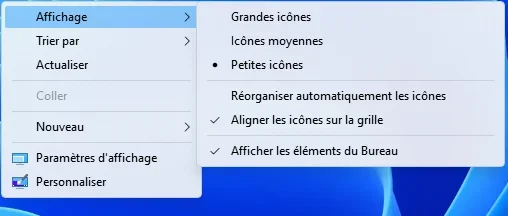
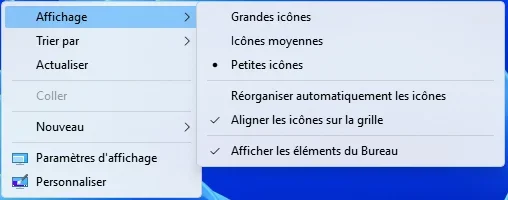
Am I hallucinating or corners of classic context menus looks weird?

1779128608171.webp

Does anyone have earlier SAB versions so I can compare?
 

My Computers

System One System Two

  • OS
    Windows 11 Pro 25H2 (WinMac v1.4.0)
    Computer type
    PC/Desktop
    CPU
    Intel Core i5-12400F
    Motherboard
    B760 GAMING X DDR4
    Memory
    16 GB (DDR4, 3200 MHz)
    Graphics Card(s)
    NVIDIA GeForce RTX 2070 Super
    Screen Resolution
    2560x1440 @ 240Hz
    Other Info
    I loved modding and customizing operating systems since very young age, gaining experience from all important systems, including Windows, Ubuntu, MacOS and Android, which led to creation of Windows 11 mod called WinMac. Seamlessly blending the elegance of macOS with the versatility of Windows, my customized interface elevates user experience through meticulously crafted modifications and UI enhancements.

    With WinMac, every interaction with Windows 11 environment is imbued with a touch of sophistication, where the boundaries between the Windows and Mac universes blur, offering a sublime computing experience that transcends conventional limitations of Windows 11.
  • Operating System
    macOS Sonoma
    Computer type
    Laptop
    Manufacturer/Model
    Apple MacBook Pro
    CPU
    Apple M3 Pro
    Memory
    18 GB
Am I hallucinating or corners of classic context menus looks weird?
It's been like that since the introduction of rounded UI elements!
 

My Computers

System One System Two

  • OS
    Windows 11 Pro
    Computer type
    PC/Desktop
    Manufacturer/Model
    ASUS ROG Strix
  • Operating System
    Windows 11 Pro
    Computer type
    Laptop
    Manufacturer/Model
    ASUS VivoBook
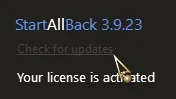
StartAllBack 3.9.23.5366 16 May 2026 (stable)

Changelog:
  • Minor improvements and fixes

Still version 3.9.22 on the page


My Computers

System One System Two

  • OS
    Windows 11 Pro 25h2
    Computer type
    PC/Desktop
    CPU
    Intel 10980XE
    Motherboard
    Asus Rampage VI Extreme Encore
    Memory
    G.Skill TridentZ Royale
    Graphics Card(s)
    EVGA RTX 2080Ti Hydro Copper
    Sound Card
    Asus
    Monitor(s) Displays
    Dell 27"
    Hard Drives
    Intel Optane P5801X
    Samsung 990 Pro
    PSU
    Seasonic Prime TX 1000W
    Case
    Lian Li A77F
    Cooling
    Watercooling
    Keyboard
    Logitech MX keys
    Mouse
    Logitech MX Master 3S
    Browser
    Edge Canary
    Antivirus
    Kaspersky
  • Operating System
    Windows 11 Pro 24h2
    Computer type
    Laptop
    Manufacturer/Model
    Asus Pro

My Computers

System One System Two

  • OS
    Windows 11 Pro 25h2
    Computer type
    PC/Desktop
    CPU
    Intel 10980XE
    Motherboard
    Asus Rampage VI Extreme Encore
    Memory
    G.Skill TridentZ Royale
    Graphics Card(s)
    EVGA RTX 2080Ti Hydro Copper
    Sound Card
    Asus
    Monitor(s) Displays
    Dell 27"
    Hard Drives
    Intel Optane P5801X
    Samsung 990 Pro
    PSU
    Seasonic Prime TX 1000W
    Case
    Lian Li A77F
    Cooling
    Watercooling
    Keyboard
    Logitech MX keys
    Mouse
    Logitech MX Master 3S
    Browser
    Edge Canary
    Antivirus
    Kaspersky
  • Operating System
    Windows 11 Pro 24h2
    Computer type
    Laptop
    Manufacturer/Model
    Asus Pro

My Computers

System One System Two

  • OS
    Windows 11 Pro
    Computer type
    PC/Desktop
    Manufacturer/Model
    ASUS ROG Strix
  • Operating System
    Windows 11 Pro
    Computer type
    Laptop
    Manufacturer/Model
    ASUS VivoBook
Yeah, so I can stay with 3.9.22 for the moment, since I'm not currently on a Windows Insider
 

My Computers

System One System Two

  • OS
    Windows 11 Pro 25h2
    Computer type
    PC/Desktop
    CPU
    Intel 10980XE
    Motherboard
    Asus Rampage VI Extreme Encore
    Memory
    G.Skill TridentZ Royale
    Graphics Card(s)
    EVGA RTX 2080Ti Hydro Copper
    Sound Card
    Asus
    Monitor(s) Displays
    Dell 27"
    Hard Drives
    Intel Optane P5801X
    Samsung 990 Pro
    PSU
    Seasonic Prime TX 1000W
    Case
    Lian Li A77F
    Cooling
    Watercooling
    Keyboard
    Logitech MX keys
    Mouse
    Logitech MX Master 3S
    Browser
    Edge Canary
    Antivirus
    Kaspersky
  • Operating System
    Windows 11 Pro 24h2
    Computer type
    Laptop
    Manufacturer/Model
    Asus Pro

Attachments

My Computers

System One System Two

  • OS
    Windows 11 Pro 25h2
    Computer type
    PC/Desktop
    CPU
    Intel 10980XE
    Motherboard
    Asus Rampage VI Extreme Encore
    Memory
    G.Skill TridentZ Royale
    Graphics Card(s)
    EVGA RTX 2080Ti Hydro Copper
    Sound Card
    Asus
    Monitor(s) Displays
    Dell 27"
    Hard Drives
    Intel Optane P5801X
    Samsung 990 Pro
    PSU
    Seasonic Prime TX 1000W
    Case
    Lian Li A77F
    Cooling
    Watercooling
    Keyboard
    Logitech MX keys
    Mouse
    Logitech MX Master 3S
    Browser
    Edge Canary
    Antivirus
    Kaspersky
  • Operating System
    Windows 11 Pro 24h2
    Computer type
    Laptop
    Manufacturer/Model
    Asus Pro

My Computer

System One

  • OS
    Windows 11 Iot Enterprise 21h2 22000.3260
    Computer type
    PC/Desktop
    Manufacturer/Model
    Asus
    CPU
    xeon E5-2697v2
    Motherboard
    rampage iv extreme
    Memory
    32gb 8x4gb ddr3 1333 mhz
    Graphics Card(s)
    gtx 570 poit of view
    Sound Card
    realtek HD (ALC898)
    Monitor(s) Displays
    samsung b2030
    Screen Resolution
    1600x900
    Hard Drives
    2tb hd 5400 rpm
    3tb hd 5400 rpm
    1tb nvme pcie 3.0
    PSU
    hx850w
    Keyboard
    mtek
    Internet Speed
    500/250 gpon
    Browser
    r3dfox 146.0
    Antivirus
    none
Am I hallucinating or corners of classic context menus looks weird?

View attachment 171843

Does anyone have earlier SAB versions so I can compare?

Was it with version 3.9.23 that you noticed a difference ?
I don't think I've noticed one

3.9.22 :

3.9.22.webp

3.9.23 :

3.9.23.webp
 

My Computers

System One System Two

  • OS
    Windows 11 Pro 25h2
    Computer type
    PC/Desktop
    CPU
    Intel 10980XE
    Motherboard
    Asus Rampage VI Extreme Encore
    Memory
    G.Skill TridentZ Royale
    Graphics Card(s)
    EVGA RTX 2080Ti Hydro Copper
    Sound Card
    Asus
    Monitor(s) Displays
    Dell 27"
    Hard Drives
    Intel Optane P5801X
    Samsung 990 Pro
    PSU
    Seasonic Prime TX 1000W
    Case
    Lian Li A77F
    Cooling
    Watercooling
    Keyboard
    Logitech MX keys
    Mouse
    Logitech MX Master 3S
    Browser
    Edge Canary
    Antivirus
    Kaspersky
  • Operating System
    Windows 11 Pro 24h2
    Computer type
    Laptop
    Manufacturer/Model
    Asus Pro
Would I still be able to use the same registration code for the same computer if I have to install Windows again?
 

My Computer

System One

  • OS
    Windows 11 Pro 23H2
    Computer type
    PC/Desktop
    Manufacturer/Model
    MinisForum
    CPU
    Intel(R) Core(TM) i9-12900HK
    Memory
    32gb
    Graphics Card(s)
    Intel(R) Iris(R) Xe Graphics
    Sound Card
    Realtek 888
    Monitor(s) Displays
    Acer
    Screen Resolution
    1920x1080
    Hard Drives
    1TB SSD
    Keyboard
    Logitech
    Mouse
    Logitech MX Master 2X
    Internet Speed
    1GB
    Browser
    Firefox
    Antivirus
    Windows Defender
Back
Top Bottom