StartAllBack


StartAllBack: Windows 11 from better timeline​

Get the latest version here Download

Embrace, enhance, unsweep classic UI from under the rug​

Restore and improve taskbar​

  • Show labels on task icons
  • Adjust icon size and margins
  • Move taskbar to top, left or right edges
  • Drag and drop stuff onto taskbar
  • Center task icons but keep Start button on the left
  • Split into segments, use dynamic translucency
  • Separate corner icons with Windows 7/10 UI
  • Auto-hide when covered by maximized window

Restore and improve File Explorer and Control Panel​

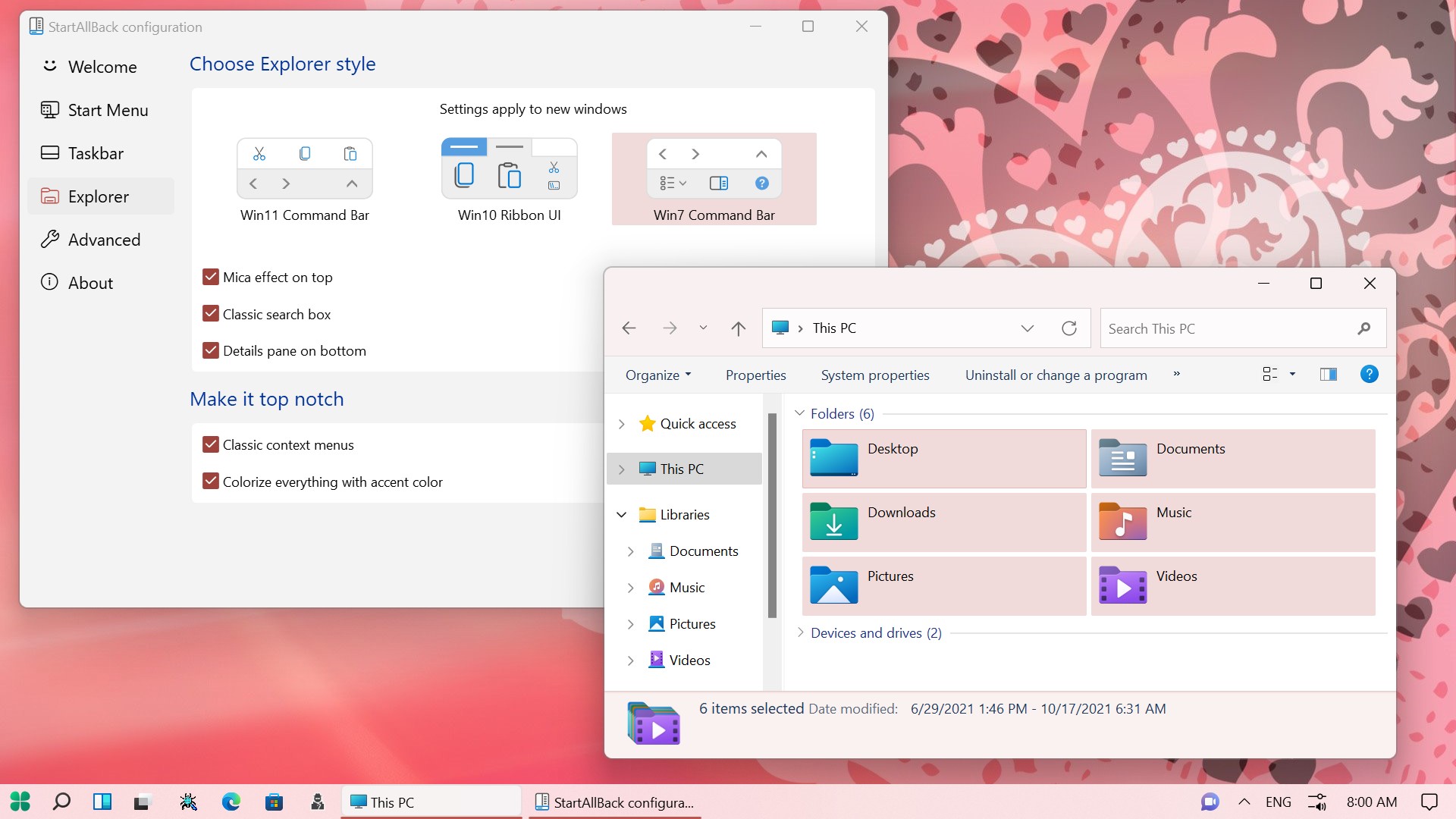
  • Ribbon and Command Bar revamped with translucent effects
  • Details pane on bottom
  • Old search box (the one which works)
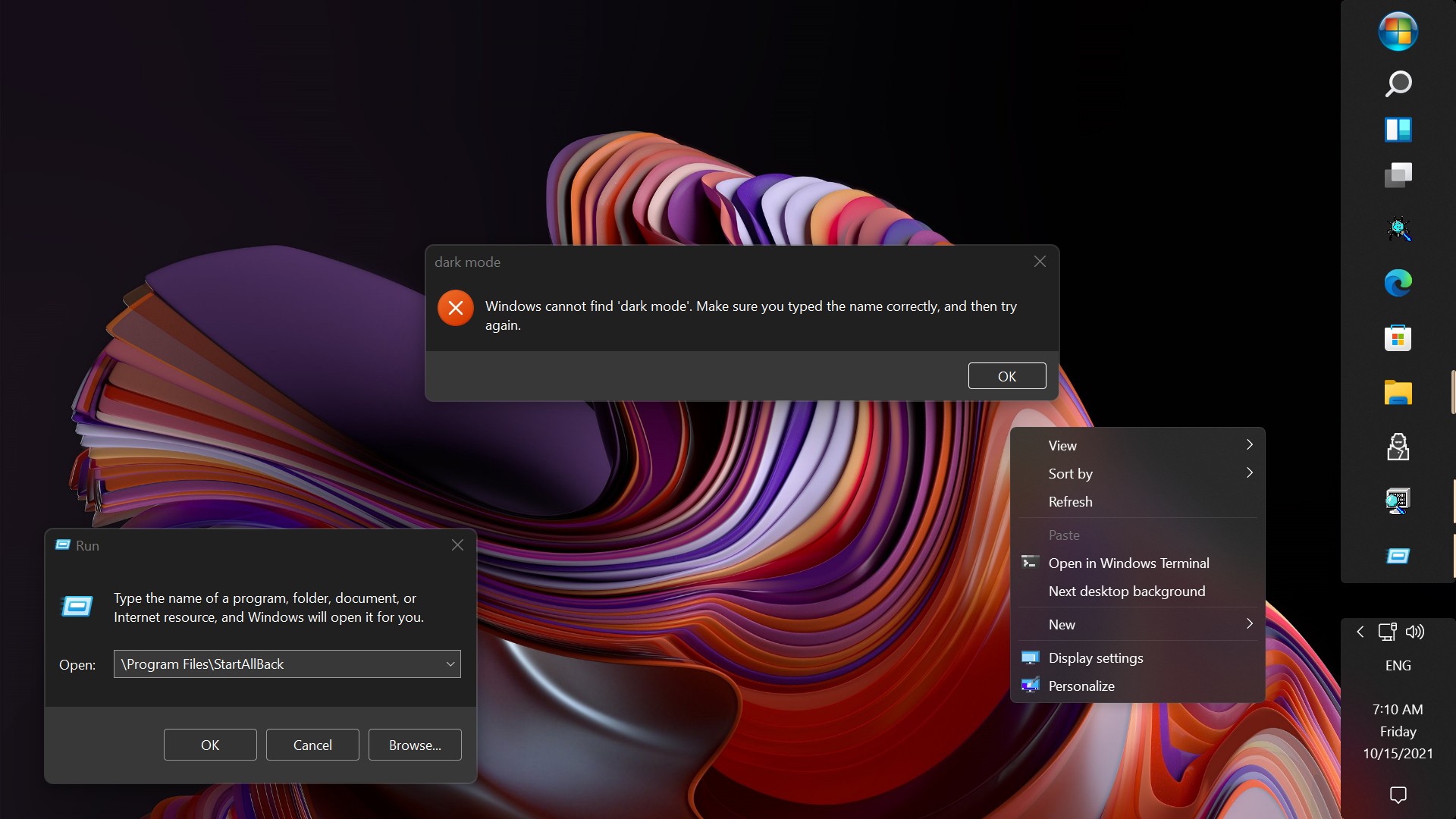
  • Dark mode support for more dialogs

Restore and improve context menus​

  • All new look with rounded acrylic menus
  • Fast and responsive taskbar menus
  • New fonts, better touch support

Restore and improve start menu​

  • Launch apps and go to system places in one click
  • Navigate dropdown menus like a boss
  • Enjoy fast and reliable search

Finally, lightweight styling and UI consistency​

  • Enjoy Windows 7, Windows 8 and third-party taskbar and start menu styles
  • Fix UI inconsistencies in Win32 apps
  • Don't be blue: recolor UI in all windows apps
  • Negative resource usage: fewer RAM used, fewer processes started, faster startup


StartAllBack For Windows 11 has been released.
It's an RC release. I haven't tested it yet as I have Start11 installed.

Edit: I have now tested it. It's working quite well.
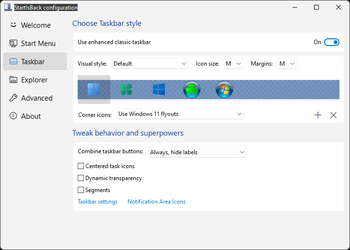
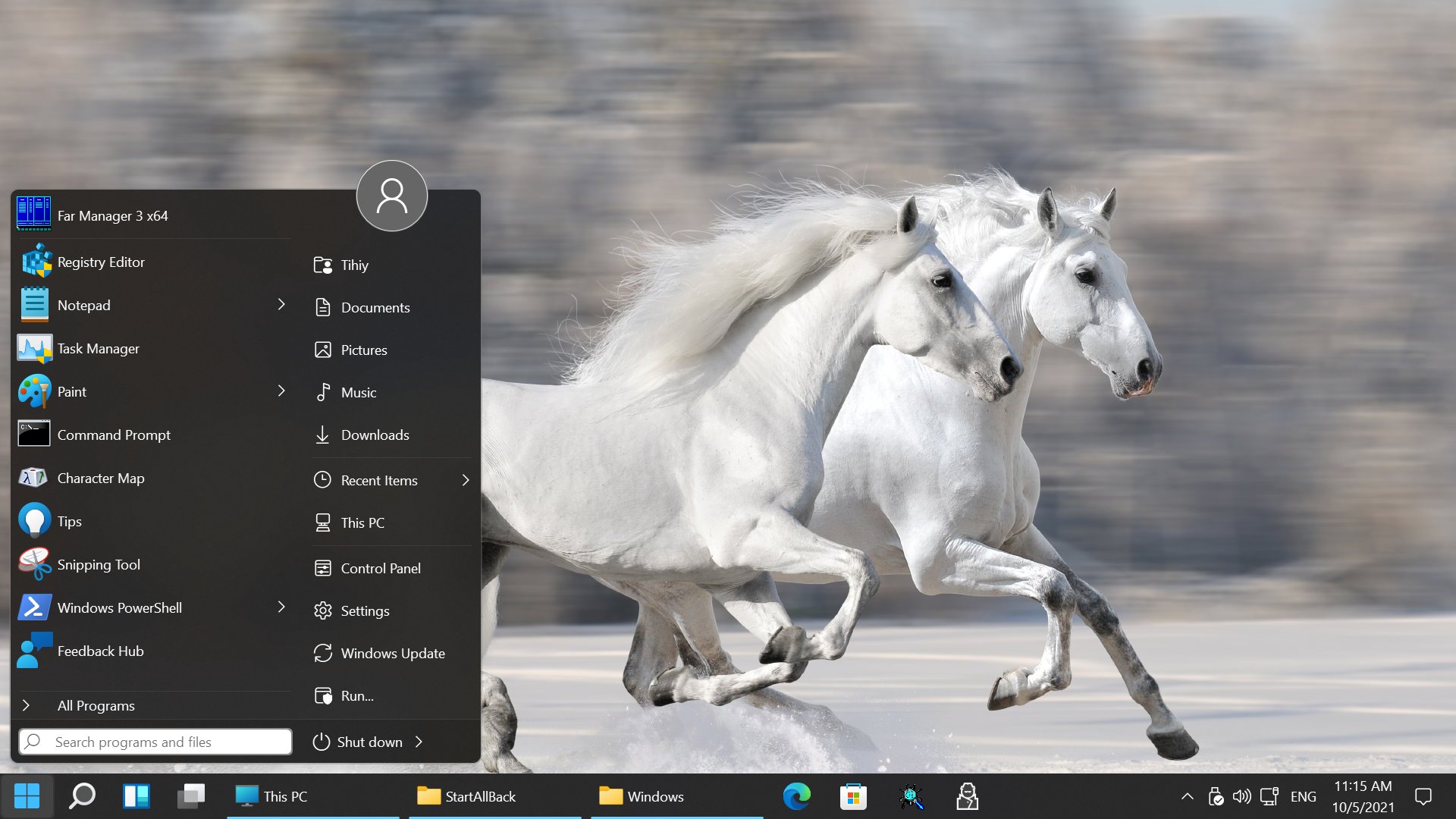
Apart from a great start menu, you can also have the Enhanced Classic Taskbar back.
This means (for example) that you can have an uncombined and unlocked Taskbar.
You will now also be able to enhance the Taskbar clock using T-Clock Redux or similar.

T-Clock Redux Tray Clock_.png

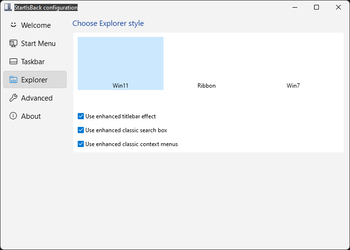
You can also change Windows Explorer to Ribbon UI or Simple UI.

You can get it Download


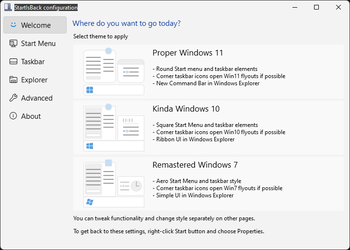
01 - Welcome.png
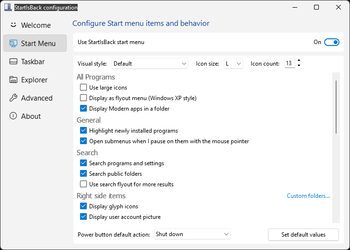
02 - Start Menu.png
04 - Taskbar.png
05 - Explorer.png
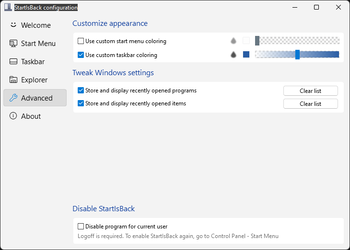
06 - Advanced.png
Get
 
IMO, hands on is the best way to learn. :-)

Maybe for you, but it's also usually the slowest and most painful way to learn. Unfortunately, sometimes, it's the only way to learn. That's always a shame.

The best way to learn IMO, is a mix of hands on and reading GOOD documentation, with an emphasis on the latter.

This way, you learn things that otherwise would have remained unknown to you.
 

My Computers

System One System Two

  • OS
    win 11 pro, 25H2
    Computer type
    PC/Desktop
    Manufacturer/Model
    Dell 790 (Mt)
    CPU
    i5-2400
    Motherboard
    Dell
    Memory
    32 GB DDR-3
    Graphics Card(s)
    Intel HD Graphics 2000 (on-board)
    Sound Card
    Intel Cougar Point PCH [B2] (On-Board)
    Monitor(s) Displays
    LG 27MN60T
  • Operating System
    Windows 11 home, 25H2
    Computer type
    Laptop
    Manufacturer/Model
    Dell Inspiron 17R SE 7720
    CPU
    Intel I7-3630QM
    Memory
    16GB DDR3
    Hard Drives
    Samsung 500GB SSD
Maybe for you, but it's also usually the slowest and most painful way to learn. Unfortunately, sometimes, it's the only way to learn. That's always a shame.

The best way to learn IMO, is a mix of hands on and reading GOOD documentation, with an emphasis on the latter.

This way, you learn things that otherwise would have remained unknown to you.
I'm a read the manual or instructions after type of person. I aways have been and probably always will be that type of person. The only time I'll resort to using the manual or instructions is if I get stuck. The same goes for asking for help on the Forums. Unless I'm in a hurry or know the answer is over my head I'll try to solve my problem on my own. I guess for me it's the challenge of trying to figure it out on my own that makes me do it that way.
 

My Computers

System One System Two

  • OS
    Windows 11 Pro 25H2
    Computer type
    PC/Desktop
    Manufacturer/Model
    PowerSpec B746
    CPU
    Intel Core i7-10700K
    Motherboard
    ASRock Z490 Phantom Gaming 4/ax
    Memory
    16GB (8GB PC4-19200 DDR4 SDRAM x2)
    Graphics Card(s)
    NVIDIA GeForce GTX 1050 TI
    Sound Card
    Realtek Audio
    Monitor(s) Displays
    #1. LG ULTRAWIDE 34" #2. AOC Q32G2WG3 32"
    Screen Resolution
    #1. 3440 X 1440 #2. 1920 x 1080
    Hard Drives
    NVMe WDC WDS100T2B0C-00PXH0 1TB
    Samsung SSD 860 EVO 1TB
    PSU
    750 Watts (62.5A)
    Case
    PowerSpec/Lian Li ATX 205
    Keyboard
    Logitech K270
    Mouse
    Logitech M185
    Browser
    Microsoft Edge and Firefox
    Antivirus
    Webroot SecureAnywhere CE 26.1
  • Operating System
    Windows 11 Canary Channel
    Computer type
    PC/Desktop
    Manufacturer/Model
    PowerSpec G156
    CPU
    Intel Core i5-8400 CPU @ 2.80GHz
    Motherboard
    AsusTeK Prime B360M-A
    Memory
    16 MB DDR 4-2666
    Monitor(s) Displays
    23" Speptre HDMI 75Hz
    Screen Resolution
    1920x1080
    Hard Drives
    Samsung 970 EVO 500GB NVMe
    Keyboard
    Logitek K270
    Mouse
    Logitek M185
    Browser
    Firefox, Edge and Edge Canary
    Antivirus
    Windows Defender
25H2 is now available for me to download. Anyone confirm that SAB works?
 

My Computer

System One

  • OS
    Windows 11 25H2
    Computer type
    PC/Desktop
    CPU
    AMD Ryzen 7800X3D
    Motherboard
    MSI B850 Tomahawk MAX WIFI
    Memory
    T-Force 48GB DDR5 @ 8000CL36
    Graphics Card(s)
    PNY RTX 5080
    Monitor(s) Displays
    MSI 321URX 32" 4K OLED
    Hard Drives
    WD_Black SN850X 4TB
    PSU
    Thermaltake GF3 1200W
    Case
    Gamemax Meshbox
    Cooling
    ID-Cooling FX240 Pro AIO
    Keyboard
    Drunkdeer G65
    Mouse
    ATK Extreme F1

My Computer

System One

  • OS
    Windows 11
    Computer type
    Laptop
    Manufacturer/Model
    Acer Nitro V15
    CPU
    Intel 13th
    Memory
    96GB
    Graphics Card(s)
    RTX 4050 6GB
    Monitor(s) Displays
    amazon fire tv 50"
    Screen Resolution
    3840x2160
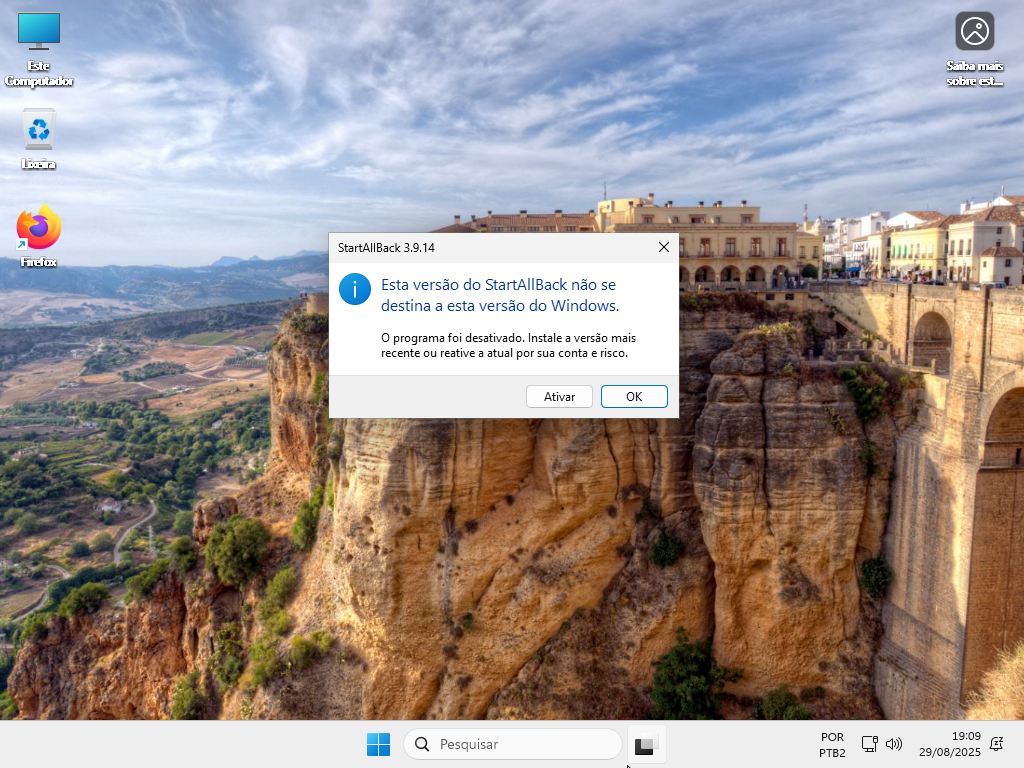
startallback work on 25h2 but warning msg and you go to ativar
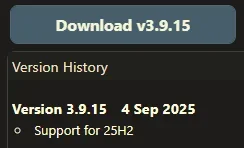
waiting for version 3.9.15 with official support for 25h2
6RyY9hH.png
 

My Computer

System One

  • OS
    Windows 11 Iot Enterprise 21h2 22000.3260
    Computer type
    PC/Desktop
    Manufacturer/Model
    Asus
    CPU
    xeon E5-2697v2
    Motherboard
    rampage iv extreme
    Memory
    32gb 8x4gb ddr3 1333 mhz
    Graphics Card(s)
    gtx 570 poit of view
    Sound Card
    realtek HD (ALC898)
    Monitor(s) Displays
    samsung b2030
    Screen Resolution
    1600x900
    Hard Drives
    2tb hd 5400 rpm
    3tb hd 5400 rpm
    1tb nvme pcie 3.0
    PSU
    hx850w
    Keyboard
    mtek
    Internet Speed
    500/250 gpon
    Browser
    r3dfox 146.0
    Antivirus
    none
startallback work on 25h2 but warning msg and you go to ativar
waiting for version 3.9.15 with official support for 25h2
6RyY9hH.png
Been running on 25H2 for the past couple days and it's working fine. You only have to accept the warning once.
 

My Computer

System One

  • OS
    Windows 11 25H2
    Computer type
    PC/Desktop
    CPU
    AMD Ryzen 7800X3D
    Motherboard
    MSI B850 Tomahawk MAX WIFI
    Memory
    T-Force 48GB DDR5 @ 8000CL36
    Graphics Card(s)
    PNY RTX 5080
    Monitor(s) Displays
    MSI 321URX 32" 4K OLED
    Hard Drives
    WD_Black SN850X 4TB
    PSU
    Thermaltake GF3 1200W
    Case
    Gamemax Meshbox
    Cooling
    ID-Cooling FX240 Pro AIO
    Keyboard
    Drunkdeer G65
    Mouse
    ATK Extreme F1
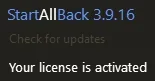
The About icon animates when your trial period is running out! 🤷‍♂️

jef.gif
 

My Computers

System One System Two

  • OS
    Windows 11 Pro
    Computer type
    PC/Desktop
    Manufacturer/Model
    ASUS ROG Strix
  • Operating System
    Windows 11 Pro
    Computer type
    Laptop
    Manufacturer/Model
    ASUS VivoBook
10494.webp
 

My Computers

System One System Two

  • OS
    Windows 11 Pro
    Computer type
    PC/Desktop
    Manufacturer/Model
    ASUS ROG Strix
  • Operating System
    Windows 11 Pro
    Computer type
    Laptop
    Manufacturer/Model
    ASUS VivoBook
Last edited:

My Computer

System One

  • OS
    Windows 11 Pro
    Computer type
    PC/Desktop
    Manufacturer/Model
    Custom Build
    CPU
    Intel Core i9 12900KF
    Motherboard
    ASUS ROG Maximus Z690 Hero
    Memory
    Corsair 64GB DDR5 Vengeance C40 5200Mhz
    Graphics Card(s)
    ASUS GeForce RTX 3090 ROG Strix OC 24GB
    Sound Card
    OnBoard
    Monitor(s) Displays
    Acer Predator XB323UGP 32" QHD G-SYNC-C 144Hz 1MS IPS LED
    Screen Resolution
    2560 x 1440
    Hard Drives
    1x Samsung 980 Pro Series Gen4 250GB M.2 NVMe
    1x Samsung 980 Pro Series Gen4 500GB M.2 NVMe
    2x Samsung 980 Pro Series Gen4 2TB M.2 NVMe
    PSU
    Corsair AX1200i 1200W 80PLUS Titanium Modular
    Case
    Corsair 4000D Black Case w/ Tempered Glass Side Panel
    Cooling
    Noctua NH-U12A Chromax Black CPU Cooler, 4x Noctua 120mm Fans
    Keyboard
    Logitech MK545
    Mouse
    Logitech MX Master 3
    Internet Speed
    Fixed Wireless 150mbps/75mbps
    Browser
    Firefox
    Antivirus
    Kaspersky
    Other Info
    Thrustmaster TS-PC RACER
    Fanatec CSL Elite Pedals with the Load Cell Kit
    Yamaha Amp with Bose Speakers
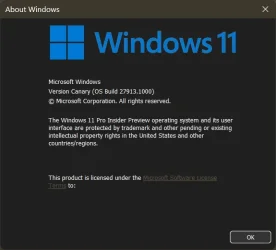
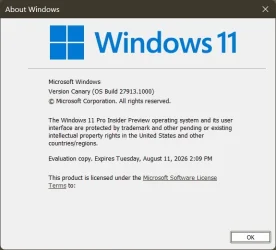
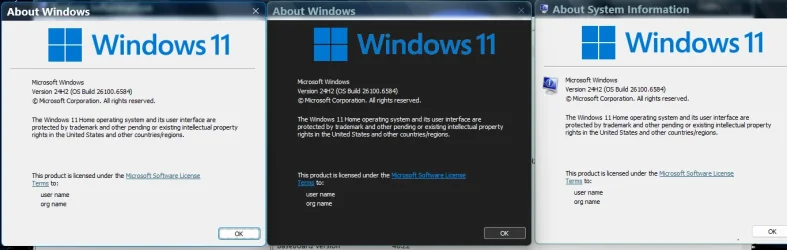
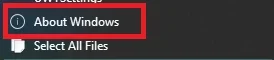
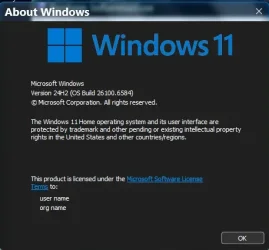
I noticed, if you choose About Windows from the Win7 Command Bar, you get dark mode, and no expiry...

9560.webp

... as opposed to Winver...

9561.webp
 

My Computers

System One System Two

  • OS
    Windows 11 Pro
    Computer type
    PC/Desktop
    Manufacturer/Model
    ASUS ROG Strix
  • Operating System
    Windows 11 Pro
    Computer type
    Laptop
    Manufacturer/Model
    ASUS VivoBook
I’ll write an ahk redirect winver to that About Windows. Good find
 
Last edited:

My Computer

System One

  • OS
    Windows 11 Pro
looking to open that about windows now.. where is it? i dont have that option with the win 7 explorer option selected..
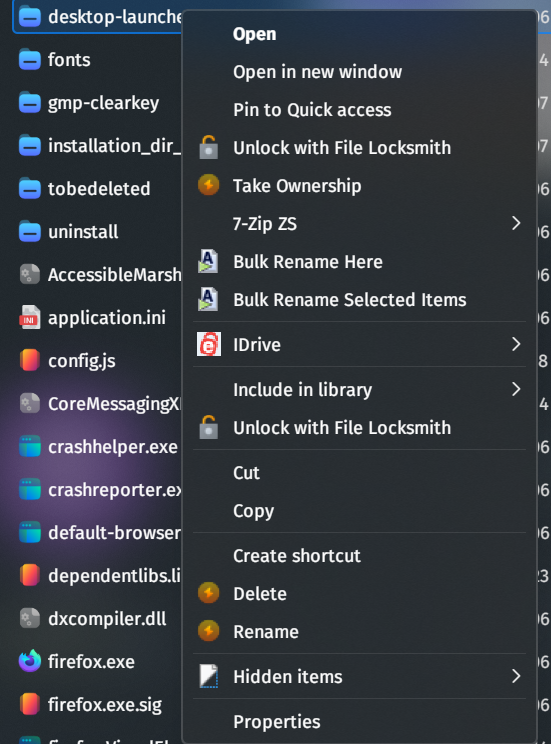
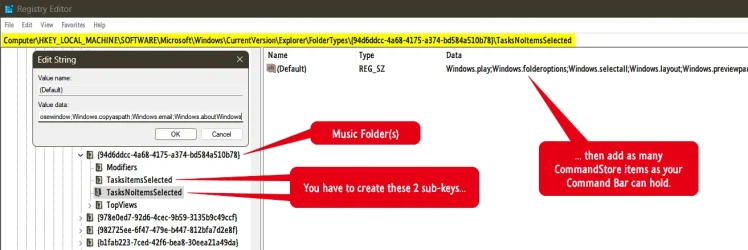
You have to create the button(s), for each folder type..., it's kind of a pain in the a$$, but, useful at times...

10568.webp

10569.webp
 

My Computers

System One System Two

  • OS
    Windows 11 Pro
    Computer type
    PC/Desktop
    Manufacturer/Model
    ASUS ROG Strix
  • Operating System
    Windows 11 Pro
    Computer type
    Laptop
    Manufacturer/Model
    ASUS VivoBook
I thought you could create a shortcut from the CommandStore command itself, but, apparently not! 🤷‍♂️
 

My Computers

System One System Two

  • OS
    Windows 11 Pro
    Computer type
    PC/Desktop
    Manufacturer/Model
    ASUS ROG Strix
  • Operating System
    Windows 11 Pro
    Computer type
    Laptop
    Manufacturer/Model
    ASUS VivoBook
this one has me stumped at the moment. its definitely there now, pulling the CommandStore to open it in an explorer instance (so, in dark mode), but i havent figured out how to open it directly via command or shell... from left to right in the image below:

winver.exe, CommandStore - Windows.aboutWindows (via Win 7 command bar), msinfo32>Help>AboutSystemInfo...

1758500552960.webp
 

My Computer

System One

  • OS
    Windows 11 Pro

StartAllBack 3.9.16.5314 22 September 2025 (beta)


Not shore what's updated maybe support for 25H2
 

My Computer

System One

  • OS
    Windows 11 Pro
    Computer type
    PC/Desktop
    Manufacturer/Model
    Custom Build
    CPU
    Intel Core i9 12900KF
    Motherboard
    ASUS ROG Maximus Z690 Hero
    Memory
    Corsair 64GB DDR5 Vengeance C40 5200Mhz
    Graphics Card(s)
    ASUS GeForce RTX 3090 ROG Strix OC 24GB
    Sound Card
    OnBoard
    Monitor(s) Displays
    Acer Predator XB323UGP 32" QHD G-SYNC-C 144Hz 1MS IPS LED
    Screen Resolution
    2560 x 1440
    Hard Drives
    1x Samsung 980 Pro Series Gen4 250GB M.2 NVMe
    1x Samsung 980 Pro Series Gen4 500GB M.2 NVMe
    2x Samsung 980 Pro Series Gen4 2TB M.2 NVMe
    PSU
    Corsair AX1200i 1200W 80PLUS Titanium Modular
    Case
    Corsair 4000D Black Case w/ Tempered Glass Side Panel
    Cooling
    Noctua NH-U12A Chromax Black CPU Cooler, 4x Noctua 120mm Fans
    Keyboard
    Logitech MK545
    Mouse
    Logitech MX Master 3
    Internet Speed
    Fixed Wireless 150mbps/75mbps
    Browser
    Firefox
    Antivirus
    Kaspersky
    Other Info
    Thrustmaster TS-PC RACER
    Fanatec CSL Elite Pedals with the Load Cell Kit
    Yamaha Amp with Bose Speakers
Yes , support for 25H2 ..........could not find any changes in my 24H2 , compared with previous..... :wink:
 

My Computer

System One

  • OS
    Windows11 Pro 25H2
    Computer type
    PC/Desktop
    Manufacturer/Model
    Asus
    CPU
    i7
    Motherboard
    z97k
    Memory
    32GB
    Graphics Card(s)
    nVidia
    Sound Card
    Realtek
    Hard Drives
    3
    Cooling
    air
    Browser
    Edge
    Antivirus
    ESET

My Computers

System One System Two

  • OS
    Windows 11 Pro 25h2
    Computer type
    PC/Desktop
    CPU
    Intel 10980XE
    Motherboard
    Asus Rampage VI Extreme Encore
    Memory
    G.Skill TridentZ Royale
    Graphics Card(s)
    EVGA RTX 2080Ti Hydro Copper
    Sound Card
    Asus
    Monitor(s) Displays
    Dell 27"
    Hard Drives
    Intel Optane P5801X
    Samsung 990 Pro
    PSU
    Seasonic Prime TX 1000W
    Case
    Lian Li A77F
    Cooling
    Watercooling
    Keyboard
    Logitech MX keys
    Mouse
    Logitech MX Master 3S
    Browser
    Edge Canary
    Antivirus
    Kaspersky
  • Operating System
    Windows 11 Pro 24h2
    Computer type
    Laptop
    Manufacturer/Model
    Asus Pro
10572.webp (y)
 

My Computers

System One System Two

  • OS
    Windows 11 Pro
    Computer type
    PC/Desktop
    Manufacturer/Model
    ASUS ROG Strix
  • Operating System
    Windows 11 Pro
    Computer type
    Laptop
    Manufacturer/Model
    ASUS VivoBook
You have to create the button(s), for each folder type..., it's kind of a pain in the a$$, but, useful at times...

View attachment 146156

View attachment 146157
so... after a while of testing, i have only found 1 other way of executing the CommandStore About Windows instance... and that is to add it to the context menu. once added, it will launch the Windows.aboutWindows CommandStore id from the registry, thus dark mode. I cannot find a way to create a desktop shortcut (AHK, PS1, BATCH, VBS...) that will execute that instance of winver. Maybe @garlin will have a thought on it?

1758678402361.webp

Code:
Windows Registry Editor Version 5.00

[HKEY_CLASSES_ROOT\DesktopBackground\Shell\Windows.aboutWindows]
"CanonicalName"="{20E8B2FE-7568-46AE-A0DB-76B7F469B92D}"
"Description"="@explorerframe.dll,-14403"
"Icon"=hex(2):69,00,6d,00,61,00,67,00,65,00,72,00,65,00,73,00,2e,00,64,00,6c,\
  00,6c,00,2c,00,2d,00,38,00,31,00,00,00
"MUIVerb"="@explorerframe.dll,-14402"

[ATTACH type="full" size="460x424"]146355[/ATTACH]

[HKEY_CLASSES_ROOT\DesktopBackground\Shell\Windows.aboutWindows\command]
"DelegateExecute"="{20E8B2FE-7568-46AE-A0DB-76B7F469B92D}"

1758678522927.webp
 
Last edited:

My Computer

System One

  • OS
    Windows 11 Pro

Latest Support Threads

Back
Top Bottom