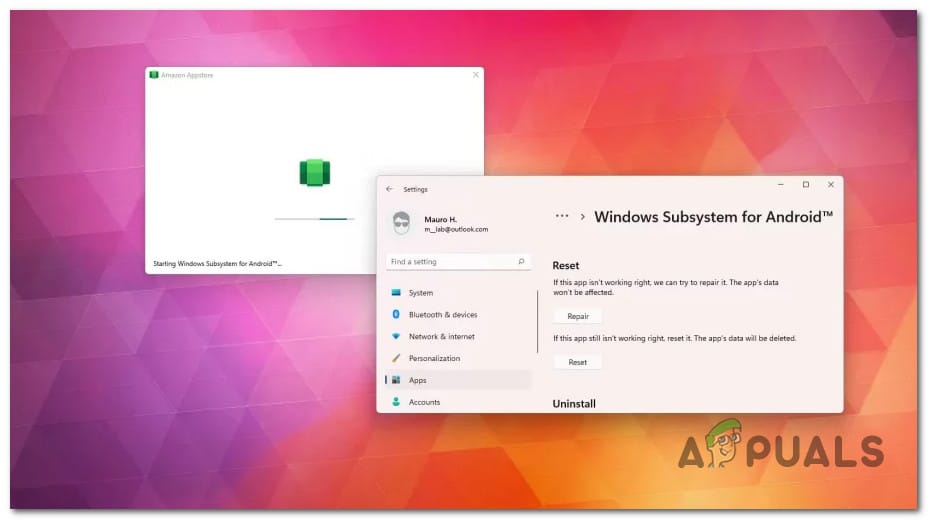
Unexpected message about WSA failing to start


pokeefe0001

Well-known member
Member
VIP
Local time
11:24 PM
Posts
299
Location
Pacific Northwest USA
OS
Windows 11
Today I got a notification popup saying that WSA failed to start because Hyper-V was not enabled. (I don't remember the exact verbiage and the message left no footprints so I can't check.) I suppose I may have been getting this message for weeks and was just not looking when the popup was displayed. In any case, the message is absolutely correct: I have WSA installed, haven't tried using it for probably 3 weeks, don't want to be using it now, and have had Hyper-V turned off for at least 2 weeks.

Why is Windows even trying to start WSA? Does it start on it's own without my requesting it? If so, do I have to uninstall it to keep it from trying to start? If so, is that also the case with WSL? I haven't seen any messages about it, but I may have just missed them.
 
Windows Build/Version
Win 11 Pro x64 22000.978

My Computers My Computers

  • At a glance

    Windows 11Intel Core i5-840016GBIntel UHD Graphics 630
    OS
    Windows 11
    Computer type
    PC/Desktop
    Manufacturer/Model
    Microsoft
    CPU
    Intel Core i5-8400
    Motherboard
    ASUS PRIME H370-PLUS
    Memory
    16GB
    Graphics Card(s)
    Intel UHD Graphics 630
    Sound Card
    On board
    Monitor(s) Displays
    Samsung SyncMaster 2043BWX
    Screen Resolution
    1680 x 1050
    Hard Drives
    Samsung SSD 850 256GB
    WDC 1TB NVMe
    WD 3TB external USB drive
    PSU
    I don't remember
    Case
    Corsair something-or-other
    Cooling
    Air CPU + 2 case fans
    Keyboard
    DAS S Pro (Cherry Brown)
    Mouse
    Logitech USB of some sort
  • At a glance

    Windows 10 21H1i5-840016GBon board
    Operating System
    Windows 10 21H1
    Computer type
    PC/Desktop
    Manufacturer/Model
    Homegrown
    CPU
    i5-8400
    Motherboard
    ASUS PRIME H370-PLUS
    Memory
    16GB
    Graphics card(s)
    on board
    Sound Card
    on board
    Monitor(s) Displays
    Samsung SyncMaster 2043 BWX
    Screen Resolution
    1280 x 1024
    Hard Drives
    Samsung SSD 850 EVO 250GB, WDS100T3X0C-00SJG0
    PSU
    don't remember
    Case
    Corsair Carbide 100r
    Cooling
    stock
    Keyboard
    DAC something or other
    Mouse
    Logitech M-U-0007
    Internet Speed
    80/6 Mbs
    Browser
    FireFox
    Antivirus
    Kaspersky Internet security

Today I got a notification popup saying that WSA failed to start because Hyper-V was not enabled. (I don't remember the exact verbiage and the message left no footprints so I can't check.) I suppose I may have been getting this message for weeks and was just not looking when the popup was displayed. In any case, the message is absolutely correct: I have WSA installed, haven't tried using it for probably 3 weeks, don't want to be using it now, and have had Hyper-V turned off for at least 2 weeks.

Why is Windows even trying to start WSA? Does it start on it's own without my requesting it? If so, do I have to uninstall it to keep it from trying to start? If so, is that also the case with WSL? I haven't seen any messages about it, but I may have just missed them.


I have no clue about WSA, but Appauls usually has good advice/solutions...


My Computers My Computers

  • At a glance

    Win 11 Home ♦♦♦26200.8875 ♦♦♦♦♦♦♦25H2AMD Ryzen 7 3700XG.Skill (F4-3200C14D-16GTZKW)EVGA RTX 2070 (08G-P4-2171-KR)
    OS
    Win 11 Home ♦♦♦26200.8875 ♦♦♦♦♦♦♦25H2
    Computer type
    PC/Desktop
    Manufacturer/Model
    Built by Ghot® [May 2020]
    CPU
    AMD Ryzen 7 3700X
    Motherboard
    Asus Pro WS X570-ACE (BIOS 5302)
    Memory
    G.Skill (F4-3200C14D-16GTZKW)
    Graphics Card(s)
    EVGA RTX 2070 (08G-P4-2171-KR)
    Sound Card
    Realtek ALC1220P / ALC S1220A
    Monitor(s) Displays
    Dell U3011 30"
    Screen Resolution
    2560 x 1600
    Hard Drives
    2x Samsung 860 EVO 500GB,
    WD 4TB Black FZBX - SATA III,
    WD 8TB Black FZBX - SATA III,
    DRW-24B1ST CD/DVD Burner
    PSU
    PC Power & Cooling 750W Quad EPS12V
    Case
    Cooler Master ATCS 840 Tower
    Cooling
    CM Hyper 212 EVO (push/pull)
    Keyboard
    Ducky DK9008 Shine II Blue LED
    Mouse
    Logitech Optical M-100
    Internet Speed
    300/300
    Browser
    Firefox (latest)
    Antivirus
    Bitdefender Total Security
    Other Info
    Speakers: Klipsch Pro Media 2.1
  • At a glance

    Windows XP Pro 32bit w/SP3AMD Athlon 64 X2 5000+ (OC'd @ 3.2Ghz)TWIN2X2048-6400C4DHX (2 x 1GB, DDR2 800)EVGA 256-P2-N758-TR GeForce 8600GT SSC
    Operating System
    Windows XP Pro 32bit w/SP3
    Computer type
    PC/Desktop
    Manufacturer/Model
    Built by Ghot® (not in use)
    CPU
    AMD Athlon 64 X2 5000+ (OC'd @ 3.2Ghz)
    Motherboard
    ASUS M2N32-SLI Deluxe Wireless Edition
    Memory
    TWIN2X2048-6400C4DHX (2 x 1GB, DDR2 800)
    Graphics card(s)
    EVGA 256-P2-N758-TR GeForce 8600GT SSC
    Sound Card
    Onboard
    Monitor(s) Displays
    ViewSonic G90FB Black 19" Professional (CRT)
    Screen Resolution
    up to 2048 x 1536
    Hard Drives
    WD 36GB 10,000rpm Raptor SATA
    Seagate 80GB 7200rpm SATA
    Lite-On LTR-52246S CD/RW
    Lite-On LH-18A1P CD/DVD Burner
    PSU
    PC Power & Cooling Silencer 750 Quad EPS12V
    Case
    Generic Beige case, 80mm fans
    Cooling
    ZALMAN 9500A 92mm CPU Cooler
    Keyboard
    Logitech Classic Keybooard 200
    Mouse
    Logitech Optical M-BT96a
    Internet Speed
    300/300
    Browser
    Firefox 3.x ??
    Antivirus
    Symantec (Norton)
    Other Info
    Still assembled, still runs. Haven't turned it on for 15 years?
Today I got a notification popup saying that WSA failed to start because Hyper-V was not enabled. (I don't remember the exact verbiage and the message left no footprints so I can't check.) I suppose I may have been getting this message for weeks and was just not looking when the popup was displayed. In any case, the message is absolutely correct: I have WSA installed, haven't tried using it for probably 3 weeks, don't want to be using it now, and have had Hyper-V turned off for at least 2 weeks.

Why is Windows even trying to start WSA? Does it start on it's own without my requesting it? If so, do I have to uninstall it to keep it from trying to start? If so, is that also the case with WSL? I haven't seen any messages about it, but I may have just missed them.
I've used WSA, and never enabled Hyper-V. I enabled Virtual Machine Platform only. Not currently using it.
 

My Computer My Computer

At a glance

Windows 11 Pro 25H2 (RP channel)AMD Ryzen 7 9800X3D 8-core64GB Corsair Titanium 6000/CL30MSI Suprim 5080 SOC
OS
Windows 11 Pro 25H2 (RP channel)
Computer type
PC/Desktop
Manufacturer/Model
MSI
CPU
AMD Ryzen 7 9800X3D 8-core
Motherboard
MEG X870E Godlike
Memory
64GB Corsair Titanium 6000/CL30
Graphics Card(s)
MSI Suprim 5080 SOC
Sound Card
Soundblaster AE-9
Monitor(s) Displays
ASUS TUF Gaming VG289Q
Screen Resolution
3840x2160
Hard Drives
Samsung 9100 Pro 4TB (gen 5 x4, system drive/games)
Samsung 990 Pro 2TB
Samsung 980 Pro 2TB
Samsung 870 Evo 4TB
Samsung 870 Evo 2TB
Samsung T9 4TB
PSU
Seasonic PX-2200
Case
Bequiet! Dark Base Pro 901
Cooling
Noctua NH-D15S Chromax black
Keyboard
Logitech G915 X (wired)
Mouse
Logitech G903 with PowerPlay charger
Internet Speed
900Mb/sec
Browser
Microsoft Edge
Antivirus
Windows Defender
WSA uses the Machine Platform Hypervisor which starts automatically each time you login. WSA is only used for the Amazon Appstore.

If you are not using it, I would uninstall Machine Platform Hypervisor from Windows Features menu.
 

My Computer My Computer

At a glance

Windows 11 Pro + Win11 Canary VM.I9 13th gen i9-13900H 2.60 GHZ16 GB solderedIntegrated Intel Iris XE
OS
Windows 11 Pro + Win11 Canary VM.
Computer type
Laptop
Manufacturer/Model
ASUS Zenbook 14
CPU
I9 13th gen i9-13900H 2.60 GHZ
Motherboard
Yep, Laptop has one.
Memory
16 GB soldered
Graphics Card(s)
Integrated Intel Iris XE
Sound Card
Realtek built in
Monitor(s) Displays
laptop OLED screen
Screen Resolution
2880x1800 touchscreen
Hard Drives
1 TB NVME SSD (only weakness is only one slot)
PSU
Internal + 65W thunderbolt USB4 charger
Case
Yep, got one
Cooling
Stella Artois (UK pint cans - 568 ml) - extra cost.
Keyboard
Built in UK keybd
Mouse
Bluetooth , wireless dongled, wired
Internet Speed
900 mbs (ethernet), wifi 6 typical 350-450 mb/s both up and down
Browser
Edge
Antivirus
Defender
Other Info
TPM 2.0, 2xUSB4 thunderbolt, 1xUsb3 (usb a), 1xUsb-c, hdmi out, 3.5 mm audio out/in combo, ASUS backlit trackpad (inc. switchable number pad)

Macrium Reflect Home V8
Office 365 Family (6 users each 1TB onedrive space)
Hyper-V (a vm runs almost as fast as my older laptop)
WSA uses the Machine Platform Hypervisor which starts automatically each time you login. WSA is only used for the Amazon Appstore.

If you are not using it, I would uninstall Machine Platform Hypervisor from Windows Features menu.
I was using a modified WSA that used Google Play rather than Amazon Appstore, but I'm not using either any more. (I don't remember which Android emulator I finally ended up using - LDPlayer, maybe.) I'll delete WSA and turn off Hyper-V Platform. I think Macrium Reflect's viBoot needs the platform, but I can always turn it back on when I need viBoot.
 

My Computers My Computers

  • At a glance

    Windows 11Intel Core i5-840016GBIntel UHD Graphics 630
    OS
    Windows 11
    Computer type
    PC/Desktop
    Manufacturer/Model
    Microsoft
    CPU
    Intel Core i5-8400
    Motherboard
    ASUS PRIME H370-PLUS
    Memory
    16GB
    Graphics Card(s)
    Intel UHD Graphics 630
    Sound Card
    On board
    Monitor(s) Displays
    Samsung SyncMaster 2043BWX
    Screen Resolution
    1680 x 1050
    Hard Drives
    Samsung SSD 850 256GB
    WDC 1TB NVMe
    WD 3TB external USB drive
    PSU
    I don't remember
    Case
    Corsair something-or-other
    Cooling
    Air CPU + 2 case fans
    Keyboard
    DAS S Pro (Cherry Brown)
    Mouse
    Logitech USB of some sort
  • At a glance

    Windows 10 21H1i5-840016GBon board
    Operating System
    Windows 10 21H1
    Computer type
    PC/Desktop
    Manufacturer/Model
    Homegrown
    CPU
    i5-8400
    Motherboard
    ASUS PRIME H370-PLUS
    Memory
    16GB
    Graphics card(s)
    on board
    Sound Card
    on board
    Monitor(s) Displays
    Samsung SyncMaster 2043 BWX
    Screen Resolution
    1280 x 1024
    Hard Drives
    Samsung SSD 850 EVO 250GB, WDS100T3X0C-00SJG0
    PSU
    don't remember
    Case
    Corsair Carbide 100r
    Cooling
    stock
    Keyboard
    DAC something or other
    Mouse
    Logitech M-U-0007
    Internet Speed
    80/6 Mbs
    Browser
    FireFox
    Antivirus
    Kaspersky Internet security
I was using a modified WSA that used Google Play rather than Amazon Appstore, but I'm not using either any more. (I don't remember which Android emulator I finally ended up using - LDPlayer, maybe.) I'll delete WSA and turn off Hyper-V Platform. I think Macrium Reflect's viBoot needs the platform, but I can always turn it back on when I need viBoot.

There could be something in Task Scheduler that is searching for google updates?

You can do a bcdedit that turns off the hyper-v hypervisor if you prefer.
 

My Computer My Computer

At a glance

Windows 11 Pro + Win11 Canary VM.I9 13th gen i9-13900H 2.60 GHZ16 GB solderedIntegrated Intel Iris XE
OS
Windows 11 Pro + Win11 Canary VM.
Computer type
Laptop
Manufacturer/Model
ASUS Zenbook 14
CPU
I9 13th gen i9-13900H 2.60 GHZ
Motherboard
Yep, Laptop has one.
Memory
16 GB soldered
Graphics Card(s)
Integrated Intel Iris XE
Sound Card
Realtek built in
Monitor(s) Displays
laptop OLED screen
Screen Resolution
2880x1800 touchscreen
Hard Drives
1 TB NVME SSD (only weakness is only one slot)
PSU
Internal + 65W thunderbolt USB4 charger
Case
Yep, got one
Cooling
Stella Artois (UK pint cans - 568 ml) - extra cost.
Keyboard
Built in UK keybd
Mouse
Bluetooth , wireless dongled, wired
Internet Speed
900 mbs (ethernet), wifi 6 typical 350-450 mb/s both up and down
Browser
Edge
Antivirus
Defender
Other Info
TPM 2.0, 2xUSB4 thunderbolt, 1xUsb3 (usb a), 1xUsb-c, hdmi out, 3.5 mm audio out/in combo, ASUS backlit trackpad (inc. switchable number pad)

Macrium Reflect Home V8
Office 365 Family (6 users each 1TB onedrive space)
Hyper-V (a vm runs almost as fast as my older laptop)
Interesting. I found the Amazon Appstore in my Start list. I wasn't expecting that so I uninstalled it. An error popup flashed but was gone before I could read it. (No event log or notification was created.) Now I can find not evidence of WSA anywhere.

The WSA failed to start message appeared only once ... that I've seen. I won't worry unless I see it again.
 

My Computers My Computers

  • At a glance

    Windows 11Intel Core i5-840016GBIntel UHD Graphics 630
    OS
    Windows 11
    Computer type
    PC/Desktop
    Manufacturer/Model
    Microsoft
    CPU
    Intel Core i5-8400
    Motherboard
    ASUS PRIME H370-PLUS
    Memory
    16GB
    Graphics Card(s)
    Intel UHD Graphics 630
    Sound Card
    On board
    Monitor(s) Displays
    Samsung SyncMaster 2043BWX
    Screen Resolution
    1680 x 1050
    Hard Drives
    Samsung SSD 850 256GB
    WDC 1TB NVMe
    WD 3TB external USB drive
    PSU
    I don't remember
    Case
    Corsair something-or-other
    Cooling
    Air CPU + 2 case fans
    Keyboard
    DAS S Pro (Cherry Brown)
    Mouse
    Logitech USB of some sort
  • At a glance

    Windows 10 21H1i5-840016GBon board
    Operating System
    Windows 10 21H1
    Computer type
    PC/Desktop
    Manufacturer/Model
    Homegrown
    CPU
    i5-8400
    Motherboard
    ASUS PRIME H370-PLUS
    Memory
    16GB
    Graphics card(s)
    on board
    Sound Card
    on board
    Monitor(s) Displays
    Samsung SyncMaster 2043 BWX
    Screen Resolution
    1280 x 1024
    Hard Drives
    Samsung SSD 850 EVO 250GB, WDS100T3X0C-00SJG0
    PSU
    don't remember
    Case
    Corsair Carbide 100r
    Cooling
    stock
    Keyboard
    DAC something or other
    Mouse
    Logitech M-U-0007
    Internet Speed
    80/6 Mbs
    Browser
    FireFox
    Antivirus
    Kaspersky Internet security
Interesting. I found the Amazon Appstore in my Start list. I wasn't expecting that so I uninstalled it. An error popup flashed but was gone before I could read it. (No event log or notification was created.) Now I can find not evidence of WSA anywhere.

The WSA failed to start message appeared only once ... that I've seen. I won't worry unless I see it again.
I think you have got to the root cause of your errors. You may still have WSA running - to stop it completely, you need to untick Virtual Machine Platform. I suspect the error message about hyper-v was just a glitch - mind you MS do not really make things clear.

Back in the day, we only had 1 hypervisor and hyper-v was the gui interface, and the two things became synonymous.

However, the hypervisor has several parts to it and not all of the hyper-v hypervisor is needed for other functions e.g. defender Credential Guard. So a new Hypervisor "Windows Hypervisor Platform has been introduced which is just a subset of the hypervisor platform.

To muddy the waters, WHP also has APIs to allow type 2 hypervisors to run even if the Hyper-V Hypervisor is installed.

And finally to completely confuse us, there is the Virtual Machine Platform which allows virtualised apps to run virtually but as far as I can tell does not actually run virtual machines (at least in their entirety).

Confused? I as sure as hell was, and have done lots of googling and testing. Like everything, MS either treats us like 5 year olds "Ooh look at these cool emojis" or they treat us as mega-IT experts with a brain the size of a planet "the virtualised substack layer operates beneath the MSIX virtualised containers which are hardware protected against interactions from the kernel layer" (ok made that gobbeldygook up but you know what I mean LOL). They have a spectacular inability to target at the average sort of person who frequents these forums.

See my other post Clarifying Hypervisor requirements
 

My Computer My Computer

At a glance

Windows 11 Pro + Win11 Canary VM.I9 13th gen i9-13900H 2.60 GHZ16 GB solderedIntegrated Intel Iris XE
OS
Windows 11 Pro + Win11 Canary VM.
Computer type
Laptop
Manufacturer/Model
ASUS Zenbook 14
CPU
I9 13th gen i9-13900H 2.60 GHZ
Motherboard
Yep, Laptop has one.
Memory
16 GB soldered
Graphics Card(s)
Integrated Intel Iris XE
Sound Card
Realtek built in
Monitor(s) Displays
laptop OLED screen
Screen Resolution
2880x1800 touchscreen
Hard Drives
1 TB NVME SSD (only weakness is only one slot)
PSU
Internal + 65W thunderbolt USB4 charger
Case
Yep, got one
Cooling
Stella Artois (UK pint cans - 568 ml) - extra cost.
Keyboard
Built in UK keybd
Mouse
Bluetooth , wireless dongled, wired
Internet Speed
900 mbs (ethernet), wifi 6 typical 350-450 mb/s both up and down
Browser
Edge
Antivirus
Defender
Other Info
TPM 2.0, 2xUSB4 thunderbolt, 1xUsb3 (usb a), 1xUsb-c, hdmi out, 3.5 mm audio out/in combo, ASUS backlit trackpad (inc. switchable number pad)

Macrium Reflect Home V8
Office 365 Family (6 users each 1TB onedrive space)
Hyper-V (a vm runs almost as fast as my older laptop)
Back
Top Bottom