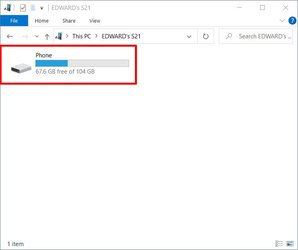
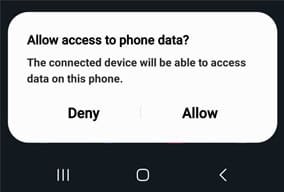
- Local time
- 5:02 AM
- Posts
- 752
- OS
- Windows 11
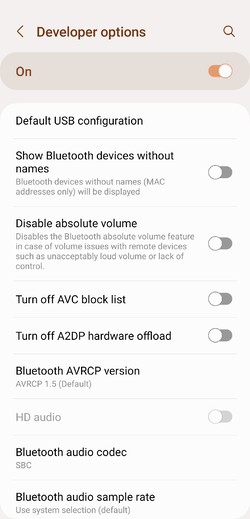
Selective pairing in itself is an unexpected behaviour. If Developer Options is disabled on your device (it is disabled by default), you can enable it by tapping on the Build Number (under About Device) 7 times. Once enabled, go into Developer Options and look for Default USB configuration (you'll have to scroll down a bit or use the Search function):@TheMystic Well, your last paragraph (in post #58) in particular makes me feel that I should be looking at workarounds on the 'selective pairing' issue. Any suggestions?
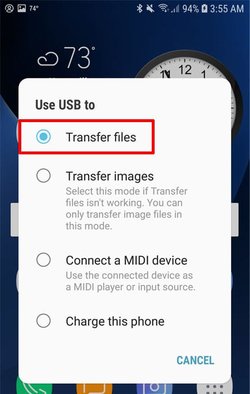
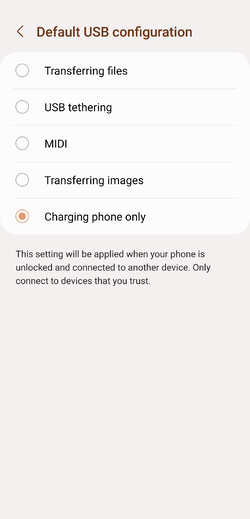
And choose 'Charging only' here:
My Computer
At a glance
Windows 11Intel Core i7 3630QM16 GBIntel HD Graphics 4000 & Nvidia GeForce GT 635M
- OS
- Windows 11
- Computer type
- Laptop
- Manufacturer/Model
- HP Envy dv7
- CPU
- Intel Core i7 3630QM
- Motherboard
- HP
- Memory
- 16 GB
- Graphics Card(s)
- Intel HD Graphics 4000 & Nvidia GeForce GT 635M
- Sound Card
- IDT High Definition
- Screen Resolution
- 1080p
- Hard Drives
- 1 TB Crucial MX500 on bay 1.
1 TB Seagate HDD on bay 2.
- Antivirus
- Windows Defender

 What I wanted to find workarounds for was to achieve pairing/unpairing to/from selected PCs without using dangerous developer tools.