Solved Upgrading win10 to win11: error during APPLY_IMAGE operation during SAFE_OS phase of installation


mgfrobozz

Member
Member
Local time
7:36 AM
Posts
7
OS
Windows 11 Pro 10.0.26200
I'm running a windows 10 system. My sole usage of the system is to run Intuit TurboTax. The system was originally a windows 7 system; Microsoft eventually required that I update to windows 10, which I did in January 2020.

Intuit announced that for TurboTax 2025, they required windows 11, and I am now attempting an upgrade. I ran Windows Update > Check for updates, and installed all of the remaining windows 10 updates available, then rebooted to make sure that everything was running ok. I also ran PC Health Check > Check now, which reported "This PC meets Windows 11 requirements"

I downloaded Win11_25H2_English_x64.iso, mounted it, and ran setup.exe. I attached an extra USB drive for use by the update (empty, 100GB available). The setup started and started counting percent complete, at about 38% per hour. Sometime around 2.6 hours, it rebooted, then displayed a screen (with a rotating "busy" icon) reading:
Working on updates 0%
Please keep your computer on

I left it running for 10 hours, at which time it had progressed to ... 0%.

I found advice on the web suggesting a reboot. I did that, and the installation reported
Undoing changes made to your computer

and it had indeed returned to windows 10.

A dialog reported:
We couldn't install Windows 11
We've set your PC back to the way it was right before you started installing Windows 11.

0xC1900101 - 0x2000C
The installation failed in the SAFE_OS phase with an error during APPLY_IMAGE operation

I ran Settings > Update & Security > Troubleshoot > Additional troubleshooters, then under "Get up and running", selected Windows Update > Run the troubleshooter. It reported
Troubleshooting has completed
The troubleshooter has made some changes to your system. Try attempting the task you were trying to do before.
⚠

I'm going to try it again, but I'm pessimistic.

My question: what does the dialog reporting the error in the APPLY_IMAGE operation of SAFE_OS mean? What needs fixing?
 

My Computer My Computer

At a glance

Windows 11 Pro 10.0.26200AMD Ryzen 5 2600 CPU32 GB (16 GB * 2)Gigabyte GV-R724OC-2GI Radeon R7 240
OS
Windows 11 Pro 10.0.26200
Computer type
PC/Desktop
Manufacturer/Model
Self-build
CPU
AMD Ryzen 5 2600 CPU
Motherboard
Asus Prime B450-M A
Memory
32 GB (16 GB * 2)
Graphics Card(s)
Gigabyte GV-R724OC-2GI Radeon R7 240
Monitor(s) Displays
Samsung 710v (don't laugh, my desk is tiny!)
Screen Resolution
1280 x 1024 60Hz
Case
Rosewill
Cooling
CPU and case fan
Keyboard
CM Storm Quickfire Rapid
Mouse
Microsoft Basic Optical 2.0
Internet Speed
940 Mbps
Browser
Chrome
Hello @mgfrobozz

Probably the easiest way to do it, is to just do an In-Place upgrade from Win 10 to Win 11.


That's the way I did it.
I used Option Two (ISO method).
No USB stick necessary.


And... here's ten points for filling out your computer specs. :-)
 

My Computers My Computers

  • At a glance

    Win 11 Home ♦♦♦26200.8875 ♦♦♦♦♦♦♦25H2AMD Ryzen 7 3700XG.Skill (F4-3200C14D-16GTZKW)EVGA RTX 2070 (08G-P4-2171-KR)
    OS
    Win 11 Home ♦♦♦26200.8875 ♦♦♦♦♦♦♦25H2
    Computer type
    PC/Desktop
    Manufacturer/Model
    Built by Ghot® [May 2020]
    CPU
    AMD Ryzen 7 3700X
    Motherboard
    Asus Pro WS X570-ACE (BIOS 5302)
    Memory
    G.Skill (F4-3200C14D-16GTZKW)
    Graphics Card(s)
    EVGA RTX 2070 (08G-P4-2171-KR)
    Sound Card
    Realtek ALC1220P / ALC S1220A
    Monitor(s) Displays
    Dell U3011 30"
    Screen Resolution
    2560 x 1600
    Hard Drives
    2x Samsung 860 EVO 500GB,
    WD 4TB Black FZBX - SATA III,
    WD 8TB Black FZBX - SATA III,
    DRW-24B1ST CD/DVD Burner
    PSU
    PC Power & Cooling 750W Quad EPS12V
    Case
    Cooler Master ATCS 840 Tower
    Cooling
    CM Hyper 212 EVO (push/pull)
    Keyboard
    Ducky DK9008 Shine II Blue LED
    Mouse
    Logitech Optical M-100
    Internet Speed
    300/300
    Browser
    Firefox (latest)
    Antivirus
    Bitdefender Total Security
    Other Info
    Speakers: Klipsch Pro Media 2.1
  • At a glance

    Windows XP Pro 32bit w/SP3AMD Athlon 64 X2 5000+ (OC'd @ 3.2Ghz)TWIN2X2048-6400C4DHX (2 x 1GB, DDR2 800)EVGA 256-P2-N758-TR GeForce 8600GT SSC
    Operating System
    Windows XP Pro 32bit w/SP3
    Computer type
    PC/Desktop
    Manufacturer/Model
    Built by Ghot® (not in use)
    CPU
    AMD Athlon 64 X2 5000+ (OC'd @ 3.2Ghz)
    Motherboard
    ASUS M2N32-SLI Deluxe Wireless Edition
    Memory
    TWIN2X2048-6400C4DHX (2 x 1GB, DDR2 800)
    Graphics card(s)
    EVGA 256-P2-N758-TR GeForce 8600GT SSC
    Sound Card
    Onboard
    Monitor(s) Displays
    ViewSonic G90FB Black 19" Professional (CRT)
    Screen Resolution
    up to 2048 x 1536
    Hard Drives
    WD 36GB 10,000rpm Raptor SATA
    Seagate 80GB 7200rpm SATA
    Lite-On LTR-52246S CD/RW
    Lite-On LH-18A1P CD/DVD Burner
    PSU
    PC Power & Cooling Silencer 750 Quad EPS12V
    Case
    Generic Beige case, 80mm fans
    Cooling
    ZALMAN 9500A 92mm CPU Cooler
    Keyboard
    Logitech Classic Keybooard 200
    Mouse
    Logitech Optical M-BT96a
    Internet Speed
    300/300
    Browser
    Firefox 3.x ??
    Antivirus
    Symantec (Norton)
    Other Info
    Still assembled, still runs. Haven't turned it on for 15 years?
when the Windows 11 upgrade window opens you can disable getting updates.
as long as your current system is fully updated their is no need to get updates while upgrading.

best of luck Steve ..
 

My Computers My Computers

  • At a glance

    Windows 11 HomeRyzen 7 5825u64GB DDR4 3200Ryzen 7 5825u
    OS
    Windows 11 Home
    Computer type
    PC/Desktop
    Manufacturer/Model
    HP 24" AiO
    CPU
    Ryzen 7 5825u
    Motherboard
    HP
    Memory
    64GB DDR4 3200
    Graphics Card(s)
    Ryzen 7 5825u
    Sound Card
    RealTek
    Monitor(s) Displays
    24" HP AiO
    Screen Resolution
    1920 x 1080 @60 Hz
    Hard Drives
    1TB WD Blue SN580 M2 SSD Partitioned.
    2x 1TB USB HDD External Backup/Storage.
    PSU
    90W external power brick
    Case
    24" All in One
    Cooling
    Default Air Cooling
    Keyboard
    HP WiFi UK extended
    Mouse
    HP WiFi 3 Button
    Internet Speed
    1GB full fibre
    Browser
    Edge & Firefox
    Antivirus
    AVG Internet Security/Windows Defender
    Other Info
    Mainly Open Source Software
  • At a glance

    Ubuntu 22.04.5 LTSi5 7200u16GB DDR4Intel
    Operating System
    Ubuntu 22.04.5 LTS
    Computer type
    Laptop
    Manufacturer/Model
    Dell 13" Latitude 2017
    CPU
    i5 7200u
    Motherboard
    Dell
    Memory
    16GB DDR4
    Graphics card(s)
    Intel
    Sound Card
    Intel
    Monitor(s) Displays
    13" Dell Laptop
    Hard Drives
    250GB Crucial 2.5" SSD
    Mouse
    Generic WiFi 3 button
    Internet Speed
    WiFi only
    Browser
    Firefox
    Antivirus
    ClamAV TK
    Other Info
    Mainly Open Source Software
You must have at least 30G of free space on your MAIN drive (C:)
How many free space you have on your MAIN drive (C:)?
 

My Computers My Computers

  • At a glance

    Windows 11 Pro - Windows 7 HP 64 - Lubuntui5 6600K - 800MHz to 4400MHz4+4G GSkill DDR4 3000IG - Intel 530
    OS
    Windows 11 Pro - Windows 7 HP 64 - Lubuntu
    Computer type
    PC/Desktop
    Manufacturer/Model
    custom build
    CPU
    i5 6600K - 800MHz to 4400MHz
    Motherboard
    GA-Z170-HD3P
    Memory
    4+4G GSkill DDR4 3000
    Graphics Card(s)
    IG - Intel 530
    Monitor(s) Displays
    Samsung 226BW
    Screen Resolution
    1680x1050
    Hard Drives
    (1) -1 SM951 – 128GB M.2 AHCI PCIe SSD drive for Win 11
    (2) -1 WD SATA 3 - 1T for Data
    (3) -1 WD SATA 3 - 1T for backup
    (4) -1 BX500 SSD - 256G for Windows 7 and Lubuntu
    PSU
    Thermaltake 450W TR2 gold
    Keyboard
    Old and good Chicony mechanical keyboard
    Mouse
    Logitech mX performance - 9 buttons (had to disable some)
    Internet Speed
    500 Mb/s
    Browser
    Firefox 64
  • At a glance

    Windows 11 Proi7-4500U 800- 3000MHz(4+4)G DDR3 1600IG intel 4400 + NVIDIA GeForce GT 745M
    Operating System
    Windows 11 Pro
    Computer type
    Laptop
    Manufacturer/Model
    Asus Q550LF
    CPU
    i7-4500U 800- 3000MHz
    Motherboard
    Asus Q550LF
    Memory
    (4+4)G DDR3 1600
    Graphics card(s)
    IG intel 4400 + NVIDIA GeForce GT 745M
    Sound Card
    Realtek
    Monitor(s) Displays
    LG Display LP156WF4-SPH1
    Screen Resolution
    1920 x 1080
    Hard Drives
    BX500 120G SSD for Windows and programs
    & 1T HDD for data
    Internet Speed
    500 Mb/s
    Browser
    Firefox 64
Thanks for the tips, @Ghot
I took a look at https://www.elevenforum.com/t/repair-install-windows-11-with-an-in-place-upgrade.418/#Two. It describes quite well what I did up to Step 9, but I didn't change handling of updates in that step (in bold, below). I'll give that a try.
  • I was logged in, and I'm an administrator
  • System Information shows (and still shows, after the unsuccessful upgrade to win11) "Microsoft Windows 10 Pro"
  • Go to option 2: ✓
  • Step 1: ✓
  • Step 2: ✓ (not encrypted)
  • Step 3: ✓ (got to Step 4)
  • Step 4: ✓ (download and mount Win11_25H2_English_x64.iso, go to step 6)
  • Step 6: ✓ (run setup.exe from mounted Win11_25H2_English_x64.iso)
  • Step 7: ✓ (allow Microsoft to make changes to my device)
  • Step 8: ✓ (description of installation in "preparing" phase)
  • Step 9: ✓ (I didn't click on "Change how setup downloads updates; I checked "I want to help make the installation better", and then "Next")
 

My Computer My Computer

At a glance

Windows 11 Pro 10.0.26200AMD Ryzen 5 2600 CPU32 GB (16 GB * 2)Gigabyte GV-R724OC-2GI Radeon R7 240
OS
Windows 11 Pro 10.0.26200
Computer type
PC/Desktop
Manufacturer/Model
Self-build
CPU
AMD Ryzen 5 2600 CPU
Motherboard
Asus Prime B450-M A
Memory
32 GB (16 GB * 2)
Graphics Card(s)
Gigabyte GV-R724OC-2GI Radeon R7 240
Monitor(s) Displays
Samsung 710v (don't laugh, my desk is tiny!)
Screen Resolution
1280 x 1024 60Hz
Case
Rosewill
Cooling
CPU and case fan
Keyboard
CM Storm Quickfire Rapid
Mouse
Microsoft Basic Optical 2.0
Internet Speed
940 Mbps
Browser
Chrome
Here is the short version of the In-place upgrade tutorial...

DISABLE non-Microsoft:
a) antivirus software
b) firewall software
c) drive encryption software
d) Unhook all USB devices except mouse and keyboard


Make a full OS backup with a program like Macrium Reflect or AOMEI Backupper Standard
Making a backup is optional, but always a smart move.
Macrium Reflect
AOMEI Backupper Standard (free)
Hasleo Backup Suite (free)


Get the Windows 11 ISO (Option #2), and save it to your desktop...


Right click the ISO image and choose: MOUNT
Open File Explorer and you will see a new drive letter. It will "look" like a DVD optical drive.
Double click the new drive letter to open it.
Find setup.exe and double click it to start the in-place upgrade.

Choose the Keep personal files and apps option.
Tell it NOT to check for updates.

After it's all done... to UNmount the ISO image, right click the new drive letter and choose: EJECT.
 

My Computers My Computers

  • At a glance

    Win 11 Home ♦♦♦26200.8875 ♦♦♦♦♦♦♦25H2AMD Ryzen 7 3700XG.Skill (F4-3200C14D-16GTZKW)EVGA RTX 2070 (08G-P4-2171-KR)
    OS
    Win 11 Home ♦♦♦26200.8875 ♦♦♦♦♦♦♦25H2
    Computer type
    PC/Desktop
    Manufacturer/Model
    Built by Ghot® [May 2020]
    CPU
    AMD Ryzen 7 3700X
    Motherboard
    Asus Pro WS X570-ACE (BIOS 5302)
    Memory
    G.Skill (F4-3200C14D-16GTZKW)
    Graphics Card(s)
    EVGA RTX 2070 (08G-P4-2171-KR)
    Sound Card
    Realtek ALC1220P / ALC S1220A
    Monitor(s) Displays
    Dell U3011 30"
    Screen Resolution
    2560 x 1600
    Hard Drives
    2x Samsung 860 EVO 500GB,
    WD 4TB Black FZBX - SATA III,
    WD 8TB Black FZBX - SATA III,
    DRW-24B1ST CD/DVD Burner
    PSU
    PC Power & Cooling 750W Quad EPS12V
    Case
    Cooler Master ATCS 840 Tower
    Cooling
    CM Hyper 212 EVO (push/pull)
    Keyboard
    Ducky DK9008 Shine II Blue LED
    Mouse
    Logitech Optical M-100
    Internet Speed
    300/300
    Browser
    Firefox (latest)
    Antivirus
    Bitdefender Total Security
    Other Info
    Speakers: Klipsch Pro Media 2.1
  • At a glance

    Windows XP Pro 32bit w/SP3AMD Athlon 64 X2 5000+ (OC'd @ 3.2Ghz)TWIN2X2048-6400C4DHX (2 x 1GB, DDR2 800)EVGA 256-P2-N758-TR GeForce 8600GT SSC
    Operating System
    Windows XP Pro 32bit w/SP3
    Computer type
    PC/Desktop
    Manufacturer/Model
    Built by Ghot® (not in use)
    CPU
    AMD Athlon 64 X2 5000+ (OC'd @ 3.2Ghz)
    Motherboard
    ASUS M2N32-SLI Deluxe Wireless Edition
    Memory
    TWIN2X2048-6400C4DHX (2 x 1GB, DDR2 800)
    Graphics card(s)
    EVGA 256-P2-N758-TR GeForce 8600GT SSC
    Sound Card
    Onboard
    Monitor(s) Displays
    ViewSonic G90FB Black 19" Professional (CRT)
    Screen Resolution
    up to 2048 x 1536
    Hard Drives
    WD 36GB 10,000rpm Raptor SATA
    Seagate 80GB 7200rpm SATA
    Lite-On LTR-52246S CD/RW
    Lite-On LH-18A1P CD/DVD Burner
    PSU
    PC Power & Cooling Silencer 750 Quad EPS12V
    Case
    Generic Beige case, 80mm fans
    Cooling
    ZALMAN 9500A 92mm CPU Cooler
    Keyboard
    Logitech Classic Keybooard 200
    Mouse
    Logitech Optical M-BT96a
    Internet Speed
    300/300
    Browser
    Firefox 3.x ??
    Antivirus
    Symantec (Norton)
    Other Info
    Still assembled, still runs. Haven't turned it on for 15 years?
Hi @Megahertz

Re disk space, I have 23.23 GB free. I could get another 7 GB if I could delete Win11_25H2_English_x64.iso, but that's probably in-use during the upgrade. I did get a notice that during the unsuccessful upgrade that it needed more disk space, and it accepted a USB drive with 100 GB free space, then ran to 100% completion before the reboot.
 

My Computer My Computer

At a glance

Windows 11 Pro 10.0.26200AMD Ryzen 5 2600 CPU32 GB (16 GB * 2)Gigabyte GV-R724OC-2GI Radeon R7 240
OS
Windows 11 Pro 10.0.26200
Computer type
PC/Desktop
Manufacturer/Model
Self-build
CPU
AMD Ryzen 5 2600 CPU
Motherboard
Asus Prime B450-M A
Memory
32 GB (16 GB * 2)
Graphics Card(s)
Gigabyte GV-R724OC-2GI Radeon R7 240
Monitor(s) Displays
Samsung 710v (don't laugh, my desk is tiny!)
Screen Resolution
1280 x 1024 60Hz
Case
Rosewill
Cooling
CPU and case fan
Keyboard
CM Storm Quickfire Rapid
Mouse
Microsoft Basic Optical 2.0
Internet Speed
940 Mbps
Browser
Chrome
Hi @Megahertz

Re disk space, I have 23.23 GB free. I could get another 7 GB if I could delete Win11_25H2_English_x64.iso, but that's probably in-use during the upgrade. I did get a notice that during the unsuccessful upgrade that it needed more disk space,
You can move the Win11_25H2_English_x64.iso to the USB drive and run setup from there.
and it accepted a USB drive with 100 GB free space, then ran to 100% completion before the reboot.
Please explain. Did you successfully upgrade to win 11?
 

My Computers My Computers

  • At a glance

    Windows 11 Pro - Windows 7 HP 64 - Lubuntui5 6600K - 800MHz to 4400MHz4+4G GSkill DDR4 3000IG - Intel 530
    OS
    Windows 11 Pro - Windows 7 HP 64 - Lubuntu
    Computer type
    PC/Desktop
    Manufacturer/Model
    custom build
    CPU
    i5 6600K - 800MHz to 4400MHz
    Motherboard
    GA-Z170-HD3P
    Memory
    4+4G GSkill DDR4 3000
    Graphics Card(s)
    IG - Intel 530
    Monitor(s) Displays
    Samsung 226BW
    Screen Resolution
    1680x1050
    Hard Drives
    (1) -1 SM951 – 128GB M.2 AHCI PCIe SSD drive for Win 11
    (2) -1 WD SATA 3 - 1T for Data
    (3) -1 WD SATA 3 - 1T for backup
    (4) -1 BX500 SSD - 256G for Windows 7 and Lubuntu
    PSU
    Thermaltake 450W TR2 gold
    Keyboard
    Old and good Chicony mechanical keyboard
    Mouse
    Logitech mX performance - 9 buttons (had to disable some)
    Internet Speed
    500 Mb/s
    Browser
    Firefox 64
  • At a glance

    Windows 11 Proi7-4500U 800- 3000MHz(4+4)G DDR3 1600IG intel 4400 + NVIDIA GeForce GT 745M
    Operating System
    Windows 11 Pro
    Computer type
    Laptop
    Manufacturer/Model
    Asus Q550LF
    CPU
    i7-4500U 800- 3000MHz
    Motherboard
    Asus Q550LF
    Memory
    (4+4)G DDR3 1600
    Graphics card(s)
    IG intel 4400 + NVIDIA GeForce GT 745M
    Sound Card
    Realtek
    Monitor(s) Displays
    LG Display LP156WF4-SPH1
    Screen Resolution
    1920 x 1080
    Hard Drives
    BX500 120G SSD for Windows and programs
    & 1T HDD for data
    Internet Speed
    500 Mb/s
    Browser
    Firefox 64
@Ghot and @XxXxX, thanks so much for your help. The detail regarding this choice is key:
🔘 Download updates, drivers, and optional features (recommended)

🔘 Not right now

I changed the choice to "Not right now", and then continued the setup exactly as I had before. Not only did it successfully install, but it did everything far faster: the first phase (preparing the system before reboot) required only 20 minutes, and the second phase (rebooting and completing installation) required only 5 minutes

System Information now shows ...
OS Name ... Microsoft Windows 11 Pro
... and I'm now ready to install TurboTax 2025
 

My Computer My Computer

At a glance

Windows 11 Pro 10.0.26200AMD Ryzen 5 2600 CPU32 GB (16 GB * 2)Gigabyte GV-R724OC-2GI Radeon R7 240
OS
Windows 11 Pro 10.0.26200
Computer type
PC/Desktop
Manufacturer/Model
Self-build
CPU
AMD Ryzen 5 2600 CPU
Motherboard
Asus Prime B450-M A
Memory
32 GB (16 GB * 2)
Graphics Card(s)
Gigabyte GV-R724OC-2GI Radeon R7 240
Monitor(s) Displays
Samsung 710v (don't laugh, my desk is tiny!)
Screen Resolution
1280 x 1024 60Hz
Case
Rosewill
Cooling
CPU and case fan
Keyboard
CM Storm Quickfire Rapid
Mouse
Microsoft Basic Optical 2.0
Internet Speed
940 Mbps
Browser
Chrome
I changed the choice to "Not right now", and then continued the setup exactly as I had before


Yep... updates during installs or upgrades are... Image1.webp
 
Last edited:

My Computers My Computers

  • At a glance

    Win 11 Home ♦♦♦26200.8875 ♦♦♦♦♦♦♦25H2AMD Ryzen 7 3700XG.Skill (F4-3200C14D-16GTZKW)EVGA RTX 2070 (08G-P4-2171-KR)
    OS
    Win 11 Home ♦♦♦26200.8875 ♦♦♦♦♦♦♦25H2
    Computer type
    PC/Desktop
    Manufacturer/Model
    Built by Ghot® [May 2020]
    CPU
    AMD Ryzen 7 3700X
    Motherboard
    Asus Pro WS X570-ACE (BIOS 5302)
    Memory
    G.Skill (F4-3200C14D-16GTZKW)
    Graphics Card(s)
    EVGA RTX 2070 (08G-P4-2171-KR)
    Sound Card
    Realtek ALC1220P / ALC S1220A
    Monitor(s) Displays
    Dell U3011 30"
    Screen Resolution
    2560 x 1600
    Hard Drives
    2x Samsung 860 EVO 500GB,
    WD 4TB Black FZBX - SATA III,
    WD 8TB Black FZBX - SATA III,
    DRW-24B1ST CD/DVD Burner
    PSU
    PC Power & Cooling 750W Quad EPS12V
    Case
    Cooler Master ATCS 840 Tower
    Cooling
    CM Hyper 212 EVO (push/pull)
    Keyboard
    Ducky DK9008 Shine II Blue LED
    Mouse
    Logitech Optical M-100
    Internet Speed
    300/300
    Browser
    Firefox (latest)
    Antivirus
    Bitdefender Total Security
    Other Info
    Speakers: Klipsch Pro Media 2.1
  • At a glance

    Windows XP Pro 32bit w/SP3AMD Athlon 64 X2 5000+ (OC'd @ 3.2Ghz)TWIN2X2048-6400C4DHX (2 x 1GB, DDR2 800)EVGA 256-P2-N758-TR GeForce 8600GT SSC
    Operating System
    Windows XP Pro 32bit w/SP3
    Computer type
    PC/Desktop
    Manufacturer/Model
    Built by Ghot® (not in use)
    CPU
    AMD Athlon 64 X2 5000+ (OC'd @ 3.2Ghz)
    Motherboard
    ASUS M2N32-SLI Deluxe Wireless Edition
    Memory
    TWIN2X2048-6400C4DHX (2 x 1GB, DDR2 800)
    Graphics card(s)
    EVGA 256-P2-N758-TR GeForce 8600GT SSC
    Sound Card
    Onboard
    Monitor(s) Displays
    ViewSonic G90FB Black 19" Professional (CRT)
    Screen Resolution
    up to 2048 x 1536
    Hard Drives
    WD 36GB 10,000rpm Raptor SATA
    Seagate 80GB 7200rpm SATA
    Lite-On LTR-52246S CD/RW
    Lite-On LH-18A1P CD/DVD Burner
    PSU
    PC Power & Cooling Silencer 750 Quad EPS12V
    Case
    Generic Beige case, 80mm fans
    Cooling
    ZALMAN 9500A 92mm CPU Cooler
    Keyboard
    Logitech Classic Keybooard 200
    Mouse
    Logitech Optical M-BT96a
    Internet Speed
    300/300
    Browser
    Firefox 3.x ??
    Antivirus
    Symantec (Norton)
    Other Info
    Still assembled, still runs. Haven't turned it on for 15 years?
@Megahertz, re "Please explain. Did you successfully upgrade to win 11?"

No. It ran ok (albeit very, very slowly) up the reboot, and after the reboot was stuck at 0% progress for 10 hours. I forced a reboot, and the installer then removed all the changes, and reverted to the old (windows 10) OS.

The key detail in getting it to work correctly was preventing other updates from occurring during the upgrade to windows 11 (step 10 in option 2 of Repair Install Windows 11 with an In-place Upgrade). I can't understand why the default choice is to allow asynchronous updates; that's an invitation to disaster!
 

My Computer My Computer

At a glance

Windows 11 Pro 10.0.26200AMD Ryzen 5 2600 CPU32 GB (16 GB * 2)Gigabyte GV-R724OC-2GI Radeon R7 240
OS
Windows 11 Pro 10.0.26200
Computer type
PC/Desktop
Manufacturer/Model
Self-build
CPU
AMD Ryzen 5 2600 CPU
Motherboard
Asus Prime B450-M A
Memory
32 GB (16 GB * 2)
Graphics Card(s)
Gigabyte GV-R724OC-2GI Radeon R7 240
Monitor(s) Displays
Samsung 710v (don't laugh, my desk is tiny!)
Screen Resolution
1280 x 1024 60Hz
Case
Rosewill
Cooling
CPU and case fan
Keyboard
CM Storm Quickfire Rapid
Mouse
Microsoft Basic Optical 2.0
Internet Speed
940 Mbps
Browser
Chrome
I can't understand why the default choice is to allow asynchronous updates; that's an invitation to disaster!


If you have tons of free space on the drive... then including the updates won't be a problem.
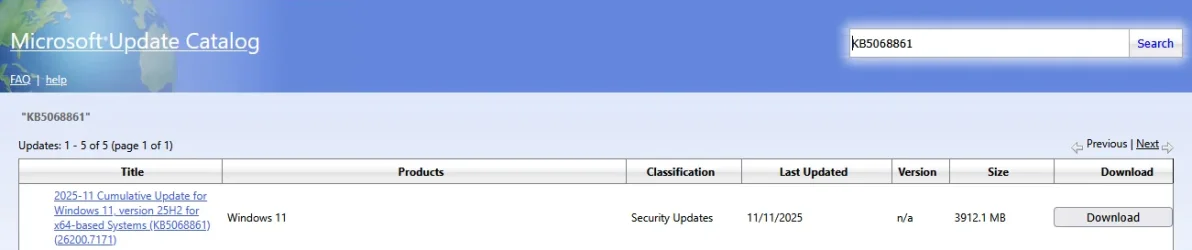
Lately MS has been making updates one size fits all. They are around 3GB each.
Your computer only takes what it needs from the update, but it needs room to work, to be able to do that.
 

My Computers My Computers

  • At a glance

    Win 11 Home ♦♦♦26200.8875 ♦♦♦♦♦♦♦25H2AMD Ryzen 7 3700XG.Skill (F4-3200C14D-16GTZKW)EVGA RTX 2070 (08G-P4-2171-KR)
    OS
    Win 11 Home ♦♦♦26200.8875 ♦♦♦♦♦♦♦25H2
    Computer type
    PC/Desktop
    Manufacturer/Model
    Built by Ghot® [May 2020]
    CPU
    AMD Ryzen 7 3700X
    Motherboard
    Asus Pro WS X570-ACE (BIOS 5302)
    Memory
    G.Skill (F4-3200C14D-16GTZKW)
    Graphics Card(s)
    EVGA RTX 2070 (08G-P4-2171-KR)
    Sound Card
    Realtek ALC1220P / ALC S1220A
    Monitor(s) Displays
    Dell U3011 30"
    Screen Resolution
    2560 x 1600
    Hard Drives
    2x Samsung 860 EVO 500GB,
    WD 4TB Black FZBX - SATA III,
    WD 8TB Black FZBX - SATA III,
    DRW-24B1ST CD/DVD Burner
    PSU
    PC Power & Cooling 750W Quad EPS12V
    Case
    Cooler Master ATCS 840 Tower
    Cooling
    CM Hyper 212 EVO (push/pull)
    Keyboard
    Ducky DK9008 Shine II Blue LED
    Mouse
    Logitech Optical M-100
    Internet Speed
    300/300
    Browser
    Firefox (latest)
    Antivirus
    Bitdefender Total Security
    Other Info
    Speakers: Klipsch Pro Media 2.1
  • At a glance

    Windows XP Pro 32bit w/SP3AMD Athlon 64 X2 5000+ (OC'd @ 3.2Ghz)TWIN2X2048-6400C4DHX (2 x 1GB, DDR2 800)EVGA 256-P2-N758-TR GeForce 8600GT SSC
    Operating System
    Windows XP Pro 32bit w/SP3
    Computer type
    PC/Desktop
    Manufacturer/Model
    Built by Ghot® (not in use)
    CPU
    AMD Athlon 64 X2 5000+ (OC'd @ 3.2Ghz)
    Motherboard
    ASUS M2N32-SLI Deluxe Wireless Edition
    Memory
    TWIN2X2048-6400C4DHX (2 x 1GB, DDR2 800)
    Graphics card(s)
    EVGA 256-P2-N758-TR GeForce 8600GT SSC
    Sound Card
    Onboard
    Monitor(s) Displays
    ViewSonic G90FB Black 19" Professional (CRT)
    Screen Resolution
    up to 2048 x 1536
    Hard Drives
    WD 36GB 10,000rpm Raptor SATA
    Seagate 80GB 7200rpm SATA
    Lite-On LTR-52246S CD/RW
    Lite-On LH-18A1P CD/DVD Burner
    PSU
    PC Power & Cooling Silencer 750 Quad EPS12V
    Case
    Generic Beige case, 80mm fans
    Cooling
    ZALMAN 9500A 92mm CPU Cooler
    Keyboard
    Logitech Classic Keybooard 200
    Mouse
    Logitech Optical M-BT96a
    Internet Speed
    300/300
    Browser
    Firefox 3.x ??
    Antivirus
    Symantec (Norton)
    Other Info
    Still assembled, still runs. Haven't turned it on for 15 years?
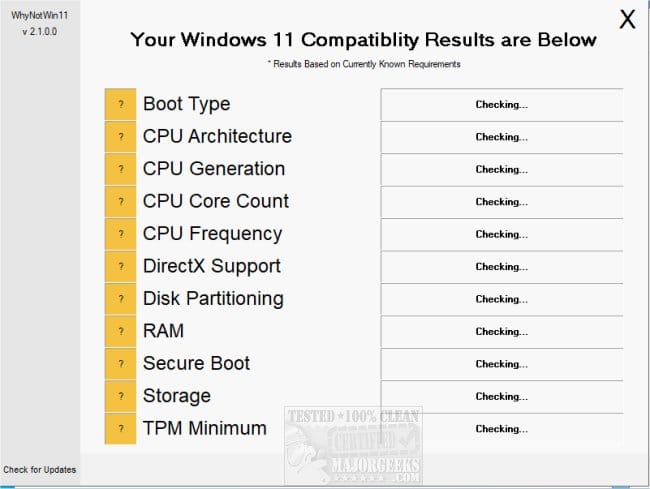
Please run > post share links


1) upgrade_failure_info


2) whynotwin11


3) V2 log collector:


4) Open administrative command prompt and copy and paste:

dism /online /get-drivers /format:table >c:\drivers.txt

Post a share link.


5) List all attached devices except for one mouse and one keyboard
(port replicator, docking station, joy stick, etc.)
 

My Computer My Computer

At a glance

Windows 10Intel(R) Core(TM) i7-4800MQ CPU @ 2.70GHz16 GB Total: Manufacturer : Samsung MemoryTyp...NVIDIA Quadro K3100M; Intel(R) HD Graphics 4600
OS
Windows 10
Computer type
Laptop
Manufacturer/Model
HP
CPU
Intel(R) Core(TM) i7-4800MQ CPU @ 2.70GHz
Motherboard
Product : 190A Version : KBC Version 94.56
Memory
16 GB Total: Manufacturer : Samsung MemoryType : DDR3 FormFactor : SODIMM Capacity : 8GB Speed : 1600
Graphics Card(s)
NVIDIA Quadro K3100M; Intel(R) HD Graphics 4600
Sound Card
IDT High Definition Audio CODEC; PNP Device ID HDAUDIO\FUNC_01&VEN_111D&DEV_76E0
Hard Drives
Model Hitachi HTS727575A9E364
Antivirus
Microsoft Defender
Other Info
Mobile Workstation

My Computer My Computer

At a glance

Windows 11 Home x64 Version 25H2 Build 26200....
OS
Windows 11 Home x64 Version 25H2 Build 26200.8037
@zbook,

He got it to work.
He was just figuring out why it worked the 2nd time. :-)


See the 3rd paragraph in post #11


Short version...

He only had about 23GB free space. When he tried the 1st time and failed, it was because the installer was set to include updates.
He then did it again and chose: not to include the updates in the install, and it then succeeded.

Keep in mind that the updates these days are around 3-4GB.

[Windows only grabs what it needs for the machine the update is being installed on. At the same time though, it needs "room" to work.]


For example...

Image1.webp
 
Last edited:

My Computers My Computers

  • At a glance

    Win 11 Home ♦♦♦26200.8875 ♦♦♦♦♦♦♦25H2AMD Ryzen 7 3700XG.Skill (F4-3200C14D-16GTZKW)EVGA RTX 2070 (08G-P4-2171-KR)
    OS
    Win 11 Home ♦♦♦26200.8875 ♦♦♦♦♦♦♦25H2
    Computer type
    PC/Desktop
    Manufacturer/Model
    Built by Ghot® [May 2020]
    CPU
    AMD Ryzen 7 3700X
    Motherboard
    Asus Pro WS X570-ACE (BIOS 5302)
    Memory
    G.Skill (F4-3200C14D-16GTZKW)
    Graphics Card(s)
    EVGA RTX 2070 (08G-P4-2171-KR)
    Sound Card
    Realtek ALC1220P / ALC S1220A
    Monitor(s) Displays
    Dell U3011 30"
    Screen Resolution
    2560 x 1600
    Hard Drives
    2x Samsung 860 EVO 500GB,
    WD 4TB Black FZBX - SATA III,
    WD 8TB Black FZBX - SATA III,
    DRW-24B1ST CD/DVD Burner
    PSU
    PC Power & Cooling 750W Quad EPS12V
    Case
    Cooler Master ATCS 840 Tower
    Cooling
    CM Hyper 212 EVO (push/pull)
    Keyboard
    Ducky DK9008 Shine II Blue LED
    Mouse
    Logitech Optical M-100
    Internet Speed
    300/300
    Browser
    Firefox (latest)
    Antivirus
    Bitdefender Total Security
    Other Info
    Speakers: Klipsch Pro Media 2.1
  • At a glance

    Windows XP Pro 32bit w/SP3AMD Athlon 64 X2 5000+ (OC'd @ 3.2Ghz)TWIN2X2048-6400C4DHX (2 x 1GB, DDR2 800)EVGA 256-P2-N758-TR GeForce 8600GT SSC
    Operating System
    Windows XP Pro 32bit w/SP3
    Computer type
    PC/Desktop
    Manufacturer/Model
    Built by Ghot® (not in use)
    CPU
    AMD Athlon 64 X2 5000+ (OC'd @ 3.2Ghz)
    Motherboard
    ASUS M2N32-SLI Deluxe Wireless Edition
    Memory
    TWIN2X2048-6400C4DHX (2 x 1GB, DDR2 800)
    Graphics card(s)
    EVGA 256-P2-N758-TR GeForce 8600GT SSC
    Sound Card
    Onboard
    Monitor(s) Displays
    ViewSonic G90FB Black 19" Professional (CRT)
    Screen Resolution
    up to 2048 x 1536
    Hard Drives
    WD 36GB 10,000rpm Raptor SATA
    Seagate 80GB 7200rpm SATA
    Lite-On LTR-52246S CD/RW
    Lite-On LH-18A1P CD/DVD Burner
    PSU
    PC Power & Cooling Silencer 750 Quad EPS12V
    Case
    Generic Beige case, 80mm fans
    Cooling
    ZALMAN 9500A 92mm CPU Cooler
    Keyboard
    Logitech Classic Keybooard 200
    Mouse
    Logitech Optical M-BT96a
    Internet Speed
    300/300
    Browser
    Firefox 3.x ??
    Antivirus
    Symantec (Norton)
    Other Info
    Still assembled, still runs. Haven't turned it on for 15 years?

My Computer My Computer

At a glance

Windows 10Intel(R) Core(TM) i7-4800MQ CPU @ 2.70GHz16 GB Total: Manufacturer : Samsung MemoryTyp...NVIDIA Quadro K3100M; Intel(R) HD Graphics 4600
OS
Windows 10
Computer type
Laptop
Manufacturer/Model
HP
CPU
Intel(R) Core(TM) i7-4800MQ CPU @ 2.70GHz
Motherboard
Product : 190A Version : KBC Version 94.56
Memory
16 GB Total: Manufacturer : Samsung MemoryType : DDR3 FormFactor : SODIMM Capacity : 8GB Speed : 1600
Graphics Card(s)
NVIDIA Quadro K3100M; Intel(R) HD Graphics 4600
Sound Card
IDT High Definition Audio CODEC; PNP Device ID HDAUDIO\FUNC_01&VEN_111D&DEV_76E0
Hard Drives
Model Hitachi HTS727575A9E364
Antivirus
Microsoft Defender
Other Info
Mobile Workstation
@Try3, re: "So you have now succeeded?"
Yes, by blocking updates during the upgrade
 

My Computer My Computer

At a glance

Windows 11 Pro 10.0.26200AMD Ryzen 5 2600 CPU32 GB (16 GB * 2)Gigabyte GV-R724OC-2GI Radeon R7 240
OS
Windows 11 Pro 10.0.26200
Computer type
PC/Desktop
Manufacturer/Model
Self-build
CPU
AMD Ryzen 5 2600 CPU
Motherboard
Asus Prime B450-M A
Memory
32 GB (16 GB * 2)
Graphics Card(s)
Gigabyte GV-R724OC-2GI Radeon R7 240
Monitor(s) Displays
Samsung 710v (don't laugh, my desk is tiny!)
Screen Resolution
1280 x 1024 60Hz
Case
Rosewill
Cooling
CPU and case fan
Keyboard
CM Storm Quickfire Rapid
Mouse
Microsoft Basic Optical 2.0
Internet Speed
940 Mbps
Browser
Chrome
@mgfrobozz
if you require a little more space on your drive this maybe of help.

it can give you back 6 or 7 GB in total.
please note. it works better using an elevated (Admin) PowerShell.
best of luck Steve ..
 

My Computers My Computers

  • At a glance

    Windows 11 HomeRyzen 7 5825u64GB DDR4 3200Ryzen 7 5825u
    OS
    Windows 11 Home
    Computer type
    PC/Desktop
    Manufacturer/Model
    HP 24" AiO
    CPU
    Ryzen 7 5825u
    Motherboard
    HP
    Memory
    64GB DDR4 3200
    Graphics Card(s)
    Ryzen 7 5825u
    Sound Card
    RealTek
    Monitor(s) Displays
    24" HP AiO
    Screen Resolution
    1920 x 1080 @60 Hz
    Hard Drives
    1TB WD Blue SN580 M2 SSD Partitioned.
    2x 1TB USB HDD External Backup/Storage.
    PSU
    90W external power brick
    Case
    24" All in One
    Cooling
    Default Air Cooling
    Keyboard
    HP WiFi UK extended
    Mouse
    HP WiFi 3 Button
    Internet Speed
    1GB full fibre
    Browser
    Edge & Firefox
    Antivirus
    AVG Internet Security/Windows Defender
    Other Info
    Mainly Open Source Software
  • At a glance

    Ubuntu 22.04.5 LTSi5 7200u16GB DDR4Intel
    Operating System
    Ubuntu 22.04.5 LTS
    Computer type
    Laptop
    Manufacturer/Model
    Dell 13" Latitude 2017
    CPU
    i5 7200u
    Motherboard
    Dell
    Memory
    16GB DDR4
    Graphics card(s)
    Intel
    Sound Card
    Intel
    Monitor(s) Displays
    13" Dell Laptop
    Hard Drives
    250GB Crucial 2.5" SSD
    Mouse
    Generic WiFi 3 button
    Internet Speed
    WiFi only
    Browser
    Firefox
    Antivirus
    ClamAV TK
    Other Info
    Mainly Open Source Software
Please mark this thread as Solved
 

My Computers My Computers

  • At a glance

    Windows 11 Pro - Windows 7 HP 64 - Lubuntui5 6600K - 800MHz to 4400MHz4+4G GSkill DDR4 3000IG - Intel 530
    OS
    Windows 11 Pro - Windows 7 HP 64 - Lubuntu
    Computer type
    PC/Desktop
    Manufacturer/Model
    custom build
    CPU
    i5 6600K - 800MHz to 4400MHz
    Motherboard
    GA-Z170-HD3P
    Memory
    4+4G GSkill DDR4 3000
    Graphics Card(s)
    IG - Intel 530
    Monitor(s) Displays
    Samsung 226BW
    Screen Resolution
    1680x1050
    Hard Drives
    (1) -1 SM951 – 128GB M.2 AHCI PCIe SSD drive for Win 11
    (2) -1 WD SATA 3 - 1T for Data
    (3) -1 WD SATA 3 - 1T for backup
    (4) -1 BX500 SSD - 256G for Windows 7 and Lubuntu
    PSU
    Thermaltake 450W TR2 gold
    Keyboard
    Old and good Chicony mechanical keyboard
    Mouse
    Logitech mX performance - 9 buttons (had to disable some)
    Internet Speed
    500 Mb/s
    Browser
    Firefox 64
  • At a glance

    Windows 11 Proi7-4500U 800- 3000MHz(4+4)G DDR3 1600IG intel 4400 + NVIDIA GeForce GT 745M
    Operating System
    Windows 11 Pro
    Computer type
    Laptop
    Manufacturer/Model
    Asus Q550LF
    CPU
    i7-4500U 800- 3000MHz
    Motherboard
    Asus Q550LF
    Memory
    (4+4)G DDR3 1600
    Graphics card(s)
    IG intel 4400 + NVIDIA GeForce GT 745M
    Sound Card
    Realtek
    Monitor(s) Displays
    LG Display LP156WF4-SPH1
    Screen Resolution
    1920 x 1080
    Hard Drives
    BX500 120G SSD for Windows and programs
    & 1T HDD for data
    Internet Speed
    500 Mb/s
    Browser
    Firefox 64
Today i helped my nabour upgrading his Windows 10 to Windows 11
His system does meet the requirements for updating, but he had postponed it in windows update for weeks,
because he had heard about many problems. He has som software on it, that might be troublesome to re-install.

But now his system also told, that is was out of service, so had to do something.

I activatede secure boot and updated it from Windows update and all went well. However, it installede WIN 11 22H2,
which i thougt were odd and tryed if I could get it to upgrade further, but without success. It was stuck on Win 11 22H2.

I then decided to try at repair install via guide mentioned in this tread, but wasn't quite happy with it, because of the
software that was a litle important for him to save.

I chose to go for WIN 11 24H2, because of problems i have been reading in this great forum and found an ISO marked that
on my drive with a lot of windows stuff. In the same folder i saw a file "Windows11InstallationAssistant" and thought it might
help med getting further, without using repair install and the possiblities for doing something wrong.

Windows11InstallationAssistant denied doing anything before i had run WindowsPCHealthCheckSetup, which confirmed
the system was eligible for Windows 11 - funny enough (was alredy Window 11 H2) I then ran the Installation Assistant
again (with PCHealthCheckSetup open in the background) and this time it game me the possibility to install Windows.

It didn't say anything about what version it intended to install, but started immediately download when I pushed "Install"
and whent trough a upgrade process which took about an hour on the laptop. After that i had WIN 25H2 :-)
Don't push "Install" before You are, ready, because it is one process from there ! and shut down what You are able to of
running applications.

I didn't have to interact even one time in the process and all system, software and personal files were intact - no problems.
Very easy to force an upgrade to latest.

I tell, because some people either fear the upgrade, have problems or event don't know how to. I think this way is rather
foolproff and easy for anybody to do. Mine was from 11 22H2 to 11 25H2

I can't tell if any difference when from Window 10 to Windows 11 and this notebook had the C-drive partitioned as GPT

Windows 11 Health Check

Windows 11 Installation Assistant


Windows11.webp
 
Last edited:

My Computer My Computer

At a glance

Windows 11 ProIntel i5 12600KG.Skill Ripjaws V DDR4 3600 MHz / PC4-28800 C...Intel® UHD Graphics 770 (iGPU)
OS
Windows 11 Pro
Computer type
PC/Desktop
Manufacturer/Model
Homemade by me
CPU
Intel i5 12600K
Motherboard
MSI PRO Z690-A DDR4
Memory
G.Skill Ripjaws V DDR4 3600 MHz / PC4-28800 CL16 2x8 GB
Graphics Card(s)
Intel® UHD Graphics 770 (iGPU)
Sound Card
8-Channel (7.1) HD Audio
Monitor(s) Displays
Legion/Lenovo Y25-25
Screen Resolution
Full HD 1920 x 1080
Hard Drives
WD Black NVMe M.2 500 GB (system drive)
Case
Lian-Li
Keyboard
Old solid and heavy IBM🙂
Mouse
Logitech
Internet Speed
1000 mbit
Antivirus
Avast free

Latest Support Threads

Back
Top Bottom