When Windows 10 support ended in October 2025, I updated to Windows 11 (version 24H2).
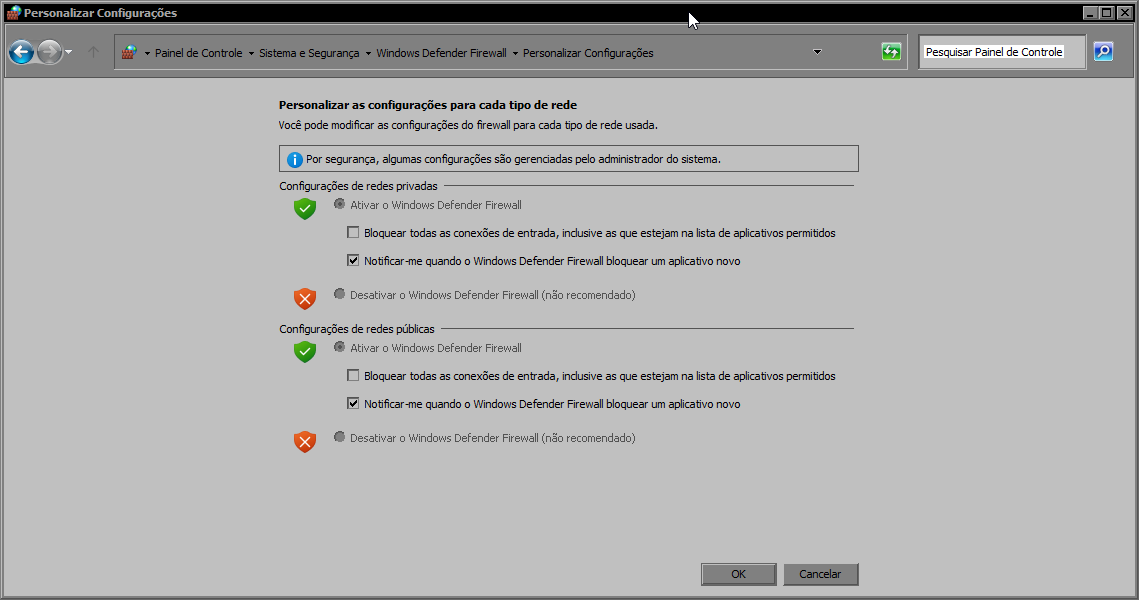
Straight after the install all seems to be working until I shut down the PC. When I next started it, I get a Windows Security notification to “Turn on Windows Firewall -Windows Firewall is turned off. Tap or Click to turn it on”. I click on it and it takes me to the ‘Security at a glance’ screen and everything shows “No action needed”.
From the Windows ‘Start’ button, I go to the ‘Settings’ window, through ‘Windows Security’ and click on ‘Firewall & Network protection’ to get to the Firewall screen, and next to a white cross in a red circle it says "Microsoft Defender Firewall is using settings that may make your device unsafe” with a button that says "Restore settings". I click on it and at the pop-up window that asks “Do you want to allow this app to make changes to your device?” I click “Yes” and nothing happens!
I’d read that the latest Windows 11 version (25H2) was supposed to fix the firewall issue, so I updated to this version. Once again, straight after the install everything looked to be working (firewall was on, I could see apps that are allowed through the firewall). But once I restarted it, we are back to the same problem!!
I can’t now get my Sonos speaker to work due to “changed firewall settings” and a couple of games that I tried to install also failed.
Straight after the install all seems to be working until I shut down the PC. When I next started it, I get a Windows Security notification to “Turn on Windows Firewall -Windows Firewall is turned off. Tap or Click to turn it on”. I click on it and it takes me to the ‘Security at a glance’ screen and everything shows “No action needed”.
From the Windows ‘Start’ button, I go to the ‘Settings’ window, through ‘Windows Security’ and click on ‘Firewall & Network protection’ to get to the Firewall screen, and next to a white cross in a red circle it says "Microsoft Defender Firewall is using settings that may make your device unsafe” with a button that says "Restore settings". I click on it and at the pop-up window that asks “Do you want to allow this app to make changes to your device?” I click “Yes” and nothing happens!
I’d read that the latest Windows 11 version (25H2) was supposed to fix the firewall issue, so I updated to this version. Once again, straight after the install everything looked to be working (firewall was on, I could see apps that are allowed through the firewall). But once I restarted it, we are back to the same problem!!
I can’t now get my Sonos speaker to work due to “changed firewall settings” and a couple of games that I tried to install also failed.
- Windows Build/Version
- Windows 11 25H2 Build 26200.7171
My Computer
At a glance
Windows 11
- OS
- Windows 11
- Computer type
- PC/Desktop