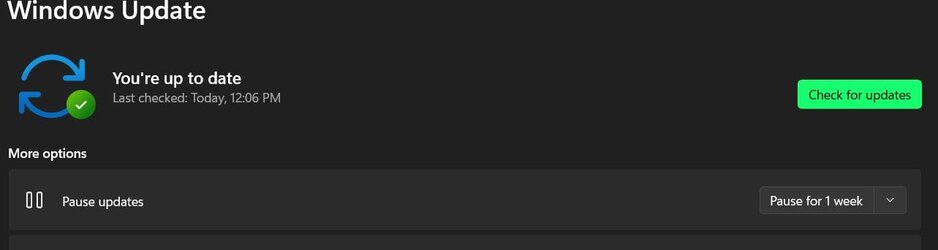
Yah, that did it for me. Thanks for braining that!FOUND A SOLUTION. Hope it works for everyone having this problem.
Run the WU Troubleshooter:
Settings>System>Troubleshoot>Other troubleshooters>Windows Update>Run
Let it run, even if it takes some time. Mine took about 8 min to resolve.
When you get the popup window saying things were resolved, just close it.
Now go back to Windows Update. Click on Pause for 1 week.
Now click on Resume Updates, and voilá! All resolved!
My Computers
-
At a glance
Win 11 Pro (26H2 Experimental Preview)Intel(R) Core(TM) i5-9300H CPU @ 2.40GHz 2.40...32GBNvidia GeForce GTX 1650, Intel UHD 630- OS
- Win 11 Pro (26H2 Experimental Preview)
- Computer type
- Laptop
- Manufacturer/Model
- Acer AN515-54
- CPU
- Intel(R) Core(TM) i5-9300H CPU @ 2.40GHz 2.40 GHz
- Memory
- 32GB
- Graphics Card(s)
- Nvidia GeForce GTX 1650, Intel UHD 630
- Monitor(s) Displays
- Acer CB272D
- Screen Resolution
- 1920x1080
- Hard Drives
- 256GB and 1T SSD
- Internet Speed
- 500MB
- Browser
- Edge (Stable)
- Antivirus
- Microsoft Defender
-
At a glance
Win 11 Pro (26H2 RP)Intel(R) Core(TM) Ultra 9 275HX (2.70 GHz)32GB DDR5-5600NVIDIA® GeForce RTX™ 5060 8GB- Operating System
- Win 11 Pro (26H2 RP)
- Computer type
- Laptop
- Manufacturer/Model
- Lenovo Legion 5 16IAX10 - Type 83NX
- CPU
- Intel(R) Core(TM) Ultra 9 275HX (2.70 GHz)
- Memory
- 32GB DDR5-5600
- Graphics card(s)
- NVIDIA® GeForce RTX™ 5060 8GB
- Monitor(s) Displays
- Acer CB272D
- Screen Resolution
- 1920x1080 75Hz
- Hard Drives
- WD Green SN3000 (2TB)
Samsung Portable T5 (2TB)
- Keyboard
- Logi MX Keys
- Mouse
- Logi MX Anywhere 3
- Internet Speed
- 500MB
- Browser
- Edge
- Antivirus
- MS Defender


 Had four of them on the latest dev channel and clicking retry they disappeared even after a reboot. Maybe Microsoft doing something.