Solved Computer keeps turning back on

  • Thread starter Thread starter Deleted member 32799
  • Start date Start date

Not sure how effective MemTest86, CPU-Z, HWiNFO, Prime95, and AIDA64 are but guess I’ll just try them all . Unless you know something

 
It started the whole process over 3 minutes after that video . Just randomly shuts off windows, no matter what you’re doing. Because it’s hardware related
 
If and when the computer boots Windows:


Please run the V2 log collector > post a share link


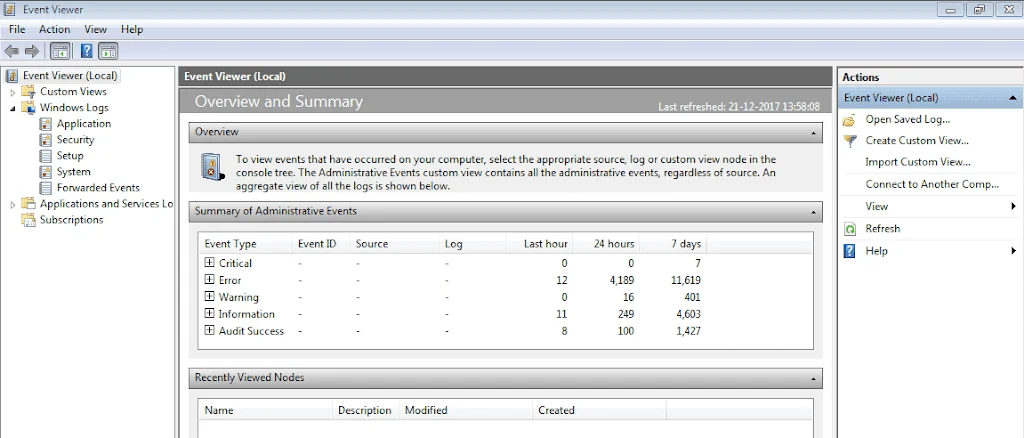
Post a share link with event viewer files:


My Computer My Computer

At a glance

Windows 10Intel(R) Core(TM) i7-4800MQ CPU @ 2.70GHz16 GB Total: Manufacturer : Samsung MemoryTyp...NVIDIA Quadro K3100M; Intel(R) HD Graphics 4600
OS
Windows 10
Computer type
Laptop
Manufacturer/Model
HP
CPU
Intel(R) Core(TM) i7-4800MQ CPU @ 2.70GHz
Motherboard
Product : 190A Version : KBC Version 94.56
Memory
16 GB Total: Manufacturer : Samsung MemoryType : DDR3 FormFactor : SODIMM Capacity : 8GB Speed : 1600
Graphics Card(s)
NVIDIA Quadro K3100M; Intel(R) HD Graphics 4600
Sound Card
IDT High Definition Audio CODEC; PNP Device ID HDAUDIO\FUNC_01&VEN_111D&DEV_76E0
Hard Drives
Model Hitachi HTS727575A9E364
Antivirus
Microsoft Defender
Other Info
Mobile Workstation
I’ll check that out. It is hard as the computer doesn’t stay on for long. Wondering #55 above would help you or show what you want to see. But I’ll try what you sent
 
See if the computer can or cannot boot into safe mode: (option #9)


My Computer My Computer

At a glance

Windows 10Intel(R) Core(TM) i7-4800MQ CPU @ 2.70GHz16 GB Total: Manufacturer : Samsung MemoryTyp...NVIDIA Quadro K3100M; Intel(R) HD Graphics 4600
OS
Windows 10
Computer type
Laptop
Manufacturer/Model
HP
CPU
Intel(R) Core(TM) i7-4800MQ CPU @ 2.70GHz
Motherboard
Product : 190A Version : KBC Version 94.56
Memory
16 GB Total: Manufacturer : Samsung MemoryType : DDR3 FormFactor : SODIMM Capacity : 8GB Speed : 1600
Graphics Card(s)
NVIDIA Quadro K3100M; Intel(R) HD Graphics 4600
Sound Card
IDT High Definition Audio CODEC; PNP Device ID HDAUDIO\FUNC_01&VEN_111D&DEV_76E0
Hard Drives
Model Hitachi HTS727575A9E364
Antivirus
Microsoft Defender
Other Info
Mobile Workstation
It could but won’t last. Same time as regular. Because it’s just a hardware problem. It would help if there was a quick easy program just to check hardware.
 
Ill try the v2 if it gives a chance but I’m getting hardly a minite before it shuts down. If there was some immediate diagnostic portable app that came to mind that would show a slight alert of something, hardware related. That’d be great if it existed at all
 
There may be leads from log file reports.

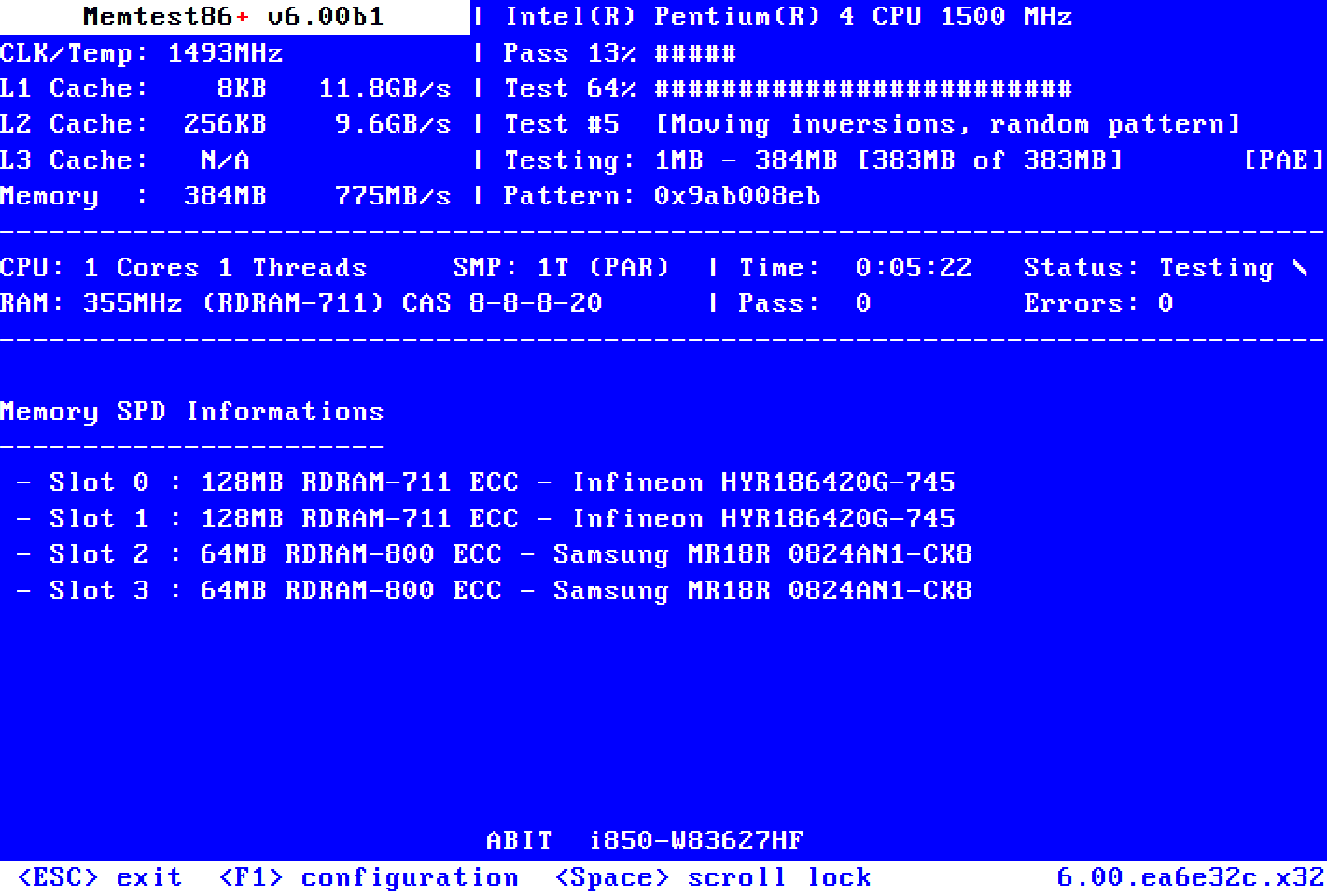
Run Memtest86+ for 8 or more passes > take pictures > post images or share links


Just 1 error is a test fail and testing can be aborted.
 

My Computer My Computer

At a glance

Windows 10Intel(R) Core(TM) i7-4800MQ CPU @ 2.70GHz16 GB Total: Manufacturer : Samsung MemoryTyp...NVIDIA Quadro K3100M; Intel(R) HD Graphics 4600
OS
Windows 10
Computer type
Laptop
Manufacturer/Model
HP
CPU
Intel(R) Core(TM) i7-4800MQ CPU @ 2.70GHz
Motherboard
Product : 190A Version : KBC Version 94.56
Memory
16 GB Total: Manufacturer : Samsung MemoryType : DDR3 FormFactor : SODIMM Capacity : 8GB Speed : 1600
Graphics Card(s)
NVIDIA Quadro K3100M; Intel(R) HD Graphics 4600
Sound Card
IDT High Definition Audio CODEC; PNP Device ID HDAUDIO\FUNC_01&VEN_111D&DEV_76E0
Hard Drives
Model Hitachi HTS727575A9E364
Antivirus
Microsoft Defender
Other Info
Mobile Workstation
I'd first go into the BIOS, and everyplace where is says "Wake on..... " make sure the answer is "NO".

Then in Windows, disable all sleep and hibernate entries in the "Power" section.

Finally, as long as your PSU is connected to Line Power, it's running, and producing voltage, like to the Power ON switch.
To assure that the PC cannot come on, like from a Power Surge, plug your PC into a Power Strip with an ON and OFF switch. Once you've properly shut down your PC, then turn the power strip OFF, and there is NO WAY that your computer can come back ON, regardless of any settings in either the BIOS or Windows.
I've been doing this for over 40 years, and I've NEVER had my PC come ON by itself.

Cheers Mate,
TM :cool:
 
Hi TechnoMage2021.
Thanks for that, The BIOS never caused it since 2018. I will check for wake related setting in BIOS then. But it doesn’t solve the random shut offs though, followed by the start ups. Windows isn’t related because it happens with no drive attached as well, or any system. From 7 to 10 to 11. That’s a great way to do it. I do leave it in a power bar all the time with the switch off. It’s just being unlucky, the fuse shut off while I was using the computer.
 
I’ll try “Run Memtest86+ for 8 or more passes > take pictures > post images or share links”
Did test it with it once and RAM was okay. Will try the 8 passes idea and show you
 
What happens if you try booting to a live version of Linux
 

My Computers My Computers

  • At a glance

    Win11Intel® Core™ i7-1255U16 GB DDR4-3200 SDRAM (2 x 8 GB); 512 GB PCIe...
    OS
    Win11
    Computer type
    Laptop
    Manufacturer/Model
    2023 HP Pavilion 15t-eg200
    CPU
    Intel® Core™ i7-1255U
    Memory
    16 GB DDR4-3200 SDRAM (2 x 8 GB); 512 GB PCIe® NVMe™ M.2 SSD
    Screen Resolution
    1920x1080
  • At a glance

    Win 11 23H213th Gen Intel(R) Core(TM) i7-13700T 1.40 GHz500GB Samsung M.2 SSD WD HD 1TB RAM 16GBGForce RTX 3050
    Operating System
    Win 11 23H2
    Computer type
    PC/Desktop
    Manufacturer/Model
    HP AIO
    CPU
    13th Gen Intel(R) Core(TM) i7-13700T 1.40 GHz
    Motherboard
    HP
    Memory
    500GB Samsung M.2 SSD WD HD 1TB RAM 16GB
    Graphics card(s)
    GForce RTX 3050
    Screen Resolution
    1920x1080
    Hard Drives
    500GB Samsung M.2 SSD
    WD HD 1TB
Seemed to have been a short in a wire. Can’t say 100% but is functioning correctly so far and seems that way. I know which wire now. Seemingly the power button wire. Thanks to all. Wouldn’t have thought of it myself
 
Was the wire fixed?

Is the computer stable without unexpected shutdowns and restarts?
 

My Computer My Computer

At a glance

Windows 10Intel(R) Core(TM) i7-4800MQ CPU @ 2.70GHz16 GB Total: Manufacturer : Samsung MemoryTyp...NVIDIA Quadro K3100M; Intel(R) HD Graphics 4600
OS
Windows 10
Computer type
Laptop
Manufacturer/Model
HP
CPU
Intel(R) Core(TM) i7-4800MQ CPU @ 2.70GHz
Motherboard
Product : 190A Version : KBC Version 94.56
Memory
16 GB Total: Manufacturer : Samsung MemoryType : DDR3 FormFactor : SODIMM Capacity : 8GB Speed : 1600
Graphics Card(s)
NVIDIA Quadro K3100M; Intel(R) HD Graphics 4600
Sound Card
IDT High Definition Audio CODEC; PNP Device ID HDAUDIO\FUNC_01&VEN_111D&DEV_76E0
Hard Drives
Model Hitachi HTS727575A9E364
Antivirus
Microsoft Defender
Other Info
Mobile Workstation
Yes it’s stable. Could be just the positioning of the wire. As in it still has a short but is less pulled or twisted. More straight and loose. Never was loose from the pins. It’s not shutting down and turning on anymore
 
Please post a V2 share link into the newest post.


My Computer My Computer

At a glance

Windows 10Intel(R) Core(TM) i7-4800MQ CPU @ 2.70GHz16 GB Total: Manufacturer : Samsung MemoryTyp...NVIDIA Quadro K3100M; Intel(R) HD Graphics 4600
OS
Windows 10
Computer type
Laptop
Manufacturer/Model
HP
CPU
Intel(R) Core(TM) i7-4800MQ CPU @ 2.70GHz
Motherboard
Product : 190A Version : KBC Version 94.56
Memory
16 GB Total: Manufacturer : Samsung MemoryType : DDR3 FormFactor : SODIMM Capacity : 8GB Speed : 1600
Graphics Card(s)
NVIDIA Quadro K3100M; Intel(R) HD Graphics 4600
Sound Card
IDT High Definition Audio CODEC; PNP Device ID HDAUDIO\FUNC_01&VEN_111D&DEV_76E0
Hard Drives
Model Hitachi HTS727575A9E364
Antivirus
Microsoft Defender
Other Info
Mobile Workstation
Hey Deleted member 32799,

Showing gratitude is important in online communities. Use the "like" button to appreciate helpful content. This motivates people to keep sharing knowledge. A "like" gives 1 point, "Helpful" gives 5 points, and "Great support" gives 10 points for exceptional help.

Latest Support Threads

Back
Top Bottom