I am having continuing problems with my Windows 11. I think the problems are connected to the fact that my Windows Update is not working. I cannot download any updates and also cannot download programs from Microsoft Store. I have tried every known “fix” I can find to get update going again ie permissions etc and am also missing something called Feedback Hub which doesn’t even show on my PC apps. So the only option for me is to reinstall W 11,
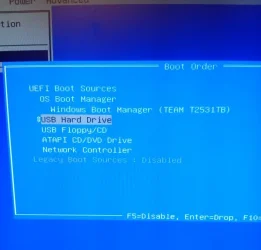
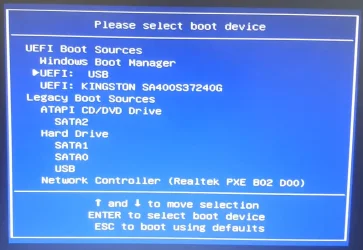
How can I reinstall without losing data. I was online to Microsoft support for hours yesterday but they have not given me any meaningful advice. What I have done so far is to download Windows Media Creation tool and have made a bootable USB. I go through the first few screens and am then presented with two options – Install Win 11 and also Repair my PC. I have tried the repair option but it has not fixed anything. Re the USB bootup I have read that there should be an option showing to reinstall WITH keeping files and settings. Unfortunately the only way to move forward to the next screen is to click a small box that says I agree that I will lose files / programs etc so this option does not appeal to me. If I tick the box to move to next page it looks like I have to do a 100% clean install and I want to keep personal files and apps.
So, my question is: Can anyone suggest any alternative (and straightforward method of reinstalling or upgrading Windows WITHOUT losing files and settings etc.
Thanks in advance
How can I reinstall without losing data. I was online to Microsoft support for hours yesterday but they have not given me any meaningful advice. What I have done so far is to download Windows Media Creation tool and have made a bootable USB. I go through the first few screens and am then presented with two options – Install Win 11 and also Repair my PC. I have tried the repair option but it has not fixed anything. Re the USB bootup I have read that there should be an option showing to reinstall WITH keeping files and settings. Unfortunately the only way to move forward to the next screen is to click a small box that says I agree that I will lose files / programs etc so this option does not appeal to me. If I tick the box to move to next page it looks like I have to do a 100% clean install and I want to keep personal files and apps.
So, my question is: Can anyone suggest any alternative (and straightforward method of reinstalling or upgrading Windows WITHOUT losing files and settings etc.
Thanks in advance
My Computer
At a glance
Windows 11 Home build 10.0.2263116gbbuilt-in
- OS
- Windows 11 Home build 10.0.22631
- Computer type
- PC/Desktop
- Manufacturer/Model
- HP 290 G1 SFF Business PC
- Motherboard
- HP 843F 00
- Memory
- 16gb
- Graphics Card(s)
- built-in
- Browser
- chrome