Latest Update:
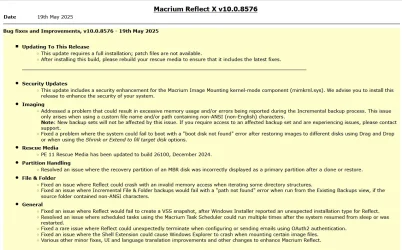
v10.0.8843 - 9th April 2026

Release notes: Macrium Reflect X Patch Details
Despite the minimal changes this is another full install.
Previous Update:
v10.0.8750 - 3rd December 2025
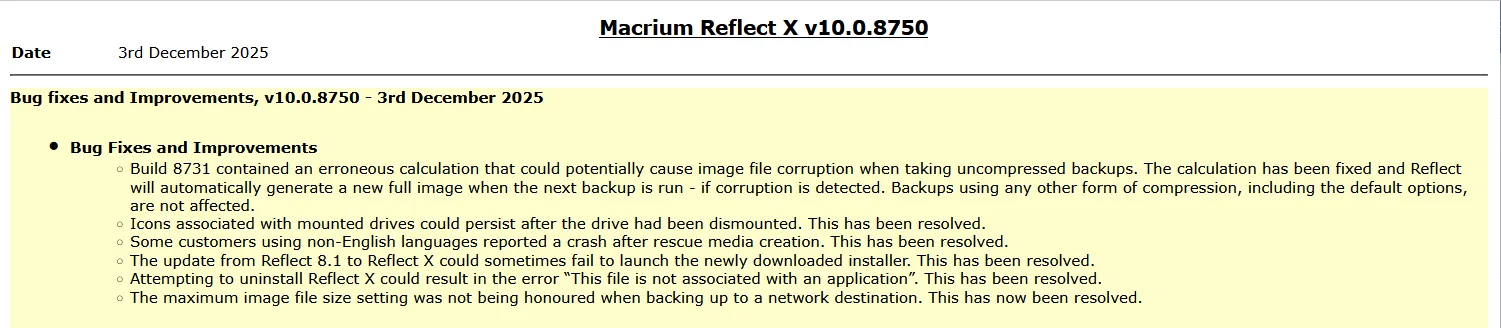
Release notes: Macrium Reflect X Patch Details
Note: This is another full install, not just a patch.
31st March 2026: Macrium now offer the choice of purchasing a 3 year plan or an annual plan.

Reflect X launched on 8th October.
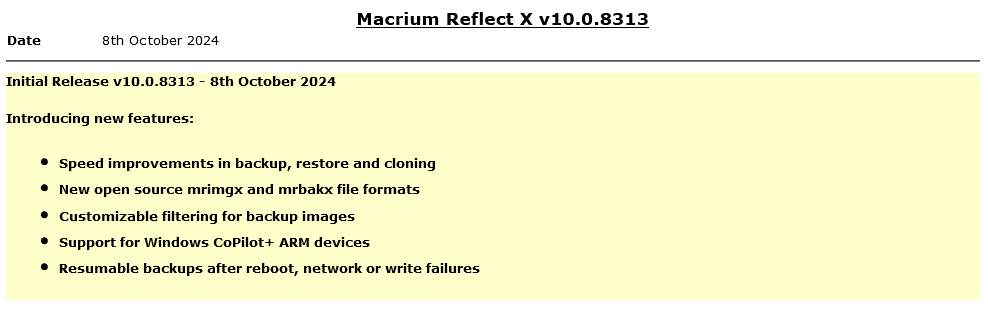
The Reflect X Knowledge Base is now live:
We now know the trade in offers that will be available to those with older V8, v7, and v6 one-time licences, and for recently purchased perpetual v8 licences.
 www.macrium.com
If you have a Macrium Account, then the trade in offers are available there. If you don't, then you can register for a Macrium Account with the email address you used for your original purchase.
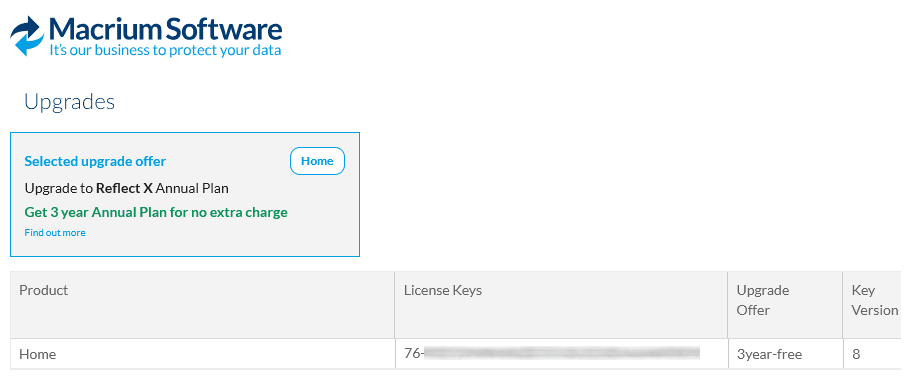
Upgrading from v8, v7 or v6
v10.0.8843 - 9th April 2026
Release notes: Macrium Reflect X Patch Details
Despite the minimal changes this is another full install.
Previous Update:
v10.0.8750 - 3rd December 2025
Release notes: Macrium Reflect X Patch Details
Note: This is another full install, not just a patch.
31st March 2026: Macrium now offer the choice of purchasing a 3 year plan or an annual plan.
Reflect X launched on 8th October.
The Reflect X Knowledge Base is now live:
Getting Started with Macrium Reflect X
- Rescue Media - Disk Imaging - Deciding what to Image - The Disk Image Wizard - Scheduling Disk Images - Backup Types - Retention Rules - Summary - Backup Save Options - File and Folder Backups - Re
knowledgebase.macrium.com
We now know the trade in offers that will be available to those with older V8, v7, and v6 one-time licences, and for recently purchased perpetual v8 licences.
Macrium said:I purchased a one-time license
If you purchased on or after July 1st, 2024, you have three options;
Home users have 6 months from the launch of Reflect X to decide which option suits them best. Step-by-step instructions to obtain either option from the grace period will be published this week.
- Continue using Reflect 8 for as long as you want. You will continue to have access to 12 months technical support from the date you bought the licenses.
- Trade in (your existing license will be deactivated after your new license is activated) your one-time license (which has one year of support from the date of purchase) and receive a 3-year Annual Plan at no extra cost. Macrium may make loyalty offers available at the end of your 3-year term. However, even without a license, Reflect always allows you to restore/recover your data (you won’t be able to make new backups). We’ve also made your backup files open-source - it’s your data and you own it.
- NEW: Trade in (your existing license will be deactivated after your new license is activated) your one-time license (which has one year support from the date of purchase) and receive 50% off the normal annual plan price for life (must turn on auto-renew and not allow the license to expire/lapse).
For Reflect Home users who purchased V8 before July 1, 2024:
You are eligible for two options. The first option is 50% off Annual plans for life. Option 2 is our “Better than Black Friday 2024 Offer:” 3 years for the price of 2:
If you choose 50% off annual plans for life, you will have to trade in your current Reflect Home V8 license.
If you choose 3 years for the price of 2, you can keep your Reflect Home V8 license. This amount must be paid up front and at the end of the plan, customers may renew based on offers available at the time (or return to your one-time license.)
For Home V6 & V7: We are offering 3 years for the price of two. This amount must be paid up front and at the end of the plan, customers may renew based on offers available at the time (or return to your one-time license.)This offer ends March 31st 2025.
Reflect 8 End of Life - What you need to know!
Macrium Reflect 8 has served thousands of users reliably for many years. With the launch of Reflect X in October 2024, we began transitioning customers to our latest backup and recovery solution Reflect X.
www.macrium.com
If you have a Macrium Account, then the trade in offers are available there. If you don't, then you can register for a Macrium Account with the email address you used for your original purchase.
Upgrading from v8, v7 or v6
Macrium said:Viewing your Upgrade Options
Based on the timing of your existing license purchase and the current status of your Support and Maintenance plan, there are various personalized upgrade options available. There are multiple upgrade paths that can be accessed through the Macrium Reflect application or the Macrium Account.
Upgrading to Macrium Reflect X From Previous Versions
- Overview - Macrium Reflect 8 One-Time Purchase License - Upgrading Following a Trade-In - Upgrading from Macrium Reflect 8 with an Annual Plan - Upgrading from Macrium Reflect 8 with New Reflect X L
knowledgebase.macrium.com
Attachments
Last edited: