Solved Latest Macrium Reflect X updates


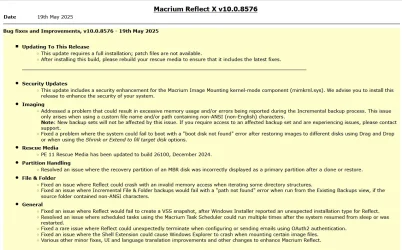
Latest Update:

v10.0.8843 - 9th April 2026

1775775187178.webp

Release notes: Macrium Reflect X Patch Details

Despite the minimal changes this is another full install.


Previous Update:

v10.0.8750 - 3rd December 2025
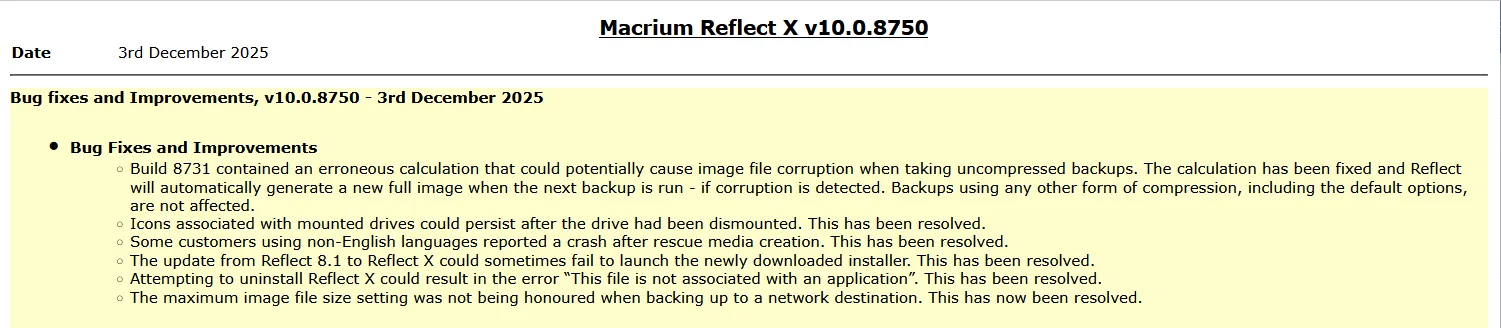
1764764947955.webp

Release notes: Macrium Reflect X Patch Details

Note: This is another full install, not just a patch.


31st March 2026: Macrium now offer the choice of purchasing a 3 year plan or an annual plan.

1775775710503.webp


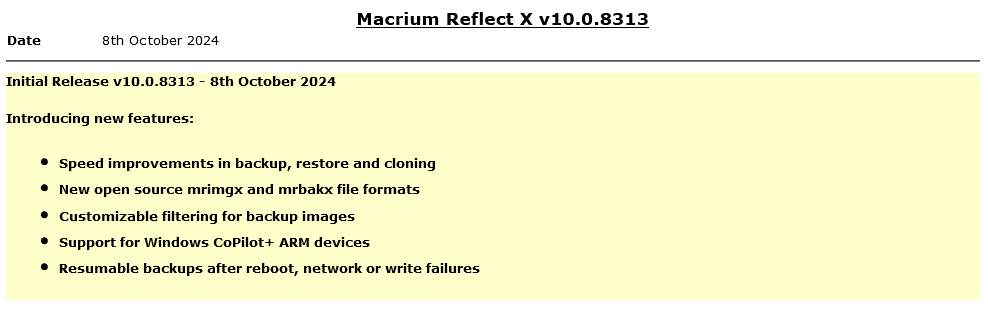
Reflect X launched on 8th October.

1728399207213.png

The Reflect X Knowledge Base is now live:


We now know the trade in offers that will be available to those with older V8, v7, and v6 one-time licences, and for recently purchased perpetual v8 licences.
Macrium said:
I purchased a one-time license
If you purchased on or after July 1st, 2024, you have three options;
  • Continue using Reflect 8 for as long as you want. You will continue to have access to 12 months technical support from the date you bought the licenses.
  • Trade in (your existing license will be deactivated after your new license is activated) your one-time license (which has one year of support from the date of purchase) and receive a 3-year Annual Plan at no extra cost. Macrium may make loyalty offers available at the end of your 3-year term. However, even without a license, Reflect always allows you to restore/recover your data (you won’t be able to make new backups). We’ve also made your backup files open-source - it’s your data and you own it.
  • NEW: Trade in (your existing license will be deactivated after your new license is activated) your one-time license (which has one year support from the date of purchase) and receive 50% off the normal annual plan price for life (must turn on auto-renew and not allow the license to expire/lapse).
Home users have 6 months from the launch of Reflect X to decide which option suits them best. Step-by-step instructions to obtain either option from the grace period will be published this week.

For Reflect Home users who purchased V8 before July 1, 2024:
You are eligible for two options. The first option is 50% off Annual plans for life. Option 2 is our “Better than Black Friday 2024 Offer:” 3 years for the price of 2:

If you choose 50% off annual plans for life, you will have to trade in your current Reflect Home V8 license.

If you choose 3 years for the price of 2, you can keep your Reflect Home V8 license. This amount must be paid up front and at the end of the plan, customers may renew based on offers available at the time (or return to your one-time license.)

For Home V6 & V7: We are offering 3 years for the price of two. This amount must be paid up front and at the end of the plan, customers may renew based on offers available at the time (or return to your one-time license.)This offer ends March 31st 2025.

If you have a Macrium Account, then the trade in offers are available there. If you don't, then you can register for a Macrium Account with the email address you used for your original purchase.
1728399141587.png

Upgrading from v8, v7 or v6

Macrium said:

Viewing your Upgrade Options​

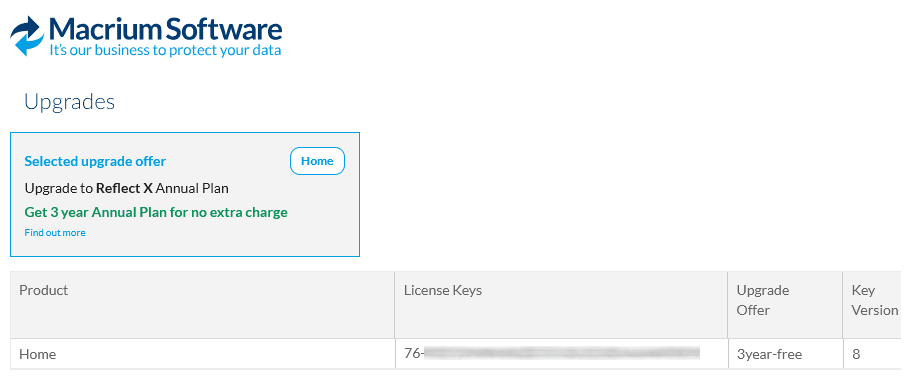
Based on the timing of your existing license purchase and the current status of your Support and Maintenance plan, there are various personalized upgrade options available. There are multiple upgrade paths that can be accessed through the Macrium Reflect application or the Macrium Account.


Attachments

  • 1763571423325.webp
    1763571423325.webp
    132.8 KB · Views: 8
Last edited:
As an experiment, you can download the WinRE.wim from 26100.8737:

winre - Find files in Windows 11, version 24H2 (26100.8737) amd64
Thanks! I'm not familiar with testing versions of WinRE. I thought I remembered reading in another thread here that it's not advisable to try swapping in different versions of WinRE on a Windows 11 install but maybe I'm wrong there. Isn't WinRE version-coupled with the Windows OS kernel?

Going the Hyper-V route, at a glance, it sounds like a bunch of fooling around will be needed to convert the .wim into a bootable .iso, applying the WIM directly to a VHDX , or swapping it in for the boot.wim in the Macrium rescue .iso by injecting it using the Windows ADK Deployment Tools.

Maybe it's easier than I'm describing/thinking?

Poking around it looks like there are a few of local .wim files I could potentially backup and then swap in the 26100.8737 version for?

In theory renaming as needed?

c:\boot\mactrium\WA11KFiles\media\sources\boot.wim
c:\boot\macrium\WinREFiles\media\sources\boot.wim
C:\ProgramData\Macrium\Reflect\Windows Kits\11\Assessment and Deployment Kit\Windows Preinstallation Environment\amd64\en-us\winpe.wim
 
Last edited:

My Computer My Computer

At a glance

Windows 11Intel Core Ultra 7 155U32 GBIntegrated Intel Graphics
OS
Windows 11
Computer type
Laptop
Manufacturer/Model
Lenovo
CPU
Intel Core Ultra 7 155U
Motherboard
X1 Carbon Gen 12
Memory
32 GB
Graphics Card(s)
Integrated Intel Graphics
Sound Card
Integrated
Monitor(s) Displays
Asus
Screen Resolution
1920 x 1080
Hard Drives
Lenovo SSD
PSU
n/a
Case
n/a
Cooling
n/a
Keyboard
n/a
Mouse
n/a
Internet Speed
300 Mbps down, 20 Mbos up
Browser
Google Chrome
Antivirus
Microsoft Defender, SUPERAntiSpyware
The point is you can ask Macrium to use a different WinRE base image for the USB recovery media. It doesn't impact the WinRE that's embedded in your backup image.

From the Rescue Media Builder's Advanced Options / Options, there should a checkbox for Custom Base WIM. Now you can select a different WinRE image (which hopefully doesn't have the SMB issue). Otherwise you're stuck with the more current WinRE versions.

1. Download the .8737 WinRE.wim from the UUP dump link (rename the saved file).
2. Use the downloaded WIM as your custom image for building a rescue drive.
 

My Computer My Computer

At a glance

Windows 7
OS
Windows 7
Ah ok, gotcha, thanks!
 

My Computer My Computer

At a glance

Windows 11Intel Core Ultra 7 155U32 GBIntegrated Intel Graphics
OS
Windows 11
Computer type
Laptop
Manufacturer/Model
Lenovo
CPU
Intel Core Ultra 7 155U
Motherboard
X1 Carbon Gen 12
Memory
32 GB
Graphics Card(s)
Integrated Intel Graphics
Sound Card
Integrated
Monitor(s) Displays
Asus
Screen Resolution
1920 x 1080
Hard Drives
Lenovo SSD
PSU
n/a
Case
n/a
Cooling
n/a
Keyboard
n/a
Mouse
n/a
Internet Speed
300 Mbps down, 20 Mbos up
Browser
Google Chrome
Antivirus
Microsoft Defender, SUPERAntiSpyware
Bingo, no hits, no runs, no errors, smb networking starts and drives map fine in 24H2 WinRE 26100.8737

Huge thanks to garlin!

So, what about the ARM machine, won't I need an ARM version of this .wim for that?

Man I can definitely see why people prefer WinPE. I don't want my recovery environment potentially broken every time Microsoft decides to push a WinRE update. Or minimally I'll be keeping a previously known working .wim for just such occaisions.
 
Last edited:

My Computer My Computer

At a glance

Windows 11Intel Core Ultra 7 155U32 GBIntegrated Intel Graphics
OS
Windows 11
Computer type
Laptop
Manufacturer/Model
Lenovo
CPU
Intel Core Ultra 7 155U
Motherboard
X1 Carbon Gen 12
Memory
32 GB
Graphics Card(s)
Integrated Intel Graphics
Sound Card
Integrated
Monitor(s) Displays
Asus
Screen Resolution
1920 x 1080
Hard Drives
Lenovo SSD
PSU
n/a
Case
n/a
Cooling
n/a
Keyboard
n/a
Mouse
n/a
Internet Speed
300 Mbps down, 20 Mbos up
Browser
Google Chrome
Antivirus
Microsoft Defender, SUPERAntiSpyware
ARM64 is a different architecture (you can't use the same binaries for booting).

ARM version of 26100.8737 WinRE:
winre - Find files in Windows 11, version 24H2 (26100.8737) arm64

Why is there a difference between WinPE and WinRE? For the purposes of hosting a boot environment for a backup restore, it really doesn't matter. But in terms of practicality, every normal Windows system should have a working WinRE image.

WinRE gets three main advantages:
  • The install process for Windows bundles most of the networking and storage drivers to your WinRE. Because a Recovery environment would be useless if it didn't have the right drivers to reach the Windows Update servers, or to mount disks.

  • WinRE has native support for Wi-Fi. Now you really should be using wired networks whenever possible, but some users could be stuck with only local Wi-Fi access.

  • WinRE can get patched by Windows Update, whenever a new security problem appears. For a normal user, WinPE never gets patched because they don't engage in that type of advanced operation But patching can be a two-edged sword; a new change can break old functionality.

For a vendor making a bootable USB, WinRE has a lot of advantages. But your vendor cannot control what happens to updated WinRE or WinPE images. So the better backup products will allow the user to submit a own custom WIM which is known to work.
 
Last edited:

My Computer My Computer

At a glance

Windows 7
OS
Windows 7
ARM64 is a different architecture (you can't use the same binaries for booting).

ARM version of 26100.8737 WinRE:
winre - Find files in Windows 11, version 24H2 (26100.8737) arm64

Why is there a difference between WinPE and WinRE? For the purposes of hosting a boot environment for a backup restore, it really doesn't matter. But in terms of practicality, every normal Windows system should have a working WinRE image.

WinRE gets three main advantages:
  • The install process for Windows bundles most of the networking and storage drivers to your WinRE. Because a Recovery environment would be useless if it didn't have the right drivers to reach the Windows Update servers, or to mount disks.

  • WinRE has native support for Wi-Fi. Now you really should be using wired networks whenever possible, but some users could be stuck with only local Wi-Fi access.

  • WinRE can get patched by Windows Update, whenever a new security problem appears. For a normal user, WinPE never gets patched because they don't engage in that type of advanced operation But patching can be a two-edged sword; a new change can break old functionality.

For a vendor making a bootable USB, WinRE has a lot of advantages. But your vendor cannot control what happens to updated WinRE or WinPE images. So the better backup products will allow the user to submit a own custom WIM which is known to work.
You are missing out a couple of important differentiators between WinRe and WinPe.

1) WinRe enables backups over wifi to other devices. I use this on my travel laptop wherever I am.

2) WinPe requires an additional download of up to 1GB of WADK Files.

WinRe is the recommended tool. I have not used WinPe for years.

Only minor downside is you may need to manually update usb drives and/or boot entries if WinRe gets updated, but I do this anyway after every MRH update as a routine (takes a couple of minutes).
 

My Computer My Computer

At a glance

Windows 11 Pro + Win11 Canary VM.I9 13th gen i9-13900H 2.60 GHZ16 GB solderedIntegrated Intel Iris XE
OS
Windows 11 Pro + Win11 Canary VM.
Computer type
Laptop
Manufacturer/Model
ASUS Zenbook 14
CPU
I9 13th gen i9-13900H 2.60 GHZ
Motherboard
Yep, Laptop has one.
Memory
16 GB soldered
Graphics Card(s)
Integrated Intel Iris XE
Sound Card
Realtek built in
Monitor(s) Displays
laptop OLED screen
Screen Resolution
2880x1800 touchscreen
Hard Drives
1 TB NVME SSD (only weakness is only one slot)
PSU
Internal + 65W thunderbolt USB4 charger
Case
Yep, got one
Cooling
Stella Artois (UK pint cans - 568 ml) - extra cost.
Keyboard
Built in UK keybd
Mouse
Bluetooth , wireless dongled, wired
Internet Speed
900 mbs (ethernet), wifi 6 typical 350-450 mb/s both up and down
Browser
Edge
Antivirus
Defender
Other Info
TPM 2.0, 2xUSB4 thunderbolt, 1xUsb3 (usb a), 1xUsb-c, hdmi out, 3.5 mm audio out/in combo, ASUS backlit trackpad (inc. switchable number pad)

Macrium Reflect Home V8
Office 365 Family (6 users each 1TB onedrive space)
Hyper-V (a vm runs almost as fast as my older laptop)
You are missing out a couple of important differentiators between WinRe and WinPe.

1) WinRe enables backups over wifi to other devices. I use this on my travel laptop wherever I am.

2) WinPe requires an additional download of up to 1GB of WADK Files.

WinRe is the recommended tool. I have not used WinPe for years.

Only minor downside is you may need to manually update usb drives and/or boot entries if WinRe gets updated, but I do this anyway after every MRH update as a routine (takes a couple of minutes).
So if you updated to this current WinRE are you saying you're not experiencing the issue with SMB networking not starting?
 

My Computer My Computer

At a glance

Windows 11Intel Core Ultra 7 155U32 GBIntegrated Intel Graphics
OS
Windows 11
Computer type
Laptop
Manufacturer/Model
Lenovo
CPU
Intel Core Ultra 7 155U
Motherboard
X1 Carbon Gen 12
Memory
32 GB
Graphics Card(s)
Integrated Intel Graphics
Sound Card
Integrated
Monitor(s) Displays
Asus
Screen Resolution
1920 x 1080
Hard Drives
Lenovo SSD
PSU
n/a
Case
n/a
Cooling
n/a
Keyboard
n/a
Mouse
n/a
Internet Speed
300 Mbps down, 20 Mbos up
Browser
Google Chrome
Antivirus
Microsoft Defender, SUPERAntiSpyware
That's the basic issue with WInRE-based creations. MicroSloth has generated a few major issues along the way after updating the System's WinRE.wim file (one mentioned above) during updates/upgrades. At that point users scramble around trying to find out how to get around a flakey WinRE.wim. I always use a solid WinPE.wim reference when I ever build any emergency-type disks... especially when I know they're solid. Sure, the wi-fi drivers may be missing but they can usually be added manually when creating the base WIM.

I just don't trust MicroSloth...
 

My Computer My Computer

At a glance

Windows 10, Linux MINT (V-guests 7, 11, ZorinOS)Intel Core i7-1070032gB (DDR4)Intel UHD Graphics 630
OS
Windows 10, Linux MINT (V-guests 7, 11, ZorinOS)
Computer type
PC/Desktop
Manufacturer/Model
HP Z2 G5 Workstation
CPU
Intel Core i7-10700
Motherboard
HP Model# 8751
Memory
32gB (DDR4)
Graphics Card(s)
Intel UHD Graphics 630
Sound Card
Realtek basic audio
Monitor(s) Displays
32" (Viewsonic) UHD
Screen Resolution
3840 x 2160
Hard Drives
2-NvME (mainboard), 1-NvME (PCIe), 1-SATA3 SSD
That's the basic issue with WInRE-based creations. MicroSloth has generated a few major issues along the way after updating the System's WinRE.wim file (one mentioned above) during updates/upgrades. At that point users scramble around trying to find out how to get around a flakey WinRE.wim. I always use a solid WinPE.wim reference when I ever build any emergency-type disks... especially when I know they're solid. Sure, the wi-fi drivers may be missing but they can usually be added manually when creating the base WIM.

I just don't trust MicroSloth...
Yes the previous major issue with a WinRE update before this SMB networking one was the loss of external USB device functionality like mouse and keyboard.
 

My Computer My Computer

At a glance

Windows 11Intel Core Ultra 7 155U32 GBIntegrated Intel Graphics
OS
Windows 11
Computer type
Laptop
Manufacturer/Model
Lenovo
CPU
Intel Core Ultra 7 155U
Motherboard
X1 Carbon Gen 12
Memory
32 GB
Graphics Card(s)
Integrated Intel Graphics
Sound Card
Integrated
Monitor(s) Displays
Asus
Screen Resolution
1920 x 1080
Hard Drives
Lenovo SSD
PSU
n/a
Case
n/a
Cooling
n/a
Keyboard
n/a
Mouse
n/a
Internet Speed
300 Mbps down, 20 Mbos up
Browser
Google Chrome
Antivirus
Microsoft Defender, SUPERAntiSpyware
If you want to get rid of the ad Macrium is currently showing at the top of the UI go to this key.

Code:
HKEY_LOCAL_MACHINE\Software\Macrium\reflect

Delete the Promo folder.
 

My Computer My Computer

At a glance

Windows 11 Pro
OS
Windows 11 Pro
I just noticed I have hundreds of .vsslog and .html log files in:
%ProgramData%\Macrium\Reflect
 

My Computers My Computers

  • At a glance

    Windows 11 ProIntel Core i9-10900XCorsair 64 GB (4 x 16 GB) CMW64GX4M4C3000C15 ...GIGABYTE GeForce GTX 1660 Super Mini ITX 6 GB OC
    OS
    Windows 11 Pro
    Computer type
    PC/Desktop
    Manufacturer/Model
    Stigg's Build
    CPU
    Intel Core i9-10900X
    Motherboard
    GIGABYTE X299X DESIGNARE 10G
    Memory
    Corsair 64 GB (4 x 16 GB) CMW64GX4M4C3000C15 Vengeance RGB Pro 3000Mhz DDR4
    Graphics Card(s)
    GIGABYTE GeForce GTX 1660 Super Mini ITX 6 GB OC
    Sound Card
    Realtek ALC1220
    Monitor(s) Displays
    Samsung 27" FHD LED FreeSync Gaming Monitor (LS27F350FHEXXY)
    Screen Resolution
    1920 x 1080
    Hard Drives
    Samsung 970 Pro Series 1TB M.2 2280 NVMe SSD
    Western Digital Red Pro WD8003FFBX-68B9AN0 8 TB, 7200 RPM, SATA-III
    Western Digital Red Pro WD8003FFBX-68B9AN0 8 TB, 7200 RPM, SATA-III
    PSU
    Corsair HX1200 1200W 80 Plus Platinum
    Case
    Fractal Design Define 7 Black Solid Case
    Cooling
    Noctua NH-D15 Chromax Black
    Keyboard
    Razer Ornata V2
    Mouse
    Razer DeathAdder Essential
    Internet Speed
    FTTN 100Mbps / 40Mbps
    Browser
    Mozilla Firefox
    Antivirus
    N/A
    Other Info
    Logitech BRIO 4k Ultra HD USB-C Webcam
  • At a glance

    Windows 10 ProCore i7-8750HSK Hynix 32 GB (2 x 16 GB) HMA82GS6CJR8N-VK 1...NVIDIA GeForce GTX 1070
    Operating System
    Windows 10 Pro
    Computer type
    Laptop
    Manufacturer/Model
    ASUS ROG Zephyrus M GM501GS
    CPU
    Core i7-8750H
    Motherboard
    Zephyrus M GM501GS
    Memory
    SK Hynix 32 GB (2 x 16 GB) HMA82GS6CJR8N-VK 16 GB DDR4-2666 DDR4 SDRAM
    Graphics card(s)
    NVIDIA GeForce GTX 1070
    Sound Card
    Realtek ALC294
    Monitor(s) Displays
    AU Optronics B156HAN07.1 [15.6" LCD]
    Screen Resolution
    1920 x 1080
    Hard Drives
    Samsung MZVKW512HMJP-00000 512 GB, PCI-E 3.0 x4
    Samsung SSD 860 QVO 4TB 4 TB, SATA-III
    PSU
    N/A
    Case
    N/A
    Cooling
    N/A
    Keyboard
    PC/AT Enhanced PS2 Keyboard (101/102-Key)
    Mouse
    Razer DeathAdder Essential
    Internet Speed
    FTTN 100Mbps / 40Mbps
    Browser
    Mozilla Firefox
    Antivirus
    N/A
    Other Info
    USB2.0 HD UVC Webcam

My Computers My Computers

  • At a glance

    Windows 11 ProIntel Core i9-10900XCorsair 64 GB (4 x 16 GB) CMW64GX4M4C3000C15 ...GIGABYTE GeForce GTX 1660 Super Mini ITX 6 GB OC
    OS
    Windows 11 Pro
    Computer type
    PC/Desktop
    Manufacturer/Model
    Stigg's Build
    CPU
    Intel Core i9-10900X
    Motherboard
    GIGABYTE X299X DESIGNARE 10G
    Memory
    Corsair 64 GB (4 x 16 GB) CMW64GX4M4C3000C15 Vengeance RGB Pro 3000Mhz DDR4
    Graphics Card(s)
    GIGABYTE GeForce GTX 1660 Super Mini ITX 6 GB OC
    Sound Card
    Realtek ALC1220
    Monitor(s) Displays
    Samsung 27" FHD LED FreeSync Gaming Monitor (LS27F350FHEXXY)
    Screen Resolution
    1920 x 1080
    Hard Drives
    Samsung 970 Pro Series 1TB M.2 2280 NVMe SSD
    Western Digital Red Pro WD8003FFBX-68B9AN0 8 TB, 7200 RPM, SATA-III
    Western Digital Red Pro WD8003FFBX-68B9AN0 8 TB, 7200 RPM, SATA-III
    PSU
    Corsair HX1200 1200W 80 Plus Platinum
    Case
    Fractal Design Define 7 Black Solid Case
    Cooling
    Noctua NH-D15 Chromax Black
    Keyboard
    Razer Ornata V2
    Mouse
    Razer DeathAdder Essential
    Internet Speed
    FTTN 100Mbps / 40Mbps
    Browser
    Mozilla Firefox
    Antivirus
    N/A
    Other Info
    Logitech BRIO 4k Ultra HD USB-C Webcam
  • At a glance

    Windows 10 ProCore i7-8750HSK Hynix 32 GB (2 x 16 GB) HMA82GS6CJR8N-VK 1...NVIDIA GeForce GTX 1070
    Operating System
    Windows 10 Pro
    Computer type
    Laptop
    Manufacturer/Model
    ASUS ROG Zephyrus M GM501GS
    CPU
    Core i7-8750H
    Motherboard
    Zephyrus M GM501GS
    Memory
    SK Hynix 32 GB (2 x 16 GB) HMA82GS6CJR8N-VK 16 GB DDR4-2666 DDR4 SDRAM
    Graphics card(s)
    NVIDIA GeForce GTX 1070
    Sound Card
    Realtek ALC294
    Monitor(s) Displays
    AU Optronics B156HAN07.1 [15.6" LCD]
    Screen Resolution
    1920 x 1080
    Hard Drives
    Samsung MZVKW512HMJP-00000 512 GB, PCI-E 3.0 x4
    Samsung SSD 860 QVO 4TB 4 TB, SATA-III
    PSU
    N/A
    Case
    N/A
    Cooling
    N/A
    Keyboard
    PC/AT Enhanced PS2 Keyboard (101/102-Key)
    Mouse
    Razer DeathAdder Essential
    Internet Speed
    FTTN 100Mbps / 40Mbps
    Browser
    Mozilla Firefox
    Antivirus
    N/A
    Other Info
    USB2.0 HD UVC Webcam
Thanks.

I never had those settings selected.
I might leave a few logs there.
I make a Macrium Reflect X image every night at shut down. I keep 30 days of daily images alternating on two 4TB Samsung T9 Portable SSD drives. I have my log settings set to delete logs older than 30 days.
 

My Computers My Computers

  • At a glance

    Windows 11 ProIntel Series 3 Core Ultra X9 388H64GB LPDDR5x 9600 MT/sIntel Arc graphics B390 Panther Lake
    OS
    Windows 11 Pro
    Computer type
    Laptop
    Manufacturer/Model
    Dell XPS 16 DA16260
    CPU
    Intel Series 3 Core Ultra X9 388H
    Memory
    64GB LPDDR5x 9600 MT/s
    Graphics Card(s)
    Intel Arc graphics B390 Panther Lake
    Monitor(s) Displays
    16" 3.2K Tandem OLED Infinity Edge
    Screen Resolution
    3200 x 2000 16:10 236 PPI
    Hard Drives
    1 Terabyte M.2 PCIe NVMe SSD
    Case
    Black Anodized Aluminum
    Cooling
    Vapor Chamber Cooling
    Mouse
    None
    Internet Speed
    942 Mbps Netgear Mesh + 2 Satellites
    Browser
    Microsoft Edge (Chromium)
    Antivirus
    Windows Security (Defender)
    Other Info
    NPU delivering 67 TOPS
    Microsoft 365 subscription
    Microsoft Office 365
    Microsoft OneDrive 1TB Cloud
    Microsoft Visual Studio
    Microsoft Visual Studio Code
    Microsoft Sysinternals Suite
    Microsoft BitLocker
    Microsoft Copilot
    Dell Support Assist
    Dell Command | Update
    Macrium Reflect X subscription
    1Password Password Manager
    Amazon Kindle for PC
    Lightroom/Photoshop subscription
    Interactive Brokers Trader Workstation
  • At a glance

    Windows 11 ProSnapdragon® X Elite (12 Core) with Hexagon NP...32GB LPDDR5x 8448 MT/sIntegrated Adreno GPU
    Operating System
    Windows 11 Pro
    Computer type
    Laptop
    Manufacturer/Model
    Microsoft Surface Laptop 7
    CPU
    Snapdragon® X Elite (12 Core) with Hexagon NPU delivering 45 TOPS
    Memory
    32GB LPDDR5x 8448 MT/s
    Graphics card(s)
    Integrated Adreno GPU
    Sound Card
    Omnisonic speakers with Dolby Atmos spatial sound
    Monitor(s) Displays
    13.8″ PixelSense Flow touchscreen 120 Hz 600 NIT
    Screen Resolution
    2304 × 1536 (201 PPI), 3:2 aspect ratio
    Hard Drives
    1 TB PCIe NVMe Gen 4 SSD
    Case
    Black Anodized Aluminum
    Cooling
    Vapor Chamber Cooling
    Mouse
    None
    Internet Speed
    942 Mbps Netgear Mesh + 2 Satellites
    Browser
    Microsoft Edge (Chromium)
    Antivirus
    Windows Security (Defender)
    Other Info
    Microsoft 365 subscription (Office)
    Microsoft Office 365
    Microsoft OneDrive 1TB Cloud
    Microsoft Visual Studio 2026
    Microsoft Visual Studio Code
    Interactive Brokers Trader Workstation
    Lightroom/Photoshop subscription
    1Password Password Manager
    Microsoft Sysinternals
    Amazon Kindle for PC
    Microsoft BitLocker
    Microsoft Copilot
As part of the next build of my Secure Boot scripts, the "Check_UEFI-CA2023.ps1 -BootMedia" features are being split off into a new script. This allows me to grow the boot media checks without bloating the script's original function (which was to check your Secure Boot status).

The new script is agnostic, it doesn't care if whether you've updated Secure Boot or not. It compares any mounted USB drive or ISO (with a drive letter) and checks if it's allowed on the current system.

Code:
Check-BootMedia.bat
Check-BootMedia.bat -Verbose

powershell -ep bypass -f .\Check_BootMedia.ps1
powershell -ep bypass -f .\Check_BootMedia.ps1 -Audit -Verbose

1. Macrium 8 is defaulting to an outdated WinRE image it provided.
Code:
PS C:\Users\GARLIN\Downloads> .\Check_BootMedia.ps1 -Audit
Secure Boot: ON
Virtualization Based Security: OFF (Audit Report runs as ON)

UEFI KEK Certs
--------------
    Microsoft Corporation KEK CA 2011
    Microsoft Corporation KEK 2K CA 2023

UEFI DB Certs
-------------
    Microsoft Corporation UEFI CA 2011
    Microsoft Windows Production PCA 2011
    Microsoft Option ROM UEFI CA 2023
    Microsoft UEFI CA 2023
    Windows UEFI CA 2023

UEFI DBX Certs
--------------
    Microsoft Windows Production PCA 2011
    Windows BootMgr SVN 9.0

EFI Files
---------
    SkuSiPolicy.p7b is CURRENT.

Macrium Folders
---------------
    Windows Boot Manager [Production PCA 2011] is BANNED.
    Boot File [Production PCA 2011] is BANNED.

Bootable Media
--------------

USB Drive D: "MACRIUM"
    Windows Boot Manager [Windows UEFI CA 2023] is ALLOWED.

    boot.wim:1 (WinRE 26100.1)
        Boot Manager [Windows UEFI CA 2023] is BANNED.
        winload.efi will be BANNED.

        D:\EFI\Microsoft\Boot\boot.stl is MISSING.

2. For this attempt, I asked Macrium to use my WinRe.wim. First I ran "reagentc /disable" to move WinRE.wim out of the Recovery volume (where it normally lives) and selected "C:\Windows\System32\Recovery\winre.wim".
Code:
PS C:\Users\GARLIN\Downloads> .\Check_BootMedia.ps1 -Audit -Verbose
Windows 11 25H2 (26200.8973)

Secure Boot: ON
Virtualization Based Security: OFF (Audit Report runs as ON)

UEFI KEK Certs
--------------
    Microsoft Corporation KEK CA 2011
    Microsoft Corporation KEK 2K CA 2023

UEFI DB Certs
-------------
    Microsoft Corporation UEFI CA 2011
    Microsoft Windows Production PCA 2011
    Microsoft Option ROM UEFI CA 2023
    Microsoft UEFI CA 2023
    Windows UEFI CA 2023

UEFI DBX Certs
--------------
    Microsoft Windows Production PCA 2011
    Windows BootMgr SVN 9.0

EFI Files
---------
    SkuSiPolicy.p7b is CURRENT.
        \\.\HarddiskVolume1\EFI\Microsoft\Boot\SkuSiPolicy.p7b
        Version: 3.0.0.16

    ID                   MinimumFileVersion MaximumFileVersion
    --                   ------------------ ------------------
    ID_FILEATTRIB_F_0042 0.0.0.0            10.0.14393.9309
    ID_FILEATTRIB_F_0044 10.0.14400.0       10.0.17763.8979
    ID_FILEATTRIB_F_0040 10.0.18000.0       10.0.19041.7519
    ID_FILEATTRIB_F_0049 10.0.19100.0       10.0.20348.5359
    ID_FILEATTRIB_F_0047 10.0.20400.0       10.0.22621.7349
    ID_FILEATTRIB_F_0041 10.0.23000.0       10.0.26100.8835
    ID_FILEATTRIB_F_0043 10.0.26100.32000   10.0.26100.33099
    ID_FILEATTRIB_F_0048 10.0.26172.0       10.0.26172.33099
    ID_FILEATTRIB_F_0046 10.0.27000.0       10.0.28000.2489
    ID_FILEATTRIB_F_0045 10.0.29426.0       65535.65535.65535.65535


Macrium Folders
---------------
    Windows Boot Manager [Production PCA 2011] is BANNED.
        c:\boot\macrium\WinREFiles\media\EFI\Microsoft\Boot\bootmgfw.efi
        File Version: 28000.352, SVN 9.0

    Boot File [Production PCA 2011] is BANNED.
        c:\boot\macrium\\WA11KFiles\media\EFI\Boot\bootx64.efi
        File Version: 22621.1702, SVN 1.0

Bootable Media
--------------

USB Drive D: "MACRIUM"
    Windows Boot Manager [Production PCA 2011] is BANNED.
        D:\EFI\Microsoft\Boot\bootmgfw.efi
        File Version: 28000.352, SVN 9.0

    boot.wim:1 (WinRE 26100.1)
        Boot Manager [Windows UEFI CA 2023] is ALLOWED.
            C:\Windows\Boot\EFI_EX\bootmgfw_EX.efi
            File Version: 28000.352, SVN 9.0

        C:\Windows\System32\winload.efi will be ALLOWED.
            File Version: 10.0.26100.8971

    D:\EFI\Microsoft\Boot\boot.stl [5/18/2026 10:44 AM] is CURRENT.

3. Still not there yet. Run the update script and success! Don't forget to run "reagentc /enable" to restore WinRE to its normal home.
Code:
PS C:\Users\GARLIN\Downloads> .\Check_BootMedia.ps1 -Audit
Secure Boot: ON
Virtualization Based Security: OFF (Audit Report runs as ON)

UEFI KEK Certs
--------------
    Microsoft Corporation KEK CA 2011
    Microsoft Corporation KEK 2K CA 2023

UEFI DB Certs
-------------
    Microsoft Corporation UEFI CA 2011
    Microsoft Windows Production PCA 2011
    Microsoft Option ROM UEFI CA 2023
    Microsoft UEFI CA 2023
    Windows UEFI CA 2023

UEFI DBX Certs
--------------
    Microsoft Windows Production PCA 2011
    Windows BootMgr SVN 9.0

EFI Files
---------
    SkuSiPolicy.p7b is CURRENT.

Macrium Folders
---------------
    Windows Boot Manager [Production PCA 2011] is BANNED.
    Boot File [Production PCA 2011] is BANNED.

Bootable Media
--------------

USB Drive D: "MACRIUM"
    Windows Boot Manager [Windows UEFI CA 2023] is ALLOWED.

    boot.wim:1 (WinRE 26100.1)
        Boot Manager [Windows UEFI CA 2023] is ALLOWED.
        winload.efi will be ALLOWED.

    boot.stl is CURRENT.

I'm sharing the final pre-release version of the script here, to get some early feedback on how well it works. The purpose of the script is to predict whether you can expect a problem because your current Macrium recovery USB is out of compliance.

This ZIP file will be removed when the normal release of the build happens (next week?). After that, you can find it in the usual thread or GitHub locations.
 

Attachments

My Computer My Computer

At a glance

Windows 7
OS
Windows 7

Latest Support Threads

Back
Top Bottom