Let's install Windows 11 on incompatible hardware


If it is a Pentium 4 6xx 64-bit socket 775 or newer Intel model, it should meet the system requirements for installing Windows 8/10 64-bit. Hence it is also possible to install Windows 11 if you bypass compatibility checks. No surprise here. Well done.
 

My Computers My Computers

  • At a glance

    Windows 11 Pro 23H2 (5699), 25H2 (8655)Mobile DualCore Intel Core 2 Duo T7250, 2000 MHz4GBMobile Intel(R) GMA 4500M (Mobile 4 series)
    OS
    Windows 11 Pro 23H2 (5699), 25H2 (8655)
    Computer type
    Laptop
    Manufacturer/Model
    Acer Extensa 5630EZ
    CPU
    Mobile DualCore Intel Core 2 Duo T7250, 2000 MHz
    Motherboard
    Acer Extensa 5630
    Memory
    4GB
    Graphics Card(s)
    Mobile Intel(R) GMA 4500M (Mobile 4 series)
    Sound Card
    Realtek ALC268 @ Intel 82801IB ICH9 - High Definition Audio Controller
    Monitor(s) Displays
    1
    Screen Resolution
    1280x800
    Hard Drives
    Samsung SSD 850 EVO 250GB SATA Device (250 GB, SATA-III)
    Internet Speed
    VDSL 50 Mbps
    Browser
    MICROSOFT EDGE
    Antivirus
    WINDOWS DEFENDER
    Other Info
    Legacy MBR installation, no TPM, no Secure Boot, no WDDM 2.0 graphics drivers, no SSE4.2, cannot get more unsupported ;) This is only my test laptop. I had installed Windows 11 here before upgrading my main PC. For my main PC I use everyday see my 2nd system specs.
  • At a glance

    Windows 11 Pro v25H2 (build 26200.8655)Intel Core-i7 3770 3.40GHz s1155 (3rd generat...2x Kingston Hyper-X Blu 8GB DDR3-1600GIGABYTE GeForce RTX 3050 WINDFORCE OC V2 6GB...
    Operating System
    Windows 11 Pro v25H2 (build 26200.8655)
    Computer type
    PC/Desktop
    Manufacturer/Model
    Custom-built PC
    CPU
    Intel Core-i7 3770 3.40GHz s1155 (3rd generation)
    Motherboard
    Asus P8H61 s1155 ATX
    Memory
    2x Kingston Hyper-X Blu 8GB DDR3-1600
    Graphics card(s)
    GIGABYTE GeForce RTX 3050 WINDFORCE OC V2 6GB (GV-N3050WF2OCV2-6GD)
    Sound Card
    Realtek HD audio (ALC887)
    Monitor(s) Displays
    Sony Bravia KDL-19L4000 19" LCD TV via VGA
    Screen Resolution
    1440x900 32-bit 60Hz
    Hard Drives
    WD Blue SA510 2.5 1000GB SSD as system disk, Western Digital Caviar Purple 4TB SATA III (WD40PURZ) as second
    PSU
    Thermaltake Litepower RGB 550W Full Wired
    Case
    SUPERCASE MIDI-TOWER
    Cooling
    Deepcool Gamma Archer CPU cooler, 1x 8cm fan at the back
    Keyboard
    Mitsumi 101-key PS/2
    Mouse
    Sunnyline OptiEye PS/2
    Internet Speed
    100Mbps
    Browser
    Microsoft Edge, Mozilla Firefox
    Antivirus
    Microsoft Windows Defender
    Other Info
    Legacy BIOS (MBR) installation, no TPM, no Secure Boot, WDDM 3.0 graphics drivers, WEI score 7.4
Interesting.
I still have one of those Pentium 4 64bit processors lying around. Good to see it in action again. :)
Though not worth the try here, you need patience for this experiment. I'm a practical man, that CPU had/has it's glory days in the XP era.

From the screenshot you can tell it's running, better say crawling Win11, where CPU, memory and disk are maxing out in usage.
You could have one of those motherboards that support 4 even 8GB on that config but the CPU itself is busy all the time since there are quite a bunch of new instructions missing that Windows can use for the speed-up.
 

My Computers My Computers

  • At a glance

    Windows 11 Proi3 8109U16GB DDR4 @2400Intel Iris Plus Graphics 655
    OS
    Windows 11 Pro
    Computer type
    PC/Desktop
    Manufacturer/Model
    Intel NUC
    CPU
    i3 8109U
    Motherboard
    Intel
    Memory
    16GB DDR4 @2400
    Graphics Card(s)
    Intel Iris Plus Graphics 655
    Sound Card
    Intel / Realtek HD Audio
    Monitor(s) Displays
    LG-32ML600M
    Screen Resolution
    1920x1080
    Hard Drives
    Intel SSD 250GB + Samsung QVO SSD 1TB
    PSU
    Adapter
    Cooling
    The usual NUC airflow
    Keyboard
    Logitech Orion G610
    Mouse
    SteelSeries Rival 100 Red
    Internet Speed
    Good enough
    Browser
    Chromium, Edge, Firefox
    Antivirus
    Windows Defender
  • At a glance

    CentOS 9 Stream / Alma / Rocky / FedoraIntel i7 4800MQ32GB DDR3 @1600NVIDIA Quadro K2100M
    Operating System
    CentOS 9 Stream / Alma / Rocky / Fedora
    Computer type
    Laptop
    Manufacturer/Model
    TOSHIBA
    CPU
    Intel i7 4800MQ
    Motherboard
    TOSHIBA
    Memory
    32GB DDR3 @1600
    Graphics card(s)
    NVIDIA Quadro K2100M
    Sound Card
    Realtek HD Audio
    Monitor(s) Displays
    Built-in
    Screen Resolution
    1920x1080
With DDR1 RAM the highest you can go is 1GB per memory module. So a standard socket 775 motherboard with 4 memory slots can go up to 4GB RAM. More slots would require a workstation or server motherboard. That said these processors would not have noticeable boost in performance with more than 4GB RAM.
 

My Computers My Computers

  • At a glance

    Windows 11 Pro 23H2 (5699), 25H2 (8655)Mobile DualCore Intel Core 2 Duo T7250, 2000 MHz4GBMobile Intel(R) GMA 4500M (Mobile 4 series)
    OS
    Windows 11 Pro 23H2 (5699), 25H2 (8655)
    Computer type
    Laptop
    Manufacturer/Model
    Acer Extensa 5630EZ
    CPU
    Mobile DualCore Intel Core 2 Duo T7250, 2000 MHz
    Motherboard
    Acer Extensa 5630
    Memory
    4GB
    Graphics Card(s)
    Mobile Intel(R) GMA 4500M (Mobile 4 series)
    Sound Card
    Realtek ALC268 @ Intel 82801IB ICH9 - High Definition Audio Controller
    Monitor(s) Displays
    1
    Screen Resolution
    1280x800
    Hard Drives
    Samsung SSD 850 EVO 250GB SATA Device (250 GB, SATA-III)
    Internet Speed
    VDSL 50 Mbps
    Browser
    MICROSOFT EDGE
    Antivirus
    WINDOWS DEFENDER
    Other Info
    Legacy MBR installation, no TPM, no Secure Boot, no WDDM 2.0 graphics drivers, no SSE4.2, cannot get more unsupported ;) This is only my test laptop. I had installed Windows 11 here before upgrading my main PC. For my main PC I use everyday see my 2nd system specs.
  • At a glance

    Windows 11 Pro v25H2 (build 26200.8655)Intel Core-i7 3770 3.40GHz s1155 (3rd generat...2x Kingston Hyper-X Blu 8GB DDR3-1600GIGABYTE GeForce RTX 3050 WINDFORCE OC V2 6GB...
    Operating System
    Windows 11 Pro v25H2 (build 26200.8655)
    Computer type
    PC/Desktop
    Manufacturer/Model
    Custom-built PC
    CPU
    Intel Core-i7 3770 3.40GHz s1155 (3rd generation)
    Motherboard
    Asus P8H61 s1155 ATX
    Memory
    2x Kingston Hyper-X Blu 8GB DDR3-1600
    Graphics card(s)
    GIGABYTE GeForce RTX 3050 WINDFORCE OC V2 6GB (GV-N3050WF2OCV2-6GD)
    Sound Card
    Realtek HD audio (ALC887)
    Monitor(s) Displays
    Sony Bravia KDL-19L4000 19" LCD TV via VGA
    Screen Resolution
    1440x900 32-bit 60Hz
    Hard Drives
    WD Blue SA510 2.5 1000GB SSD as system disk, Western Digital Caviar Purple 4TB SATA III (WD40PURZ) as second
    PSU
    Thermaltake Litepower RGB 550W Full Wired
    Case
    SUPERCASE MIDI-TOWER
    Cooling
    Deepcool Gamma Archer CPU cooler, 1x 8cm fan at the back
    Keyboard
    Mitsumi 101-key PS/2
    Mouse
    Sunnyline OptiEye PS/2
    Internet Speed
    100Mbps
    Browser
    Microsoft Edge, Mozilla Firefox
    Antivirus
    Microsoft Windows Defender
    Other Info
    Legacy BIOS (MBR) installation, no TPM, no Secure Boot, WDDM 3.0 graphics drivers, WEI score 7.4
Indeed. There would be no boost in performance. For testing and basic usage you can go with less than 4GB.
There are systems that should support more.
But it won't do much good for that Pentium 4 with 8GB RAM. I honestly don't know if it supports that much or more.

Still good to note that LGA 775 uses DDR2 as well. In these cases you do have higher end motherboards that accept 8GB RAM.
My board used with the Pentium 4 in this case has 4GB (max) DDR2 but a board that is Core 2 Quad compatible can go with more, like the ASUS P5QL Pro I fitted a while ago with 8GB. That one can even support a max of 16GB RAM but that filled-up RAM size I have never had on DDR2 boards on my end.
 

My Computers My Computers

  • At a glance

    Windows 11 Proi3 8109U16GB DDR4 @2400Intel Iris Plus Graphics 655
    OS
    Windows 11 Pro
    Computer type
    PC/Desktop
    Manufacturer/Model
    Intel NUC
    CPU
    i3 8109U
    Motherboard
    Intel
    Memory
    16GB DDR4 @2400
    Graphics Card(s)
    Intel Iris Plus Graphics 655
    Sound Card
    Intel / Realtek HD Audio
    Monitor(s) Displays
    LG-32ML600M
    Screen Resolution
    1920x1080
    Hard Drives
    Intel SSD 250GB + Samsung QVO SSD 1TB
    PSU
    Adapter
    Cooling
    The usual NUC airflow
    Keyboard
    Logitech Orion G610
    Mouse
    SteelSeries Rival 100 Red
    Internet Speed
    Good enough
    Browser
    Chromium, Edge, Firefox
    Antivirus
    Windows Defender
  • At a glance

    CentOS 9 Stream / Alma / Rocky / FedoraIntel i7 4800MQ32GB DDR3 @1600NVIDIA Quadro K2100M
    Operating System
    CentOS 9 Stream / Alma / Rocky / Fedora
    Computer type
    Laptop
    Manufacturer/Model
    TOSHIBA
    CPU
    Intel i7 4800MQ
    Motherboard
    TOSHIBA
    Memory
    32GB DDR3 @1600
    Graphics card(s)
    NVIDIA Quadro K2100M
    Sound Card
    Realtek HD Audio
    Monitor(s) Displays
    Built-in
    Screen Resolution
    1920x1080
Maximum size of standard DDR2 RAM modules is 4GB (8GB is for servers only). So a typical motherboard with 4 DDR2 slots can go to a maximum of 16GB RAM. I don't think you will notice the difference above 16GB RAM unless you do some heavy gaming which is rather unlikely with such old hardware. I did see a difference from 8GB DDR3 RAM to 16GB DDR3 RAM in my main PC, but I don't think I will be able to tell any difference beyond that, assuming I had 4 slots and could add more RAM (unfortunately I have only 2 slots occupied by two 8GB DDR3 modules).
 

My Computers My Computers

  • At a glance

    Windows 11 Pro 23H2 (5699), 25H2 (8655)Mobile DualCore Intel Core 2 Duo T7250, 2000 MHz4GBMobile Intel(R) GMA 4500M (Mobile 4 series)
    OS
    Windows 11 Pro 23H2 (5699), 25H2 (8655)
    Computer type
    Laptop
    Manufacturer/Model
    Acer Extensa 5630EZ
    CPU
    Mobile DualCore Intel Core 2 Duo T7250, 2000 MHz
    Motherboard
    Acer Extensa 5630
    Memory
    4GB
    Graphics Card(s)
    Mobile Intel(R) GMA 4500M (Mobile 4 series)
    Sound Card
    Realtek ALC268 @ Intel 82801IB ICH9 - High Definition Audio Controller
    Monitor(s) Displays
    1
    Screen Resolution
    1280x800
    Hard Drives
    Samsung SSD 850 EVO 250GB SATA Device (250 GB, SATA-III)
    Internet Speed
    VDSL 50 Mbps
    Browser
    MICROSOFT EDGE
    Antivirus
    WINDOWS DEFENDER
    Other Info
    Legacy MBR installation, no TPM, no Secure Boot, no WDDM 2.0 graphics drivers, no SSE4.2, cannot get more unsupported ;) This is only my test laptop. I had installed Windows 11 here before upgrading my main PC. For my main PC I use everyday see my 2nd system specs.
  • At a glance

    Windows 11 Pro v25H2 (build 26200.8655)Intel Core-i7 3770 3.40GHz s1155 (3rd generat...2x Kingston Hyper-X Blu 8GB DDR3-1600GIGABYTE GeForce RTX 3050 WINDFORCE OC V2 6GB...
    Operating System
    Windows 11 Pro v25H2 (build 26200.8655)
    Computer type
    PC/Desktop
    Manufacturer/Model
    Custom-built PC
    CPU
    Intel Core-i7 3770 3.40GHz s1155 (3rd generation)
    Motherboard
    Asus P8H61 s1155 ATX
    Memory
    2x Kingston Hyper-X Blu 8GB DDR3-1600
    Graphics card(s)
    GIGABYTE GeForce RTX 3050 WINDFORCE OC V2 6GB (GV-N3050WF2OCV2-6GD)
    Sound Card
    Realtek HD audio (ALC887)
    Monitor(s) Displays
    Sony Bravia KDL-19L4000 19" LCD TV via VGA
    Screen Resolution
    1440x900 32-bit 60Hz
    Hard Drives
    WD Blue SA510 2.5 1000GB SSD as system disk, Western Digital Caviar Purple 4TB SATA III (WD40PURZ) as second
    PSU
    Thermaltake Litepower RGB 550W Full Wired
    Case
    SUPERCASE MIDI-TOWER
    Cooling
    Deepcool Gamma Archer CPU cooler, 1x 8cm fan at the back
    Keyboard
    Mitsumi 101-key PS/2
    Mouse
    Sunnyline OptiEye PS/2
    Internet Speed
    100Mbps
    Browser
    Microsoft Edge, Mozilla Firefox
    Antivirus
    Microsoft Windows Defender
    Other Info
    Legacy BIOS (MBR) installation, no TPM, no Secure Boot, WDDM 3.0 graphics drivers, WEI score 7.4
Microsoft just kicked my ten year old, incompatible, Windows 11 laptop off the DEV channel. Not changed to another Insider channel, completely off. Still getting ordinary Windows 11 updates, however. Interesting, because the last time I checked my Insiders settings, the option to stop getting preview builds was greyed out.

Ben
 

My Computers My Computers

  • At a glance

    Windows 10 HomeIntel Core 2 Duo [email protected] GHz2 GB
    OS
    Windows 10 Home
    Computer type
    Laptop
    Manufacturer/Model
    HP Elitebook 2530p
    CPU
    Intel Core 2 Duo [email protected] GHz
    Memory
    2 GB
  • At a glance

    Windows 11 HomeIntel Core 2 Duo E75004 GB
    Operating System
    Windows 11 Home
    Computer type
    PC/Desktop
    Manufacturer/Model
    Dell Optiplex 330
    CPU
    Intel Core 2 Duo E7500
    Memory
    4 GB

My Computer My Computer

At a glance

Multi-Boot Windows 11 or Windows 10, Windows ...Dual x5460 Quad Core Xeon8 GBATI Radeon X600 and Nvidia Quadro 2000
OS
Multi-Boot Windows 11 or Windows 10, Windows XP, Windows 98 (!)
Computer type
PC/Desktop
Manufacturer/Model
Home Build
CPU
Dual x5460 Quad Core Xeon
Motherboard
Supermicro X7DAL-E+
Memory
8 GB
Graphics Card(s)
ATI Radeon X600 and Nvidia Quadro 2000
Sound Card
On-Board Realtek HD Audio
Monitor(s) Displays
Asus VE278
Screen Resolution
1920x1080
Hard Drives
3 x SSDs 2x HDDs
PSU
Supermicro
Case
Corsair
Cooling
Fans only
Keyboard
Microsoft Natural Keyboard
Mouse
Maplin USB Wireless
Internet Speed
76 Mb/s
Browser
Firefox
Antivirus
Malwarebytes/Windows Defender
Microsoft just kicked my ten year old, incompatible, Windows 11 laptop off the DEV channel. Not changed to another Insider channel, completely off. Still getting ordinary Windows 11 updates, however. Interesting, because the last time I checked my Insiders settings, the option to stop getting preview builds was greyed out.

Ben

that's not good news. how disappointing for MS to do that
now seeing more reports of it today


My Computer My Computer

At a glance

windows 10 ltsc
OS
windows 10 ltsc
My 10 yr old 'dev' pc just got axed out of the insider program...It's running 11 without a problem. Well since it's been taken out of the loop so to speak I can turn off all telemetry now! Even better, been wanting to use Linux for a long time, seems like the perfect time.
 

My Computers My Computers

  • At a glance

    Windows 11I7 Gen 816gbnVidia
    OS
    Windows 11
    Computer type
    Laptop
    Manufacturer/Model
    Dell I7 7773
    CPU
    I7 Gen 8
    Memory
    16gb
    Graphics Card(s)
    nVidia
    Sound Card
    Realtek
    Monitor(s) Displays
    17
    Screen Resolution
    1920x1080
    Hard Drives
    nvme m2 512gb
    Mouse
    MS BT 5000
    Internet Speed
    400
    Browser
    Edge
    Antivirus
    Defender and Malwarebytes
  • At a glance

    Windows 1111th gen i716 gbNvidia GeForce 1660 Super
    Operating System
    Windows 11
    Computer type
    PC/Desktop
    Manufacturer/Model
    Dell XPS 8940
    CPU
    11th gen i7
    Memory
    16 gb
    Graphics card(s)
    Nvidia GeForce 1660 Super
    Sound Card
    RealTek
    Monitor(s) Displays
    27" Samsung UHD
    Screen Resolution
    3840x2160 4k
    Hard Drives
    512 Samsung SSD plus one 2tb SSD
    PSU
    360 watt
    Case
    Dell
    Cooling
    Dell
    Mouse
    MS BT 5000
    Internet Speed
    400
    Browser
    Edge
    Antivirus
    Defender and MalwareBytes
I first loaded Win11 as an upgrade to an old Dell 7th Gen Intel, using the bypass method, everything worked absolutely fine except the whole thing was pitifully slow, yet it was a good machine on Win 10. I ended up getting a Dell Inspiron 3501 added a second 8gb of ram to use as a Win 11 test machine and that is now like lightning.
 

My Computers My Computers

  • At a glance

    Windows 11 Pro13th Gen Core i9 13900HX32GB DDR5 @4800MHz 2x16GBGeforce RTX 4090HX 16GB
    OS
    Windows 11 Pro
    Computer type
    Laptop
    Manufacturer/Model
    Alienware M18 R1
    CPU
    13th Gen Core i9 13900HX
    Memory
    32GB DDR5 @4800MHz 2x16GB
    Graphics Card(s)
    Geforce RTX 4090HX 16GB
    Sound Card
    Nvidia HD / Realtek ALC3254
    Monitor(s) Displays
    18" QHD+
    Screen Resolution
    25660 X 1600
    Hard Drives
    C: KIOXIA (Toshiba) 2TB KXG80ZNV2T04 NVMe PCIe M.2 SSD
    D: KIOXIA (Toshiba) 2TB KXG80ZNV2T04 NVMe PCIe M.2 SSD
    Case
    Dark Metallic Moon
    Keyboard
    Alienware M Series per-key AlienFX RGB
    Mouse
    Alienware AW610M
    Browser
    Chrome and Firefox
    Antivirus
    Norton
    Other Info
    Killer E3000 Ethernet Controller
    Killer Killer AX1690 Wi-Fi Network Adaptor Wi-Fi 6E
    Bluetooth 5.2
    Alienware Z01G Graphic Amplifier
  • At a glance

    Windows 11 Pro10th Gen i-9 10900 K32Gb Dual Channel DDR4 @ 8843MHzNvidia RTX 2080 Super
    Operating System
    Windows 11 Pro
    Computer type
    Laptop
    Manufacturer/Model
    Alienware Area 51m R2
    CPU
    10th Gen i-9 10900 K
    Memory
    32Gb Dual Channel DDR4 @ 8843MHz
    Graphics card(s)
    Nvidia RTX 2080 Super
    Sound Card
    Nvidia
    Screen Resolution
    1920 x 1080
    Hard Drives
    Hard Drive C: Samsung 2TB SSD PM981a NVMe
    Hard Drive D:Samsung 2TB SSD 970 EVO Plus
    Mouse
    Alienware 610M
    Browser
    Chrome
    Antivirus
    Norton
As MS now seems to have finally decided on what processors to support and added a very small number, I would guess they no longer need any data from unsupported hardware, a case of we got what we wanted, you were warned what would happen with unsupported PCs, now go away, entirely predictable I'm afraid.
 
Last edited:

My Computers My Computers

  • At a glance

    Windows 11 22H2 OS Build 22623.1095AMD Ryzen 7 3800X16GB Corsair Vengeance LPX DDR4 @3000MhzASUS - GeForce RTX 3070 Ti 8 GB TUF GAMING OC
    OS
    Windows 11 22H2 OS Build 22623.1095
    Computer type
    PC/Desktop
    Manufacturer/Model
    Self Build
    CPU
    AMD Ryzen 7 3800X
    Motherboard
    Asus PRIME B350-PLUS
    Memory
    16GB Corsair Vengeance LPX DDR4 @3000Mhz
    Graphics Card(s)
    ASUS - GeForce RTX 3070 Ti 8 GB TUF GAMING OC
    Sound Card
    On Board Realtec
    Monitor(s) Displays
    Acer KA241
    Screen Resolution
    1920 x 1080 @60Hz
    Hard Drives
    240GB PNY CS900 SSD - OS
    2 x 1TB Crucial MX500 SSD
    1 x 500GB Crucial MX300 SSD
    2TB Seagate ST2000DM001-1ER164
    2TB Seagate ST2000DM008-2FR102
    PSU
    750 Watt Corsair TX750 Plus
    Case
    Cooler Master 690 III
    Cooling
    Akasa AK98 5 Case Fans
    Keyboard
    Logitech K270 - wireless
    Mouse
    Logitech - M185 wireless
    Internet Speed
    BT Fibre 75 Mbps
    Browser
    Firefox
    Antivirus
    Windows Defender
    Other Info
    Use hardware KVM to switch monitors on three PCs and software (input director) to use mouse and keyboard on all 4 PCs.
  • At a glance

    Windows 11 Pro 22H2 build 22621.900Intel i5 - 1040016GB of HyperX Fury @ 2133 MhzEVGA 6GB GTX 1060.
    Operating System
    Windows 11 Pro 22H2 build 22621.900
    Computer type
    PC/Desktop
    Manufacturer/Model
    Dell Inspiron 3881 - modified with SFX PSU fitted internally
    CPU
    Intel i5 - 10400
    Motherboard
    Dell 032w55 version A00
    Memory
    16GB of HyperX Fury @ 2133 Mhz
    Graphics card(s)
    EVGA 6GB GTX 1060.
    Sound Card
    Builtin
    Monitor(s) Displays
    ACER KA241
    Screen Resolution
    1920x 1080 @60Hz
    Hard Drives
    256GB SK hynix NVMe
    1TB Western Digital WD10EZEX-75WN4A1
    PSU
    Modular 450 Watt Corsair SF450 Platinum ( Mod to replace the Dell 265 Watt PSU)
    Case
    Inspiron Small Desktop
    Cooling
    Dell stock cooler
    Keyboard
    Dell
    Mouse
    Dell
    Internet Speed
    BT Fibre 75 Mbps
    Browser
    Firefox
    Antivirus
    Windows Defender
    Other Info
    Use hardware KVM to switch monitors on three PCs and software (input director) to use mouse and keyboard on all 4 PCs.
I quite agree MS always said that from the start, there is a way around it I believe using the media creation tool (I think that is correct) I saw an article on Winaero
 

My Computers My Computers

  • At a glance

    Windows 11 Pro13th Gen Core i9 13900HX32GB DDR5 @4800MHz 2x16GBGeforce RTX 4090HX 16GB
    OS
    Windows 11 Pro
    Computer type
    Laptop
    Manufacturer/Model
    Alienware M18 R1
    CPU
    13th Gen Core i9 13900HX
    Memory
    32GB DDR5 @4800MHz 2x16GB
    Graphics Card(s)
    Geforce RTX 4090HX 16GB
    Sound Card
    Nvidia HD / Realtek ALC3254
    Monitor(s) Displays
    18" QHD+
    Screen Resolution
    25660 X 1600
    Hard Drives
    C: KIOXIA (Toshiba) 2TB KXG80ZNV2T04 NVMe PCIe M.2 SSD
    D: KIOXIA (Toshiba) 2TB KXG80ZNV2T04 NVMe PCIe M.2 SSD
    Case
    Dark Metallic Moon
    Keyboard
    Alienware M Series per-key AlienFX RGB
    Mouse
    Alienware AW610M
    Browser
    Chrome and Firefox
    Antivirus
    Norton
    Other Info
    Killer E3000 Ethernet Controller
    Killer Killer AX1690 Wi-Fi Network Adaptor Wi-Fi 6E
    Bluetooth 5.2
    Alienware Z01G Graphic Amplifier
  • At a glance

    Windows 11 Pro10th Gen i-9 10900 K32Gb Dual Channel DDR4 @ 8843MHzNvidia RTX 2080 Super
    Operating System
    Windows 11 Pro
    Computer type
    Laptop
    Manufacturer/Model
    Alienware Area 51m R2
    CPU
    10th Gen i-9 10900 K
    Memory
    32Gb Dual Channel DDR4 @ 8843MHz
    Graphics card(s)
    Nvidia RTX 2080 Super
    Sound Card
    Nvidia
    Screen Resolution
    1920 x 1080
    Hard Drives
    Hard Drive C: Samsung 2TB SSD PM981a NVMe
    Hard Drive D:Samsung 2TB SSD 970 EVO Plus
    Mouse
    Alienware 610M
    Browser
    Chrome
    Antivirus
    Norton
Question is will any workrounds still work on an actual release version, given they have all been worked out on Dev or Beta builds? I wouldn't like to call on that either way.
 

My Computers My Computers

  • At a glance

    Windows 11 22H2 OS Build 22623.1095AMD Ryzen 7 3800X16GB Corsair Vengeance LPX DDR4 @3000MhzASUS - GeForce RTX 3070 Ti 8 GB TUF GAMING OC
    OS
    Windows 11 22H2 OS Build 22623.1095
    Computer type
    PC/Desktop
    Manufacturer/Model
    Self Build
    CPU
    AMD Ryzen 7 3800X
    Motherboard
    Asus PRIME B350-PLUS
    Memory
    16GB Corsair Vengeance LPX DDR4 @3000Mhz
    Graphics Card(s)
    ASUS - GeForce RTX 3070 Ti 8 GB TUF GAMING OC
    Sound Card
    On Board Realtec
    Monitor(s) Displays
    Acer KA241
    Screen Resolution
    1920 x 1080 @60Hz
    Hard Drives
    240GB PNY CS900 SSD - OS
    2 x 1TB Crucial MX500 SSD
    1 x 500GB Crucial MX300 SSD
    2TB Seagate ST2000DM001-1ER164
    2TB Seagate ST2000DM008-2FR102
    PSU
    750 Watt Corsair TX750 Plus
    Case
    Cooler Master 690 III
    Cooling
    Akasa AK98 5 Case Fans
    Keyboard
    Logitech K270 - wireless
    Mouse
    Logitech - M185 wireless
    Internet Speed
    BT Fibre 75 Mbps
    Browser
    Firefox
    Antivirus
    Windows Defender
    Other Info
    Use hardware KVM to switch monitors on three PCs and software (input director) to use mouse and keyboard on all 4 PCs.
  • At a glance

    Windows 11 Pro 22H2 build 22621.900Intel i5 - 1040016GB of HyperX Fury @ 2133 MhzEVGA 6GB GTX 1060.
    Operating System
    Windows 11 Pro 22H2 build 22621.900
    Computer type
    PC/Desktop
    Manufacturer/Model
    Dell Inspiron 3881 - modified with SFX PSU fitted internally
    CPU
    Intel i5 - 10400
    Motherboard
    Dell 032w55 version A00
    Memory
    16GB of HyperX Fury @ 2133 Mhz
    Graphics card(s)
    EVGA 6GB GTX 1060.
    Sound Card
    Builtin
    Monitor(s) Displays
    ACER KA241
    Screen Resolution
    1920x 1080 @60Hz
    Hard Drives
    256GB SK hynix NVMe
    1TB Western Digital WD10EZEX-75WN4A1
    PSU
    Modular 450 Watt Corsair SF450 Platinum ( Mod to replace the Dell 265 Watt PSU)
    Case
    Inspiron Small Desktop
    Cooling
    Dell stock cooler
    Keyboard
    Dell
    Mouse
    Dell
    Internet Speed
    BT Fibre 75 Mbps
    Browser
    Firefox
    Antivirus
    Windows Defender
    Other Info
    Use hardware KVM to switch monitors on three PCs and software (input director) to use mouse and keyboard on all 4 PCs.
I am sure when Win 11 is in full production there will be a lot of people posting many tips, hints and hacks and, I guess company's producing them similar to what we got now for win 10. Like you say it's a hard one one to call as MS may may it more locked down and non customisable
 

My Computers My Computers

  • At a glance

    Windows 11 Pro13th Gen Core i9 13900HX32GB DDR5 @4800MHz 2x16GBGeforce RTX 4090HX 16GB
    OS
    Windows 11 Pro
    Computer type
    Laptop
    Manufacturer/Model
    Alienware M18 R1
    CPU
    13th Gen Core i9 13900HX
    Memory
    32GB DDR5 @4800MHz 2x16GB
    Graphics Card(s)
    Geforce RTX 4090HX 16GB
    Sound Card
    Nvidia HD / Realtek ALC3254
    Monitor(s) Displays
    18" QHD+
    Screen Resolution
    25660 X 1600
    Hard Drives
    C: KIOXIA (Toshiba) 2TB KXG80ZNV2T04 NVMe PCIe M.2 SSD
    D: KIOXIA (Toshiba) 2TB KXG80ZNV2T04 NVMe PCIe M.2 SSD
    Case
    Dark Metallic Moon
    Keyboard
    Alienware M Series per-key AlienFX RGB
    Mouse
    Alienware AW610M
    Browser
    Chrome and Firefox
    Antivirus
    Norton
    Other Info
    Killer E3000 Ethernet Controller
    Killer Killer AX1690 Wi-Fi Network Adaptor Wi-Fi 6E
    Bluetooth 5.2
    Alienware Z01G Graphic Amplifier
  • At a glance

    Windows 11 Pro10th Gen i-9 10900 K32Gb Dual Channel DDR4 @ 8843MHzNvidia RTX 2080 Super
    Operating System
    Windows 11 Pro
    Computer type
    Laptop
    Manufacturer/Model
    Alienware Area 51m R2
    CPU
    10th Gen i-9 10900 K
    Memory
    32Gb Dual Channel DDR4 @ 8843MHz
    Graphics card(s)
    Nvidia RTX 2080 Super
    Sound Card
    Nvidia
    Screen Resolution
    1920 x 1080
    Hard Drives
    Hard Drive C: Samsung 2TB SSD PM981a NVMe
    Hard Drive D:Samsung 2TB SSD 970 EVO Plus
    Mouse
    Alienware 610M
    Browser
    Chrome
    Antivirus
    Norton
I am sure when Win 11 is in full production there will be a lot of people posting many tips, hints and hacks and, I guess company's producing them similar to what we got now for win 10. Like you say it's a hard one one to call as MS may may it more locked down and non customisable
I just hope the staff can handle all of them properly. I would hate to see illegal information posted here.
 

My Computer My Computer

At a glance

Windows 11 Home(RP) - 25H2 -26200.8737AMD Ryzen 5 5600GG.SKILL Ripjaws V Series 64GB 4x16Nvidia geforce gtx titan x
OS
Windows 11 Home(RP) - 25H2 -26200.8737
Computer type
PC/Desktop
Manufacturer/Model
Banana Junior 5600-G Series
CPU
AMD Ryzen 5 5600G
Motherboard
Asus ROG Strix B550-F
Memory
G.SKILL Ripjaws V Series 64GB 4x16
Graphics Card(s)
Nvidia geforce gtx titan x
Monitor(s) Displays
28" ASUS VP28U 4k
Screen Resolution
4K
Hard Drives
Primary SAMSUNG 970 EVO Plus
PSU
EVGA BQ 700w 80+ Bronze
Case
Zalman i3 NEO
Cooling
ARCTIC Freezer 7 X
Keyboard
Corsair
Mouse
Amazon Generic with Cord
Internet Speed
Download: 295.11 mbps Upload: 65.35 mbps T-Mobile Internet
Browser
Firefox and Edge
Antivirus
MS - Defender
Other Info
Speakers: Klipsch ProMedia 2.1
Now, I kicked out of Insider, so I'm clean installing Windows 10 in my 2nd partition.
 

My Computers My Computers

  • At a glance

    Windows 11 HomeCore i5-12450HX20GB DDR5-4800iGPU + RTX 3050 Mobile (6GB)
    OS
    Windows 11 Home
    Computer type
    Laptop
    Manufacturer/Model
    Lenovo
    CPU
    Core i5-12450HX
    Memory
    20GB DDR5-4800
    Graphics Card(s)
    iGPU + RTX 3050 Mobile (6GB)
    Sound Card
    Realtek
    Monitor(s) Displays
    the built-in laptop screen, and a generic monitor
    Screen Resolution
    1080p * 2
    Hard Drives
    GIGABYTE NVMe SSD 256GB (GP-GSM2NE3256GNTD)
    Micron NVMe SSD 512GB (MTFDKCD512QFM-1BDIAABLA)
    Browser
    Firefox
    Antivirus
    WD
  • At a glance

    Windows 10 ProCore i3-21004GB DDR3-2133iGPU
    Operating System
    Windows 10 Pro
    Computer type
    PC/Desktop
    Manufacturer/Model
    Dell
    CPU
    Core i3-2100
    Memory
    4GB DDR3-2133
    Graphics card(s)
    iGPU
    Screen Resolution
    1080p
    Antivirus
    WD
If your system is not compliant you cannot upgrade to the newer builds via Windows Update, you get only other updates. Have you tried to download the ISO from UUP and delete the appropriate file before proceeding with Windows Setup, as described in this thread?
 

My Computers My Computers

  • At a glance

    Windows 11 Pro 23H2 (5699), 25H2 (8655)Mobile DualCore Intel Core 2 Duo T7250, 2000 MHz4GBMobile Intel(R) GMA 4500M (Mobile 4 series)
    OS
    Windows 11 Pro 23H2 (5699), 25H2 (8655)
    Computer type
    Laptop
    Manufacturer/Model
    Acer Extensa 5630EZ
    CPU
    Mobile DualCore Intel Core 2 Duo T7250, 2000 MHz
    Motherboard
    Acer Extensa 5630
    Memory
    4GB
    Graphics Card(s)
    Mobile Intel(R) GMA 4500M (Mobile 4 series)
    Sound Card
    Realtek ALC268 @ Intel 82801IB ICH9 - High Definition Audio Controller
    Monitor(s) Displays
    1
    Screen Resolution
    1280x800
    Hard Drives
    Samsung SSD 850 EVO 250GB SATA Device (250 GB, SATA-III)
    Internet Speed
    VDSL 50 Mbps
    Browser
    MICROSOFT EDGE
    Antivirus
    WINDOWS DEFENDER
    Other Info
    Legacy MBR installation, no TPM, no Secure Boot, no WDDM 2.0 graphics drivers, no SSE4.2, cannot get more unsupported ;) This is only my test laptop. I had installed Windows 11 here before upgrading my main PC. For my main PC I use everyday see my 2nd system specs.
  • At a glance

    Windows 11 Pro v25H2 (build 26200.8655)Intel Core-i7 3770 3.40GHz s1155 (3rd generat...2x Kingston Hyper-X Blu 8GB DDR3-1600GIGABYTE GeForce RTX 3050 WINDFORCE OC V2 6GB...
    Operating System
    Windows 11 Pro v25H2 (build 26200.8655)
    Computer type
    PC/Desktop
    Manufacturer/Model
    Custom-built PC
    CPU
    Intel Core-i7 3770 3.40GHz s1155 (3rd generation)
    Motherboard
    Asus P8H61 s1155 ATX
    Memory
    2x Kingston Hyper-X Blu 8GB DDR3-1600
    Graphics card(s)
    GIGABYTE GeForce RTX 3050 WINDFORCE OC V2 6GB (GV-N3050WF2OCV2-6GD)
    Sound Card
    Realtek HD audio (ALC887)
    Monitor(s) Displays
    Sony Bravia KDL-19L4000 19" LCD TV via VGA
    Screen Resolution
    1440x900 32-bit 60Hz
    Hard Drives
    WD Blue SA510 2.5 1000GB SSD as system disk, Western Digital Caviar Purple 4TB SATA III (WD40PURZ) as second
    PSU
    Thermaltake Litepower RGB 550W Full Wired
    Case
    SUPERCASE MIDI-TOWER
    Cooling
    Deepcool Gamma Archer CPU cooler, 1x 8cm fan at the back
    Keyboard
    Mitsumi 101-key PS/2
    Mouse
    Sunnyline OptiEye PS/2
    Internet Speed
    100Mbps
    Browser
    Microsoft Edge, Mozilla Firefox
    Antivirus
    Microsoft Windows Defender
    Other Info
    Legacy BIOS (MBR) installation, no TPM, no Secure Boot, WDDM 3.0 graphics drivers, WEI score 7.4
If your system is not compliant you cannot upgrade to the newer builds via Windows Update, you get only other updates. Have you tried to download the ISO from UUP and delete the appropriate file before proceeding with Windows Setup, as described in this thread?

I have an limited internet speed, and the boot drive is an HDD. Upgrading through ISO is not an option.
Also, I have an ISO but it will downgrade me to 22000.71
 

My Computers My Computers

  • At a glance

    Windows 11 HomeCore i5-12450HX20GB DDR5-4800iGPU + RTX 3050 Mobile (6GB)
    OS
    Windows 11 Home
    Computer type
    Laptop
    Manufacturer/Model
    Lenovo
    CPU
    Core i5-12450HX
    Memory
    20GB DDR5-4800
    Graphics Card(s)
    iGPU + RTX 3050 Mobile (6GB)
    Sound Card
    Realtek
    Monitor(s) Displays
    the built-in laptop screen, and a generic monitor
    Screen Resolution
    1080p * 2
    Hard Drives
    GIGABYTE NVMe SSD 256GB (GP-GSM2NE3256GNTD)
    Micron NVMe SSD 512GB (MTFDKCD512QFM-1BDIAABLA)
    Browser
    Firefox
    Antivirus
    WD
  • At a glance

    Windows 10 ProCore i3-21004GB DDR3-2133iGPU
    Operating System
    Windows 10 Pro
    Computer type
    PC/Desktop
    Manufacturer/Model
    Dell
    CPU
    Core i3-2100
    Memory
    4GB DDR3-2133
    Graphics card(s)
    iGPU
    Screen Resolution
    1080p
    Antivirus
    WD
Not only that. I have also created both GPT and MBR partitioned W11 native boot VHDs, added them to host boot menu, disabled host secure boot and TPM in UEFI settings, and then successfully booted to those VHDs.

Kari
Hi @Kari

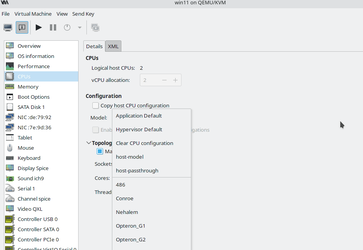
on HYPER-V the TPM emulation seems OK but can you also fiddle around with the CPU topography so the HYPER-V VM "thinks" it's running a supported CPU. While this might not be possible via the standard HYPER-V Virtual machine management is there perhaps something in an XML config file where one could manually edit the CPU topography such as in KVM.

Screenshot_20210902_091308.png

Cheers
jimbo
 

My Computer My Computer

At a glance

Windows XP,11 Linux Fedora Rawhide pre-releas...2 X Intel i7
OS
Windows XP,11 Linux Fedora Rawhide pre-release 45
Computer type
PC/Desktop
CPU
2 X Intel i7
Screen Resolution
4KUHD X 2
Back
Top Bottom