
New update of CCleaner


New CCleaner is out if anyone is still interested?

CCleaner 7.03.1120 (17 Dec 2025)

Version History


New features to expand cleaning and optimization capabilities

Cloud Drive Cleaner now supports Dropbox, so you can tidy cloud clutter safely in just a few clicks.

Startup Manager now lets you view and manage apps that run via Windows scheduled tasks and services, giving you more control over what starts in the background.

Updates to improve user experience

Driver Updater: the “Up-to-date drivers” tab is clearer, with better grouping structure and icons.

Driver Updater: Skipped and Ignored drivers now have their own tab, making it easier to review and manage them in one place.

Software Updater now shows a clear “Restart required” screen for updates that need a reboot

Cleaning safeguards: added clear warnings when enabling rules that clean your Downloads folder, so you don’t remove files you still need by accident.

We improved Temporary Uninstall to give you more control. You can now choose how long an app stays temporarily removed before CCleaner fully uninstalls it. Adjust this anytime in the feature settings.

Fixed bugs

Fixed an issue where the Recycle Bin icon didn’t always show as empty after cleaning with Health Check.

Fixed a display issue where the new tab layout showed white gaps when the window was maximized.

 
Last edited:

My Computer

System One

  • OS
    Windows 11 Pro
    Computer type
    PC/Desktop
    Manufacturer/Model
    Custom Build
    CPU
    Intel Core i9 12900KF
    Motherboard
    ASUS ROG Maximus Z690 Hero
    Memory
    Corsair 64GB DDR5 Vengeance C40 5200Mhz
    Graphics Card(s)
    ASUS GeForce RTX 3090 ROG Strix OC 24GB
    Sound Card
    OnBoard
    Monitor(s) Displays
    Acer Predator XB323UGP 32" QHD G-SYNC-C 144Hz 1MS IPS LED
    Screen Resolution
    2560 x 1440
    Hard Drives
    1x Samsung 980 Pro Series Gen4 250GB M.2 NVMe
    1x Samsung 980 Pro Series Gen4 500GB M.2 NVMe
    2x Samsung 980 Pro Series Gen4 2TB M.2 NVMe
    PSU
    Corsair AX1200i 1200W 80PLUS Titanium Modular
    Case
    Corsair 4000D Black Case w/ Tempered Glass Side Panel
    Cooling
    Noctua NH-U12A Chromax Black CPU Cooler, 4x Noctua 120mm Fans
    Keyboard
    Logitech MK545
    Mouse
    Logitech MX Master 3
    Internet Speed
    Fixed Wireless 150mbps/75mbps
    Browser
    Firefox
    Antivirus
    Kaspersky
    Other Info
    Thrustmaster TS-PC RACER
    Fanatec CSL Elite Pedals with the Load Cell Kit
    Yamaha Amp with Bose Speakers
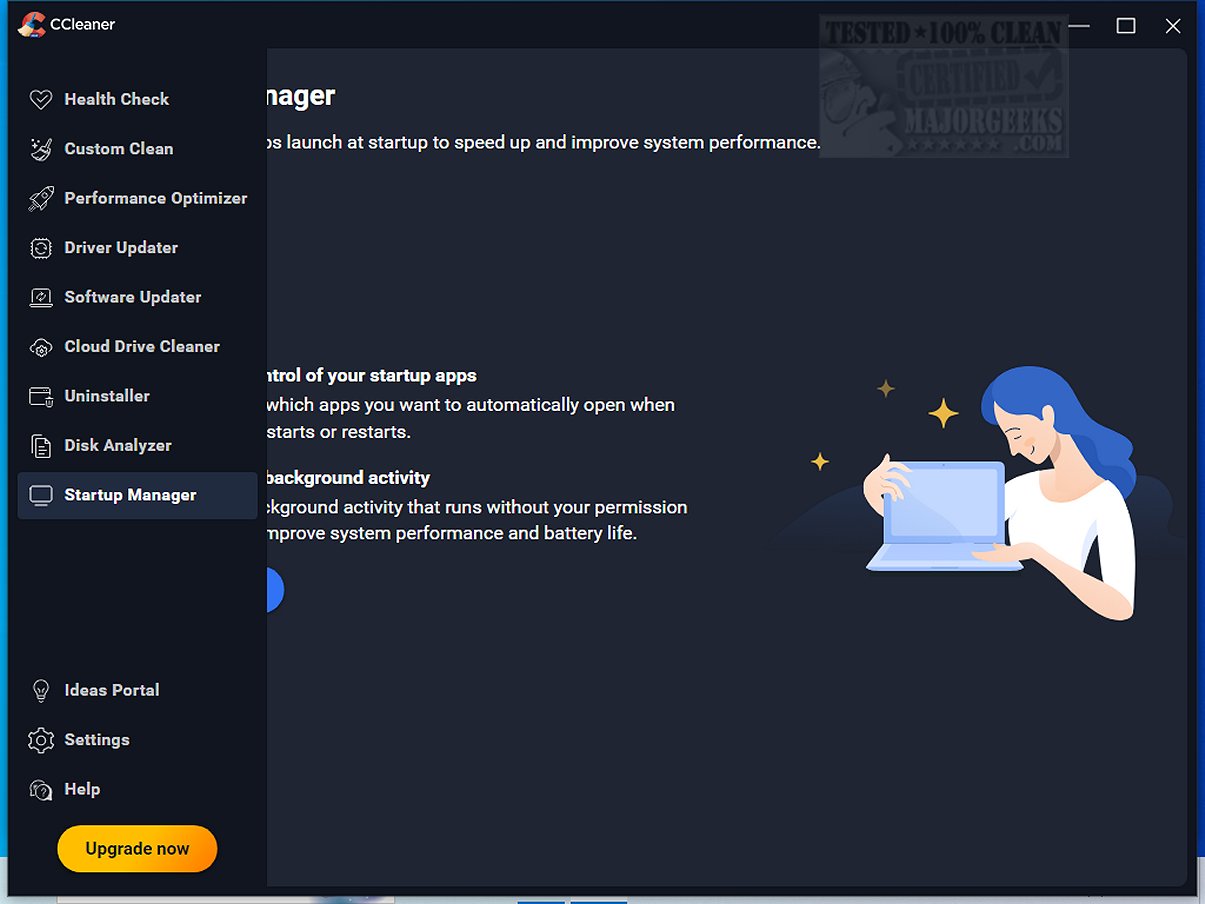
New CCleaner is out if anyone is still interested?

CCleaner 7.04.1172 (01/27/2026)

New

  • Expanded browser cleaning support
    • CCleaner now includes cleaning for the Neo Browser.
  • Clearer scheduling setup
    • We’ve added an information screen to help you better understand how to use the scheduled cleaning feature.
Improved
  • Better recovery when the app disconnects
    • If CCleaner loses connection to its background service, you’ll now be prompted to restart it quickly and easily.
Bug Fixes
  • Duplicate Finder accuracy improved
    • Improved filters for Duplicate Finder so items are not found in multiple categories.
  • Scheduling language issue resolved
    • Non-English users will no longer see English text appearing in Scheduling settings.
  • Startup Manager interaction fixed
    • Resolved an issue that prevented some users from interacting with Startup Manager
 
Last edited:

My Computer

System One

  • OS
    Windows 11 Pro
    Computer type
    PC/Desktop
    Manufacturer/Model
    Custom Build
    CPU
    Intel Core i9 12900KF
    Motherboard
    ASUS ROG Maximus Z690 Hero
    Memory
    Corsair 64GB DDR5 Vengeance C40 5200Mhz
    Graphics Card(s)
    ASUS GeForce RTX 3090 ROG Strix OC 24GB
    Sound Card
    OnBoard
    Monitor(s) Displays
    Acer Predator XB323UGP 32" QHD G-SYNC-C 144Hz 1MS IPS LED
    Screen Resolution
    2560 x 1440
    Hard Drives
    1x Samsung 980 Pro Series Gen4 250GB M.2 NVMe
    1x Samsung 980 Pro Series Gen4 500GB M.2 NVMe
    2x Samsung 980 Pro Series Gen4 2TB M.2 NVMe
    PSU
    Corsair AX1200i 1200W 80PLUS Titanium Modular
    Case
    Corsair 4000D Black Case w/ Tempered Glass Side Panel
    Cooling
    Noctua NH-U12A Chromax Black CPU Cooler, 4x Noctua 120mm Fans
    Keyboard
    Logitech MK545
    Mouse
    Logitech MX Master 3
    Internet Speed
    Fixed Wireless 150mbps/75mbps
    Browser
    Firefox
    Antivirus
    Kaspersky
    Other Info
    Thrustmaster TS-PC RACER
    Fanatec CSL Elite Pedals with the Load Cell Kit
    Yamaha Amp with Bose Speakers
New CCleaner is out if anyone is still interested?

CCleaner 7.05.1241 (02/26/2026)


Taking the hassle out of PC maintenance


Shutdown after Custom Clean - You can now automatically shut down your PC after a Custom Clean finishes. Find this option in Custom Clean advanced settings.

Easier license activation - We've added a Paste button to the license activation screen, so entering your license key is quicker and simpler.

Helping you to keep your PC running fast and smooth

Faster scans
- We've fine-tuned our scanning engine, so Health Check and Custom Clean scans now run noticeably faster.

Update status confirmation - You'll now see a clear "You're up-to-date" message when you check for updates and your app is already on the latest version.
Simplifying the app

Better layout on all screen sizes
- The app now adapts more smoothly to different window sizes for a cleaner, more consistent look.

Tidier interface throughout - We've polished up a few visual details, including button alignment, menu visibility, scrollbar spacing, and layout consistency across languages.

Fixing bugs

Firefox history now cleans properly
- Your Firefox browsing history is now fully removed during Health Check and Custom Clean scans.

Smoother experience on all Windows devices - We've improved compatibility so that manual updates, scheduled tasks, and Startup Manager work reliably across all supported Windows devices.

Scheduled cleans now respect your exclusions - Files and folders you've added to your exclusion list are now properly preserved during scheduled cleans.

Software Uninstaller displays results correctly - The Software Uninstaller no longer shows a blank screen after completing a scan, you'll see your results as expected.

 
Last edited:

My Computer

System One

  • OS
    Windows 11 Pro
    Computer type
    PC/Desktop
    Manufacturer/Model
    Custom Build
    CPU
    Intel Core i9 12900KF
    Motherboard
    ASUS ROG Maximus Z690 Hero
    Memory
    Corsair 64GB DDR5 Vengeance C40 5200Mhz
    Graphics Card(s)
    ASUS GeForce RTX 3090 ROG Strix OC 24GB
    Sound Card
    OnBoard
    Monitor(s) Displays
    Acer Predator XB323UGP 32" QHD G-SYNC-C 144Hz 1MS IPS LED
    Screen Resolution
    2560 x 1440
    Hard Drives
    1x Samsung 980 Pro Series Gen4 250GB M.2 NVMe
    1x Samsung 980 Pro Series Gen4 500GB M.2 NVMe
    2x Samsung 980 Pro Series Gen4 2TB M.2 NVMe
    PSU
    Corsair AX1200i 1200W 80PLUS Titanium Modular
    Case
    Corsair 4000D Black Case w/ Tempered Glass Side Panel
    Cooling
    Noctua NH-U12A Chromax Black CPU Cooler, 4x Noctua 120mm Fans
    Keyboard
    Logitech MK545
    Mouse
    Logitech MX Master 3
    Internet Speed
    Fixed Wireless 150mbps/75mbps
    Browser
    Firefox
    Antivirus
    Kaspersky
    Other Info
    Thrustmaster TS-PC RACER
    Fanatec CSL Elite Pedals with the Load Cell Kit
    Yamaha Amp with Bose Speakers
To save anyone else the trouble of checking, the latest Portable version is still 6.39.
 

My Computer

System One

  • OS
    windows 11 Pro
    Computer type
    Laptop
    Manufacturer/Model
    Dell XPS 15 9510
    CPU
    11th Gen Intel(R) Core(TM) i7-11800H @ 2.30GHz (16 CPUs
    Memory
    16 GB
    Graphics Card(s)
    NVIDIA GeForce RTX 3050 Ti
    Hard Drives
    512GB Solid State Drive
    Browser
    Firefox
New CCleaner is out if anyone is still interested? (NO Potable the Latest and Last is v6.39)

CCleaner v7.05.1255 (Mar 2, 2026)

Taking the hassle out of PC maintenance


Shutdown after Custom Clean - You can now automatically shut down your PC after a Custom Clean finishes. Find this option in Custom Clean advanced settings.

Easier license activation - We've added a Paste button to the license activation screen, so entering your license key is quicker and simpler.

Helping you to keep your PC running fast and smooth

Faster scans - We've fine-tuned our scanning engine, so Health Check and Custom Clean scans now run noticeably faster.

Update status confirmation - You'll now see a clear "You're up-to-date" message when you check for updates and your app is already on the latest version.

Simplifying the app

Better layout on all screen sizes - The app now adapts more smoothly to different window sizes for a cleaner, more consistent look.

Tidier interface throughout - We've polished up a few visual details, including button alignment, menu visibility, scrollbar spacing, and layout consistency across languages.

Fixing bugs

Firefox history now cleans properly - Your Firefox browsing history is now fully removed during Health Check and Custom Clean scans.

Smoother experience on all Windows devices - We've improved compatibility so that manual updates, scheduled tasks, and Startup Manager work reliably across all supported Windows devices.

Scheduled cleans now respect your exclusions - Files and folders you've added to your exclusion list are now properly preserved during scheduled cleans.

Software Uninstaller displays results correctly - The Software Uninstaller no longer shows a blank screen after completing a scan, you'll see your results as expected.


My Computer

System One

  • OS
    Windows 11 Pro
    Computer type
    PC/Desktop
    Manufacturer/Model
    Custom Build
    CPU
    Intel Core i9 12900KF
    Motherboard
    ASUS ROG Maximus Z690 Hero
    Memory
    Corsair 64GB DDR5 Vengeance C40 5200Mhz
    Graphics Card(s)
    ASUS GeForce RTX 3090 ROG Strix OC 24GB
    Sound Card
    OnBoard
    Monitor(s) Displays
    Acer Predator XB323UGP 32" QHD G-SYNC-C 144Hz 1MS IPS LED
    Screen Resolution
    2560 x 1440
    Hard Drives
    1x Samsung 980 Pro Series Gen4 250GB M.2 NVMe
    1x Samsung 980 Pro Series Gen4 500GB M.2 NVMe
    2x Samsung 980 Pro Series Gen4 2TB M.2 NVMe
    PSU
    Corsair AX1200i 1200W 80PLUS Titanium Modular
    Case
    Corsair 4000D Black Case w/ Tempered Glass Side Panel
    Cooling
    Noctua NH-U12A Chromax Black CPU Cooler, 4x Noctua 120mm Fans
    Keyboard
    Logitech MK545
    Mouse
    Logitech MX Master 3
    Internet Speed
    Fixed Wireless 150mbps/75mbps
    Browser
    Firefox
    Antivirus
    Kaspersky
    Other Info
    Thrustmaster TS-PC RACER
    Fanatec CSL Elite Pedals with the Load Cell Kit
    Yamaha Amp with Bose Speakers
New CCleaner is out if anyone is still interested? (NO Portable the Latest and Last is v6.39)

CCleaner v7.06.1270 (25 Mar 2026)​


Taking the hassle out of PC maintenance

Recycle Bin shortcuts We've added two new options to your Recycle Bin right-click menu: clean your Recycle Bin instantly or launch a Custom Clean analysis - without opening CCleaner first.
Smoother browser handling during cleaning Browsers now close gracefully when CCleaner needs to clean browser data, so you won't see "browser did not close properly" errors anymore.
Scheduled Health Check now respects your exclusions We fixed an issue where scheduled Health Check cleans could delete temporary files you'd excluded. Your exclusions are now honored in every cleaning mode.

Expanding our cleaning

Google Mail cleaning in Cloud Drive Cleaner You can now clean your Google Mail directly from Cloud Drive Cleaner. Free up space in your Gmail account alongside your other cloud storage.
Helping you to keep your PC running fast and smooth
Menu badges for updates and optimizations Software Updater, Driver Updater, and Performance Optimizer now show badges with the number of available actions, so you can see at a glance what needs attention.
Sort drivers by date Driver Updater now lets you sort by Released date and Installed date, and tables are sorted by date automatically when you open them.

Keeping you safe

Stronger scheduling security We've strengthened the security of our scheduling system to ensure scheduled tasks can only be managed by the account that created them.

Fixing bugs

Software Updater accessibility improvements Tabs and sortable column headers now have proper hover and focus styles for easier keyboard and mouse navigation.
Health Check tables now sort by size Health Check results are now sorted by size (largest first) by default, making it easier to spot what's taking up the most space.
Consistent terminology in Uninstaller We've unified the label from "Space" to "Size" throughout the Uninstaller for a clearer, more consistent experience.
Fixed app window appearing off-screen If your monitor setup changes, CCleaner now resets its window to the center of your screen instead of opening where you can't see it.
Fixed Driver Updater getting stuck after cancellation Resolved an issue where canceling a driver update could cause Driver Updater to stop offering that update entirely.
Fixed a Performance Optimizer crash We resolved a rare crash that could occur in Performance Optimizer during scanning.
Fixed French localization in Driver Updater The French version of Driver Updater now correctly says "Searching for outdated drivers" instead of "Searching for outdated software."
Fixed notification overlap during shutdown Promotional offers no longer appear on top of the shutdown-after-clean confirmation dialog.
Other stability and reliability improvements We've fixed several additional issues to make CCleaner more stable and accurate across the board.


Last edited:

My Computer

System One

  • OS
    Windows 11 Pro
    Computer type
    PC/Desktop
    Manufacturer/Model
    Custom Build
    CPU
    Intel Core i9 12900KF
    Motherboard
    ASUS ROG Maximus Z690 Hero
    Memory
    Corsair 64GB DDR5 Vengeance C40 5200Mhz
    Graphics Card(s)
    ASUS GeForce RTX 3090 ROG Strix OC 24GB
    Sound Card
    OnBoard
    Monitor(s) Displays
    Acer Predator XB323UGP 32" QHD G-SYNC-C 144Hz 1MS IPS LED
    Screen Resolution
    2560 x 1440
    Hard Drives
    1x Samsung 980 Pro Series Gen4 250GB M.2 NVMe
    1x Samsung 980 Pro Series Gen4 500GB M.2 NVMe
    2x Samsung 980 Pro Series Gen4 2TB M.2 NVMe
    PSU
    Corsair AX1200i 1200W 80PLUS Titanium Modular
    Case
    Corsair 4000D Black Case w/ Tempered Glass Side Panel
    Cooling
    Noctua NH-U12A Chromax Black CPU Cooler, 4x Noctua 120mm Fans
    Keyboard
    Logitech MK545
    Mouse
    Logitech MX Master 3
    Internet Speed
    Fixed Wireless 150mbps/75mbps
    Browser
    Firefox
    Antivirus
    Kaspersky
    Other Info
    Thrustmaster TS-PC RACER
    Fanatec CSL Elite Pedals with the Load Cell Kit
    Yamaha Amp with Bose Speakers
New CCleaner is out if anyone is still interested? (NO More Portable the Latest and Last Portable is v6.39.11548)

CCleaner 7.6.1275.0 (04-04-26)


Last edited:

My Computer

System One

  • OS
    Windows 11 Pro
    Computer type
    PC/Desktop
    Manufacturer/Model
    Custom Build
    CPU
    Intel Core i9 12900KF
    Motherboard
    ASUS ROG Maximus Z690 Hero
    Memory
    Corsair 64GB DDR5 Vengeance C40 5200Mhz
    Graphics Card(s)
    ASUS GeForce RTX 3090 ROG Strix OC 24GB
    Sound Card
    OnBoard
    Monitor(s) Displays
    Acer Predator XB323UGP 32" QHD G-SYNC-C 144Hz 1MS IPS LED
    Screen Resolution
    2560 x 1440
    Hard Drives
    1x Samsung 980 Pro Series Gen4 250GB M.2 NVMe
    1x Samsung 980 Pro Series Gen4 500GB M.2 NVMe
    2x Samsung 980 Pro Series Gen4 2TB M.2 NVMe
    PSU
    Corsair AX1200i 1200W 80PLUS Titanium Modular
    Case
    Corsair 4000D Black Case w/ Tempered Glass Side Panel
    Cooling
    Noctua NH-U12A Chromax Black CPU Cooler, 4x Noctua 120mm Fans
    Keyboard
    Logitech MK545
    Mouse
    Logitech MX Master 3
    Internet Speed
    Fixed Wireless 150mbps/75mbps
    Browser
    Firefox
    Antivirus
    Kaspersky
    Other Info
    Thrustmaster TS-PC RACER
    Fanatec CSL Elite Pedals with the Load Cell Kit
    Yamaha Amp with Bose Speakers
My Computer

System One

  • OS
    Windows 11 Pro
    Computer type
    PC/Desktop
    Manufacturer/Model
    Custom Build
    CPU
    Intel Core i9 12900KF
    Motherboard
    ASUS ROG Maximus Z690 Hero
    Memory
    Corsair 64GB DDR5 Vengeance C40 5200Mhz
    Graphics Card(s)
    ASUS GeForce RTX 3090 ROG Strix OC 24GB
    Sound Card
    OnBoard
    Monitor(s) Displays
    Acer Predator XB323UGP 32" QHD G-SYNC-C 144Hz 1MS IPS LED
    Screen Resolution
    2560 x 1440
    Hard Drives
    1x Samsung 980 Pro Series Gen4 250GB M.2 NVMe
    1x Samsung 980 Pro Series Gen4 500GB M.2 NVMe
    2x Samsung 980 Pro Series Gen4 2TB M.2 NVMe
    PSU
    Corsair AX1200i 1200W 80PLUS Titanium Modular
    Case
    Corsair 4000D Black Case w/ Tempered Glass Side Panel
    Cooling
    Noctua NH-U12A Chromax Black CPU Cooler, 4x Noctua 120mm Fans
    Keyboard
    Logitech MK545
    Mouse
    Logitech MX Master 3
    Internet Speed
    Fixed Wireless 150mbps/75mbps
    Browser
    Firefox
    Antivirus
    Kaspersky
    Other Info
    Thrustmaster TS-PC RACER
    Fanatec CSL Elite Pedals with the Load Cell Kit
    Yamaha Amp with Bose Speakers
To save anyone else the trouble of checking, the latest Portable version is still 6.39.
That's what I am using because according to the users in the forum, version 7 is a mess.
 

My Computer

System One

  • OS
    Windows 11
    Computer type
    Laptop
    Manufacturer/Model
    Lenovo
    Graphics Card(s)
    NVIDA 1650 Ti
    Monitor(s) Displays
    Lenovo C32q-20
Yes , version 6.39.11548 is best ......so far ! :giggle:
 

My Computer

System One

  • OS
    Windows11 Pro 25H2
    Computer type
    PC/Desktop
    Manufacturer/Model
    Asus
    CPU
    i7
    Motherboard
    z97k
    Memory
    32GB
    Graphics Card(s)
    nVidia
    Sound Card
    Realtek
    Hard Drives
    3
    Cooling
    air
    Browser
    Edge
    Antivirus
    ESET
New CCleaner is out if anyone is still interested? (NO More Portable the Latest and Last Portable is v6.39.11548)

CCleaner v7.07.1313​

Helping you to keep your PC running fast and smooth
  • Faster Disk Analyzer selections. Selecting and deselecting items in Disk Analyzer is now much more responsive, even on large scans.
  • Smoother Duplicate Finder scans. We’ve fixed lags and unresponsive buttons so starting and managing scans feels snappier.
Expanding our cleaning
  • Better support for special-character folders. Custom Clean and Files to clean now handle folders with accented or special characters without crashing and clean them as expected.
Enhancing our Software Updater
  • Clearer offline messages. Software Updater now shows the right “no internet” message when you try to scan while offline.
  • More reliable driver updates. Driver Updater no longer gets stuck when updating, so driver installs complete more smoothly.
  • More responsive Software Updater. We’ve fixed issues where Software Updater controls could appear or feel unresponsive.
Simplifying the app
  • Easier Beta opt-in and opt-out. You can now join or leave the CCleaner Beta program directly from Settings.
  • More consistent light and dark themes. Your chosen theme is applied more reliably across different parts of the app.
Taking the hassle out of PC maintenance
  • Shutdown countdown now behaves correctly. The “shutdown after clean” timer no longer pauses at a negative number before your PC powers off.
  • Interface alignment issues fixed. We’ve corrected a display shift so screens now appear where you expect them.
Keeping you safe
  • Warnings and highlights are easier to see. We’ve adjusted some colors and layouts so important icons and messages stand out more clearly.
Fixing bugs
  • Cloud Drive Cleaner icon fix. We’ve corrected an icon color so links are clearer for free users.
  • Onboarding alignment on larger screens. The menu info box now points to the right place on high-resolution displays.
  • Right-to-left language improvements. The welcome tour tooltip now lays out correctly in right-to-left languages.
  • Duplicate Finder layout and buttons fixed. Row spacing is now consistent, and the “Choose more files”, “Done”, and “View details” buttons work as expected after deleting duplicates.


My Computer

System One

  • OS
    Windows 11 Pro
    Computer type
    PC/Desktop
    Manufacturer/Model
    Custom Build
    CPU
    Intel Core i9 12900KF
    Motherboard
    ASUS ROG Maximus Z690 Hero
    Memory
    Corsair 64GB DDR5 Vengeance C40 5200Mhz
    Graphics Card(s)
    ASUS GeForce RTX 3090 ROG Strix OC 24GB
    Sound Card
    OnBoard
    Monitor(s) Displays
    Acer Predator XB323UGP 32" QHD G-SYNC-C 144Hz 1MS IPS LED
    Screen Resolution
    2560 x 1440
    Hard Drives
    1x Samsung 980 Pro Series Gen4 250GB M.2 NVMe
    1x Samsung 980 Pro Series Gen4 500GB M.2 NVMe
    2x Samsung 980 Pro Series Gen4 2TB M.2 NVMe
    PSU
    Corsair AX1200i 1200W 80PLUS Titanium Modular
    Case
    Corsair 4000D Black Case w/ Tempered Glass Side Panel
    Cooling
    Noctua NH-U12A Chromax Black CPU Cooler, 4x Noctua 120mm Fans
    Keyboard
    Logitech MK545
    Mouse
    Logitech MX Master 3
    Internet Speed
    Fixed Wireless 150mbps/75mbps
    Browser
    Firefox
    Antivirus
    Kaspersky
    Other Info
    Thrustmaster TS-PC RACER
    Fanatec CSL Elite Pedals with the Load Cell Kit
    Yamaha Amp with Bose Speakers

My Computers

System One System Two

  • OS
    Windows 11 Pro
    Computer type
    PC/Desktop
    Manufacturer/Model
    Stigg's Build
    CPU
    Intel Core i9-10900X
    Motherboard
    GIGABYTE X299X DESIGNARE 10G
    Memory
    Corsair 64 GB (4 x 16 GB) CMW64GX4M4C3000C15 Vengeance RGB Pro 3000Mhz DDR4
    Graphics Card(s)
    GIGABYTE GeForce GTX 1660 Super Mini ITX 6 GB OC
    Sound Card
    Realtek ALC1220
    Monitor(s) Displays
    Samsung 27" FHD LED FreeSync Gaming Monitor (LS27F350FHEXXY)
    Screen Resolution
    1920 x 1080
    Hard Drives
    Samsung 970 Pro Series 1TB M.2 2280 NVMe SSD
    Western Digital Red Pro WD8003FFBX-68B9AN0 8 TB, 7200 RPM, SATA-III
    Western Digital Red Pro WD8003FFBX-68B9AN0 8 TB, 7200 RPM, SATA-III
    PSU
    Corsair HX1200 1200W 80 Plus Platinum
    Case
    Fractal Design Define 7 Black Solid Case
    Cooling
    Noctua NH-D15 Chromax Black
    Keyboard
    Razer Ornata V2
    Mouse
    Razer DeathAdder Essential
    Internet Speed
    FTTN 100Mbps / 40Mbps
    Browser
    Mozilla Firefox
    Antivirus
    N/A
    Other Info
    Logitech BRIO 4k Ultra HD USB-C Webcam
  • Operating System
    Windows 10 Pro
    Computer type
    Laptop
    Manufacturer/Model
    ASUS ROG Zephyrus M GM501GS
    CPU
    Core i7-8750H
    Motherboard
    Zephyrus M GM501GS
    Memory
    SK Hynix 32 GB (2 x 16 GB) HMA82GS6CJR8N-VK 16 GB DDR4-2666 DDR4 SDRAM
    Graphics card(s)
    NVIDIA GeForce GTX 1070
    Sound Card
    Realtek ALC294
    Monitor(s) Displays
    AU Optronics B156HAN07.1 [15.6" LCD]
    Screen Resolution
    1920 x 1080
    Hard Drives
    Samsung MZVKW512HMJP-00000 512 GB, PCI-E 3.0 x4
    Samsung SSD 860 QVO 4TB 4 TB, SATA-III
    PSU
    N/A
    Case
    N/A
    Cooling
    N/A
    Keyboard
    PC/AT Enhanced PS2 Keyboard (101/102-Key)
    Mouse
    Razer DeathAdder Essential
    Internet Speed
    FTTN 100Mbps / 40Mbps
    Browser
    Mozilla Firefox
    Antivirus
    N/A
    Other Info
    USB2.0 HD UVC Webcam
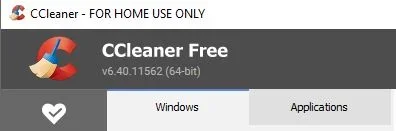
Is it better than v6.40.11562 ?
I haven't used CCleaner in a long time.
I see this update first , will test it and let you know............ 🛠️
btw ; cant find any changelog of this 6.40-version !
Wonder whats the difference between 6.39 and 6.40.........!!
 
Last edited:

My Computer

System One

  • OS
    Windows11 Pro 25H2
    Computer type
    PC/Desktop
    Manufacturer/Model
    Asus
    CPU
    i7
    Motherboard
    z97k
    Memory
    32GB
    Graphics Card(s)
    nVidia
    Sound Card
    Realtek
    Hard Drives
    3
    Cooling
    air
    Browser
    Edge
    Antivirus
    ESET
I see this update first , will test it and let you know............ 🛠️
btw ; cant find any changelog of this 6.40-version !
Wonder whats the difference between 6.39 and 6.40.........!!
All I can find is this below (Not much to worry about)
I did find a portable version 6.40.11562 though, definitely the last one before it all went pair shape with the new 7 versions.

Capture.webp

What's new in CCleaner Business Edition 6.40.11558​

  • Fixed an issue where Windows 7 users could see a connection error that prevented CCleaner from reaching our servers.
  • Fixed an issue that stopped CCleaner from updating correctly on Windows 8.
 
Last edited:

My Computer

System One

  • OS
    Windows 11 Pro
    Computer type
    PC/Desktop
    Manufacturer/Model
    Custom Build
    CPU
    Intel Core i9 12900KF
    Motherboard
    ASUS ROG Maximus Z690 Hero
    Memory
    Corsair 64GB DDR5 Vengeance C40 5200Mhz
    Graphics Card(s)
    ASUS GeForce RTX 3090 ROG Strix OC 24GB
    Sound Card
    OnBoard
    Monitor(s) Displays
    Acer Predator XB323UGP 32" QHD G-SYNC-C 144Hz 1MS IPS LED
    Screen Resolution
    2560 x 1440
    Hard Drives
    1x Samsung 980 Pro Series Gen4 250GB M.2 NVMe
    1x Samsung 980 Pro Series Gen4 500GB M.2 NVMe
    2x Samsung 980 Pro Series Gen4 2TB M.2 NVMe
    PSU
    Corsair AX1200i 1200W 80PLUS Titanium Modular
    Case
    Corsair 4000D Black Case w/ Tempered Glass Side Panel
    Cooling
    Noctua NH-U12A Chromax Black CPU Cooler, 4x Noctua 120mm Fans
    Keyboard
    Logitech MK545
    Mouse
    Logitech MX Master 3
    Internet Speed
    Fixed Wireless 150mbps/75mbps
    Browser
    Firefox
    Antivirus
    Kaspersky
    Other Info
    Thrustmaster TS-PC RACER
    Fanatec CSL Elite Pedals with the Load Cell Kit
    Yamaha Amp with Bose Speakers
New CCleaner is out if anyone is still interested? (NO More Portable the Latest and Last Portable is v6.40.11562)

CCleaner v7.08.1355​

Expanding our cleaning
  • Clipboard cleaning is back. We've re-implemented clipboard cleaning so CCleaner can clear your copied content again, just like it did before.
Helping you to keep your PC running fast and smooth
  • Run dialog history now cleaned on Windows 11. CCleaner once again clears your Run dialog history on Windows 11.
Taking the hassle out of PC maintenance
  • System tray icon now shows reliably. We fixed an issue where the CCleaner icon wouldn't appear in your system tray even when the option was enabled.
  • Smoother first-time setup. New users no longer see overlapping onboarding screens during installation.
Enhancing our Software Updater
  • Windows Update detection on ARM64 devices. Software Updater now correctly detects Windows Update patches on ARM64 PCs.
  • Improved connectivity on older Windows. Driver Updater now connects reliably on Windows 7 and Windows 8 devices.
Simplifying the app
  • Refreshed Settings layout. The General tab now has clearer section dividers, updated headings, and a new Reset button in Advanced Settings.
  • Consistent date format. Dates across Driver Updater, Disk Analyzer, and Performance Optimizer now display in a clearer format.
Keeping you safe
  • Accept button always reachable. We added scrollbar support so the Accept button is accessible at any Windows display scaling level.
Fixing bugs
  • Fixed the three-dots menu overflowing into the table header in Startup Manager.
  • Fixed text clipping in the Uninstaller column header for Russian users.
  • Fixed column misalignment on the Health Check "Resolve Issues" page.
  • Fixed untidy subscription list layout in Settings for RTL languages.
  • Fixed checkbox labels in Disk Analyzer so clicking the label now toggles the checkbox.
  • Fixed inconsistent icon alignment in Statistics view tiles for RTL languages.
  • Fixed missing row indentation in the Driver Updater up-to-date list.
  • Fixed Statistics page misalignment in German, French, Czech, and Danish.
  • Fixed overlapping modals when skipping a driver in Driver Updater.


My Computer

System One

  • OS
    Windows 11 Pro
    Computer type
    PC/Desktop
    Manufacturer/Model
    Custom Build
    CPU
    Intel Core i9 12900KF
    Motherboard
    ASUS ROG Maximus Z690 Hero
    Memory
    Corsair 64GB DDR5 Vengeance C40 5200Mhz
    Graphics Card(s)
    ASUS GeForce RTX 3090 ROG Strix OC 24GB
    Sound Card
    OnBoard
    Monitor(s) Displays
    Acer Predator XB323UGP 32" QHD G-SYNC-C 144Hz 1MS IPS LED
    Screen Resolution
    2560 x 1440
    Hard Drives
    1x Samsung 980 Pro Series Gen4 250GB M.2 NVMe
    1x Samsung 980 Pro Series Gen4 500GB M.2 NVMe
    2x Samsung 980 Pro Series Gen4 2TB M.2 NVMe
    PSU
    Corsair AX1200i 1200W 80PLUS Titanium Modular
    Case
    Corsair 4000D Black Case w/ Tempered Glass Side Panel
    Cooling
    Noctua NH-U12A Chromax Black CPU Cooler, 4x Noctua 120mm Fans
    Keyboard
    Logitech MK545
    Mouse
    Logitech MX Master 3
    Internet Speed
    Fixed Wireless 150mbps/75mbps
    Browser
    Firefox
    Antivirus
    Kaspersky
    Other Info
    Thrustmaster TS-PC RACER
    Fanatec CSL Elite Pedals with the Load Cell Kit
    Yamaha Amp with Bose Speakers
Thanks but I will pass.
 

My Computers

System One System Two

  • OS
    Windows11 Pro 26200.8655
    Computer type
    PC/Desktop
    Manufacturer/Model
    Dell Alienware Aurora R16
    CPU
    Intel Core i9 14900F (24 -Core, 68 MB Total Cache)
    Motherboard
    Dell Alienware
    Memory
    32GB DDR5
    Graphics Card(s)
    RTX 4080 Super w/581.95
    Sound Card
    Realtec
    Monitor(s) Displays
    Corsair XENEON 32QHD165
    Screen Resolution
    2560 X 1440
    Hard Drives
    1-2TB Samsung 990 Pro PCIe NVMe M2 SSD
    1-4TB Samsung 990 Pro PCIe NVMe M2 SSD
    PSU
    1000 Watt Platinum Dell
    Case
    Alienware
    Cooling
    Liquid Closed Loop
    Keyboard
    Corsair Strafe RGB
    Mouse
    Logitech MK270 Wireless
    Internet Speed
    100Gb's Down-20 Up
    Browser
    Firefox 151.0.4
    Antivirus
    Defender
    Other Info
    Very Quiet And Fast
    CyberPower UPS CP1500PFCLCD
  • Operating System
    PClinuxOS Mate (2025.7)
    Computer type
    PC/Desktop
    Manufacturer/Model
    Intel
    CPU
    13th Gen Inter(R) Core(TM) i3-1315U
    Motherboard
    Intel
    Memory
    64 GB DDR4 @3200 MHz.
    Graphics card(s)
    Internal
    Sound Card
    None
    Monitor(s) Displays
    Dell 2419HGCF
    Screen Resolution
    1920 X 1080
    Hard Drives
    SAMSUNG 980 PRO SSD 2TB, PCIe 4.0 M.2 2280
    PSU
    Chicony 30 Watt
    Case
    Small
    Keyboard
    Dell
    Mouse
    Razor
    Internet Speed
    1GB
    Browser
    Slimjet

My Computer

System One

  • OS
    Windows11 Pro 25H2
    Computer type
    PC/Desktop
    Manufacturer/Model
    Asus
    CPU
    i7
    Motherboard
    z97k
    Memory
    32GB
    Graphics Card(s)
    nVidia
    Sound Card
    Realtek
    Hard Drives
    3
    Cooling
    air
    Browser
    Edge
    Antivirus
    ESET
Back
Top Bottom


