StartAllBack


StartAllBack: Windows 11 from better timeline​

Get the latest version here Download

Embrace, enhance, unsweep classic UI from under the rug​

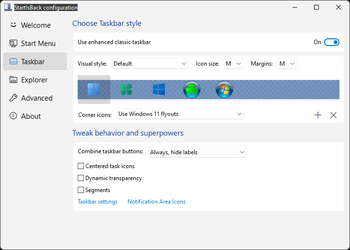
Restore and improve taskbar​

  • Show labels on task icons
  • Adjust icon size and margins
  • Move taskbar to top, left or right edges
  • Drag and drop stuff onto taskbar
  • Center task icons but keep Start button on the left
  • Split into segments, use dynamic translucency
  • Separate corner icons with Windows 7/10 UI
  • Auto-hide when covered by maximized window

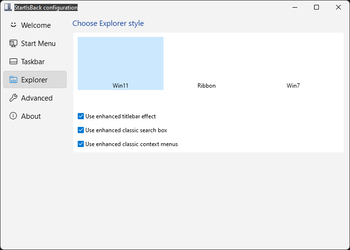
Restore and improve File Explorer and Control Panel​

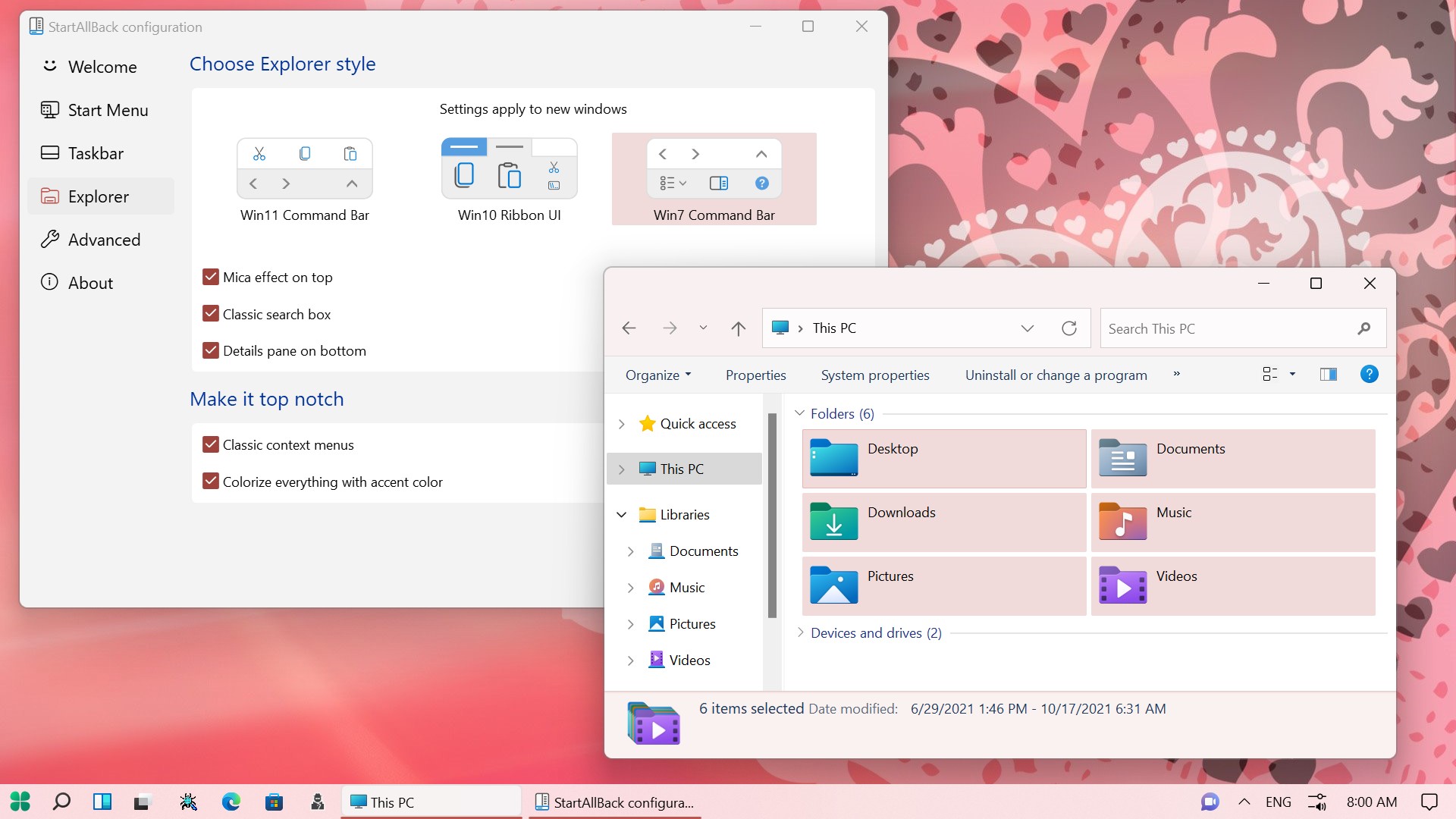
  • Ribbon and Command Bar revamped with translucent effects
  • Details pane on bottom
  • Old search box (the one which works)
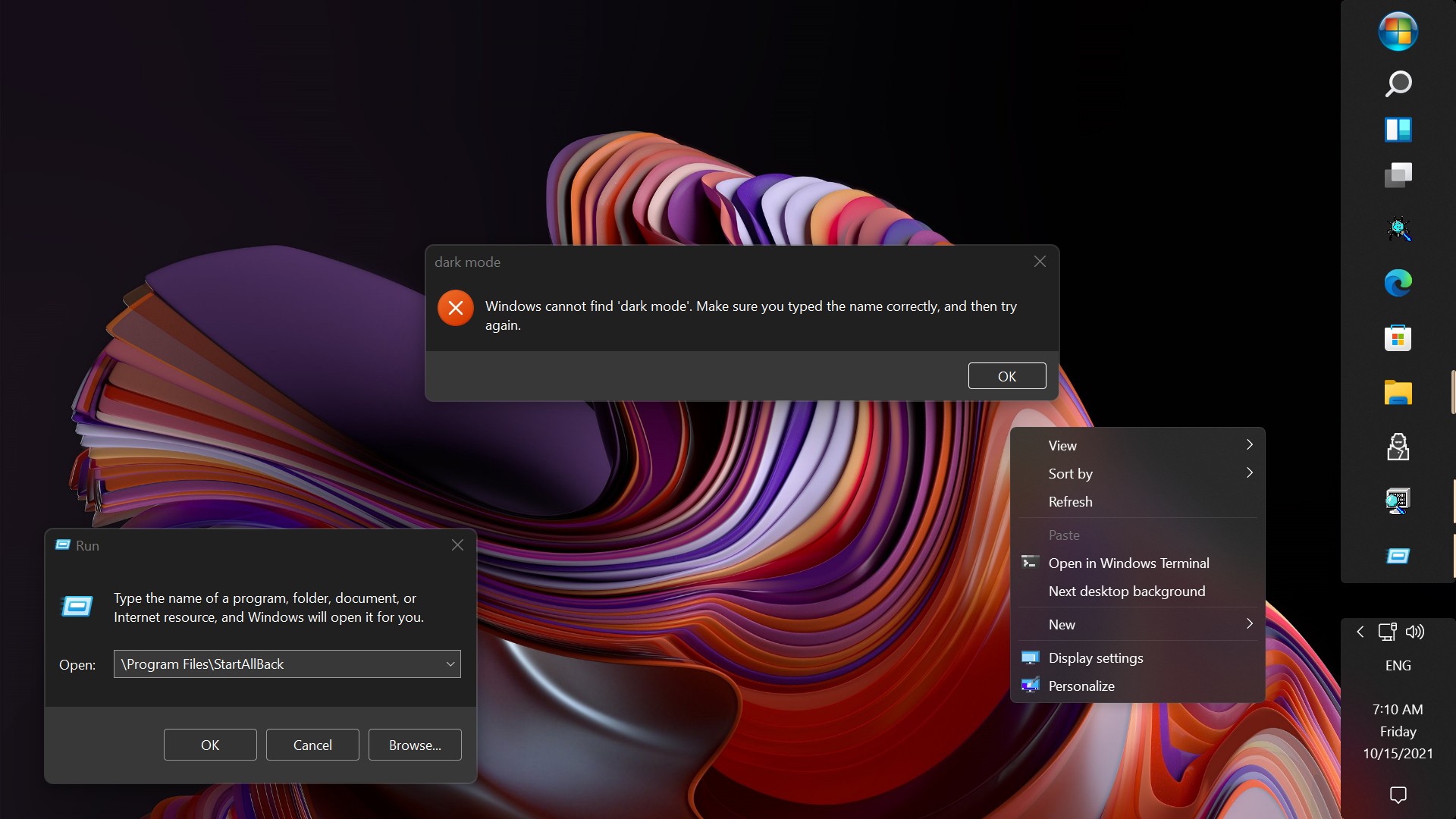
  • Dark mode support for more dialogs

Restore and improve context menus​

  • All new look with rounded acrylic menus
  • Fast and responsive taskbar menus
  • New fonts, better touch support

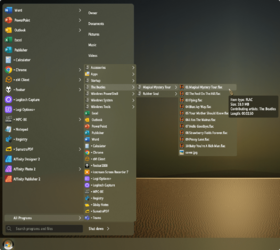
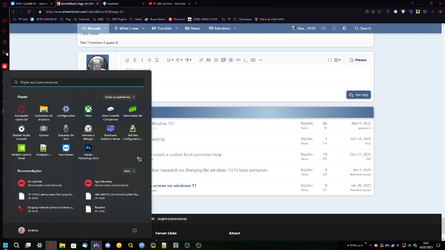
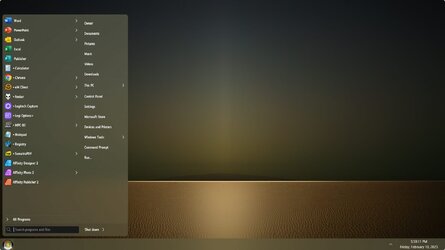
Restore and improve start menu​

  • Launch apps and go to system places in one click
  • Navigate dropdown menus like a boss
  • Enjoy fast and reliable search

Finally, lightweight styling and UI consistency​

  • Enjoy Windows 7, Windows 8 and third-party taskbar and start menu styles
  • Fix UI inconsistencies in Win32 apps
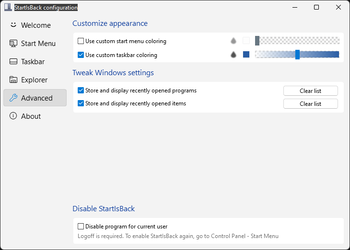
  • Don't be blue: recolor UI in all windows apps
  • Negative resource usage: fewer RAM used, fewer processes started, faster startup
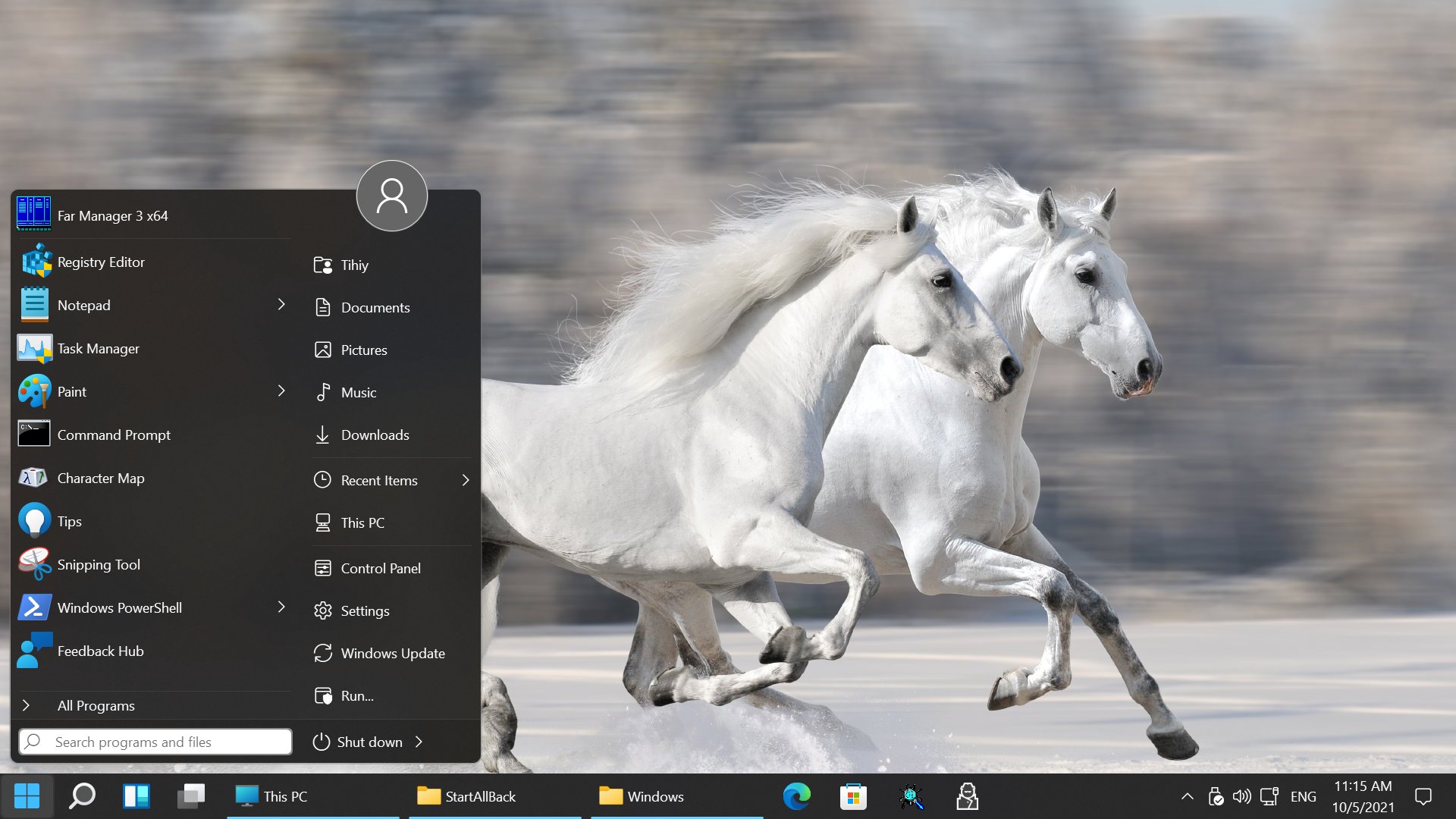


StartAllBack For Windows 11 has been released.
It's an RC release. I haven't tested it yet as I have Start11 installed.

Edit: I have now tested it. It's working quite well.
Apart from a great start menu, you can also have the Enhanced Classic Taskbar back.
This means (for example) that you can have an uncombined and unlocked Taskbar.
You will now also be able to enhance the Taskbar clock using T-Clock Redux or similar.

T-Clock Redux Tray Clock_.png

You can also change Windows Explorer to Ribbon UI or Simple UI.

You can get it Download


01 - Welcome.png
02 - Start Menu.png
04 - Taskbar.png
05 - Explorer.png
06 - Advanced.png
Get
 

Alex,

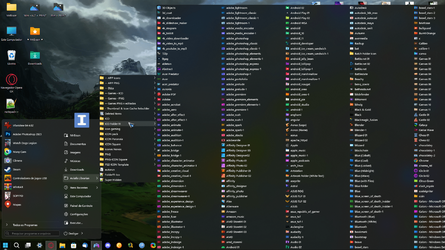
In your example screenshot, can I add any folder I want to the SAB Start menu where you have added Todos os Programas?
I would want to add the root folder of my Taskbar Toolbar there to use it from the Start menu instead of the toolbar.

I have only recently updated to 22H2 and have installed ExplorerPatcher in order to allow me to add Taskbar Toolbars.
I would like to try adding it to a Start menu instead to see if it is more convenient that way, hence my interest in SAB & your diagram.


Yours,
Denis
 

My Computer

System One

  • OS
    Windows 11 Home x64 Version 25H2 Build 26200.8037
I don't think you can pull it off!
You'd be better off creating a Taskbar Toolbar...

View attachment 18560

Edwin,

Are you saying that SAB restores the ability to have Taskbar Toolbars?
- I have only recently updated to 22H2 and have installed ExplorerPatcher in order to allow me to add Taskbar Toolbars.
- If SAB also does that then I could try experimenting with it instead for a while.


Yours,
Denis
 

My Computer

System One

  • OS
    Windows 11 Home x64 Version 25H2 Build 26200.8037
Last edited:

My Computers

System One System Two

  • OS
    Windows 11 Pro
    Computer type
    PC/Desktop
    Manufacturer/Model
    ASUS ROG Strix
  • Operating System
    Windows 11 Pro
    Computer type
    Laptop
    Manufacturer/Model
    ASUS VivoBook
... can I add any folder I want to the SAB Start menu where you have added Todos os Programas?
I would want to add the root folder of my Taskbar Toolbar there to use it from the Start menu instead of the toolbar.
Yes, but you would have to copy the actual folder and it's contents to the Start Menu folder, not just a shortcut thereof!

0002553.png
 

My Computers

System One System Two

  • OS
    Windows 11 Pro
    Computer type
    PC/Desktop
    Manufacturer/Model
    ASUS ROG Strix
  • Operating System
    Windows 11 Pro
    Computer type
    Laptop
    Manufacturer/Model
    ASUS VivoBook
Edwin,

Thanks for both responses.

I'll either swap out SAB for ExplorerPatcher or update my severely under-used 'travel & odd jobs' computer to Windows 11 so I can use SAB on that.
- It's a very low spec computer, even worse than my existing Windows 11 testbed, but might be able to do the job.
- It's a Chuwi Hi 10 Pro that I bought in 2018 as an experiment into how much use I'd make of a tablet [with integrated keyboard = a very small laptop].
The answer so far has been, "Not much.".
Alack and alas. It failed a Windows 11 upgrade at a re-boot stage. Not a great surprise.


All the best,
Denis
 
Last edited:

My Computer

System One

  • OS
    Windows 11 Home x64 Version 25H2 Build 26200.8037
Alex,

In your example screenshot, can I add any folder I want to the SAB Start menu where you have added Todos os Programas?
I would want to add the root folder of my Taskbar Toolbar there to use it from the Start menu instead of the toolbar.

I have only recently updated to 22H2 and have installed ExplorerPatcher in order to allow me to add Taskbar Toolbars.
I would like to try adding it to a Start menu instead to see if it is more convenient that way, hence my interest in SAB & your diagram.


Yours,
Denis
I don't quite understand what folder you want there, but here's an example.

My English is not so good.

1676036817856.png
1676037021418.png
 

My Computer

System One

  • OS
    Windows 11, Pro for Workstations, 22631.2861 (23H2)
    Computer type
    PC/Desktop
    Manufacturer/Model
    Custom
    CPU
    Amd Ryzen 5 5500 ("Zen 3") (3.6GHz,45-65W,L3:16M,6/12)
    Motherboard
    Asus Prime B450M Gaming/BR Chipset B450 AMD AM4 mATX DDR4 - BIOS 4002
    Memory
    DDR4 OLOy Owl Black, 8GB, 3200MHZ, (x2)
    Graphics Card(s)
    Colorful GeForce GTX 1650 Super
    Sound Card
    -
    Monitor(s) Displays
    Philips TV 43PFG5102/78
    Screen Resolution
    1920x1080
    Hard Drives
    SSD: 120GB, Sata III, Leitura 560MBs e Gravação 540MBs
    HD: Seagate Barracuda 1TB, Sata III, 7200RPM, 64MB
    PSU
    Corsair ATX CV550 550W, 80 Plus Bronze, PFC Ativo
    Case
    Wheel Jack, Mid Tower, Vidro Temperado, Black
    Cooling
    default
    Keyboard
    common
    Mouse
    commom
    Internet Speed
    600mb
    Browser
    Opera
    Antivirus
    Windows Defender
I don't quite understand what folder you want there, but here's an example.
Alex,

That's OK. I should really have just asked about 'any folder I choose'.
Your example screenshots will guide me in doing the job so thanks for those as well.

All the best,
Denis
 

My Computer

System One

  • OS
    Windows 11 Home x64 Version 25H2 Build 26200.8037
@Alex__ASSR example is better! I was pointing to the All Programs list when, the right hand Custom Folders list is the more logical choice! (y)
 

My Computers

System One System Two

  • OS
    Windows 11 Pro
    Computer type
    PC/Desktop
    Manufacturer/Model
    ASUS ROG Strix
  • Operating System
    Windows 11 Pro
    Computer type
    Laptop
    Manufacturer/Model
    ASUS VivoBook
I have, however, found a glitch...,
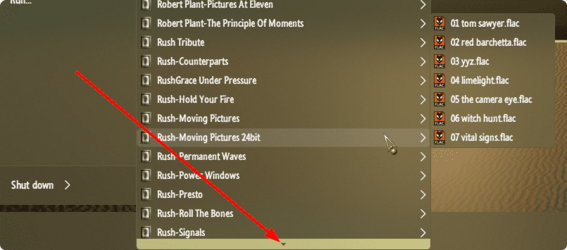
Horizontal scroll doesn't work with SAB, it just dismisses the Start Menu altogether, so, you don't want to enable multi-column fly-outs!
On the other hand, single column flyouts don't let you scroll inside them! You have to hover on the little downward arrow at the bottom, to navigate the menu! Pain!!! (n)

0002557.png
 

My Computers

System One System Two

  • OS
    Windows 11 Pro
    Computer type
    PC/Desktop
    Manufacturer/Model
    ASUS ROG Strix
  • Operating System
    Windows 11 Pro
    Computer type
    Laptop
    Manufacturer/Model
    ASUS VivoBook
The dev replied to me about making a Windows 10 like Start Menu: the answer is no.
I guess this software is not for me then.
Why is every other version of Windows so awful?
 

My Computer

System One

  • OS
    Windows 11

My Computers

System One System Two

  • OS
    Windows 11 Pro
    Computer type
    PC/Desktop
    Manufacturer/Model
    ASUS ROG Strix
  • Operating System
    Windows 11 Pro
    Computer type
    Laptop
    Manufacturer/Model
    ASUS VivoBook
I have, however, found a glitch...,
Horizontal scroll doesn't work with SAB, it just dismisses the Start Menu altogether, so, you don't want to enable multi-column fly-outs!
On the other hand, single column flyouts don't let you scroll inside them! You have to hover on the little downward arrow at the bottom, to navigate the menu! Pain!!! (n)

View attachment 52352
it works with the mouse over, it auto-scrolls. Sorry translator fails kkk
 
Last edited:

My Computer

System One

  • OS
    Windows 11, Pro for Workstations, 22631.2861 (23H2)
    Computer type
    PC/Desktop
    Manufacturer/Model
    Custom
    CPU
    Amd Ryzen 5 5500 ("Zen 3") (3.6GHz,45-65W,L3:16M,6/12)
    Motherboard
    Asus Prime B450M Gaming/BR Chipset B450 AMD AM4 mATX DDR4 - BIOS 4002
    Memory
    DDR4 OLOy Owl Black, 8GB, 3200MHZ, (x2)
    Graphics Card(s)
    Colorful GeForce GTX 1650 Super
    Sound Card
    -
    Monitor(s) Displays
    Philips TV 43PFG5102/78
    Screen Resolution
    1920x1080
    Hard Drives
    SSD: 120GB, Sata III, Leitura 560MBs e Gravação 540MBs
    HD: Seagate Barracuda 1TB, Sata III, 7200RPM, 64MB
    PSU
    Corsair ATX CV550 550W, 80 Plus Bronze, PFC Ativo
    Case
    Wheel Jack, Mid Tower, Vidro Temperado, Black
    Cooling
    default
    Keyboard
    common
    Mouse
    commom
    Internet Speed
    600mb
    Browser
    Opera
    Antivirus
    Windows Defender
it works with the mouse over, it autorolates.
Handy video as well.

By the way, it "auto-scrolls". Not a bother but I thought you'd like to know.

All the best,
Denis
 

My Computer

System One

  • OS
    Windows 11 Home x64 Version 25H2 Build 26200.8037
Why would anyone spend time & energy going backwards?
One has to adapt and move on, Win10, as its predecessors, is in the past.
 

My Computers

System One System Two

  • OS
    All Branches but Release
    Computer type
    Laptop
    Manufacturer/Model
    Acer Nitro ANV15-51
    CPU
    AMD Ryzen 7 7735HS 3200-4500 Mhz 8 cores x 2
    Motherboard
    Sportage_RBH
    Memory
    32 GB DDR5
    Graphics Card(s)
    Radeon Graphic / NVIDIA GeForce RTX 4060 8 GB GDDR6
    Sound Card
    AMD/Realtek(R) Audio
    Monitor(s) Displays
    Integrated Monitor (15.3"vis)
    Screen Resolution
    FHD 1920X1080 16:9 144Hz
    Hard Drives
    KINGSTON OM8SEP4512Q-AA 1TB
    Western Digital 256GB
    PSU
    19V DC 6.32 A 120 W
    Cooling
    Dual Fans
    Mouse
    MS Bluetooth
    Internet Speed
    Fiber 1GB Cox -us & 1GB Orange-fr
    Browser
    Edge Canary- Firefox Nightly-Chrome Dev-Chrome Dev
    Antivirus
    Windows Defender
  • Operating System
    Windows 11 Beta
    Computer type
    Laptop
    Manufacturer/Model
    Asus X751BP
    CPU
    AMD A9-9420
    Memory
    8 GB of DDR4
    Graphics card(s)
    AMD Radeon R5
    Screen Resolution
    1600x900
    Hard Drives
    Seagate 1 TB
I seem to remember Live Tiles being a complicated and unreliable apparatus.
Besides, about the time they decided to ditch the feature, Windows 11 was already well on the drawing board.
 

My Computers

System One System Two

  • OS
    Windows 11 Pro
    Computer type
    PC/Desktop
    Manufacturer/Model
    ASUS ROG Strix
  • Operating System
    Windows 11 Pro
    Computer type
    Laptop
    Manufacturer/Model
    ASUS VivoBook
I don't even care about Live Tiles that much, excluding the weather tile. I use the Windows 10 Start menu as an alternative to my desktop to organize icons, group them together, etc. This way I don't need to clutter my desktop.
I can't do that with the other menu options, so it's a shame he won't do it.
Also OAT if you think like that why are you using a program named StartAllBack which focuses on changing so much to settings of older Windows versions?
 

My Computer

System One

  • OS
    Windows 11
Why would anyone spend time & energy going backwards?
One has to adapt and move on, Win10, as its predecessors, is in the past.
i use it this way, i don't use the start menu just the taskbar,
however if we have option to modify, why not do it, for your best experience.
it's like playing an old game, you have the option to play the new or the old and even both.

don't stick to cliches.
do what makes you happy.

1676066513771.png
 

My Computer

System One

  • OS
    Windows 11, Pro for Workstations, 22631.2861 (23H2)
    Computer type
    PC/Desktop
    Manufacturer/Model
    Custom
    CPU
    Amd Ryzen 5 5500 ("Zen 3") (3.6GHz,45-65W,L3:16M,6/12)
    Motherboard
    Asus Prime B450M Gaming/BR Chipset B450 AMD AM4 mATX DDR4 - BIOS 4002
    Memory
    DDR4 OLOy Owl Black, 8GB, 3200MHZ, (x2)
    Graphics Card(s)
    Colorful GeForce GTX 1650 Super
    Sound Card
    -
    Monitor(s) Displays
    Philips TV 43PFG5102/78
    Screen Resolution
    1920x1080
    Hard Drives
    SSD: 120GB, Sata III, Leitura 560MBs e Gravação 540MBs
    HD: Seagate Barracuda 1TB, Sata III, 7200RPM, 64MB
    PSU
    Corsair ATX CV550 550W, 80 Plus Bronze, PFC Ativo
    Case
    Wheel Jack, Mid Tower, Vidro Temperado, Black
    Cooling
    default
    Keyboard
    common
    Mouse
    commom
    Internet Speed
    600mb
    Browser
    Opera
    Antivirus
    Windows Defender
My Desktop is clean, my Taskbar is clean, and only a list of programs I use on a daily basis in the Start Menu.

0002572.jpg
 

My Computers

System One System Two

  • OS
    Windows 11 Pro
    Computer type
    PC/Desktop
    Manufacturer/Model
    ASUS ROG Strix
  • Operating System
    Windows 11 Pro
    Computer type
    Laptop
    Manufacturer/Model
    ASUS VivoBook
I don't even care about Live Tiles that much, excluding the weather tile. I use the Windows 10 Start menu as an alternative to my desktop to organize icons, group them together, etc. This way I don't need to clutter my desktop.
I can't do that with the other menu options, so it's a shame he won't do it.
Also OAT if you think like that why are you using a program named StartAllBack which focuses on changing so much to settings of older Windows versions?
So what exactly do you need? And have you checked out Start11?
 

My Computer

System One

  • OS
    Windows 11

Latest Support Threads

Back
Top Bottom