StartAllBack


StartAllBack: Windows 11 from better timeline​

Get the latest version here Download

Embrace, enhance, unsweep classic UI from under the rug​

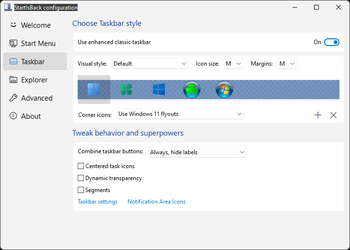
Restore and improve taskbar​

  • Show labels on task icons
  • Adjust icon size and margins
  • Move taskbar to top, left or right edges
  • Drag and drop stuff onto taskbar
  • Center task icons but keep Start button on the left
  • Split into segments, use dynamic translucency
  • Separate corner icons with Windows 7/10 UI
  • Auto-hide when covered by maximized window

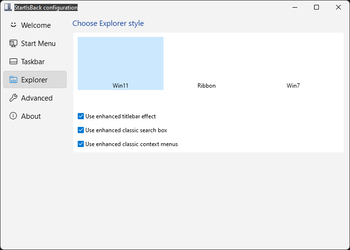
Restore and improve File Explorer and Control Panel​

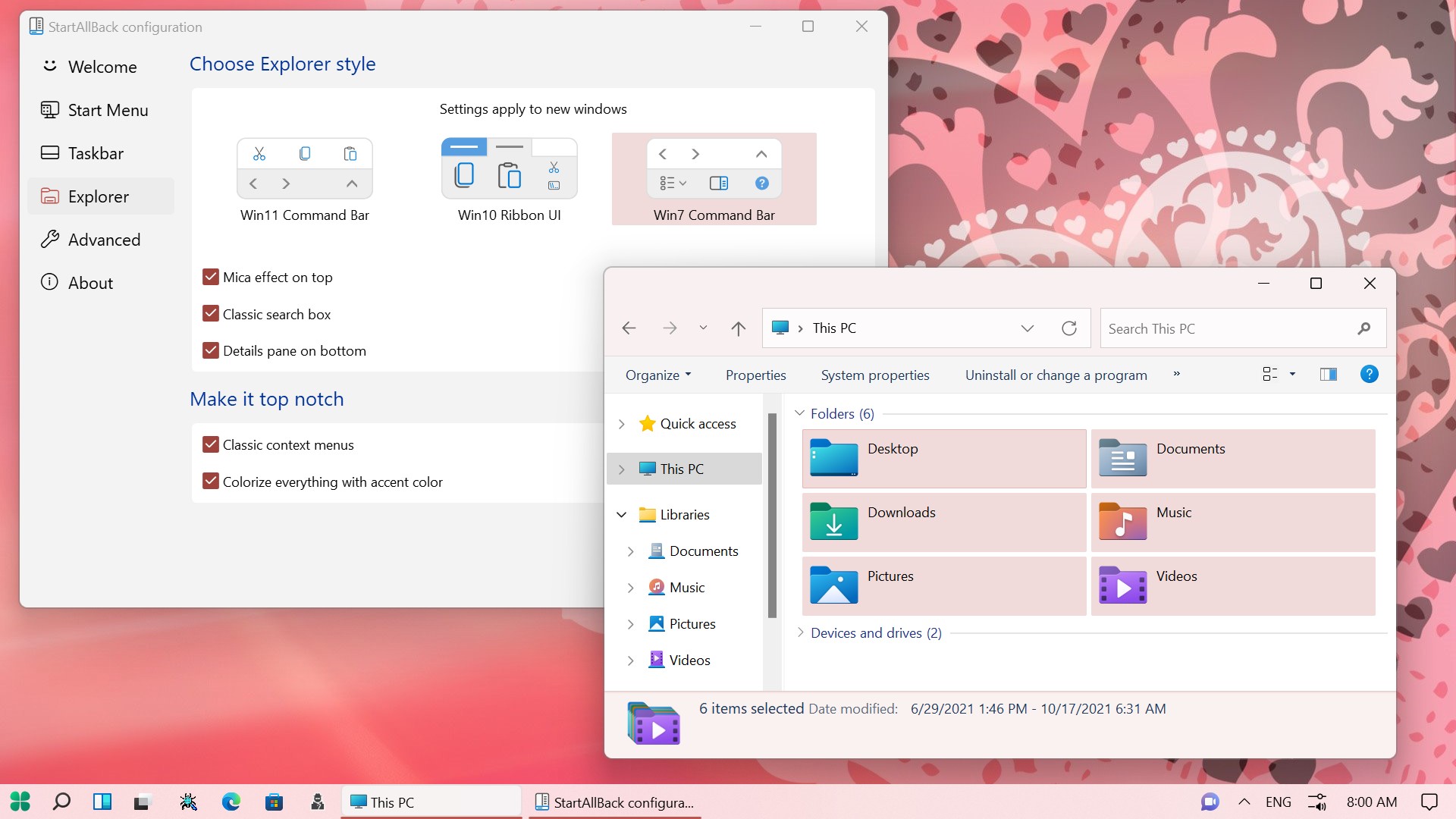
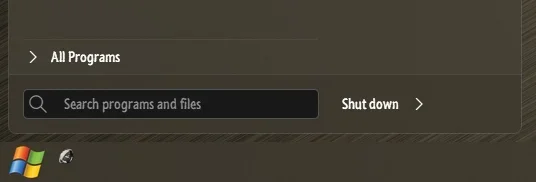
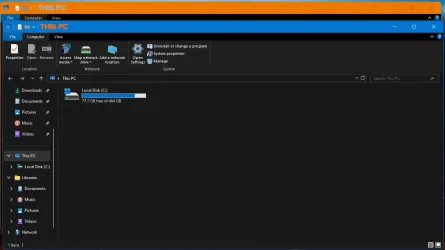
  • Ribbon and Command Bar revamped with translucent effects
  • Details pane on bottom
  • Old search box (the one which works)
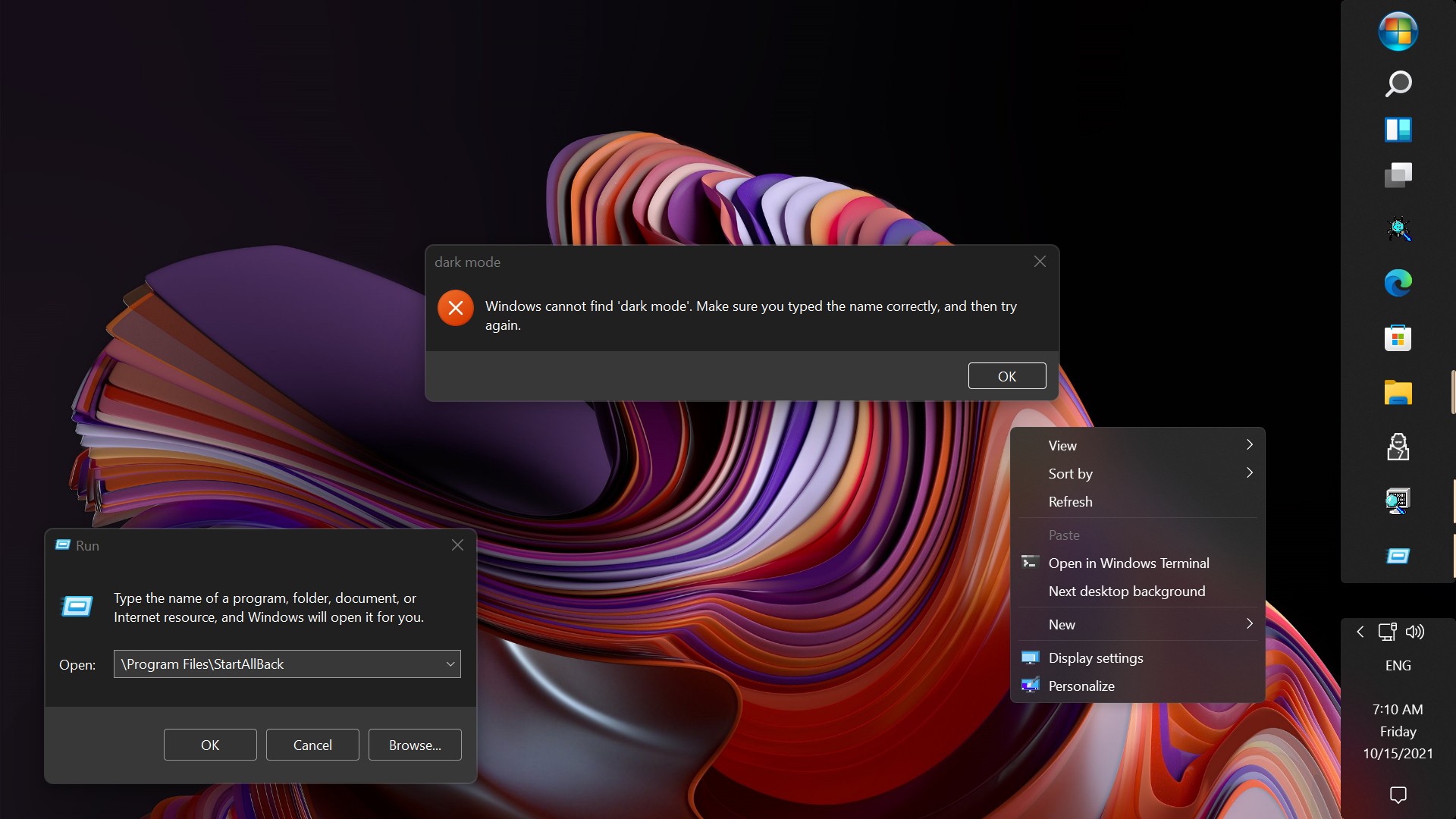
  • Dark mode support for more dialogs

Restore and improve context menus​

  • All new look with rounded acrylic menus
  • Fast and responsive taskbar menus
  • New fonts, better touch support

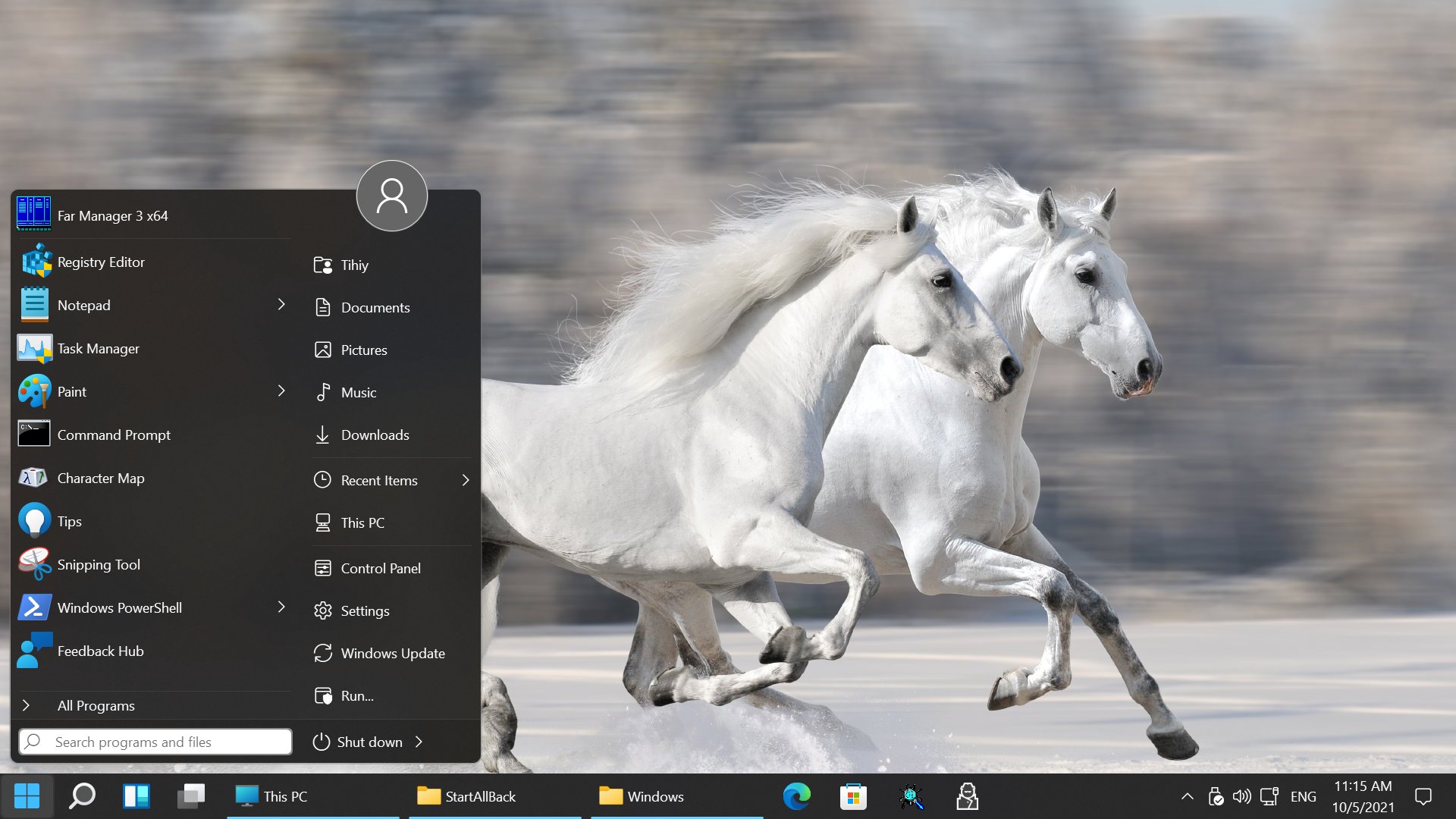
Restore and improve start menu​

  • Launch apps and go to system places in one click
  • Navigate dropdown menus like a boss
  • Enjoy fast and reliable search

Finally, lightweight styling and UI consistency​

  • Enjoy Windows 7, Windows 8 and third-party taskbar and start menu styles
  • Fix UI inconsistencies in Win32 apps
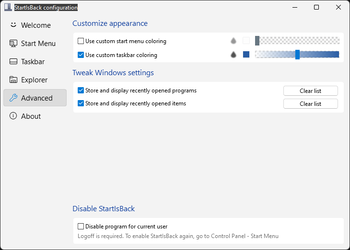
  • Don't be blue: recolor UI in all windows apps
  • Negative resource usage: fewer RAM used, fewer processes started, faster startup


StartAllBack For Windows 11 has been released.
It's an RC release. I haven't tested it yet as I have Start11 installed.

Edit: I have now tested it. It's working quite well.
Apart from a great start menu, you can also have the Enhanced Classic Taskbar back.
This means (for example) that you can have an uncombined and unlocked Taskbar.
You will now also be able to enhance the Taskbar clock using T-Clock Redux or similar.

T-Clock Redux Tray Clock_.png

You can also change Windows Explorer to Ribbon UI or Simple UI.

You can get it Download


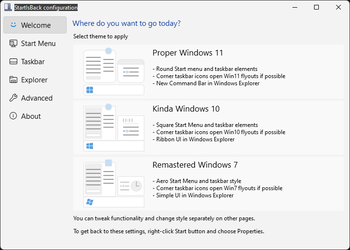
01 - Welcome.png
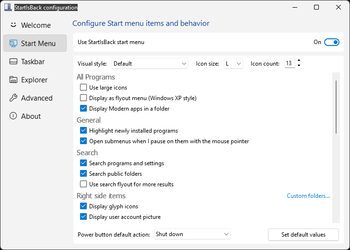
02 - Start Menu.png
04 - Taskbar.png
05 - Explorer.png
06 - Advanced.png
Get

 
I finally had the courage to upgrade my Windows 10 Pro system to Windows 11. I psyched myself up to like the Windows 11 UI but just couldn't so I gave StartAllBack a try. It's the best $4.99US I've ever spent.
I agree. I bought 3 license when I purchased it months ago
 

My Computers

System One System Two

  • OS
    Windows 11 Pro x64 24H2 v26200.5074
    Computer type
    PC/Desktop
    Manufacturer/Model
    Built Myself in 2025
    CPU
    AMD Ryzen 9 3600X 12-Core @ 3.80GHz
    Motherboard
    MSI X570 Gaming Plus
    Memory
    Corsair 32GB DDR4
    Graphics Card(s)
    EVGA GeForce gtx 1660 Super
    Sound Card
    On Board
    Monitor(s) Displays
    2 X AOC 27" , Dell 27"
    Screen Resolution
    1920 X 1080
    Hard Drives
    ~~~~~~~~~~~~~~~~~~~~~~~~~~
    ~ P34A60 512GB NVMe PCIe Gen3x4 M.2
    ~ 6TB Toshiba HDD
    ~ 6TB HDD (Backup)
    ~ SanDisk 250GB SSD
    ~ 2 X 1TB HDD
    ~~~~~~~~~~
    PSU
    eVGA 750w G+
    Case
    GAMDIAS White ATX Mid Tower Gaming Computer PC Case w/Tempered Glass
    Cooling
    AMD Wraith Prism
    Keyboard
    Nulea RT05 Wireless Ergonomic
    Mouse
    Nulea MD280 Wireless Vertical Mouse
    Internet Speed
    761Mbps (Download) / 692Mbps (Upload)
    Browser
    Firefox
    Antivirus
    Malwarebytes
    Other Info
    *This is my Main Computer That I use*
  • Operating System
    Windows 11 Pro x64 24H2 v26100.2894
    Computer type
    PC/Desktop
    CPU
    AMD Ryzen 7 1800X @ 3.60Ghz
    Motherboard
    Asus Crosshair VI Hero
    Memory
    16GB
    Graphics card(s)
    AMD RX580
    Sound Card
    onBoard
    Monitor(s) Displays
    LG 27UK650-W 27", eMachine 22"
    Screen Resolution
    1920 X 1080
    Hard Drives
    250GB SSD
    PSU
    CORSAIR RM850
    Case
    GAMDIAS Black ATX Mid Tower Gaming Computer PC Case w/Tempered Glass
    Cooling
    Liquid
    Keyboard
    Nulea RT05 Wireless Ergonomic
    Mouse
    Nulea MD280 Wireless Vertical Mouse
    Internet Speed
    752Mbps (Download) / 537Mbps (Upload)
    Browser
    Firefox
    Antivirus
    Malwarebytes
    Other Info
    I use this computer for photo/video editing and to track severe weather
I finally had the courage to upgrade my Windows 10 Pro system to Windows 11. I psyched myself up to like the Windows 11 UI but just couldn't so I gave StartAllBack a try. It's the best $4.99US I've ever spent.
I agree, it's a must have app for Windows 11 in my opinion.
 

My Computers

System One System Two

  • OS
    Windows 11 Pro 25H2 (WinMac v1.4.0)
    Computer type
    PC/Desktop
    CPU
    Intel Core i5-12400F
    Motherboard
    B760 GAMING X DDR4
    Memory
    16 GB (DDR4, 3200 MHz)
    Graphics Card(s)
    NVIDIA GeForce RTX 2070 Super
    Screen Resolution
    2560x1440 @ 240Hz
    Other Info
    I loved modding and customizing operating systems since very young age, gaining experience from all important systems, including Windows, Ubuntu, MacOS and Android, which led to creation of Windows 11 mod called WinMac. Seamlessly blending the elegance of macOS with the versatility of Windows, my customized interface elevates user experience through meticulously crafted modifications and UI enhancements.

    With WinMac, every interaction with Windows 11 environment is imbued with a touch of sophistication, where the boundaries between the Windows and Mac universes blur, offering a sublime computing experience that transcends conventional limitations of Windows 11.
  • Operating System
    macOS Sonoma
    Computer type
    Laptop
    Manufacturer/Model
    Apple MacBook Pro
    CPU
    Apple M3 Pro
    Memory
    18 GB
It works well for me, but I only use a few of it's features. People that use all the fancier features often report problems in various web forums, so SAB probably has some rough edges. It always will and that's to be expected because microsoft is constantly juggling things, so expect glitches.
 

My Computers

System One System Two

  • OS
    win 11 pro, 25H2
    Computer type
    PC/Desktop
    Manufacturer/Model
    Dell 790 (Mt)
    CPU
    i5-2400
    Motherboard
    Dell
    Memory
    32 GB DDR-3
    Graphics Card(s)
    Intel HD Graphics 2000 (on-board)
    Sound Card
    Intel Cougar Point PCH [B2] (On-Board)
    Monitor(s) Displays
    LG 27MN60T
  • Operating System
    Windows 11 home, 25H2
    Computer type
    Laptop
    Manufacturer/Model
    Dell Inspiron 17R SE 7720
    CPU
    Intel I7-3630QM
    Memory
    16GB DDR3
    Hard Drives
    Samsung 500GB SSD
StartAllBack 3.9.13.5290 (Stable) 26 July 2025

Minor improvements and fixes
 

My Computer

System One

  • OS
    Windows 11 Pro
    Computer type
    PC/Desktop
    Manufacturer/Model
    Custom Build
    CPU
    Intel Core i9 12900KF
    Motherboard
    ASUS ROG Maximus Z690 Hero
    Memory
    Corsair 64GB DDR5 Vengeance C40 5200Mhz
    Graphics Card(s)
    ASUS GeForce RTX 3090 ROG Strix OC 24GB
    Sound Card
    OnBoard
    Monitor(s) Displays
    Acer Predator XB323UGP 32" QHD G-SYNC-C 144Hz 1MS IPS LED
    Screen Resolution
    2560 x 1440
    Hard Drives
    1x Samsung 980 Pro Series Gen4 250GB M.2 NVMe
    1x Samsung 980 Pro Series Gen4 500GB M.2 NVMe
    2x Samsung 980 Pro Series Gen4 2TB M.2 NVMe
    PSU
    Corsair AX1200i 1200W 80PLUS Titanium Modular
    Case
    Corsair 4000D Black Case w/ Tempered Glass Side Panel
    Cooling
    Noctua NH-U12A Chromax Black CPU Cooler, 4x Noctua 120mm Fans
    Keyboard
    Logitech MK545
    Mouse
    Logitech MX Master 3
    Internet Speed
    Fixed Wireless 150mbps/75mbps
    Browser
    Firefox
    Antivirus
    Kaspersky
    Other Info
    Thrustmaster TS-PC RACER
    Fanatec CSL Elite Pedals with the Load Cell Kit
    Yamaha Amp with Bose Speakers
With 3.9.13, the address and search bar is wider (W10 explorer)
Hoping that it is "fixed", back to 3.9.12 for us

3.9.12 : 3.9.12.webp


3.9.13 : 3.9.13.webp
 

My Computers

System One System Two

  • OS
    Windows 11 Pro 25h2
    Computer type
    PC/Desktop
    CPU
    Intel 10980XE
    Motherboard
    Asus Rampage VI Extreme Encore
    Memory
    G.Skill TridentZ Royale
    Graphics Card(s)
    EVGA RTX 2080Ti Hydro Copper
    Sound Card
    Asus
    Monitor(s) Displays
    Dell 27"
    Hard Drives
    Intel Optane P5801X
    Samsung 990 Pro
    PSU
    Seasonic Prime TX 1000W
    Case
    Lian Li A77F
    Cooling
    Watercooling
    Keyboard
    Logitech MX keys
    Mouse
    Logitech MX Master 3S
    Browser
    Edge Canary
    Antivirus
    Kaspersky
  • Operating System
    Windows 11 Pro 24h2
    Computer type
    Laptop
    Manufacturer/Model
    Asus Pro

My Computers

System One System Two

  • OS
    Windows 11 Pro
    Computer type
    PC/Desktop
    Manufacturer/Model
    ASUS ROG Strix
  • Operating System
    Windows 11 Pro
    Computer type
    Laptop
    Manufacturer/Model
    ASUS VivoBook

My Computers

System One System Two

  • OS
    Windows 11 Pro 25h2
    Computer type
    PC/Desktop
    CPU
    Intel 10980XE
    Motherboard
    Asus Rampage VI Extreme Encore
    Memory
    G.Skill TridentZ Royale
    Graphics Card(s)
    EVGA RTX 2080Ti Hydro Copper
    Sound Card
    Asus
    Monitor(s) Displays
    Dell 27"
    Hard Drives
    Intel Optane P5801X
    Samsung 990 Pro
    PSU
    Seasonic Prime TX 1000W
    Case
    Lian Li A77F
    Cooling
    Watercooling
    Keyboard
    Logitech MX keys
    Mouse
    Logitech MX Master 3S
    Browser
    Edge Canary
    Antivirus
    Kaspersky
  • Operating System
    Windows 11 Pro 24h2
    Computer type
    Laptop
    Manufacturer/Model
    Asus Pro
StartAllBack 3.9.13.5290 (Stable) 26 July 2025

Minor improvements and fixes
Seems like they put out an update once a week or so. . lol I always keep it updated
 

My Computers

System One System Two

  • OS
    Windows 11 Pro x64 24H2 v26200.5074
    Computer type
    PC/Desktop
    Manufacturer/Model
    Built Myself in 2025
    CPU
    AMD Ryzen 9 3600X 12-Core @ 3.80GHz
    Motherboard
    MSI X570 Gaming Plus
    Memory
    Corsair 32GB DDR4
    Graphics Card(s)
    EVGA GeForce gtx 1660 Super
    Sound Card
    On Board
    Monitor(s) Displays
    2 X AOC 27" , Dell 27"
    Screen Resolution
    1920 X 1080
    Hard Drives
    ~~~~~~~~~~~~~~~~~~~~~~~~~~
    ~ P34A60 512GB NVMe PCIe Gen3x4 M.2
    ~ 6TB Toshiba HDD
    ~ 6TB HDD (Backup)
    ~ SanDisk 250GB SSD
    ~ 2 X 1TB HDD
    ~~~~~~~~~~
    PSU
    eVGA 750w G+
    Case
    GAMDIAS White ATX Mid Tower Gaming Computer PC Case w/Tempered Glass
    Cooling
    AMD Wraith Prism
    Keyboard
    Nulea RT05 Wireless Ergonomic
    Mouse
    Nulea MD280 Wireless Vertical Mouse
    Internet Speed
    761Mbps (Download) / 692Mbps (Upload)
    Browser
    Firefox
    Antivirus
    Malwarebytes
    Other Info
    *This is my Main Computer That I use*
  • Operating System
    Windows 11 Pro x64 24H2 v26100.2894
    Computer type
    PC/Desktop
    CPU
    AMD Ryzen 7 1800X @ 3.60Ghz
    Motherboard
    Asus Crosshair VI Hero
    Memory
    16GB
    Graphics card(s)
    AMD RX580
    Sound Card
    onBoard
    Monitor(s) Displays
    LG 27UK650-W 27", eMachine 22"
    Screen Resolution
    1920 X 1080
    Hard Drives
    250GB SSD
    PSU
    CORSAIR RM850
    Case
    GAMDIAS Black ATX Mid Tower Gaming Computer PC Case w/Tempered Glass
    Cooling
    Liquid
    Keyboard
    Nulea RT05 Wireless Ergonomic
    Mouse
    Nulea MD280 Wireless Vertical Mouse
    Internet Speed
    752Mbps (Download) / 537Mbps (Upload)
    Browser
    Firefox
    Antivirus
    Malwarebytes
    Other Info
    I use this computer for photo/video editing and to track severe weather
Seems like they put out an update once a week or so. . lol I always keep it updated
Yes , agree , but..........only the stable versions ! ;-)
 

My Computer

System One

  • OS
    Windows11 Pro 25H2
    Computer type
    PC/Desktop
    Manufacturer/Model
    Asus
    CPU
    i7
    Motherboard
    z97k
    Memory
    32GB
    Graphics Card(s)
    nVidia
    Sound Card
    Realtek
    Hard Drives
    3
    Cooling
    air
    Browser
    Edge
    Antivirus
    ESET

My Computers

System One System Two

  • OS
    Windows 11 Pro x64 24H2 v26200.5074
    Computer type
    PC/Desktop
    Manufacturer/Model
    Built Myself in 2025
    CPU
    AMD Ryzen 9 3600X 12-Core @ 3.80GHz
    Motherboard
    MSI X570 Gaming Plus
    Memory
    Corsair 32GB DDR4
    Graphics Card(s)
    EVGA GeForce gtx 1660 Super
    Sound Card
    On Board
    Monitor(s) Displays
    2 X AOC 27" , Dell 27"
    Screen Resolution
    1920 X 1080
    Hard Drives
    ~~~~~~~~~~~~~~~~~~~~~~~~~~
    ~ P34A60 512GB NVMe PCIe Gen3x4 M.2
    ~ 6TB Toshiba HDD
    ~ 6TB HDD (Backup)
    ~ SanDisk 250GB SSD
    ~ 2 X 1TB HDD
    ~~~~~~~~~~
    PSU
    eVGA 750w G+
    Case
    GAMDIAS White ATX Mid Tower Gaming Computer PC Case w/Tempered Glass
    Cooling
    AMD Wraith Prism
    Keyboard
    Nulea RT05 Wireless Ergonomic
    Mouse
    Nulea MD280 Wireless Vertical Mouse
    Internet Speed
    761Mbps (Download) / 692Mbps (Upload)
    Browser
    Firefox
    Antivirus
    Malwarebytes
    Other Info
    *This is my Main Computer That I use*
  • Operating System
    Windows 11 Pro x64 24H2 v26100.2894
    Computer type
    PC/Desktop
    CPU
    AMD Ryzen 7 1800X @ 3.60Ghz
    Motherboard
    Asus Crosshair VI Hero
    Memory
    16GB
    Graphics card(s)
    AMD RX580
    Sound Card
    onBoard
    Monitor(s) Displays
    LG 27UK650-W 27", eMachine 22"
    Screen Resolution
    1920 X 1080
    Hard Drives
    250GB SSD
    PSU
    CORSAIR RM850
    Case
    GAMDIAS Black ATX Mid Tower Gaming Computer PC Case w/Tempered Glass
    Cooling
    Liquid
    Keyboard
    Nulea RT05 Wireless Ergonomic
    Mouse
    Nulea MD280 Wireless Vertical Mouse
    Internet Speed
    752Mbps (Download) / 537Mbps (Upload)
    Browser
    Firefox
    Antivirus
    Malwarebytes
    Other Info
    I use this computer for photo/video editing and to track severe weather
@Tihiy
Universal Watermark Disabler no longer works in Build 27913.1000.
Any chance for a fix?
 

My Computers

System One System Two

  • OS
    Windows 11 Pro
    Computer type
    PC/Desktop
    Manufacturer/Model
    ASUS ROG Strix
  • Operating System
    Windows 11 Pro
    Computer type
    Laptop
    Manufacturer/Model
    ASUS VivoBook
I found a very strange bug/vehaviour in StartAllBack when
used together with Open-Shell menu extension :-/

I wanted to use a start manu icon from Open-Shell that I could
not get to function properly when selected from StartAllBack.

So I created a blank SVG and choose that as the icon in StartAllBack.

Then I set Open-Shell to replace the start menu button.

At start it look allright and everything is fine....

But then I inserted a USB and the "eject" icon appeared in the tray.
Then the whole StartAllBack taskbar switch to the left.

When I removed the USB (and the "eject" icon disappeared) the
StartAllBack taskbar moved even further to the left...

And as you can see from the attached picture it just goes on...

Why is this happening, and is there a way to fix this?
 

Attachments

  • TaskbarError.webp
    TaskbarError.webp
    50.8 KB · Views: 2

My Computers

System One System Two

  • OS
    Windows 10
    Computer type
    PC/Desktop
    Manufacturer/Model
    Asus
    CPU
    Intel Core i5-6600 3.30Ghz
    Motherboard
    Asus B150M
    Memory
    16 GB
    Graphics Card(s)
    Asus Nvidia GeForce GTX 960
    Sound Card
    Onboard
    Monitor(s) Displays
    Samsung
    Hard Drives
    Samsung SSD 850 EBO 128 GB
    WDC WD1003FZEX-00MK2A0
  • Operating System
    Windows 11
    Computer type
    Laptop
    Manufacturer/Model
    Asus ExpertBook
    CPU
    11the Gen Intel Core i5-1135G7 2.40 GHz
    Memory
    8 GB
    Graphics card(s)
    Intel Xe
    Sound Card
    Onboard
    Hard Drives
    NVMe WDC PC SN530 SDBPNPZ 256 GB

My Computers

System One System Two

  • OS
    Windows 11 Pro 25h2
    Computer type
    PC/Desktop
    CPU
    Intel 10980XE
    Motherboard
    Asus Rampage VI Extreme Encore
    Memory
    G.Skill TridentZ Royale
    Graphics Card(s)
    EVGA RTX 2080Ti Hydro Copper
    Sound Card
    Asus
    Monitor(s) Displays
    Dell 27"
    Hard Drives
    Intel Optane P5801X
    Samsung 990 Pro
    PSU
    Seasonic Prime TX 1000W
    Case
    Lian Li A77F
    Cooling
    Watercooling
    Keyboard
    Logitech MX keys
    Mouse
    Logitech MX Master 3S
    Browser
    Edge Canary
    Antivirus
    Kaspersky
  • Operating System
    Windows 11 Pro 24h2
    Computer type
    Laptop
    Manufacturer/Model
    Asus Pro
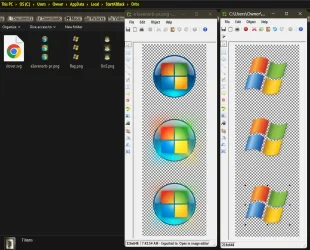
I have i Windows Flag icon I used in OpenShell (see enclosed image).

When I try to use this from StartAllBack it looks OK in the settings,
but it is scaled all wrong in the taskbar (see enclosed image).

Why is this? I there a way to fix this?

PS! I tried using a blank icon in StartAllBack and settings the
icon in OpenShell instead, but that caused another strange error
(the taskbar shifting to the left each time a tray icon appeared
or disappeard, so I had to turn of "replace start icon" in
openShell - see 2nd enclosed image).

Have included the "Windows flag" start menu icon as 3rd image.
 

Attachments

  • TaskbarIconError.webp
    TaskbarIconError.webp
    20.8 KB · Views: 2
  • TaskbarError.webp
    TaskbarError.webp
    50.9 KB · Views: 2
  • Windows flag.webp
    Windows flag.webp
    4.6 KB · Views: 2

My Computers

System One System Two

  • OS
    Windows 10
    Computer type
    PC/Desktop
    Manufacturer/Model
    Asus
    CPU
    Intel Core i5-6600 3.30Ghz
    Motherboard
    Asus B150M
    Memory
    16 GB
    Graphics Card(s)
    Asus Nvidia GeForce GTX 960
    Sound Card
    Onboard
    Monitor(s) Displays
    Samsung
    Hard Drives
    Samsung SSD 850 EBO 128 GB
    WDC WD1003FZEX-00MK2A0
  • Operating System
    Windows 11
    Computer type
    Laptop
    Manufacturer/Model
    Asus ExpertBook
    CPU
    11the Gen Intel Core i5-1135G7 2.40 GHz
    Memory
    8 GB
    Graphics card(s)
    Intel Xe
    Sound Card
    Onboard
    Hard Drives
    NVMe WDC PC SN530 SDBPNPZ 256 GB
Why is this? Is there a way to fix this?
SAB's are scaled differently.
What I did is take one of the existing orbs, (in the highlighted folder), copied and customized it...

10309.webp

10310.webp
 

My Computers

System One System Two

  • OS
    Windows 11 Pro
    Computer type
    PC/Desktop
    Manufacturer/Model
    ASUS ROG Strix
  • Operating System
    Windows 11 Pro
    Computer type
    Laptop
    Manufacturer/Model
    ASUS VivoBook
Dear and respected,

First and foremost good day and all the best to you all second as you all can see by the posted image my question is about personalization to be more precise how can i get it to be like on that exact image again in other words ACTIVE TITLE BAR: Blue Color with Orange Letters in Zorque Font
INACTIVE TITLE BAR : Orange color with Blue Letters in Zorque Font ,so after writing all this i need your kind help and expertise which parts of registry editor i need to change in order to get those title bars back as they were instead of now just plain and boring colorless one! I am very grateful and appreciative of your unreserved,kind and above all professional and with that said i wish you all the best with nothing but utter most respectPERSONALIZATION.webp
 

My Computer

System One

  • OS
    WINDOWS 11
    Computer type
    PC/Desktop
    Manufacturer/Model
    AMD RYZEN 7
Dear and respected,

First and foremost good day and all the best to you all second as you all can see by the posted image my question is about personalization to be more precise how can i get it to be like on that exact image again in other words ACTIVE TITLE BAR: Blue Color with Orange Letters in Zorque Font
INACTIVE TITLE BAR : Orange color with Blue Letters in Zorque Font ,so after writing all this i need your kind help and expertise which parts of registry editor i need to change in order to get those title bars back as they were instead of now just plain and boring colorless one! I am very grateful and appreciative of your unreserved,kind and above all professional and with that said i wish you all the best with nothing but utter most respectView attachment 141518

Both are defined in HKEY_CURRENT_USER\SOFTWARE\Microsoft\Windows\DWM
 

My Computers

System One System Two

  • OS
    Windows 11 Pro 25H2 (WinMac v1.4.0)
    Computer type
    PC/Desktop
    CPU
    Intel Core i5-12400F
    Motherboard
    B760 GAMING X DDR4
    Memory
    16 GB (DDR4, 3200 MHz)
    Graphics Card(s)
    NVIDIA GeForce RTX 2070 Super
    Screen Resolution
    2560x1440 @ 240Hz
    Other Info
    I loved modding and customizing operating systems since very young age, gaining experience from all important systems, including Windows, Ubuntu, MacOS and Android, which led to creation of Windows 11 mod called WinMac. Seamlessly blending the elegance of macOS with the versatility of Windows, my customized interface elevates user experience through meticulously crafted modifications and UI enhancements.

    With WinMac, every interaction with Windows 11 environment is imbued with a touch of sophistication, where the boundaries between the Windows and Mac universes blur, offering a sublime computing experience that transcends conventional limitations of Windows 11.
  • Operating System
    macOS Sonoma
    Computer type
    Laptop
    Manufacturer/Model
    Apple MacBook Pro
    CPU
    Apple M3 Pro
    Memory
    18 GB
StartAllBack 3.9.13.5293 3 August 2025 (beta)

Not sure what's been updated
 

My Computer

System One

  • OS
    Windows 11 Pro
    Computer type
    PC/Desktop
    Manufacturer/Model
    Custom Build
    CPU
    Intel Core i9 12900KF
    Motherboard
    ASUS ROG Maximus Z690 Hero
    Memory
    Corsair 64GB DDR5 Vengeance C40 5200Mhz
    Graphics Card(s)
    ASUS GeForce RTX 3090 ROG Strix OC 24GB
    Sound Card
    OnBoard
    Monitor(s) Displays
    Acer Predator XB323UGP 32" QHD G-SYNC-C 144Hz 1MS IPS LED
    Screen Resolution
    2560 x 1440
    Hard Drives
    1x Samsung 980 Pro Series Gen4 250GB M.2 NVMe
    1x Samsung 980 Pro Series Gen4 500GB M.2 NVMe
    2x Samsung 980 Pro Series Gen4 2TB M.2 NVMe
    PSU
    Corsair AX1200i 1200W 80PLUS Titanium Modular
    Case
    Corsair 4000D Black Case w/ Tempered Glass Side Panel
    Cooling
    Noctua NH-U12A Chromax Black CPU Cooler, 4x Noctua 120mm Fans
    Keyboard
    Logitech MK545
    Mouse
    Logitech MX Master 3
    Internet Speed
    Fixed Wireless 150mbps/75mbps
    Browser
    Firefox
    Antivirus
    Kaspersky
    Other Info
    Thrustmaster TS-PC RACER
    Fanatec CSL Elite Pedals with the Load Cell Kit
    Yamaha Amp with Bose Speakers

Latest Support Threads

Back
Top Bottom