StartAllBack


StartAllBack: Windows 11 from better timeline​

Get the latest version here Download

Embrace, enhance, unsweep classic UI from under the rug​

Restore and improve taskbar​

  • Show labels on task icons
  • Adjust icon size and margins
  • Move taskbar to top, left or right edges
  • Drag and drop stuff onto taskbar
  • Center task icons but keep Start button on the left
  • Split into segments, use dynamic translucency
  • Separate corner icons with Windows 7/10 UI
  • Auto-hide when covered by maximized window

Restore and improve File Explorer and Control Panel​

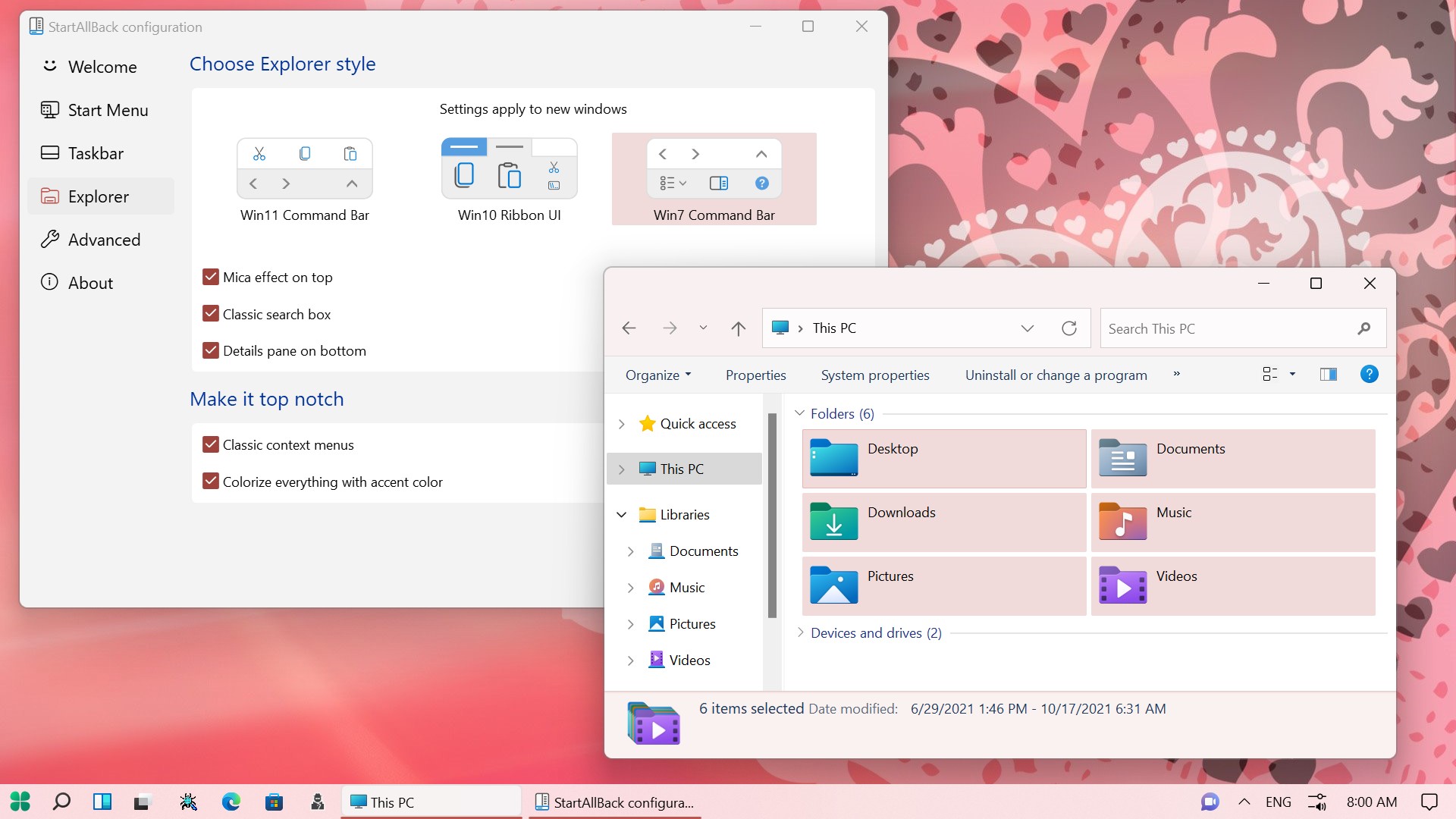
  • Ribbon and Command Bar revamped with translucent effects
  • Details pane on bottom
  • Old search box (the one which works)
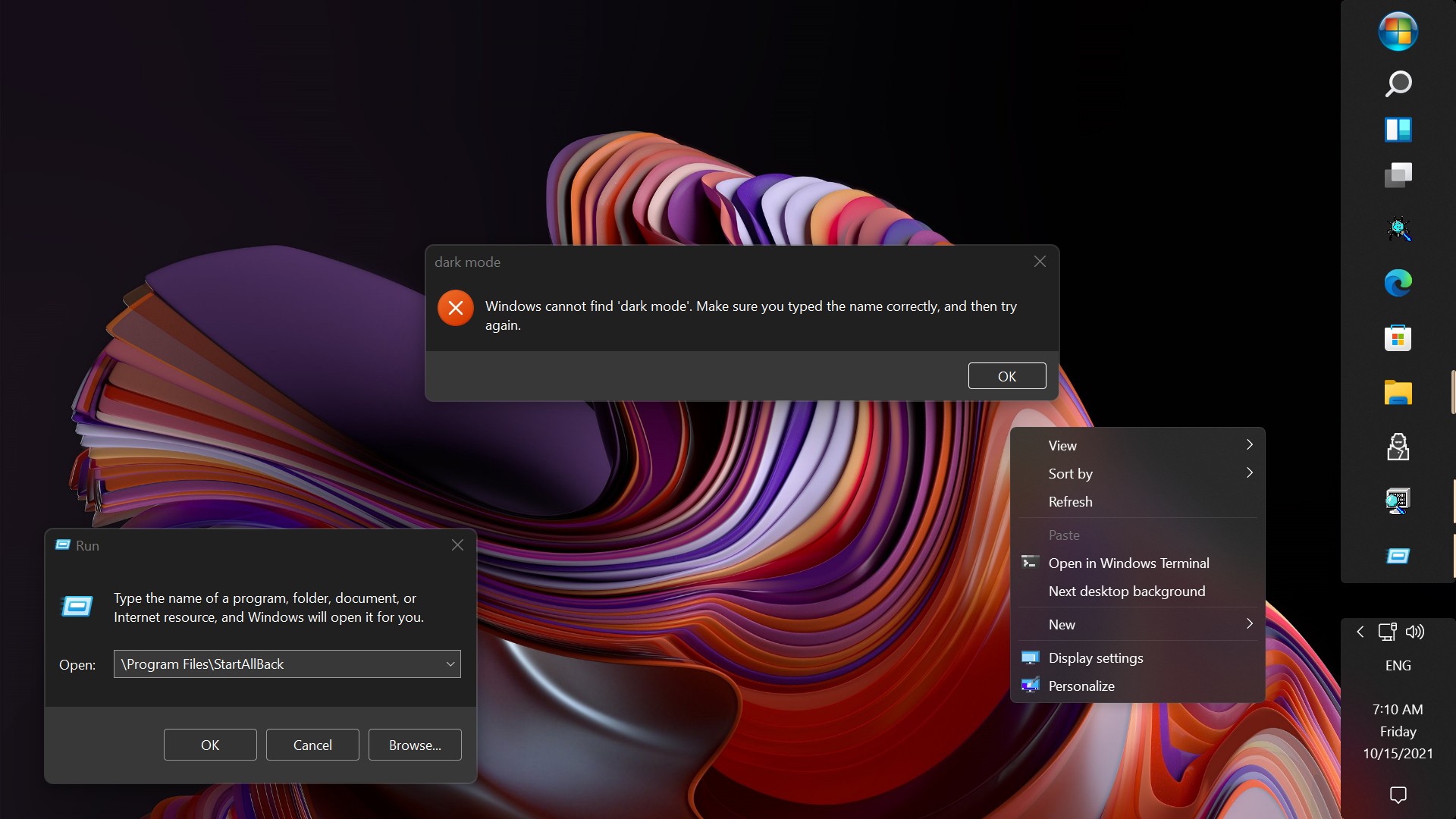
  • Dark mode support for more dialogs

Restore and improve context menus​

  • All new look with rounded acrylic menus
  • Fast and responsive taskbar menus
  • New fonts, better touch support

Restore and improve start menu​

  • Launch apps and go to system places in one click
  • Navigate dropdown menus like a boss
  • Enjoy fast and reliable search

Finally, lightweight styling and UI consistency​

  • Enjoy Windows 7, Windows 8 and third-party taskbar and start menu styles
  • Fix UI inconsistencies in Win32 apps
  • Don't be blue: recolor UI in all windows apps
  • Negative resource usage: fewer RAM used, fewer processes started, faster startup
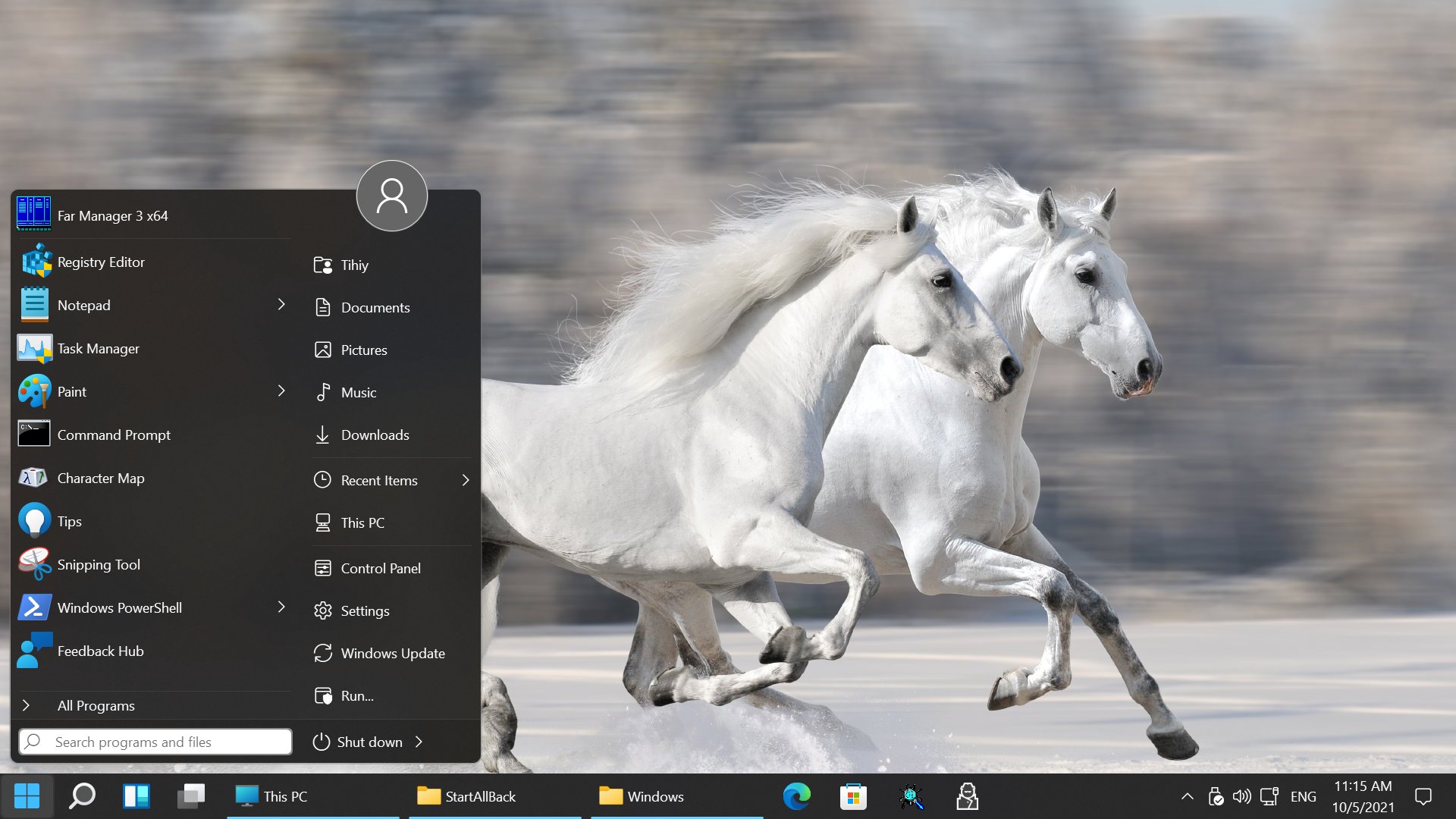


StartAllBack For Windows 11 has been released.
It's an RC release. I haven't tested it yet as I have Start11 installed.

Edit: I have now tested it. It's working quite well.
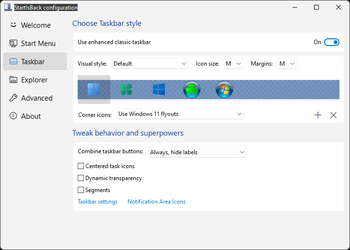
Apart from a great start menu, you can also have the Enhanced Classic Taskbar back.
This means (for example) that you can have an uncombined and unlocked Taskbar.
You will now also be able to enhance the Taskbar clock using T-Clock Redux or similar.

T-Clock Redux Tray Clock_.png

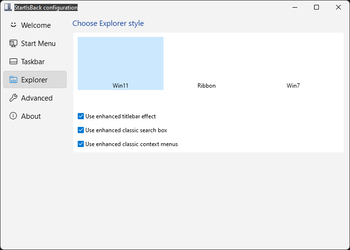
You can also change Windows Explorer to Ribbon UI or Simple UI.

You can get it Download


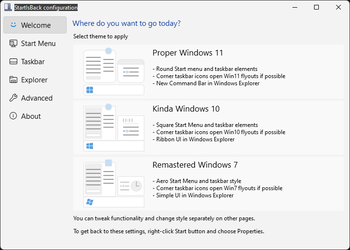
01 - Welcome.png
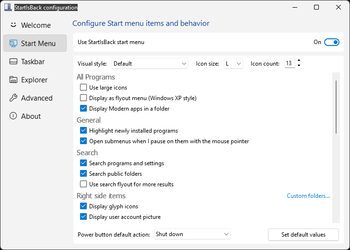
02 - Start Menu.png
04 - Taskbar.png
05 - Explorer.png
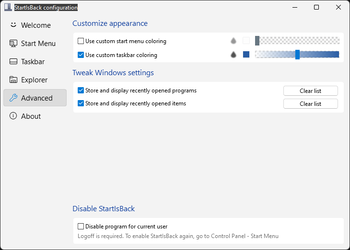
06 - Advanced.png
Get
 
Not sure what's been updated...
I noticed that when opening the Menu on a secondary screen, the icons would take a sec to render..., doesn't happen now. 🤷‍♂️
 

My Computers

System One System Two

  • OS
    Windows 11 Pro
    Computer type
    PC/Desktop
    Manufacturer/Model
    ASUS ROG Strix
  • Operating System
    Windows 11 Pro
    Computer type
    Laptop
    Manufacturer/Model
    ASUS VivoBook
I have i Windows Flag icon I used in OpenShell (see enclosed image).

When I try to use this from StartAllBack it looks OK in the settings,
but it is scaled all wrong in the taskbar (see enclosed image).

Why is this? I there a way to fix this?

Hi @LarsErikOsterud ,

I ran into this issue too with SAB plus OpenShell.

My solution is : creating an Openshell button icon for SAB (you can find it on OpenShell Github or some forum, I cannot recall) and in OpenShell : under "Start Button" uncheck "Replace Start Button", i.e., don't let OpenShell replace the Start button, instead , let SAB handle it. Then the shifting on the task bar shoul not happen.

You may give it a try.

ywliu

Update: I think I combined icon files from OpenShell source files so the basic animation still works. I attach my file here for your reference.
 

Attachments

  • open shell button180.webp
    open shell button180.webp
    8.2 KB · Views: 1

My Computer

System One

  • OS
    Windows 10
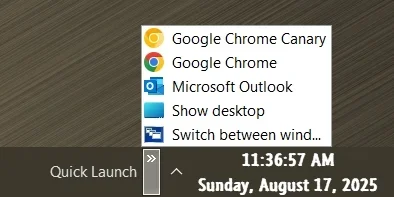
With SAB I've always been able to create a Quick Launch Toolbar. With the latest Windows 11 Dev build (26200.5751) and SAB (3.9.13) I can no longer do so. I can unlock the task bar Choose Toolbars > New Toolbar and it locks things up to the point I have to restart explorer. I tried this on both an inplace upgrade and a clean install of both and the issue persists. Does anyone have an idea. The path to the Quick Launch (%UserProfile%\AppData\Roaming\Microsoft\Internet Explorer\Quick Launch) is still there but with no way to actually activate the toolbar.
 

My Computer

System One

  • OS
    Windows 10 19043.1149 x64
No problems with SAB and OpenShell together........... :giggle:
 

My Computer

System One

  • OS
    Windows11 Pro 25H2
    Computer type
    PC/Desktop
    Manufacturer/Model
    Asus
    CPU
    i7
    Motherboard
    z97k
    Memory
    32GB
    Graphics Card(s)
    nVidia
    Sound Card
    Realtek
    Hard Drives
    3
    Cooling
    air
    Browser
    Edge
    Antivirus
    ESET
It may well be something totally unrelated to SAB. I'm going to build out a spare machine (that I've been meaning to do anyway) and see what happens. Thanks for the feedback.
 

My Computer

System One

  • OS
    Windows 10 19043.1149 x64
Update - I was able to use Windows 26200.5742 + SAB 3.9.12 and sucessfully build a Quick Launch toolbar. I then did an in-place upgrade to 26200.5751 + SAB 3.9.13 and everything stayed as set with the original build out. Very odd. I've tried a clean install of 26200.5751 + SAB 3.9.13 on one other hardware platform and in a VirtualBox VM and had the same original issue on both but starting with a version behind and upgrading worked. I'm at a loss as to what causes the issue but I at least have a solution.
 

My Computer

System One

  • OS
    Windows 10 19043.1149 x64
StartAllBack 3.9.13.5296 18 August 2025 (beta)
Another Beta to try Guys & Girls
 

My Computer

System One

  • OS
    Windows 11 Pro
    Computer type
    PC/Desktop
    Manufacturer/Model
    Custom Build
    CPU
    Intel Core i9 12900KF
    Motherboard
    ASUS ROG Maximus Z690 Hero
    Memory
    Corsair 64GB DDR5 Vengeance C40 5200Mhz
    Graphics Card(s)
    ASUS GeForce RTX 3090 ROG Strix OC 24GB
    Sound Card
    OnBoard
    Monitor(s) Displays
    Acer Predator XB323UGP 32" QHD G-SYNC-C 144Hz 1MS IPS LED
    Screen Resolution
    2560 x 1440
    Hard Drives
    1x Samsung 980 Pro Series Gen4 250GB M.2 NVMe
    1x Samsung 980 Pro Series Gen4 500GB M.2 NVMe
    2x Samsung 980 Pro Series Gen4 2TB M.2 NVMe
    PSU
    Corsair AX1200i 1200W 80PLUS Titanium Modular
    Case
    Corsair 4000D Black Case w/ Tempered Glass Side Panel
    Cooling
    Noctua NH-U12A Chromax Black CPU Cooler, 4x Noctua 120mm Fans
    Keyboard
    Logitech MK545
    Mouse
    Logitech MX Master 3
    Internet Speed
    Fixed Wireless 150mbps/75mbps
    Browser
    Firefox
    Antivirus
    Kaspersky
    Other Info
    Thrustmaster TS-PC RACER
    Fanatec CSL Elite Pedals with the Load Cell Kit
    Yamaha Amp with Bose Speakers
StartAllBack 3.9.13.5296 18 August 2025 (beta)
Another Beta to try Guys & Girls
So, have you tried it yet? What do you think?
 

My Computers

System One System Two

  • OS
    win 11 pro, 25H2
    Computer type
    PC/Desktop
    Manufacturer/Model
    Dell 790 (Mt)
    CPU
    i5-2400
    Motherboard
    Dell
    Memory
    32 GB DDR-3
    Graphics Card(s)
    Intel HD Graphics 2000 (on-board)
    Sound Card
    Intel Cougar Point PCH [B2] (On-Board)
    Monitor(s) Displays
    LG 27MN60T
  • Operating System
    Windows 11 home, 25H2
    Computer type
    Laptop
    Manufacturer/Model
    Dell Inspiron 17R SE 7720
    CPU
    Intel I7-3630QM
    Memory
    16GB DDR3
    Hard Drives
    Samsung 500GB SSD
Still the problem with the width of the address and search bar in Explorer when using a custom theme.
We're sticking with .12 for now.
 

My Computers

System One System Two

  • OS
    Windows 11 Pro 25h2
    Computer type
    PC/Desktop
    CPU
    Intel 10980XE
    Motherboard
    Asus Rampage VI Extreme Encore
    Memory
    G.Skill TridentZ Royale
    Graphics Card(s)
    EVGA RTX 2080Ti Hydro Copper
    Sound Card
    Asus
    Monitor(s) Displays
    Dell 27"
    Hard Drives
    Intel Optane P5801X
    Samsung 990 Pro
    PSU
    Seasonic Prime TX 1000W
    Case
    Lian Li A77F
    Cooling
    Watercooling
    Keyboard
    Logitech MX keys
    Mouse
    Logitech MX Master 3S
    Browser
    Edge Canary
    Antivirus
    Kaspersky
  • Operating System
    Windows 11 Pro 24h2
    Computer type
    Laptop
    Manufacturer/Model
    Asus Pro

My Computers

System One System Two

  • OS
    Windows 11 Pro
    Computer type
    PC/Desktop
    Manufacturer/Model
    ASUS ROG Strix
  • Operating System
    Windows 11 Pro
    Computer type
    Laptop
    Manufacturer/Model
    ASUS VivoBook
I have it..., I don't see any visible changes! 🤷‍♂️
I also rarely ever see any changes from one version to the next. I think it is mostly because I don't use many of the program's features. And that's mostly because I don't understand them. There's no good documentation.

Still, I like the software because it works well for the few features I do use.
 

My Computers

System One System Two

  • OS
    win 11 pro, 25H2
    Computer type
    PC/Desktop
    Manufacturer/Model
    Dell 790 (Mt)
    CPU
    i5-2400
    Motherboard
    Dell
    Memory
    32 GB DDR-3
    Graphics Card(s)
    Intel HD Graphics 2000 (on-board)
    Sound Card
    Intel Cougar Point PCH [B2] (On-Board)
    Monitor(s) Displays
    LG 27MN60T
  • Operating System
    Windows 11 home, 25H2
    Computer type
    Laptop
    Manufacturer/Model
    Dell Inspiron 17R SE 7720
    CPU
    Intel I7-3630QM
    Memory
    16GB DDR3
    Hard Drives
    Samsung 500GB SSD

My Computers

System One System Two

  • OS
    Windows 11 Pro
    Computer type
    PC/Desktop
    Manufacturer/Model
    ASUS ROG Strix
  • Operating System
    Windows 11 Pro
    Computer type
    Laptop
    Manufacturer/Model
    ASUS VivoBook
Another update - uninstalled SAB 3.9.13.5296 from my test-Dev-production machine (26200.5751). Ran the update 26200.5761 after doing a massive clean up of every left over I could find and rebooting several times just to make sure I caught everything I could. I then re-install SAB and amazingly it worked as expected. I got my Quick Launch back. It appears that my original problem was a combo of SAB and Microsoft just not playing together. Where have I heard that one before?:p
 

My Computer

System One

  • OS
    Windows 10 19043.1149 x64
Often it's Under The Hood stuff.

I just play with it til I figure it out!
That's a shame, but pragmatically, we must use what is available.
 

My Computers

System One System Two

  • OS
    win 11 pro, 25H2
    Computer type
    PC/Desktop
    Manufacturer/Model
    Dell 790 (Mt)
    CPU
    i5-2400
    Motherboard
    Dell
    Memory
    32 GB DDR-3
    Graphics Card(s)
    Intel HD Graphics 2000 (on-board)
    Sound Card
    Intel Cougar Point PCH [B2] (On-Board)
    Monitor(s) Displays
    LG 27MN60T
  • Operating System
    Windows 11 home, 25H2
    Computer type
    Laptop
    Manufacturer/Model
    Dell Inspiron 17R SE 7720
    CPU
    Intel I7-3630QM
    Memory
    16GB DDR3
    Hard Drives
    Samsung 500GB SSD
That's a shame, but pragmatically, we must use what is available.
The documentation might not be world-class but I can't think of another commercial application costing $4.99USD that delivers enough value that it made upgrading to Windows 11 almost painless. :-)
 

My Computer

System One

  • OS
    Windows 11 Professional 25H2
    Computer type
    PC/Desktop
    Manufacturer/Model
    Digital Storm VELOX
    CPU
    Intel Core i9 11900K
    Motherboard
    ASUS PRIME Z590-P
    Memory
    64GB
    Graphics Card(s)
    NVIDIA GeForce GTX 1650
    Sound Card
    Realtek onboard
    Monitor(s) Displays
    Acer R221Q 21.5"
    Screen Resolution
    1920 x 1080
    Hard Drives
    2 x Samsung SSD 990 EVO Plus (1 TB)
    2 x Seagate ST4000NE001 (4 TB)
    PSU
    None
    Case
    VELOX
    Cooling
    Cooler Master
    Keyboard
    Logitech
    Mouse
    Kensington trackball
    Browser
    Firefox, Chrome
    Antivirus
    Windows Defender, Malwarebytes
Often it's Under The Hood stuff.

I just play with it til I figure it out!

It's a shame that we have to do it the hard way. But, I guess it's a difficult job to write good documentation, and most developers want a quick return, figuring they could be gone in a flash.
 

My Computers

System One System Two

  • OS
    win 11 pro, 25H2
    Computer type
    PC/Desktop
    Manufacturer/Model
    Dell 790 (Mt)
    CPU
    i5-2400
    Motherboard
    Dell
    Memory
    32 GB DDR-3
    Graphics Card(s)
    Intel HD Graphics 2000 (on-board)
    Sound Card
    Intel Cougar Point PCH [B2] (On-Board)
    Monitor(s) Displays
    LG 27MN60T
  • Operating System
    Windows 11 home, 25H2
    Computer type
    Laptop
    Manufacturer/Model
    Dell Inspiron 17R SE 7720
    CPU
    Intel I7-3630QM
    Memory
    16GB DDR3
    Hard Drives
    Samsung 500GB SSD

Latest Support Threads

Back
Top Bottom