Trackball mechanical question


Lonestar

New member
Local time
6:41 PM
Posts
9
OS
Win10
Not a Win 11 question but hopefully someone can help with a problem. I've used Logitech M535 trackballs for years. I find that after using for a while the ball develops some resistance and does not turn as smoothly as when new. Still very usable but just takes a little effort.

Can anyone suggest a cure? Possibly some type of "lubricant" for the ball?
 

My Computer My Computer

At a glance

Win10
OS
Win10
Computer type
PC/Desktop
Manufacturer/Model
ASrock MB
Pull the track ball out clean, also clean the 3 ball bearings that it sits on. You might need IPA or similar to help with the cleaning.
Lubrication comes off your fingers in use.
 

My Computer My Computer

At a glance

Windows 11
OS
Windows 11
I pull the ball and swab the sensor points and the inside with a q-tip. It will have to be done periodically.
 

My Computer My Computer

At a glance

Win11 Pro 26H2 26300.9711Processor: 12th Gen Intel(R) Core(TM) i7-1255U40 GBIntel
OS
Win11 Pro 26H2 26300.9711
Computer type
Laptop
Manufacturer/Model
Lenovo IdeaPad 3 15IAU7
CPU
Processor: 12th Gen Intel(R) Core(TM) i7-1255U
Memory
40 GB
Graphics Card(s)
Intel
Monitor(s) Displays
15.6 FHD and 31.5 HP
Screen Resolution
1920x1080
Hard Drives
Numerous
Mouse
Track Ball EM01 NL Bluetooth
Browser
FireFox
Antivirus
MS
Assuming you keep it clean inside.

Pop the ball out and inspect the tiny ball bearings with a magnifying glass. Look for flat spots on the bearings.

I use a Microsoft Trackball Optical D67-00001 and have replaced the steel bearings with silicone nitride bearings.

You can also use Mothers Ceramic Detailer on the ball after cleaning it.
 

My Computers My Computers

  • At a glance

    Windroid 11 Pro / Win 10 ProIntel Core i9-14900K Raptor Lake Refreshed 6....32GB (2x16) GSKILL Trident Z5 RGB Series (Int...MSI Gaming GeForce RTX 4070 12GB
    OS
    Windroid 11 Pro / Win 10 Pro
    Computer type
    PC/Desktop
    Manufacturer/Model
    MSI
    CPU
    Intel Core i9-14900K Raptor Lake Refreshed 6.0 GHZ
    Motherboard
    MSI MAG Z790 Tomahawk WiFi
    Memory
    32GB (2x16) GSKILL Trident Z5 RGB Series (Intel XMP 3.0) DDR5 RAM 6700MT/s
    Graphics Card(s)
    MSI Gaming GeForce RTX 4070 12GB
    Sound Card
    Onboard Realtek® ALC4080 Codec
    Monitor(s) Displays
    Monitor #1 Samsung Odyssey G50A WQHD G-Sync HDR10 Monitor #2 HP LA1911
    Screen Resolution
    2560x1440 and 1280x1024
    Hard Drives
    Samsung 980 PRO SSD 1TB PCIe 4.0 NVMe Gen 4 Gaming M.2 (145GB Win11/100GB Win10/685GB More Games)
    Crucial CT2000MX500SSD1 2TB (Games)
    Western Digital Blue WD60EZAZ 6TB (Data/Backup)
    Western Digital Blue WD60EZAZ 6TB (Media)
    Western Digital Blue WD80EAAZ 8TB (Storage)
    PSU
    Rosewill Hive-750S
    Case
    Cooler Master Elite 430 Mid Tower
    Cooling
    Cooler Master ML240L V2 Liquid CPU cooler + 3x120mm in + Isolated PSU Standard upward flow
    Keyboard
    Microsoft Natural Elite White PS/2 (with usb adapter)
    Mouse
    Microsoft D67-00001 Trackball Optical Mouse (rebuilt with ceramic bearings)
    Internet Speed
    450Mb/s hard wired
    Browser
    FF, Mullvad, Tor
    Antivirus
    Win Def
    Other Info
    Razer Tartarus V2 Gaming Keypad
    Logitech Z-906 5.1 THX 500w (Original 8" Sub with Polk Audio satellites)
  • At a glance

    Windows 11 ProIntel Core i9-14900K Raptor Lake Refreshed 6....32GB (2x16) GSKILL Trident Z5 RGB Series (Int...MSI Gaming GeForce RTX 3060Ti 8GB
    Operating System
    Windows 11 Pro
    Computer type
    PC/Desktop
    Manufacturer/Model
    MSI
    CPU
    Intel Core i9-14900K Raptor Lake Refreshed 6.0 GHz FCLGA1700 (Gen 14)
    Motherboard
    MSI MAG Z790 Tomahawk WiFi
    Memory
    32GB (2x16) GSKILL Trident Z5 RGB Series (Intel XMP 3.0) DDR5 RAM 6700MT/s
    Graphics card(s)
    MSI Gaming GeForce RTX 3060Ti 8GB
    Sound Card
    Onboard Realtek® ALC4080 Codec
    Monitor(s) Displays
    Monitor #1 Samsung Odyssey G50A WQHD G-Sync HDR10 Monitor #2 Samsung TU7000 55" TV
    Screen Resolution
    2560x1440 and 3840x2160
    Hard Drives
    Samsung 980 PRO SSD 1TB PCIe 4.0 NVMe Gen 4 Gaming M.2 (System)
    Samsung 980 PRO SSD 2TB PCIe 4.0 NVMe Gen 4 Gaming M.2 (Games)
    Crucial CT1000MX500SSD1 1TB (More Games)
    WD Green WD20EZRX 2TB (Data/Backup)
    WD Blue WD60EZAZ 6TB (Media)
    PSU
    Rosewill Hive-750S
    Case
    Cooler Master N400 NSE-400-KKN2 Mid-Tower
    Cooling
    Cooler Master ML240L V2 Liquid CPU cooler + 3x120mm in + 2x120mm + Isolated PSU Reverse flow front exhaust
    Keyboard
    Logitech MK345 Wireless
    Mouse
    MSI G20 Elite and Logitech MK345 Wireless
    Internet Speed
    450Mb/s hard wired
    Browser
    FF
    Antivirus
    Win Def
    Other Info
    Razer Tartarus Gaming Keypad
    MSI GC30 Gaming Controller (Xbox style)
Is there any hair stuck in the bearings?

More than 20 years ago, I was checking out my nephew's PC. The mechanical mouse's operation wasn't smooth. I removed the ball, and found an amazing amount of hair in the mouse. (He also was infected with a homepage hijacker. He killed it in Task Manager on every login. His 40GB HDD was too full to be defragged.)
 

My Computers My Computers

  • At a glance

    Windows 11 26300.9278Amd Threadripper 7970X128GB (4 X 32) G.Skill DDR5 6400 (RDIMM)Gigabyte RTX 4090 OC
    OS
    Windows 11 26300.9278
    Computer type
    PC/Desktop
    Manufacturer/Model
    homebuilt
    CPU
    Amd Threadripper 7970X
    Motherboard
    Gigabyte TRX50 Aero D Rev. 1.0
    Memory
    128GB (4 X 32) G.Skill DDR5 6400 (RDIMM)
    Graphics Card(s)
    Gigabyte RTX 4090 OC
    Sound Card
    none (USB to speakers), Realtek
    Monitor(s) Displays
    Innocn 32" OLED
    Screen Resolution
    3840 X 2160 @ 60Hz
    Hard Drives
    Crucial T700 2TB M.2 NVME SSD
    WD 4TB Blue SATA SSD
    Seagate 18TB IronWolf Pro
    PSU
    BeQuiet! Straight Power 12 1500W
    Case
    Lian Li 011 Dynamic Evo XL
    Cooling
    SilverStone Technology XE360-TR5, with 3 Phanteks T30 fans
    Keyboard
    Cherry KC 500 MX LP (mechanical)
    Mouse
    Logitech M500s (wired)
    Internet Speed
    2000/250 Mbps (down/up)
    Other Info
    xFinity gateway
  • At a glance

    windows 11 26300.9278Intel I9-13900K64GB G.Skill DDR5-6000Gigabyte RTX 3090 ti
    Operating System
    windows 11 26300.9278
    Computer type
    PC/Desktop
    Manufacturer/Model
    homebuilt
    CPU
    Intel I9-13900K
    Motherboard
    Asus RoG Strix Z690-E
    Memory
    64GB G.Skill DDR5-6000
    Graphics card(s)
    Gigabyte RTX 3090 ti
    Sound Card
    built in Realtek
    Monitor(s) Displays
    Philips 27E1N8900 27" OLED
    Screen Resolution
    3840 X 2160 @60Hz
    Hard Drives
    WDC SN850 1TB
    8TB Seagate Ironwolf
    4TB Seagate Ironwolf
    PSU
    eVGA SuperNOVA 1300 GT
    Case
    Lian Li 011 Dynamic Evo
    Cooling
    Corsair iCUE H150i ELITE CAPELLIX Liquid CPU Cooler
    Keyboard
    Cherry Streaming (wired)
    Mouse
    Logitech M500s (wired)
Thanks for all the suggestions. I frequently pop the ball out and clean the cavity area and the ball. I've never had visible hair or dirt in it. It's located in a clean environment.

I'm beginning to think that as much as it is used that maybe the little bearings that the ball floats on may become worn to the point that the ball is actually starting to drag (as stated in post # 4) on the cavity, creating resistance.

I have found that after about 2 years of usage the switch in the left button starts to deteriorate and this requires replacement of the trackball, so maybe between that and the ball it's just time for a replacement.
 

My Computer My Computer

At a glance

Win10
OS
Win10
Computer type
PC/Desktop
Manufacturer/Model
ASrock MB
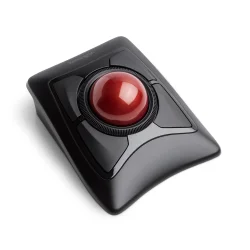
Kensington trackballs, which I have used for many years, have no bearings and need no lubrication.
 

My Computer My Computer

At a glance

Win11 ProAMD Ryzen 5 5500U16 GBRadeon 2100
OS
Win11 Pro
Computer type
PC/Desktop
Manufacturer/Model
BeeLink SER Mini
CPU
AMD Ryzen 5 5500U
Motherboard
BeeLink SER
Memory
16 GB
Graphics Card(s)
Radeon 2100
Sound Card
none
Monitor(s) Displays
Primary: Phillips 4K; Secondary: LG 4K
Screen Resolution
Both 3860 x 2160
Hard Drives
C: NVme 500 GB Windows only
D: 128 GB NVme User data + Windows Temp via Junction Link
PSU
External
Case
Mini
Cooling
Internal fan
Keyboard
Logitech Wireless Lighted
Mouse
Kensington ExpertMouse wireless trackball
Internet Speed
500/500
Browser
Brave
Antivirus
Windows Defender
 

My Computer My Computer

At a glance

Windows 11
OS
Windows 11
Thanks for all the suggestions. I frequently pop the ball out and clean the cavity area and the ball. I've never had visible hair or dirt in it. It's located in a clean environment.

I'm beginning to think that as much as it is used that maybe the little bearings that the ball floats on may become worn to the point that the ball is actually starting to drag (as stated in post # 4) on the cavity, creating resistance.

I have found that after about 2 years of usage the switch in the left button starts to deteriorate and this requires replacement of the trackball, so maybe between that and the ball it's just time for a replacement.

You can replace the switches too, if you have the tools and know how. I replace them all the time in my mouse and my Razer Tartarus'.

Your mouse however, Logitech makes a new one almost identical to it. I'd just buy a new one.

I have one of those M535 (It's on the garage laptop), it's too small for my hand which is why I rebuild my old Microsoft mouse.
 

My Computers My Computers

  • At a glance

    Windroid 11 Pro / Win 10 ProIntel Core i9-14900K Raptor Lake Refreshed 6....32GB (2x16) GSKILL Trident Z5 RGB Series (Int...MSI Gaming GeForce RTX 4070 12GB
    OS
    Windroid 11 Pro / Win 10 Pro
    Computer type
    PC/Desktop
    Manufacturer/Model
    MSI
    CPU
    Intel Core i9-14900K Raptor Lake Refreshed 6.0 GHZ
    Motherboard
    MSI MAG Z790 Tomahawk WiFi
    Memory
    32GB (2x16) GSKILL Trident Z5 RGB Series (Intel XMP 3.0) DDR5 RAM 6700MT/s
    Graphics Card(s)
    MSI Gaming GeForce RTX 4070 12GB
    Sound Card
    Onboard Realtek® ALC4080 Codec
    Monitor(s) Displays
    Monitor #1 Samsung Odyssey G50A WQHD G-Sync HDR10 Monitor #2 HP LA1911
    Screen Resolution
    2560x1440 and 1280x1024
    Hard Drives
    Samsung 980 PRO SSD 1TB PCIe 4.0 NVMe Gen 4 Gaming M.2 (145GB Win11/100GB Win10/685GB More Games)
    Crucial CT2000MX500SSD1 2TB (Games)
    Western Digital Blue WD60EZAZ 6TB (Data/Backup)
    Western Digital Blue WD60EZAZ 6TB (Media)
    Western Digital Blue WD80EAAZ 8TB (Storage)
    PSU
    Rosewill Hive-750S
    Case
    Cooler Master Elite 430 Mid Tower
    Cooling
    Cooler Master ML240L V2 Liquid CPU cooler + 3x120mm in + Isolated PSU Standard upward flow
    Keyboard
    Microsoft Natural Elite White PS/2 (with usb adapter)
    Mouse
    Microsoft D67-00001 Trackball Optical Mouse (rebuilt with ceramic bearings)
    Internet Speed
    450Mb/s hard wired
    Browser
    FF, Mullvad, Tor
    Antivirus
    Win Def
    Other Info
    Razer Tartarus V2 Gaming Keypad
    Logitech Z-906 5.1 THX 500w (Original 8" Sub with Polk Audio satellites)
  • At a glance

    Windows 11 ProIntel Core i9-14900K Raptor Lake Refreshed 6....32GB (2x16) GSKILL Trident Z5 RGB Series (Int...MSI Gaming GeForce RTX 3060Ti 8GB
    Operating System
    Windows 11 Pro
    Computer type
    PC/Desktop
    Manufacturer/Model
    MSI
    CPU
    Intel Core i9-14900K Raptor Lake Refreshed 6.0 GHz FCLGA1700 (Gen 14)
    Motherboard
    MSI MAG Z790 Tomahawk WiFi
    Memory
    32GB (2x16) GSKILL Trident Z5 RGB Series (Intel XMP 3.0) DDR5 RAM 6700MT/s
    Graphics card(s)
    MSI Gaming GeForce RTX 3060Ti 8GB
    Sound Card
    Onboard Realtek® ALC4080 Codec
    Monitor(s) Displays
    Monitor #1 Samsung Odyssey G50A WQHD G-Sync HDR10 Monitor #2 Samsung TU7000 55" TV
    Screen Resolution
    2560x1440 and 3840x2160
    Hard Drives
    Samsung 980 PRO SSD 1TB PCIe 4.0 NVMe Gen 4 Gaming M.2 (System)
    Samsung 980 PRO SSD 2TB PCIe 4.0 NVMe Gen 4 Gaming M.2 (Games)
    Crucial CT1000MX500SSD1 1TB (More Games)
    WD Green WD20EZRX 2TB (Data/Backup)
    WD Blue WD60EZAZ 6TB (Media)
    PSU
    Rosewill Hive-750S
    Case
    Cooler Master N400 NSE-400-KKN2 Mid-Tower
    Cooling
    Cooler Master ML240L V2 Liquid CPU cooler + 3x120mm in + 2x120mm + Isolated PSU Reverse flow front exhaust
    Keyboard
    Logitech MK345 Wireless
    Mouse
    MSI G20 Elite and Logitech MK345 Wireless
    Internet Speed
    450Mb/s hard wired
    Browser
    FF
    Antivirus
    Win Def
    Other Info
    Razer Tartarus Gaming Keypad
    MSI GC30 Gaming Controller (Xbox style)
I would be interested in replacing the switches in several old trackballs but have no clue as to a source for them of if if would be cost effective.

I'm trying to determine if the "ball bearings" actually roll or if they are just 3 supports for the ball. They are so small it's difficult to tell if they are actually rolling or not.
 

My Computer My Computer

At a glance

Win10
OS
Win10
Computer type
PC/Desktop
Manufacturer/Model
ASrock MB
I would be interested in replacing the switches in several old trackballs but have no clue as to a source for them of if if would be cost effective.

I'm trying to determine if the "ball bearings" actually roll or if they are just 3 supports for the ball. They are so small it's difficult to tell if they are actually rolling or not.
Not a simple job. I do it because I can't find a suitable replacement for my ancient Microsoft mouse. I would rebuild one you don't count on the first time.

Note: During disassembly the plastic bosses the screws screw into can break. I've been lucky enough to find some replacement mice on Ebay and I just put my rebuilt ball carrier in them.

The bearings do not roll, they are just pressed in a hole. To remove mine I had to drill a tiny hole, just big enough for a small paperclip, smaller than the bearing, through the plastic behind them so I could push them out. You should be able to find the right size replacements, after measuring them, on Amazon "Amazon.com".

My AI tells me your mouse uses the "Huano Mute White Dot 2 Pin" (That's the search phrase you use on Aliexpress) You'll have to take a good look at one of yours and verify you can find a correct replacement. Aliexpress is the only place I can find mine.
 

My Computers My Computers

  • At a glance

    Windroid 11 Pro / Win 10 ProIntel Core i9-14900K Raptor Lake Refreshed 6....32GB (2x16) GSKILL Trident Z5 RGB Series (Int...MSI Gaming GeForce RTX 4070 12GB
    OS
    Windroid 11 Pro / Win 10 Pro
    Computer type
    PC/Desktop
    Manufacturer/Model
    MSI
    CPU
    Intel Core i9-14900K Raptor Lake Refreshed 6.0 GHZ
    Motherboard
    MSI MAG Z790 Tomahawk WiFi
    Memory
    32GB (2x16) GSKILL Trident Z5 RGB Series (Intel XMP 3.0) DDR5 RAM 6700MT/s
    Graphics Card(s)
    MSI Gaming GeForce RTX 4070 12GB
    Sound Card
    Onboard Realtek® ALC4080 Codec
    Monitor(s) Displays
    Monitor #1 Samsung Odyssey G50A WQHD G-Sync HDR10 Monitor #2 HP LA1911
    Screen Resolution
    2560x1440 and 1280x1024
    Hard Drives
    Samsung 980 PRO SSD 1TB PCIe 4.0 NVMe Gen 4 Gaming M.2 (145GB Win11/100GB Win10/685GB More Games)
    Crucial CT2000MX500SSD1 2TB (Games)
    Western Digital Blue WD60EZAZ 6TB (Data/Backup)
    Western Digital Blue WD60EZAZ 6TB (Media)
    Western Digital Blue WD80EAAZ 8TB (Storage)
    PSU
    Rosewill Hive-750S
    Case
    Cooler Master Elite 430 Mid Tower
    Cooling
    Cooler Master ML240L V2 Liquid CPU cooler + 3x120mm in + Isolated PSU Standard upward flow
    Keyboard
    Microsoft Natural Elite White PS/2 (with usb adapter)
    Mouse
    Microsoft D67-00001 Trackball Optical Mouse (rebuilt with ceramic bearings)
    Internet Speed
    450Mb/s hard wired
    Browser
    FF, Mullvad, Tor
    Antivirus
    Win Def
    Other Info
    Razer Tartarus V2 Gaming Keypad
    Logitech Z-906 5.1 THX 500w (Original 8" Sub with Polk Audio satellites)
  • At a glance

    Windows 11 ProIntel Core i9-14900K Raptor Lake Refreshed 6....32GB (2x16) GSKILL Trident Z5 RGB Series (Int...MSI Gaming GeForce RTX 3060Ti 8GB
    Operating System
    Windows 11 Pro
    Computer type
    PC/Desktop
    Manufacturer/Model
    MSI
    CPU
    Intel Core i9-14900K Raptor Lake Refreshed 6.0 GHz FCLGA1700 (Gen 14)
    Motherboard
    MSI MAG Z790 Tomahawk WiFi
    Memory
    32GB (2x16) GSKILL Trident Z5 RGB Series (Intel XMP 3.0) DDR5 RAM 6700MT/s
    Graphics card(s)
    MSI Gaming GeForce RTX 3060Ti 8GB
    Sound Card
    Onboard Realtek® ALC4080 Codec
    Monitor(s) Displays
    Monitor #1 Samsung Odyssey G50A WQHD G-Sync HDR10 Monitor #2 Samsung TU7000 55" TV
    Screen Resolution
    2560x1440 and 3840x2160
    Hard Drives
    Samsung 980 PRO SSD 1TB PCIe 4.0 NVMe Gen 4 Gaming M.2 (System)
    Samsung 980 PRO SSD 2TB PCIe 4.0 NVMe Gen 4 Gaming M.2 (Games)
    Crucial CT1000MX500SSD1 1TB (More Games)
    WD Green WD20EZRX 2TB (Data/Backup)
    WD Blue WD60EZAZ 6TB (Media)
    PSU
    Rosewill Hive-750S
    Case
    Cooler Master N400 NSE-400-KKN2 Mid-Tower
    Cooling
    Cooler Master ML240L V2 Liquid CPU cooler + 3x120mm in + 2x120mm + Isolated PSU Reverse flow front exhaust
    Keyboard
    Logitech MK345 Wireless
    Mouse
    MSI G20 Elite and Logitech MK345 Wireless
    Internet Speed
    450Mb/s hard wired
    Browser
    FF
    Antivirus
    Win Def
    Other Info
    Razer Tartarus Gaming Keypad
    MSI GC30 Gaming Controller (Xbox style)
Not a simple job. I do it because I can't find a suitable replacement for my ancient Microsoft mouse. I would rebuild one you don't count on the first time.

Note: During disassembly the plastic bosses the screws screw into can break. I've been lucky enough to find some replacement mice on Ebay and I just put my rebuilt ball carrier in them.

The bearings do not roll, they are just pressed in a hole. To remove mine I had to drill a tiny hole, just big enough for a small paperclip, smaller than the bearing, through the plastic behind them so I could push them out. You should be able to find the right size replacements, after measuring them, on Amazon "Amazon.com".

My AI tells me your mouse uses the "Huano Mute White Dot 2 Pin" (That's the search phrase you use on Aliexpress) You'll have to take a good look at one of yours and verify you can find a correct replacement. Aliexpress is the only place I can find mine

Not a simple job. I do it because I can't find a suitable replacement for my ancient Microsoft mouse. I would rebuild one you don't count on the first time.

Note: During disassembly the plastic bosses the screws screw into can break. I've been lucky enough to find some replacement mice on Ebay and I just put my rebuilt ball carrier in them.

The bearings do not roll, they are just pressed in a hole. To remove mine I had to drill a tiny hole, just big enough for a small paperclip, smaller than the bearing, through the plastic behind them so I could push them out. You should be able to find the right size replacements, after measuring them, on Amazon "Amazon.com".

My AI tells me your mouse uses the "Huano Mute White Dot 2 Pin" (That's the search phrase you use on Aliexpress) You'll have to take a good look at one of yours and verify you can find a correct replacement. Aliexpress is the only place I can find mine.

I applaud your spending the time to bring your trackball back to life. I too like to make repairs but in this case I doubt I'd go that far to revive mine. Probably would just buy a new one since they usually last me several years.

I've always used this model Logitech trackball but I'm tempted to try one of the other brands as long as they are physically the same layout as the Logitech. I may well be disappointed but I'd like to see how the others are constructed, and how the ball and switches hold up. There is one on Amazon right now for $25 so I wouldn't be out much if they don't work out.
 

My Computer My Computer

At a glance

Win10
OS
Win10
Computer type
PC/Desktop
Manufacturer/Model
ASrock MB
Not a Win 11 question but hopefully someone can help with a problem. I've used Logitech M535 trackballs for years. I find that after using for a while the ball develops some resistance and does not turn as smoothly as when new. Still very usable but just takes a little effort.

Can anyone suggest a cure? Possibly some type of "lubricant" for the ball?
Bump. For many years I've used this Sprayway silicone spray after cleaning the under-trackball area to renew my aging Logitech Trackballs gliding capability. It seems I only have to do it every few weeks but of course it would depend on your usage. Of course it doesn't compensate for disappointingly deteriorating nubs but at least it gives extended life.

After cleaning the interior under the trackball I spray a Q-Tip to apply to the internal "nubs" and then clean, dry, and spray the trackball itself.

I bought the spray at a local hardware store. The link is just one that came up in a random search. There are other versions of this spray that I haven't used; this specific red can indicates it's a "food safe" version.

HTML:
https://philmoresupply.com/products/silicone-spray-sprayway?srsltid=AfmBOooiO1kOj4bozJlvvHAe6UY8WrOVKI0F-pLML-03YHclUPD7m6RJL0s

1788643016619.webp

After
 

My Computers My Computers

  • At a glance

    Win11, 64-bit update 25H212th Gen Intel(R) Core(TM) i7-12700H (2.30 GHz)32 GB
    OS
    Win11, 64-bit update 25H2
    Computer type
    Laptop
    Manufacturer/Model
    Lenovo P1 Gen5 ThinkPad Model 21DC004JUS
    CPU
    12th Gen Intel(R) Core(TM) i7-12700H (2.30 GHz)
    Motherboard
    BIOS N3JET46W (1.30 )
    Memory
    32 GB
    Screen Resolution
    2560x1600
    Hard Drives
    WD Black, 4TB
  • At a glance

    Win 11 Pro 25H2 Build 26200.8037Intel® Core™ Ultra 7 366H vPro® Processor64GBNVIDIA RTX PRO™ 2000 Blackwell Laptop GPU 8GB...
    Operating System
    Win 11 Pro 25H2 Build 26200.8037
    Computer type
    Laptop
    Manufacturer/Model
    Lenovo P1 Gen9
    CPU
    Intel® Core™ Ultra 7 366H vPro® Processor
    Memory
    64GB
    Graphics card(s)
    NVIDIA RTX PRO™ 2000 Blackwell Laptop GPU 8GB GDDR7
    Screen Resolution
    16" WQUXGA (3840 x 2400), IPS, Anti-Glare, Non-Touch, HDR 400
    Hard Drives
    2 TB SSD M.2 2280 PCIe Gen5 Performance TLC Opal
    Other Info
    Intel® Wi-Fi 7 BE211 2x2 BE vPro® & Bluetooth® 5.4
  • Custom built Puget Systems desktop
I've often considered switching from a traditional mouse to something like a trackball device, because I suffer from pain in my wrists and shoulders due to mouse use. I currently have two mice on my desk. One for my left hand, and one for my right hand to give each side a rest. To enhance the two mouse experience, I use EitherMouse.


Would a trackball device such as the Kensington Expert Mouse Wireless Trackball be any good? I can envisage it helping with my wrists, but not so much with my shoulders.

Kensington Expert Mouse Wireless Trackball.webp
 

My Computers My Computers

  • At a glance

    Windows 11 ProIntel Core i9-10900XCorsair 64 GB (4 x 16 GB) CMW64GX4M4C3000C15 ...GIGABYTE GeForce GTX 1660 Super Mini ITX 6 GB OC
    OS
    Windows 11 Pro
    Computer type
    PC/Desktop
    Manufacturer/Model
    Stigg's Build
    CPU
    Intel Core i9-10900X
    Motherboard
    GIGABYTE X299X DESIGNARE 10G
    Memory
    Corsair 64 GB (4 x 16 GB) CMW64GX4M4C3000C15 Vengeance RGB Pro 3000Mhz DDR4
    Graphics Card(s)
    GIGABYTE GeForce GTX 1660 Super Mini ITX 6 GB OC
    Sound Card
    Realtek ALC1220
    Monitor(s) Displays
    Samsung 27" FHD LED FreeSync Gaming Monitor (LS27F350FHEXXY)
    Screen Resolution
    1920 x 1080
    Hard Drives
    Samsung 970 Pro Series 1TB M.2 2280 NVMe SSD
    Western Digital Red Pro WD8003FFBX-68B9AN0 8 TB, 7200 RPM, SATA-III
    Western Digital Red Pro WD8003FFBX-68B9AN0 8 TB, 7200 RPM, SATA-III
    PSU
    Corsair HX1200 1200W 80 Plus Platinum
    Case
    Fractal Design Define 7 Black Solid Case
    Cooling
    Noctua NH-D15 Chromax Black
    Keyboard
    Razer Ornata V2
    Mouse
    Razer DeathAdder Essential
    Internet Speed
    FTTN 100Mbps / 40Mbps
    Browser
    Mozilla Firefox
    Antivirus
    N/A
    Other Info
    Logitech BRIO 4k Ultra HD USB-C Webcam
  • At a glance

    Windows 10 ProCore i7-8750HSK Hynix 32 GB (2 x 16 GB) HMA82GS6CJR8N-VK 1...NVIDIA GeForce GTX 1070
    Operating System
    Windows 10 Pro
    Computer type
    Laptop
    Manufacturer/Model
    ASUS ROG Zephyrus M GM501GS
    CPU
    Core i7-8750H
    Motherboard
    Zephyrus M GM501GS
    Memory
    SK Hynix 32 GB (2 x 16 GB) HMA82GS6CJR8N-VK 16 GB DDR4-2666 DDR4 SDRAM
    Graphics card(s)
    NVIDIA GeForce GTX 1070
    Sound Card
    Realtek ALC294
    Monitor(s) Displays
    AU Optronics B156HAN07.1 [15.6" LCD]
    Screen Resolution
    1920 x 1080
    Hard Drives
    Samsung MZVKW512HMJP-00000 512 GB, PCI-E 3.0 x4
    Samsung SSD 860 QVO 4TB 4 TB, SATA-III
    PSU
    N/A
    Case
    N/A
    Cooling
    N/A
    Keyboard
    PC/AT Enhanced PS2 Keyboard (101/102-Key)
    Mouse
    Razer DeathAdder Essential
    Internet Speed
    FTTN 100Mbps / 40Mbps
    Browser
    Mozilla Firefox
    Antivirus
    N/A
    Other Info
    USB2.0 HD UVC Webcam
I've used Logitech Trackballs for 35 years or even more, time passes so quickly ... but for precisely the reasons you give: I developed excruciating mouse shoulder, elbow, and wrist pain from using a mouse. I had tried multiple mouse pad and mouse brand variants but none alleviated the pain. Moved chair up. Moved chair down. Being productive demanded I expand my horizons. Although I've tried models with the larger centered trackball I found them cumbersome. Ditto for both Microsoft and Kensington models.

For me the best ever Logitech trackball is the latest one, the Logitech MX Ergo S Advanced Wireless Trackball Mouse USB C. The 2 outstanding features for me are "quiet clicks" (finally, finally!) and USB-C charging.

Note: Logitech added an "S+" or "Plus" variant (ONLY available on the Logitech website). The "+" feature is a second (removable) angled rubber wedge that snaps into place under the metal base and adds an additional 15 degrees or so tilt. For me this is absolutely a must because it keeps the angle of my lower arm completely "at rest" rather than forced to angle further down on the thumb side.

Being a holiday here in the US Logitech has the Ergo S and the S+ version on sale for the same sale price as Amazon.

1788809280978.webp
 

My Computers My Computers

  • At a glance

    Win11, 64-bit update 25H212th Gen Intel(R) Core(TM) i7-12700H (2.30 GHz)32 GB
    OS
    Win11, 64-bit update 25H2
    Computer type
    Laptop
    Manufacturer/Model
    Lenovo P1 Gen5 ThinkPad Model 21DC004JUS
    CPU
    12th Gen Intel(R) Core(TM) i7-12700H (2.30 GHz)
    Motherboard
    BIOS N3JET46W (1.30 )
    Memory
    32 GB
    Screen Resolution
    2560x1600
    Hard Drives
    WD Black, 4TB
  • At a glance

    Win 11 Pro 25H2 Build 26200.8037Intel® Core™ Ultra 7 366H vPro® Processor64GBNVIDIA RTX PRO™ 2000 Blackwell Laptop GPU 8GB...
    Operating System
    Win 11 Pro 25H2 Build 26200.8037
    Computer type
    Laptop
    Manufacturer/Model
    Lenovo P1 Gen9
    CPU
    Intel® Core™ Ultra 7 366H vPro® Processor
    Memory
    64GB
    Graphics card(s)
    NVIDIA RTX PRO™ 2000 Blackwell Laptop GPU 8GB GDDR7
    Screen Resolution
    16" WQUXGA (3840 x 2400), IPS, Anti-Glare, Non-Touch, HDR 400
    Hard Drives
    2 TB SSD M.2 2280 PCIe Gen5 Performance TLC Opal
    Other Info
    Intel® Wi-Fi 7 BE211 2x2 BE vPro® & Bluetooth® 5.4
  • Custom built Puget Systems desktop

Latest Support Threads

Back
Top Bottom