Best way to change just a few Win32 elements without applying a whole theme?


thevisi0nary

New member
Local time
9:00 AM
Posts
3
OS
Windows 11
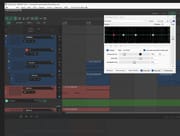
One of the apps I use has Win32 elements that obviously do not inherit dark mode. I would like to avoid applying an entire theme just to change a menu bar and some window backgrounds.

What are the most concise ways to accomplish this on Win 11?


My Computer

System One

  • OS
    Windows 11
3rd party App developers have to design any/all parts of their app to support dark mode. As far as I know you cannot change anything natively within Windows that would make these elements dark as the hard coding within the app itself does not support it.

Possibly a third party app like Windowblinds can do it but I can not say for certain since I've never used it.
 
Last edited:

My Computers

System One System Two

  • OS
    Windows 11 Pro 25H2
    Computer type
    PC/Desktop
    Manufacturer/Model
    Dell Optiplex 7080
    CPU
    i9-10900 10 core 20 threads
    Motherboard
    DELL 0J37VM
    Memory
    32 gb
    Graphics Card(s)
    none-Intel UHD Graphics 630
    Sound Card
    Integrated Realtek
    Monitor(s) Displays
    Benq 27
    Screen Resolution
    2560x1440
    Hard Drives
    2x1tb Solidigm m.2 nvme /External drives 512gb Samsung m.2 sata+2tb Kingston m2.nvme
    PSU
    500w
    Case
    MT
    Cooling
    Dell Premium
    Keyboard
    Logitech wired
    Mouse
    Logitech wireless
    Internet Speed
    so slow I'm too embarrassed to tell
    Browser
    #1 Edge #2 Firefox
    Antivirus
    Defender+MWB Premium
  • Operating System
    Windows 11 Pro 24H2 26200.8457
    Computer type
    PC/Desktop
    Manufacturer/Model
    Beelink Mini PC SER5
    CPU
    AMD Ryzen 7 6800U
    Memory
    32 gb
    Graphics card(s)
    integrated
    Sound Card
    integrated
    Monitor(s) Displays
    Benq 27
    Screen Resolution
    2560x1440
    Hard Drives
    1TB Crucial nvme
    Keyboard
    Logitech wired
    Mouse
    Logitech wireless
    Internet Speed
    still too embarrassed to tell
    Browser
    Firefox
    Antivirus
    Defender
    Other Info
    System 3 is non compliant Dell 9020 i7-4770/24gb ram Win11 PRO 26200.8457
3rd party App developers have to design any/all parts of their app to support dark mode. As far as I know you cannot change anything natively within Windows that would make these elements dark as the hard coding within the app itself does not support it.

Possibly a third party app like Windowblinds can do it but I can not say for certain since I've never used it.
Thank you. My concern with Windowblinds is possibly introducing performance issues. It sucks because it's mainly just the menu bar I want to change because it sticks out like a sore thumb, but all the options to change it seem a little sketchy.
 

My Computer

System One

  • OS
    Windows 11
There are other 3rd party apps that may be able to do what you want, but as I said, I do not use any of them so I can't verify that. There are many people here who do use the different ones. Maybe one of them will step in and steer you in the right direction.
 

My Computers

System One System Two

  • OS
    Windows 11 Pro 25H2
    Computer type
    PC/Desktop
    Manufacturer/Model
    Dell Optiplex 7080
    CPU
    i9-10900 10 core 20 threads
    Motherboard
    DELL 0J37VM
    Memory
    32 gb
    Graphics Card(s)
    none-Intel UHD Graphics 630
    Sound Card
    Integrated Realtek
    Monitor(s) Displays
    Benq 27
    Screen Resolution
    2560x1440
    Hard Drives
    2x1tb Solidigm m.2 nvme /External drives 512gb Samsung m.2 sata+2tb Kingston m2.nvme
    PSU
    500w
    Case
    MT
    Cooling
    Dell Premium
    Keyboard
    Logitech wired
    Mouse
    Logitech wireless
    Internet Speed
    so slow I'm too embarrassed to tell
    Browser
    #1 Edge #2 Firefox
    Antivirus
    Defender+MWB Premium
  • Operating System
    Windows 11 Pro 24H2 26200.8457
    Computer type
    PC/Desktop
    Manufacturer/Model
    Beelink Mini PC SER5
    CPU
    AMD Ryzen 7 6800U
    Memory
    32 gb
    Graphics card(s)
    integrated
    Sound Card
    integrated
    Monitor(s) Displays
    Benq 27
    Screen Resolution
    2560x1440
    Hard Drives
    1TB Crucial nvme
    Keyboard
    Logitech wired
    Mouse
    Logitech wireless
    Internet Speed
    still too embarrassed to tell
    Browser
    Firefox
    Antivirus
    Defender
    Other Info
    System 3 is non compliant Dell 9020 i7-4770/24gb ram Win11 PRO 26200.8457
Hello, I know this is a bit old but wondering if I bump the thread that I could get some help.

I really would prefer not to use Windowblinds or rectify11 for this if it is possible, and would like to find a method that requires the least amount of modifying registry files.

Is there a text file I can edit that will simply change the color of specific elements or PNG elements I can replace?
 

My Computer

System One

  • OS
    Windows 11
Is there a text file I can edit that will simply change the color of specific elements or PNG elements I can replace?
No as this is much more complex to accomplish than you make it sound.
This is why you have to pay for most 3rd party apps.
And it is not reg related and there is no .txt file to modify.
Instead you would have to deal with textures, not bitmaps, jpg or png.
Before xml based code, this was compiled in .dll and .exe.

 

My Computers

System One System Two

  • OS
    All Branches but Release
    Computer type
    Laptop
    Manufacturer/Model
    Acer Nitro ANV15-51
    CPU
    AMD Ryzen 7 7735HS 3200-4500 Mhz 8 cores x 2
    Motherboard
    Sportage_RBH
    Memory
    32 GB DDR5
    Graphics Card(s)
    Radeon Graphic / NVIDIA GeForce RTX 4060 8 GB GDDR6
    Sound Card
    AMD/Realtek(R) Audio
    Monitor(s) Displays
    Integrated Monitor (15.3"vis)
    Screen Resolution
    FHD 1920X1080 16:9 144Hz
    Hard Drives
    KINGSTON OM8SEP4512Q-AA 1TB
    Western Digital 256GB
    PSU
    19V DC 6.32 A 120 W
    Cooling
    Dual Fans
    Mouse
    MS Bluetooth
    Internet Speed
    Fiber 1GB Cox -us & 1GB Orange-fr
    Browser
    Edge Canary- Firefox Nightly-Chrome Dev-Chrome Dev
    Antivirus
    Windows Defender
  • Operating System
    Windows 11 Beta
    Computer type
    Laptop
    Manufacturer/Model
    Asus X751BP
    CPU
    AMD A9-9420
    Memory
    8 GB of DDR4
    Graphics card(s)
    AMD Radeon R5
    Screen Resolution
    1600x900
    Hard Drives
    Seagate 1 TB

Latest Support Threads

Back
Top Bottom