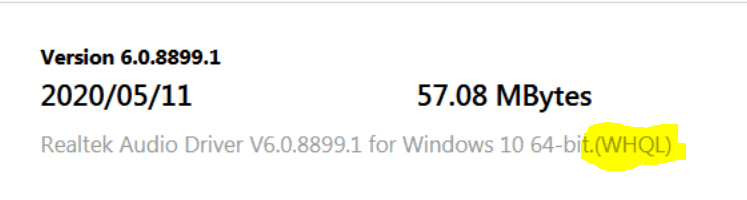
I have had some issues but reinstalling the drivers and pinning the GUI app to the taskbar., restarting it from time to time fixed it. As for reporting the issue.. it's a Realtek one and not an MS one.. they make the driver and MS doesn'tI don't have any audio issues, and especially with my Realtek drivers. That ;s desktop. My Windows 11 laptop using the Conexant audio drivers also has no issues there. But that's my systems.
You can always provide feedback via the Feedback hub - Settings > System > About; Scroll down to the "Give feedback" link. Post your issue.
My Computer
At a glance
Windows 11 Home- RP - 26H2 -26300.9278AMD Ryzen 5 5600GG.SKILL Ripjaws V Series 64GB 4x16Nvidia geforce gtx titan x
- OS
- Windows 11 Home- RP - 26H2 -26300.9278
- Computer type
- PC/Desktop
- Manufacturer/Model
- Banana Junior 5600-G Series
- CPU
- AMD Ryzen 5 5600G
- Motherboard
- Asus ROG Strix B550-F
- Memory
- G.SKILL Ripjaws V Series 64GB 4x16
- Graphics Card(s)
- Nvidia geforce gtx titan x
- Monitor(s) Displays
- 28" ASUS VP28U 4k
- Screen Resolution
- 4K
- Hard Drives
- Primary SAMSUNG 970 EVO Plus
- PSU
- EVGA BQ 700w 80+ Bronze
- Case
- Zalman i3 NEO
- Cooling
- ARCTIC Freezer 7 X
- Keyboard
- Corsair
- Mouse
- Amazon Generic with Cord
- Internet Speed
- Download: 295.11 mbps Upload: 65.35 mbps T-Mobile Internet
- Browser
- Firefox and Edge
- Antivirus
- MS - Defender
- Other Info
- Speakers: Klipsch ProMedia 2.1


 :)
:)